Solved

Display base64 images on Form in acumatica

  • April 1, 2026
  • 4 replies
  • 135 views

Forum|alt.badge.img

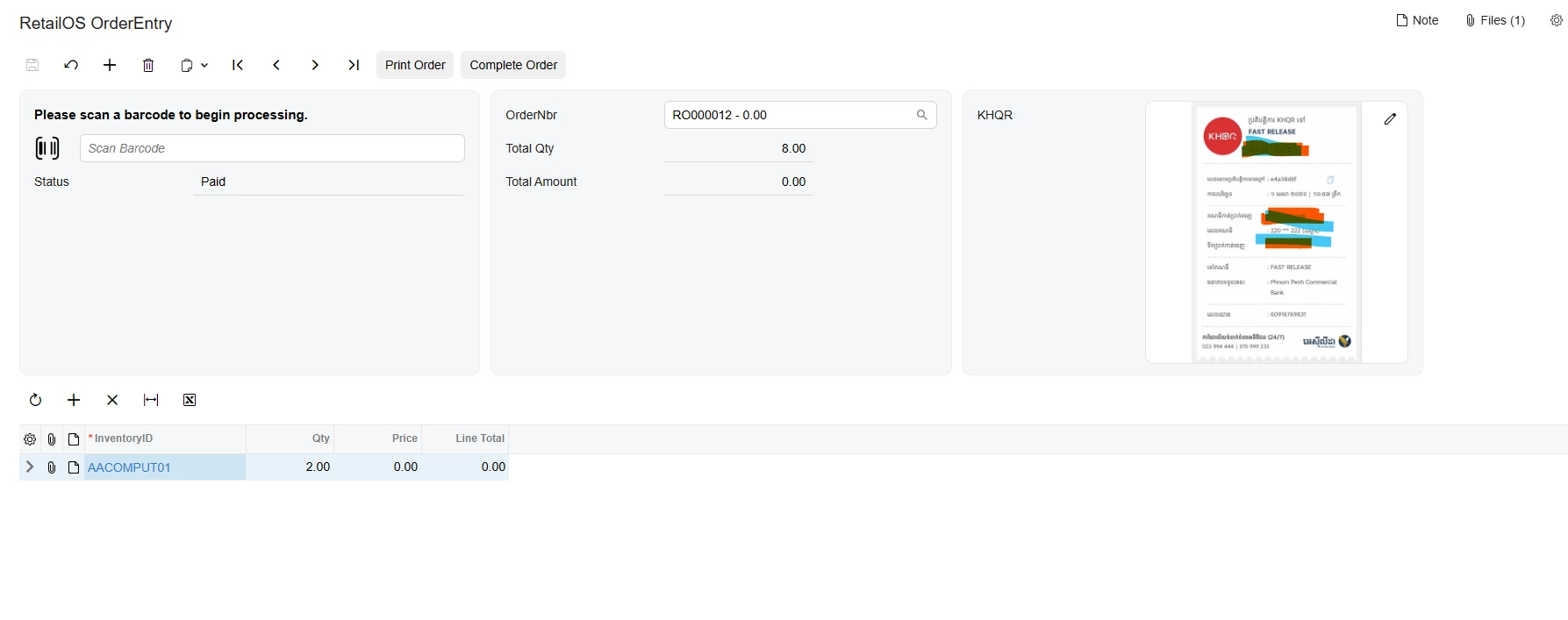
I have received some requirements from users. They want to display a QR code payment image that is generated as a base64-encoded PNG from an external API.

I need to show this base64 image on an Acumatica form. Once the user scans the QR code and completes the payment, we will receive a response from the API and continue with the next process.

Please guide me on how to display a dynamic base64 image in Acumatica 2025 R2, for both the Classic UI and the Modern UI.

Best answer by npetrosov31

Hi ​@vannakheng,

Since the image appears after reloading the form, the upload and field binding are probably working. The missing step is refreshing the bound data view after the Pay action updates or attaches the image.

After saving the image and updating the record, try explicitly updating the cache and requesting a refresh:

var row = Base.Document.Current;
if (row != null)
{
    // Set KHQRReport or attach the generated file here.
    Base.Document.Update(row);
    Base.Actions.PressSave();
    Base.Document.View.RequestRefresh();
}

If the Pay action runs inside PXLongOperation, perform the database/file update inside the long operation using PXTransactionScope and complete that PXTransactionScope before request refresh after the operation. Refreshing before the long operation finishes will reload the previous value.

Also you can check if your Pay action has CommitChanges on it. That also may be helpful.

If RequestRefresh() alone does not repaint the uploader, could you share the Pay action code and the DAC attributes for KHQRReport? Those determine whether the field's updated value is returned to the Modern UI.


4 replies

Forum|alt.badge.img+8
  • Captain II
  • April 1, 2026

I did a quick search and found this discussion topic on how you can pull images from the database to be included in the report:


Forum|alt.badge.img
  • Author
  • Freshman II
  • April 3, 2026

I did a quick search and found this discussion topic on how you can pull images from the database to be included in the report:


I don’t want to display on report. I want to display on form. Now I can display it but I’m still have some problem. when click pay action it’s already upload image to file but not display yet until I reload form.

    <qp-fieldset id="Document_CstPXLayoutRule6_fs1" wg-container="Document_form" view.bind="Document" slot="C" >

        <field name="KHQRReport" unbound>

            <qp-label slot="label" caption="KHQR"></qp-label>

            <qp-image-uploader id="KHQRReport" allow-null="false" state.bind="Document.KHQRReport"

                width="300px 1/1"></qp-image-uploader>

        </field>


    </qp-fieldset>


Chris Hackett
Community Manager
Forum|alt.badge.img
  • Acumatica Community Manager
  • July 21, 2026

Hi ​@vannakheng were you able to find a solution? Thank you!


npetrosov31
Jr Varsity I
Forum|alt.badge.img+2
  • Jr Varsity I
  • Answer
  • August 4, 2026

Hi ​@vannakheng,

Since the image appears after reloading the form, the upload and field binding are probably working. The missing step is refreshing the bound data view after the Pay action updates or attaches the image.

After saving the image and updating the record, try explicitly updating the cache and requesting a refresh:

var row = Base.Document.Current;
if (row != null)
{
    // Set KHQRReport or attach the generated file here.
    Base.Document.Update(row);
    Base.Actions.PressSave();
    Base.Document.View.RequestRefresh();
}

If the Pay action runs inside PXLongOperation, perform the database/file update inside the long operation using PXTransactionScope and complete that PXTransactionScope before request refresh after the operation. Refreshing before the long operation finishes will reload the previous value.

Also you can check if your Pay action has CommitChanges on it. That also may be helpful.

If RequestRefresh() alone does not repaint the uploader, could you share the Pay action code and the DAC attributes for KHQRReport? Those determine whether the field's updated value is returned to the Modern UI.