



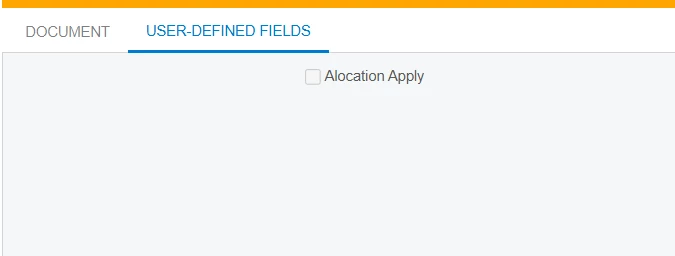
I want to disable Allocatiob Apply field disable by default.
I want to disable Allocatiob Apply field disable by default.
Best answer by Saikrishna V
Hello
To disable a UDF field in Acumatica, follow these steps:
Go to Customization > Customization Projects.
Open the respective project and select the screen containing the UDF field.
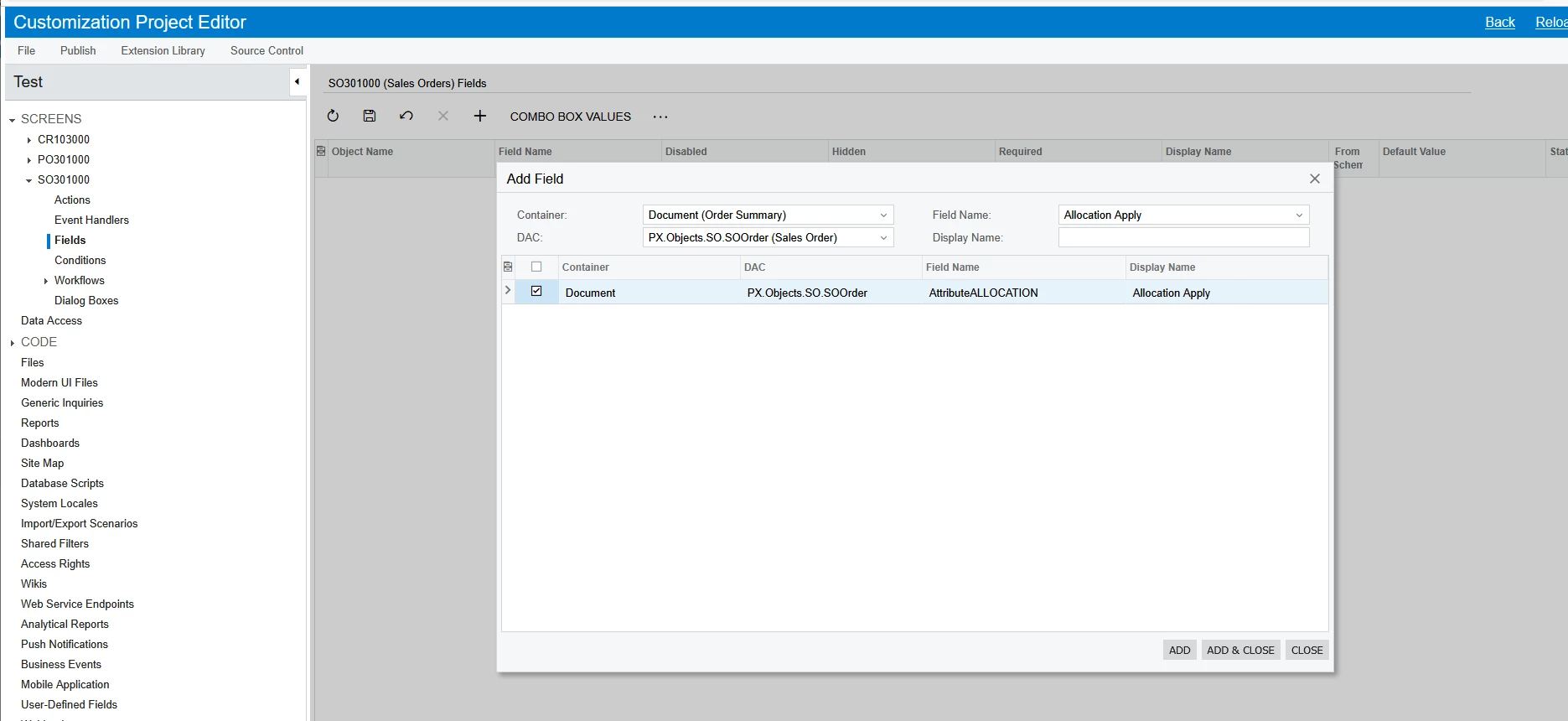
Click on the Fields section.
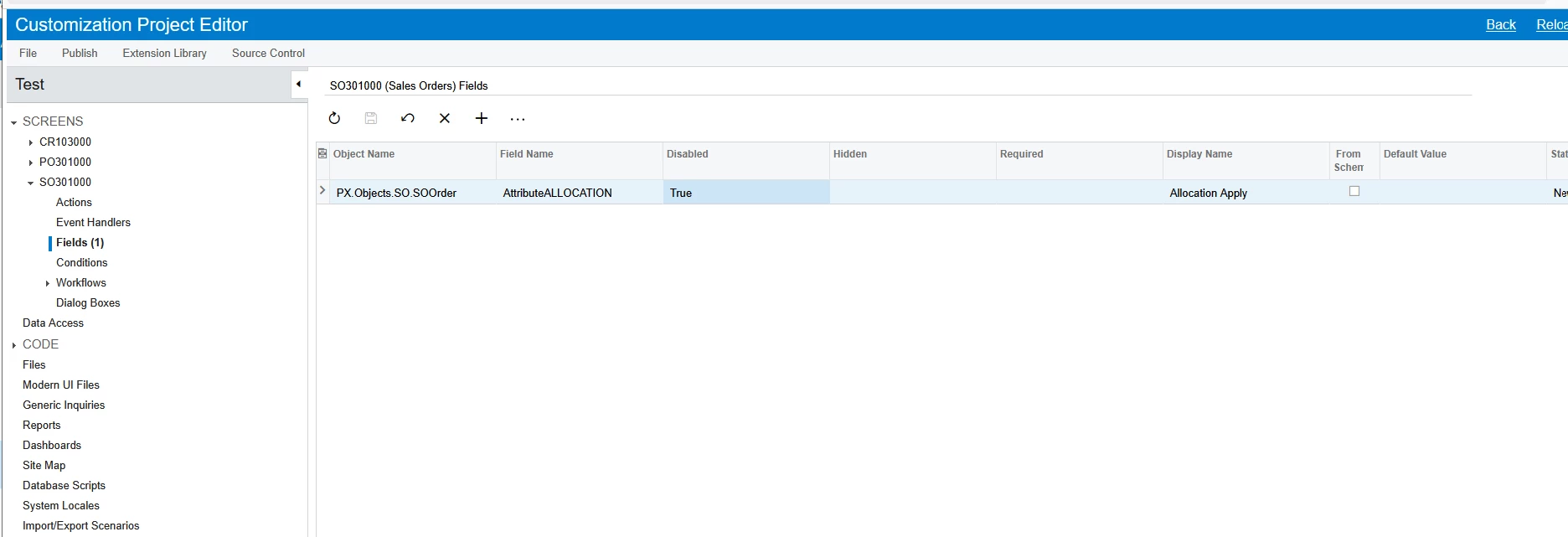
Add the UDF field, and set the Enabled property to False.
Publish the customization and verify the changes.
This will disable the UDF field on the screen.
Thanks
Enter your E-mail address. We'll send you an e-mail with instructions to reset your password.

