



hi Todays date defaults on Gi even though it has no default value. How can i remove this to empty box?
Below is the screen shot
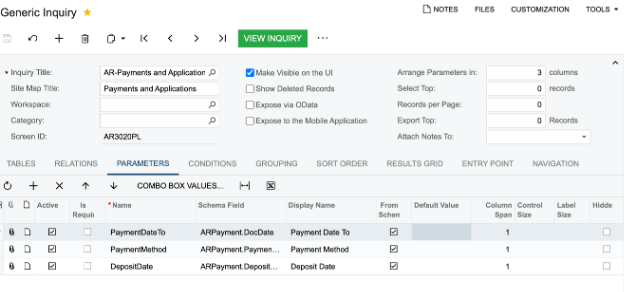
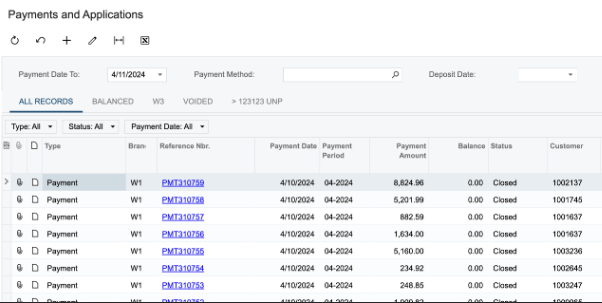
hi Todays date defaults on Gi even though it has no default value. How can i remove this to empty box?
Below is the screen shot
Best answer by Vignesh Ponnusamy
Hi
Try setting the Default value to 0 in the parameters tab to see if that helps.!
To be able to set the value to 0, uncheck the From Schema check box, save the GI and set the value to 0 then enable the From Schema checkbox. It’s kind of hack, but you can give a try.
Enter your E-mail address. We'll send you an e-mail with instructions to reset your password.





