Question

Customizing Customer Selector to Search by Code, Name, and Phone

  • February 11, 2026
  • 2 replies
  • 38 views

mos11
Freshman I
Forum|alt.badge.img

How can I change the selector in the Customer Number field so that it searches by Customer CD, Customer Name, and Telephone number as well? How can I do this?

2 replies

abhimanyuprajapati52
Jr Varsity I
Forum|alt.badge.img

Hi ​@mos11,

Customizing selector columns only changes what is displayed.
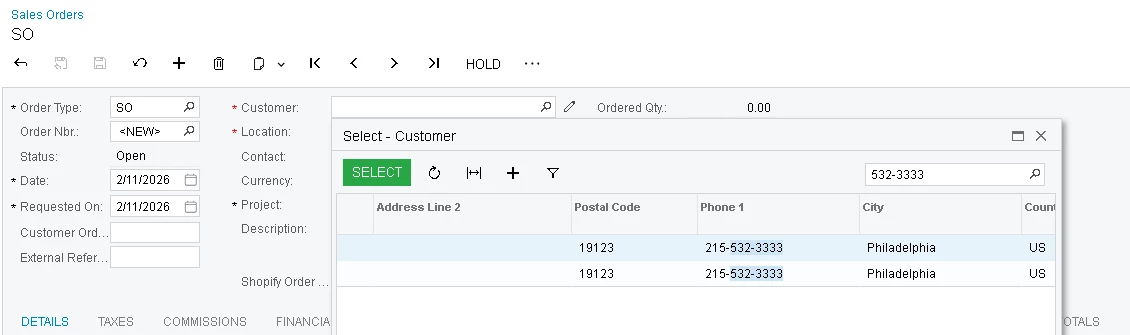
To make the phone number searchable, you need to redefine the PXSelector and include a join to the Contact table (using the default contact to avoid duplicate rows).

The example below shows how to do this for the CustomerID field on the Sales Order screen (SOOrderEntry). You can apply the same approach to other graphs by changing the graph and field.


public class SOOrderEntry_Extension : PXGraphExtension<SOOrderEntry>

{

[PXMergeAttributes(Method = MergeMethod.Merge)]

[PXSelector(

typeof(Search2<Customer.bAccountID,

LeftJoin<Contact,

On<Contact.contactID, Equal<Customer.defContactID>>>>),

typeof(Customer.acctCD),

typeof(Customer.acctName),

typeof(Contact.phone1),

SubstituteKey = typeof(Customer.acctCD),

DescriptionField = typeof(Customer.acctName)

)]

protected virtual void _(Events.CacheAttached<SOOrder.customerID> e)

{

}

}


DipakNilkanth
Pro III
Forum|alt.badge.img+14

Hi ​@mos11, On which screen do you need this functionality?
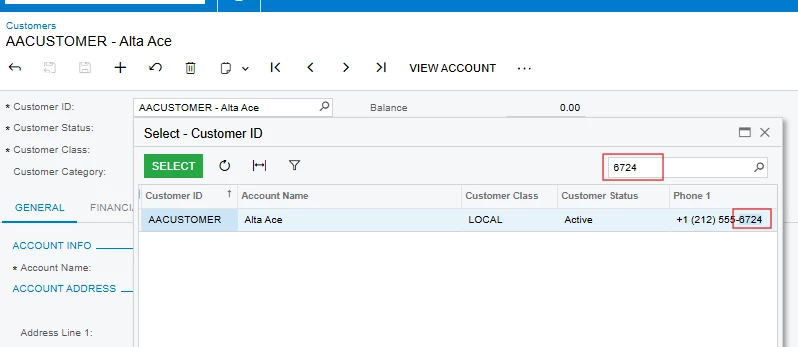
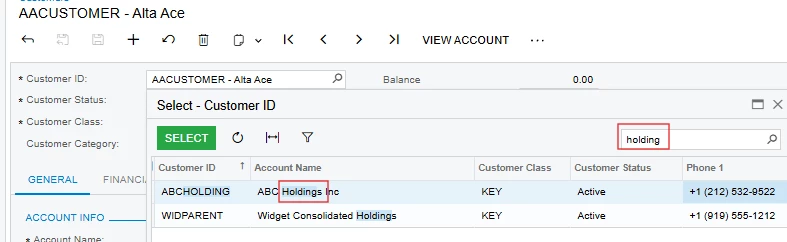
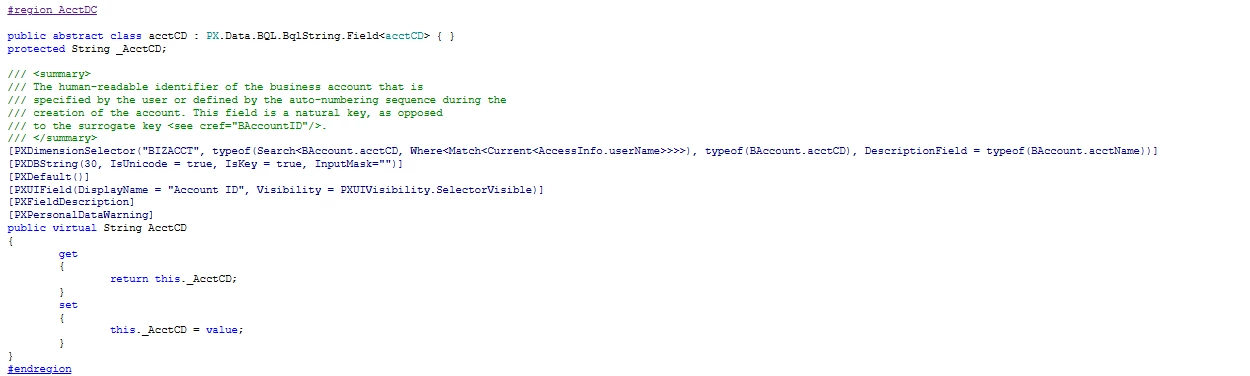
I checked the Customer ID field on the Customers screen, and it searches across all relevant fields.
If you need the same functionality on another screen, you can copy and apply the same attributes that are used for the AcctCD field in the code.
 

Filter with Phone
Filter with Name