Solved

Customization SCSS not loading in Modern UI — "Failed loading required CSS file" (2026 R1)

  • June 14, 2026
  • 6 replies
  • 74 views

brothe58
Jr Varsity III
Forum|alt.badge.img

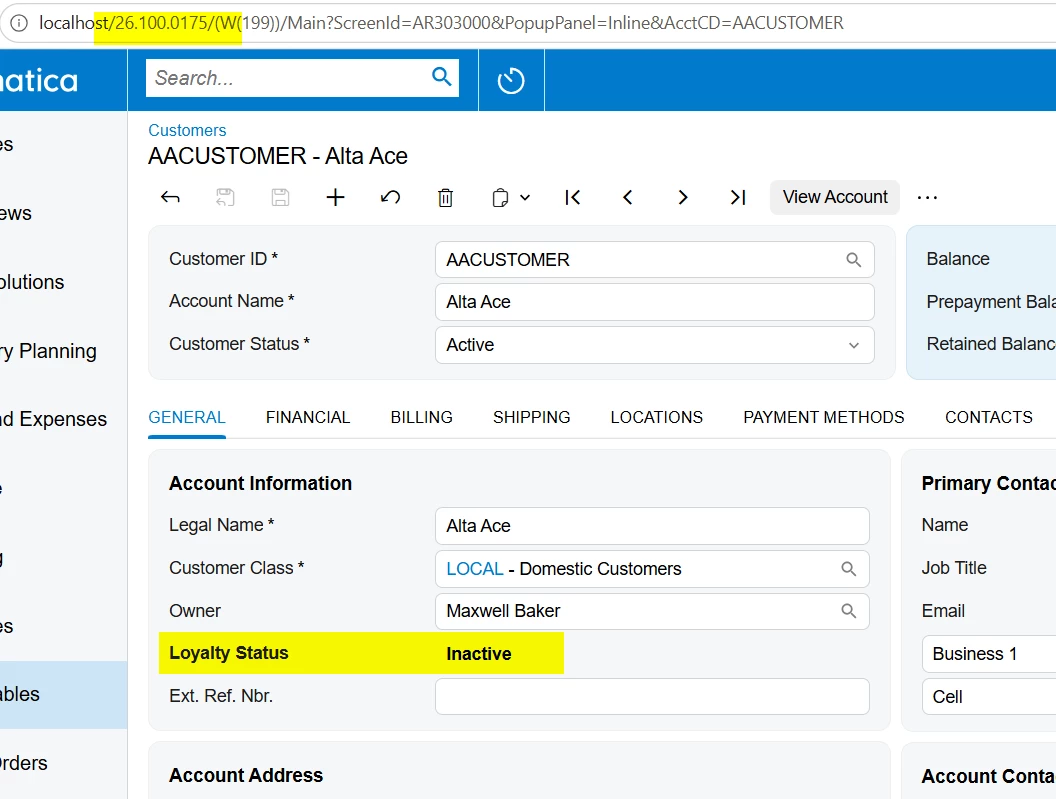
I want to add a box connotation (colored status field) to a customized stock screen (AR303000) in a customization project on 2026 R1.

I created status-colors.scss and referenced it from my customization HTML:

<template>
    <require from="./status-colors.scss"></require>
    <qp-fieldset id="fsLoyaltyProgram" view.bind="BAccount" caption="Loyalty Program" wg-container="BAccount_LoyaltyProgram">
        <field name="UsrMembershipStatus" class="colored"></field>
    </qp-fieldset>
</template>

The file shows on the Modern UI Files page at screens\AR\AR303000\extensions\status-colors.scss, and the customization publishes successfully. But at runtime the console throws:

Uncaught (in promise) Error: Failed loading required CSS file: customizationScreens/Company/screens/AR/AR303000/extensions/status-colors.scss

What I've already ruled out:

  • Not the SCSS contents — fails the same way even with a trivial .colored { font-weight: bold; } and no @import.
  • Not stale cache — hard reload with cache disabled, no change.
  • Not an incremental-publish miss — Publish with Cleanup didn't help.
  • No network request is ever issued for the file; there's a blob: reference that never resolves.
  • I’ve tried several path options for the require, but haven’t arrived at one that works, or a way to tell what it should be.

My hunch is the .scss is registered in the project but isn't being compiled into the Modern UI bundle the way a native screen's SCSS is. So my question:

What's the correct way to add a stylesheet to a Modern UI customization project so it's compiled and bundled? Is there a step beyond adding it as a Modern UI file?
Best answer by RohitRattan88

@brothe58 

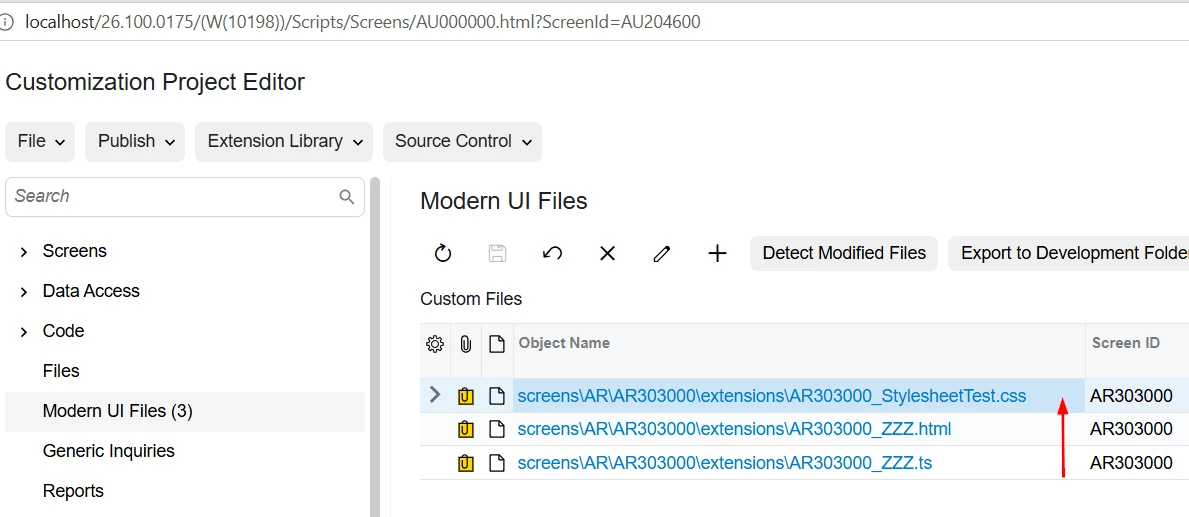
I moved css file to extension folder and renamed it to sort/appear before html which seems to fix error:


BTW, your ts was missing screen class extension as well. See updated customization project for reference.

6 replies

RohitRattan88
Acumatica Moderator
Forum|alt.badge.img+4
  • Acumatica Moderator
  • June 15, 2026

@brothe58 

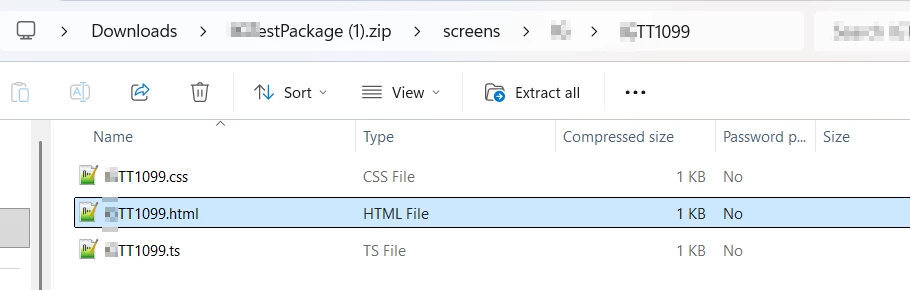
I have tested custom css using following file structure:


Please test and see if this works for you.


brothe58
Jr Varsity III
Forum|alt.badge.img
  • Author
  • Jr Varsity III
  • June 15, 2026

I will try a standard .css file and report back. But I’m hoping to use the preprocessor .scss file like the native SO Entry form (SO301000) uses. I need the variable and mix-in support.

Acumatica's UI Development Guide (PDF) outlines how to do this on page 61, which I've followed, but I still get the error, regardless of <require from=”...”> path. I’ve tried both relative and absolute paths. It's like the .scss is not compiling into standard CSS by the Publish action. I can't find anything in the logs to indicate why or where the problem is. Regardless, it’s a show-stopper; my modified AR303000 screen never loads due to the error.


Patrick Chen
Semi-Pro I
Forum|alt.badge.img+3

I can confirm that .scss is allowed!  I use a template that is shared across multiple pages so it exists in the module folder (parent of the page folders) in the development folder (referenced below).  From your description, it sounds like you are creating a new RSS entry for your custom form.  A quick search finds that status-colors.scss is an existing CSS file.  If you have created a new .scss file for  your purpose I would try renaming.

<template>

<require from="../ISPS2000.scss"></require>

  <qp-fieldset id="form_form0_fs0" view.bind="form" class="no-label" wg-container="form_form">


brothe58
Jr Varsity III
Forum|alt.badge.img
  • Author
  • Jr Varsity III
  • June 15, 2026

I created a new customization project with the only a single modification to the Customers screen that I'm trying to style. I have no other customizations enabled. I'm using Acumatica 2026 R1 (Build 26.100.0175) with only this new project enabled.

For this test, I'm not using .scss, just standard .css. I ultimately need .scss, but am trying to reduce complexity to discover the bug.

I'm publishing from within the Customization Project Editor. No compile errors occur during publishing.

When I try to load AR303000 after building, I get the same runtime error in the browser's developer tools console, even with this basic test customization project. The CSS path looks correct to me.

Uncaught (in promise) Error: Failed loading required CSS file: customizationScreens/Company/screens/AR/AR303000/StylesheetTest.css
    at fixupCSSUrls (vendors.648f727ac5bd5c12ce2f.bundle.js:2:738512)

I've got to be missing something. ​@Patrick Chen do you build from within Acumatica or run npm directly?

I've attached my test customization project here. Do you see anything amiss with the files or directory structure?


RohitRattan88
Acumatica Moderator
Forum|alt.badge.img+4
  • Acumatica Moderator
  • Answer
  • June 19, 2026

@brothe58 

I moved css file to extension folder and renamed it to sort/appear before html which seems to fix error:


BTW, your ts was missing screen class extension as well. See updated customization project for reference.


brothe58
Jr Varsity III
Forum|alt.badge.img
  • Author
  • Jr Varsity III
  • June 20, 2026

That worked! Renaming the file with a leading underscore (e.g. _styles.css) so it sorts alphabetically before the .html filename solves the runtime error. I can confirm .scss files also work with this filename change.

I wouldn't have thought to try that, and I do not understand why it makes a difference, but I can live with that filename convention. Many thanks, ​@RohitRattan88.