Hi all,
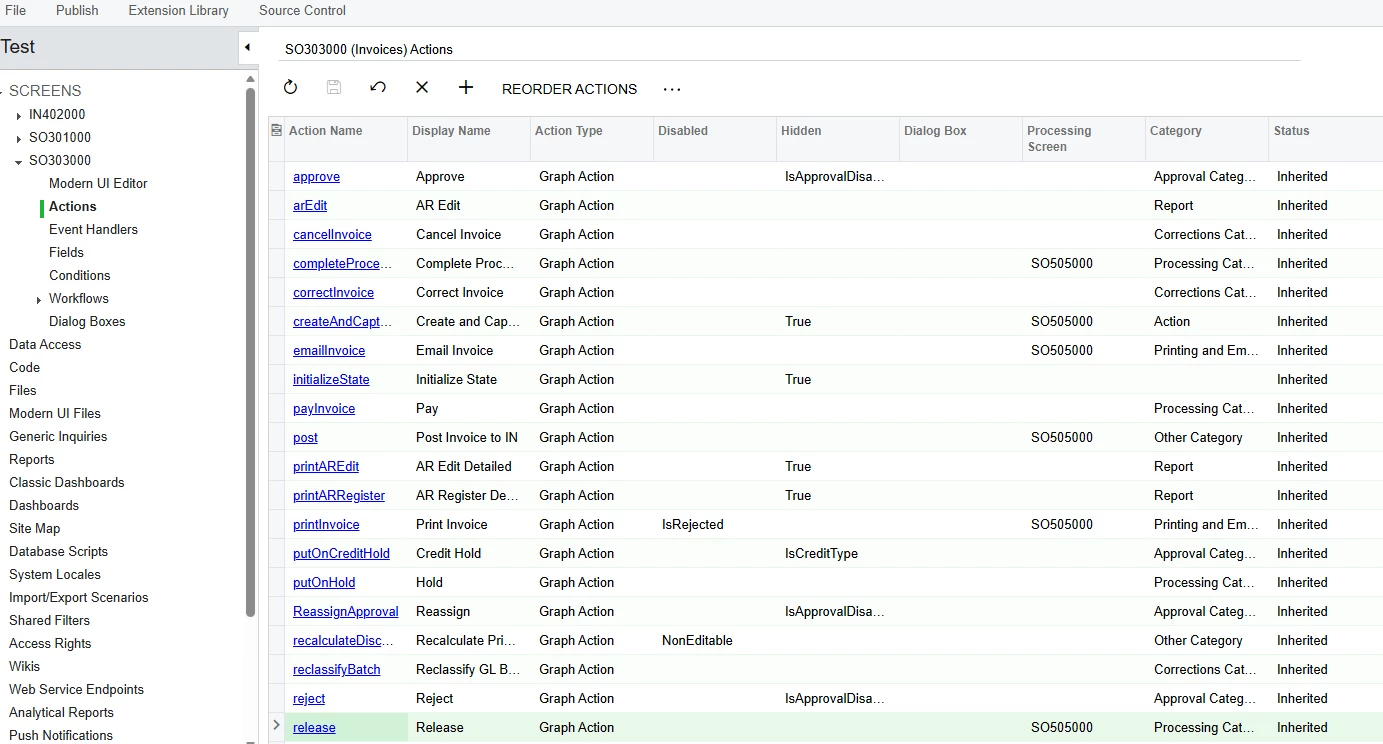
We have a custom Customer Portal screen with a toolbar button we want to style green, like a workflow primary action button (e.g. "Release"). Has anyone found a way to achieve this on a portal screen? Thanks!



Hi all,
We have a custom Customer Portal screen with a toolbar button we want to style green, like a workflow primary action button (e.g. "Release"). Has anyone found a way to achieve this on a portal screen? Thanks!
Best answer by denisperez28
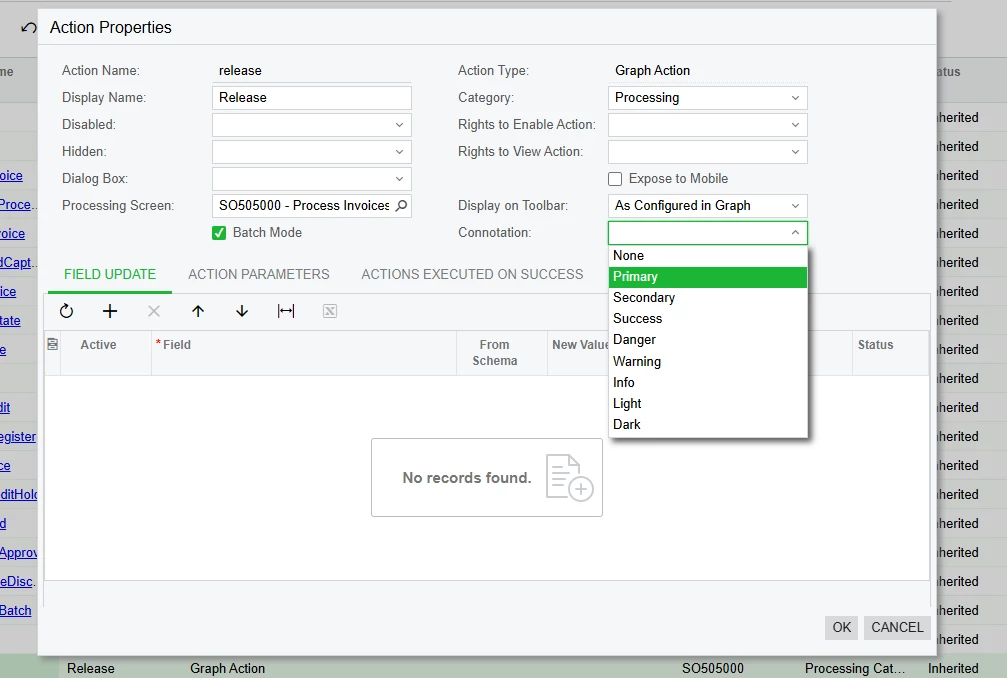
Building on RJ's answer (which is the right approach):
The value you want in the Connotation dropdown is Success. That's the same one Acumatica itself uses for the standard green "Release" and "Approve" buttons across its built-in screens, so picking it will match the look.
One thing to keep in mind: the Connotation set under Actions is the action's default. If your screen has a formal workflow with states (like Sales Orders or AR Invoices), each state can override the action's connotation, and the state override wins. I tested that: changing releaseFromHold to Warning under Actions on SO301000 didn't change the color, because the workflow's On Hold state explicitly applies Success to that action. For a screen with a workflow, the equivalent change has to be done inside the Workflows node by overriding the action at the relevant state. If your custom Portal screen doesn't have a workflow, the Actions-node setting is enough.
If you'd prefer to handle the styling in code (or for future reference), Acumatica offers three patterns depending on your scenario:
1. As an attribute on the action (most common, set once
public PXAction<MyPrimaryDAC> MyAction;
[PXButton(Connotation = PX.Data.WorkflowAPI.ActionConnotation.Success)]
[PXUIField(DisplayName = "My Action")]
protected virtual IEnumerable myAction(PXAdapter adapter) { ... }
2. Dynamically, when the color should depend on row state:
// Inside a RowSelected handler:
MyAction.SetConnotation(PX.Data.WorkflowAPI.ActionConnotation.Success);
3. Through the Workflow API, if your screen has a formal workflow:
// Inside a RowSelected handler:
MyAction.SetConnotation(PX.Data.WorkflowAPI.ActionConnotation.Success);
One Portal-specific note worth checking on your side: Customer Portal is deployed as a separate Acumatica site instance, so if your customization is currently published only to the ERP site, you'll want to make sure it's also applied to the Portal site so the new styling shows up there.
Best,
Enter your E-mail address. We'll send you an e-mail with instructions to reset your password.