

Solved

Custom screens default to 'Delete' access for all roles on first-time deployment Acumatica 2025R2

  • September 9, 2026
  • 1 reply
  • 33 views

Forum|alt.badge.img

Hi everyone,

  • We created a set of custom screens under a new workspace/folder (SA* screens).

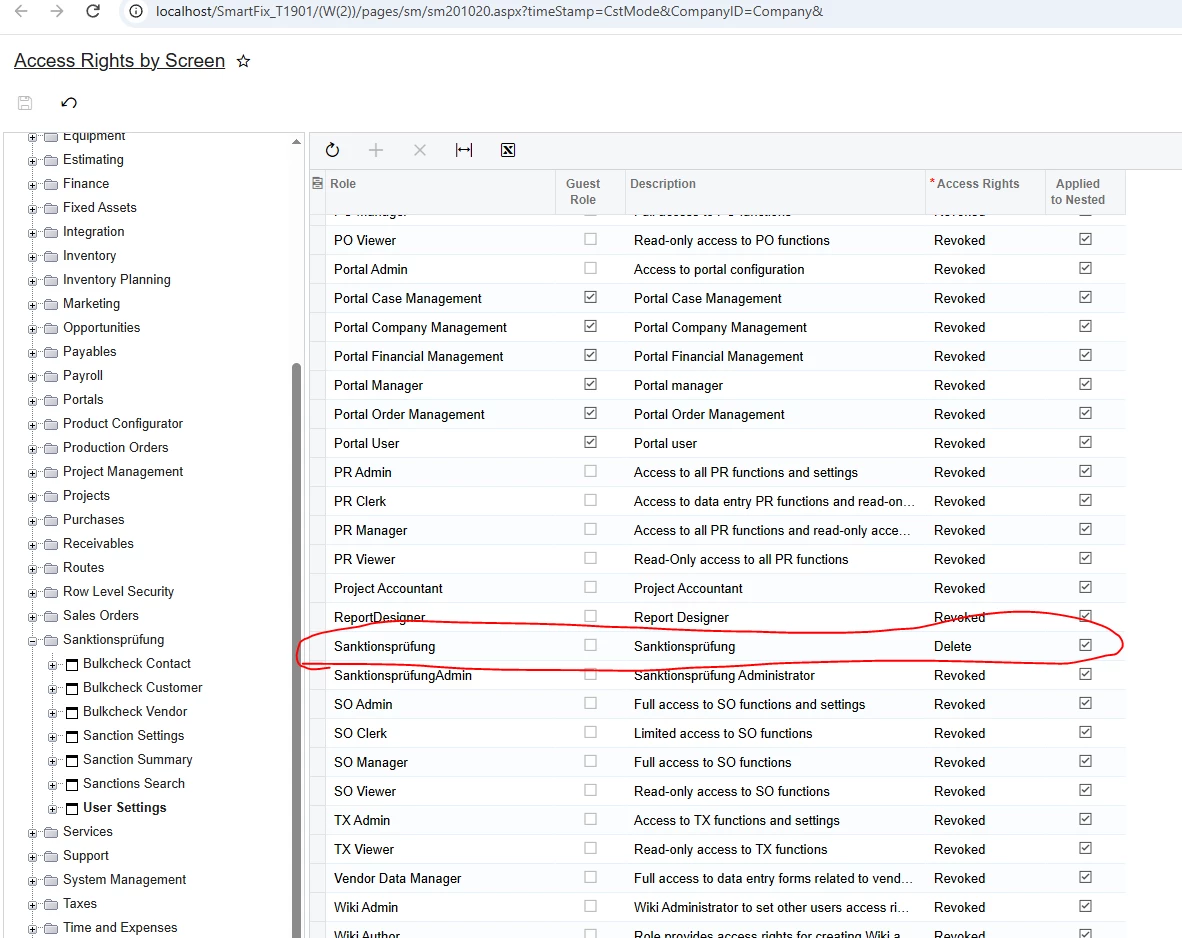
  • In our development tenant, we configured Access Rights by Screen (SM201020) such that only our dedicated custom roles have access (Delete), and all other roles are set to Revoked 

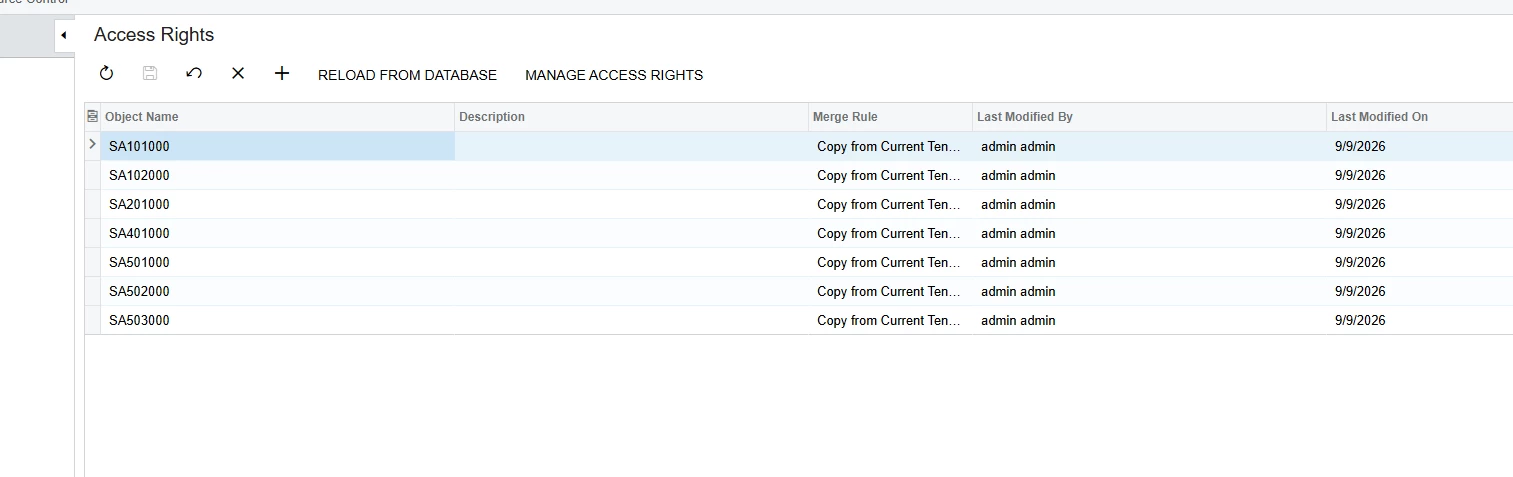
  • In the Customization Project, the screens were included under Access Rights.


    The Issue:

  • When deploying and publishing the package to existing test instances (where previous versions had been published earlier), the permissions work as expected—only our custom roles have access.

  • However, when installing this package on a fresh, virgin instance/tenant for a customer, all roles in the system end up with full (Delete) access to our custom screens instead of having them revoked.


    Any guidance or best practices would be greatly appreciated!


Thank you

Best answer by Abhishek Niikam

@PraveenBeo I think this is happening because on a fresh/virgin instance, there are no existing access-right records for your custom SA*  screens. The customization package creates the screens, but the Revoked permissions configured in DEV are not being applied to all existing roles. On previously customized instances, those records already exist, so the permissions work correctly. The solution is to make the deployment explicitly establish the required access rights, granting Delete only to your custom roles and setting other roles Revoked, rather than relying on existing access-right records.

1 reply

Forum|alt.badge.img+5
  • Jr Varsity III
  • Answer
  • September 9, 2026

@PraveenBeo I think this is happening because on a fresh/virgin instance, there are no existing access-right records for your custom SA*  screens. The customization package creates the screens, but the Revoked permissions configured in DEV are not being applied to all existing roles. On previously customized instances, those records already exist, so the permissions work correctly. The solution is to make the deployment explicitly establish the required access rights, granting Delete only to your custom roles and setting other roles Revoked, rather than relying on existing access-right records.
