Solved

Custom Field not available inside Inventory ID selector

  • October 9, 2026
  • 4 replies
  • 28 views

charliefitzgerald13
Freshman I

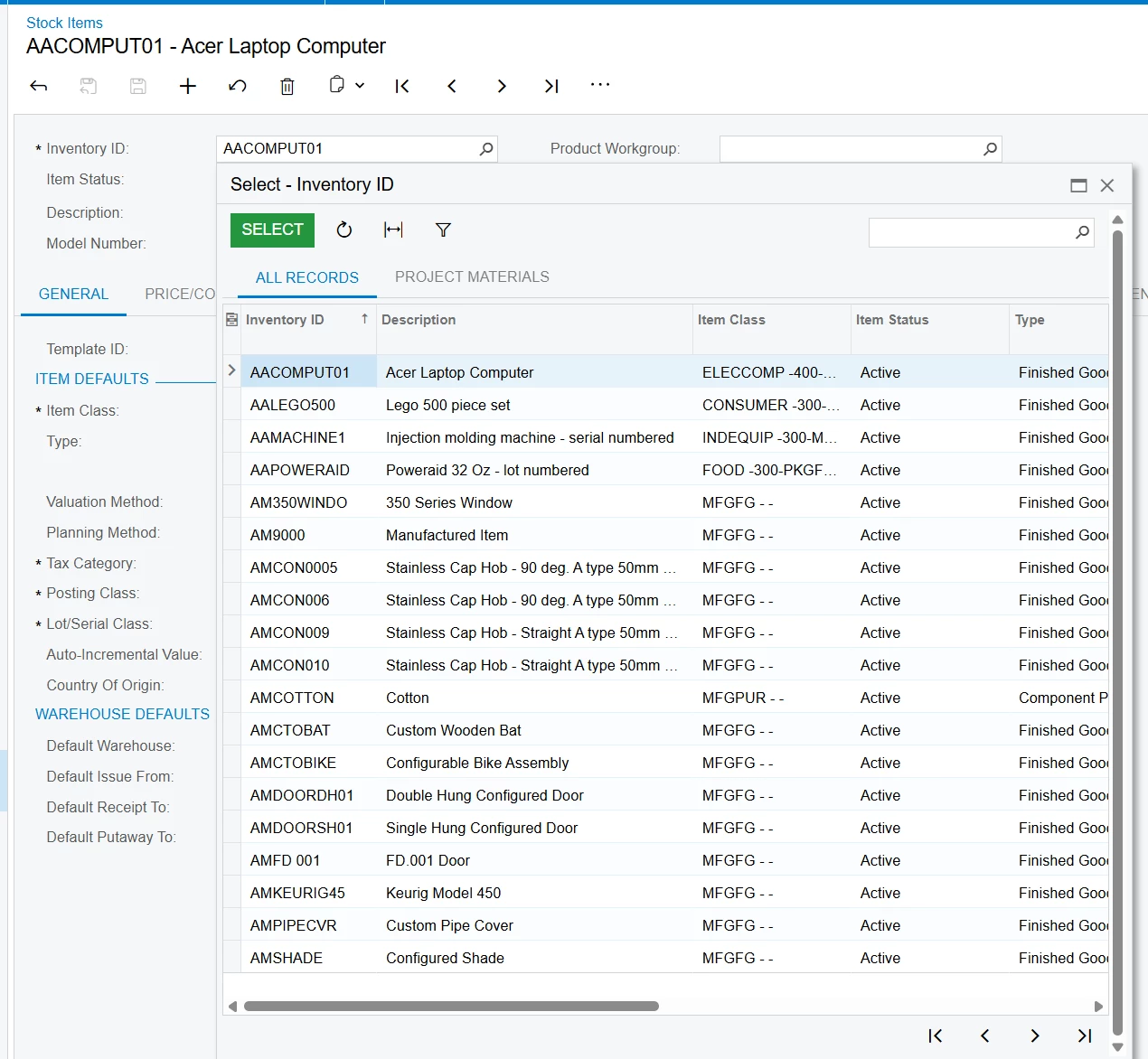
Hello, the following code snippet does not result in my new field being added to my inventory selector. This seems like a straightforward approach?


namespace PX.Objects.IN
{
    public class InventoryItemExt : PXCacheExtension<PX.Objects.IN.InventoryItem>
    {
        #region UsrModelID
        [PXDBString(125)]
        [PXUIField(DisplayName="Model Number")]

        public virtual string UsrModelID { get; set; }
        public abstract class usrModelID : PX.Data.BQL.BqlString.Field<usrModelID> { }
        #endregion
    }

    [PXNonInstantiatedExtension]
    public class IN_InventoryItem_ExistingColumn : PXCacheExtension<PX.Objects.IN.InventoryItem>
    {
        #region InventoryCD
        [PXMergeAttributes(Method = MergeMethod.Append)]

        [PXCustomizeSelectorColumns(
        typeof(PX.Objects.IN.InventoryItem.inventoryCD),
        typeof(PX.Objects.IN.InventoryItemExt.usrModelID),
        typeof(PX.Objects.IN.InventoryItem.descr))]
        public string InventoryCD { get; set; }
        #endregion
    }
}

Best answer by darylbowman

I don’t think the InventoryRawAttribute ever defines the selector columns, meaning ‘changing’ them won’t work. Try instead adding the SelectorVisible visibility property to your custom field:

[PXUIField(DisplayName="Model Number", Visibility = PXUIVisibility.SelectorVisible)]


4 replies

darylbowman
Captain II
Forum|alt.badge.img+17
  • Answer
  • October 9, 2026

I don’t think the InventoryRawAttribute ever defines the selector columns, meaning ‘changing’ them won’t work. Try instead adding the SelectorVisible visibility property to your custom field:

[PXUIField(DisplayName="Model Number", Visibility = PXUIVisibility.SelectorVisible)]


charliefitzgerald13
Freshman I

I don’t think the InventoryRawAttribute ever defines the selector columns, meaning ‘changing’ them won’t work. Try instead adding the SelectorVisible visibility property to your custom field:

[PXUIField(DisplayName="Model Number", Visibility = PXUIVisibility.SelectorVisible)]


Hi Daryl, thanks so much for the reply. Unfortunately, this didn’t seem to do the trick:


darylbowman
Captain II
Forum|alt.badge.img+17

I’m guessing it would show up as the last column. Did you check that? If you’re simply wanting to reduce the number of columns, you could try removing the visibility property (or changing it) for the fields you don’t want to see via CacheAttached or on a DAC extension like you are.

Also, consider restarting the application from the Apply Updates screen as selector changes can take a bit to show up.


charliefitzgerald13
Freshman I

I’m guessing it would show up as the last column. Did you check that? If you’re simply wanting to reduce the number of columns, you could try removing the visibility property (or changing it) for the fields you don’t want to see via CacheAttached or on a DAC extension like you are.

Also, consider restarting the application from the Apply Updates screen as selector changes can take a bit to show up.

Thanks so much Daryl, restarting the application did the trick. Much appreciated.