Solved

Custom decimal field not showing values in GI

  • September 4, 2025
  • 16 replies
  • 254 views
  • Translate All

Forum|alt.badge.img+3

Hi All.

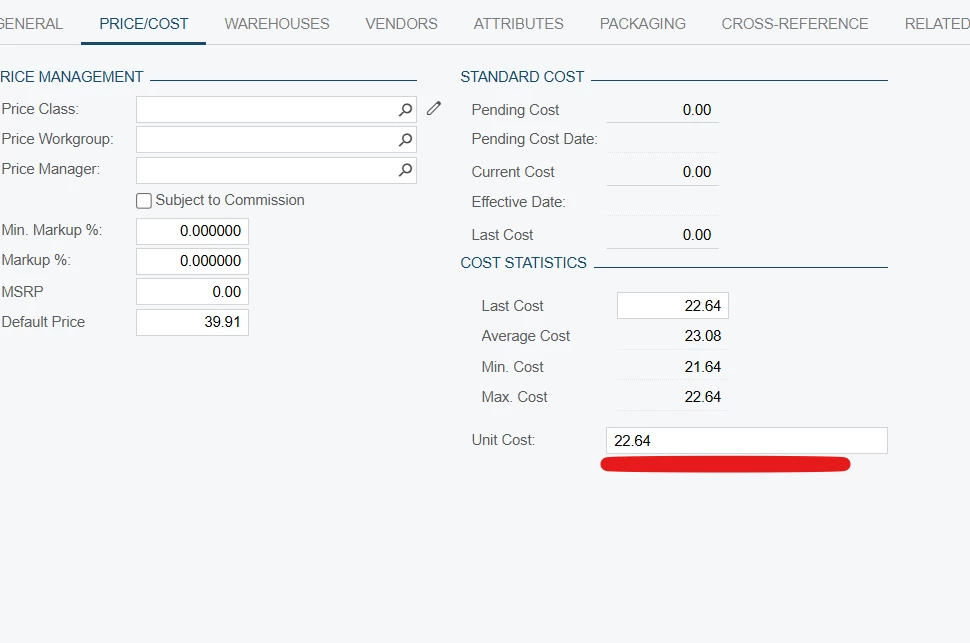
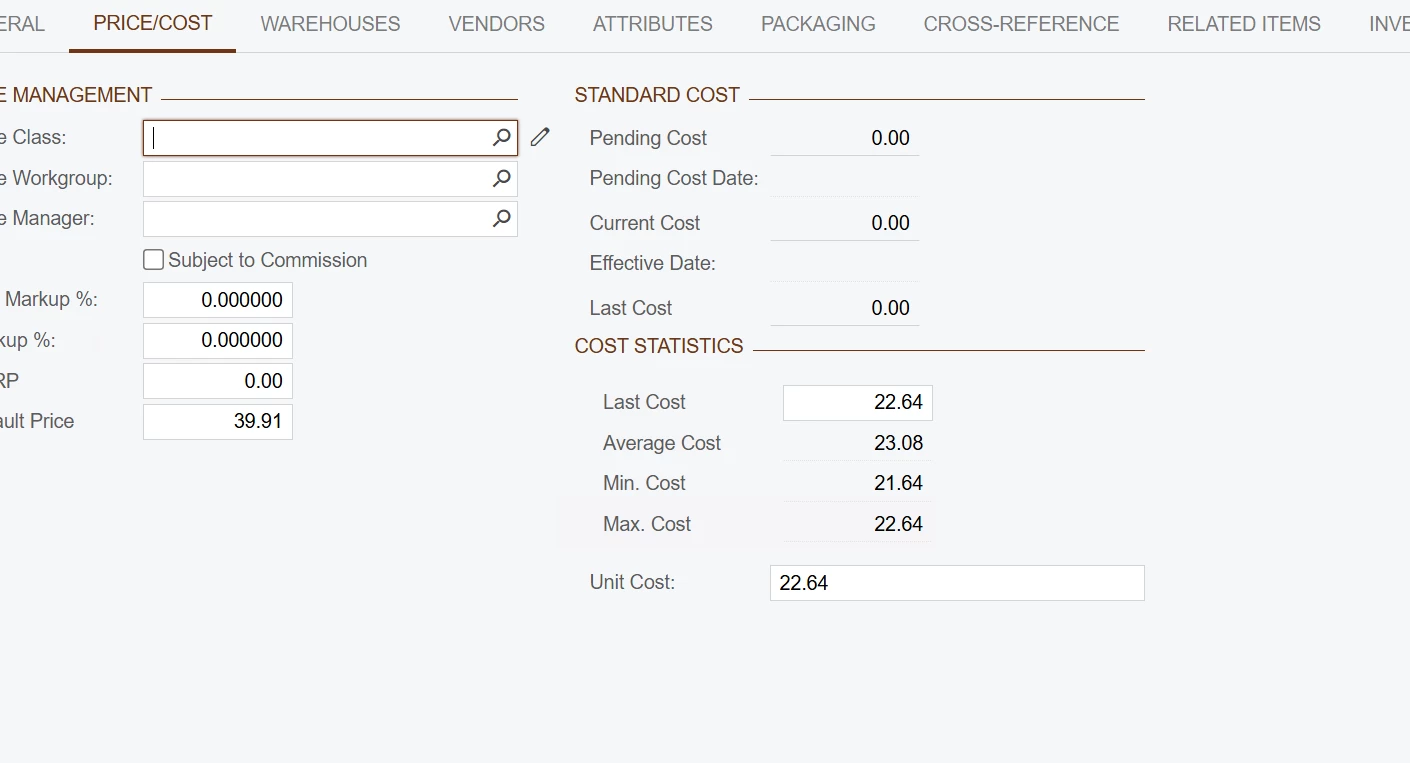
I have created a custom calculated field in the Price/Cost tab of the Inventory Item screen. It is working fine and populating data there, but in the Generic Inquiry (GI) it shows null values for some rows. However, when I click on an item from the GI and open the Price/Cost tab, I can see that the data exists.

Can anyone guide me on what might be causing this?
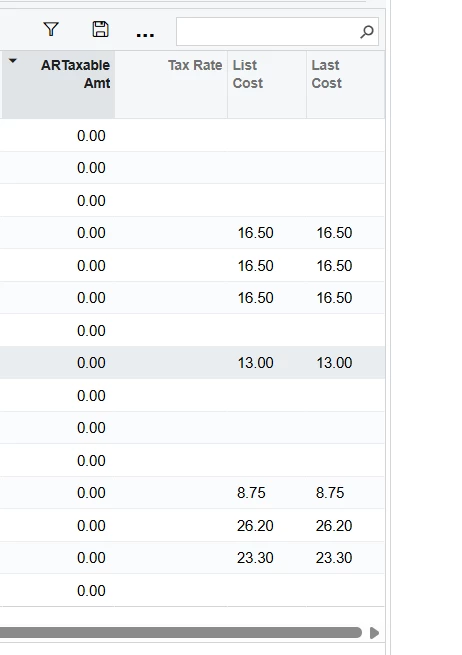
I have attach the customization Package 

Best answer by tahayabali

Hi,

The problem is solved. I created a sql view for production and then import scenario just to save the records for production

View original

16 replies

bwhite49
Captain II
Forum|alt.badge.img+12
  • Captain II
  • September 4, 2025

Looks like it is only showing up when there is a last cost? Do you have a join to the INItemCost table in the GI that may need to be causing an issue?

Translate

Forum|alt.badge.img+3
  • Author
  • Captain I
  • September 4, 2025

Yes . I want to use this field in Stock Item GI.


Translate

bwhite49
Captain II
Forum|alt.badge.img+12
  • Captain II
  • September 4, 2025

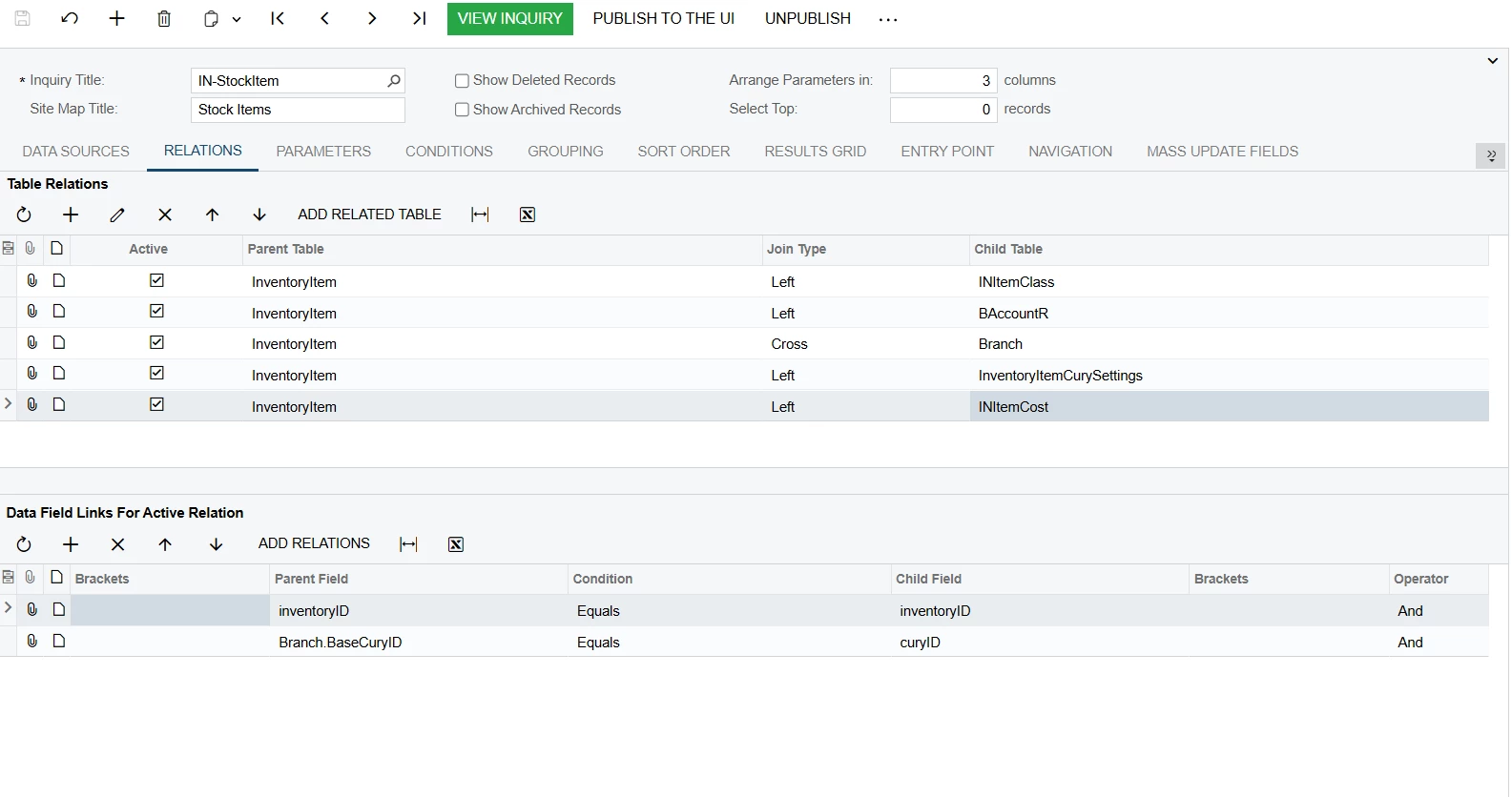
OK, is the join to INItemCost simply INItemCost.InventoryID = InventoryItem.InventoryID and no other conditions?

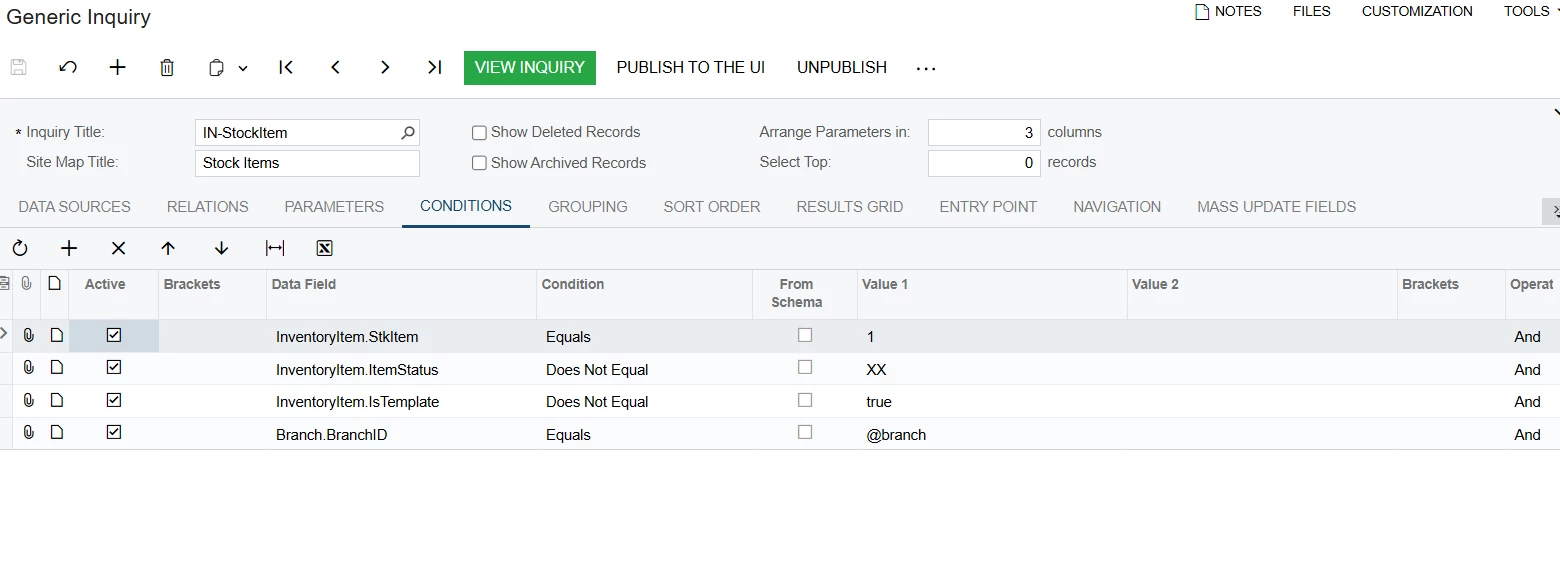
Are you able to share a screen shot of your GI relationships as well as conditions?


Translate

Forum|alt.badge.img+3
  • Author
  • Captain I
  • September 4, 2025

​@bwhite49 

Translate

bwhite49
Captain II
Forum|alt.badge.img+12
  • Captain II
  • September 4, 2025

OK, If you remove basecuryID = curyID does it resolve the issue?

Translate

Forum|alt.badge.img+3
  • Author
  • Captain I
  • September 4, 2025

​@bwhite49 Still null

Translate

Forum|alt.badge.img+3
  • Author
  • Captain I
  • September 4, 2025

I select one of them they have inside but not showing in GI. I 


Translate

bwhite49
Captain II
Forum|alt.badge.img+12
  • Captain II
  • September 4, 2025

Hmm, looks like all items with a last cost should be showing up in the GI. I don’t see any issues from what you’ve shared.

Do you have formulas in the results grid for these costs?

Translate

Forum|alt.badge.img+3
  • Author
  • Captain I
  • September 5, 2025

Nope no formulas. I know everything is good but still it’s causing an error. That’s why i posted on community to get the idea

Translate

Forum|alt.badge.img+8
  • Captain II
  • September 6, 2025

You’re calculating the value of the field in your RowSelected event. You shouldn’t do it in that event but, for now, we’ll ignore that.

What might be happening is that for an item that is showing a null value on your report, you simply haven’t saved the calculated value that’s appearing on the screen. When you navigate to a null value item, you won’t see a null value on the screen but it hasn’t been saved to the database.

You’re not going to be able to edit that value as it will be recalculated automatically any time that you look at the record. Change some other field value on the record and save the item and see if that makes it appear on your report.

Translate

Forum|alt.badge.img+3
  • Author
  • Captain I
  • September 6, 2025

​@Django Yes thats works. when i make any change in record. But there are 5k+ recors. How an we do mass update at once in db/production

Translate

Forum|alt.badge.img+8
  • Captain II
  • September 6, 2025

If you can duplicate the calculation using a SQL query, then you can put a SQL query into your customization project. It will run when you publish it and then all of your items will be updated. Sometimes I’ll create a separate customization project just for a one-time SQL script that I then unpublish and delete later. Either way works.

Alternatively, you can write yourself a method to update all inventory items with a PXAction button added to the Stock Items Maint screen. You can publish your code with the action button in place, go to the Stock Item Maint screen and click the button and wait. Then remove/hide the button in your customization project and publish again.

Translate

Forum|alt.badge.img+8
  • Captain II
  • September 6, 2025

Just remember that your business logic has the flaw that you’re calculating the update without saving it. If this is an ongoing update that needs to happen, you might consider creating a processing screen that will show you all of the items where the current field value differs from the calculated field value.

That will let you schedule that update to happen automatically, at an interval that you desire.

Translate

Forum|alt.badge.img+3
  • Author
  • Captain I
  • September 6, 2025

You are right I am also planning for Sql query easy and safe

Translate

Forum|alt.badge.img+3
  • Author
  • Captain I
  • Answer
  • September 10, 2025

Hi,

The problem is solved. I created a sql view for production and then import scenario just to save the records for production

Translate

Forum|alt.badge.img
  • Freshman I
  • September 10, 2025

Hi,

The problem is solved. I created a sql view for production and then import scenario just to save the records for production

Hi, how to created a sql view? I’m a newer for this area.


Translate