Solved

Changing Inventory ID selector in Inventory Allocation Details

  • March 14, 2026
  • 10 replies
  • 90 views

Forum|alt.badge.img

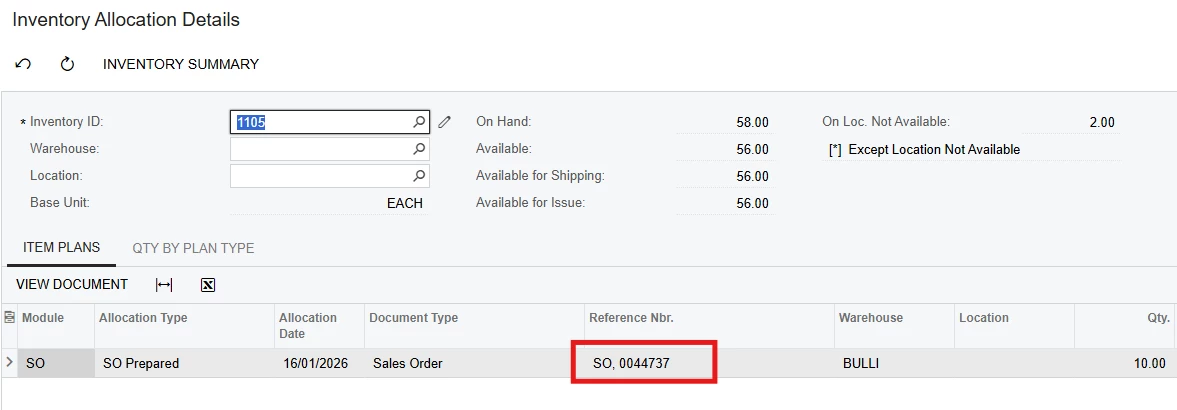
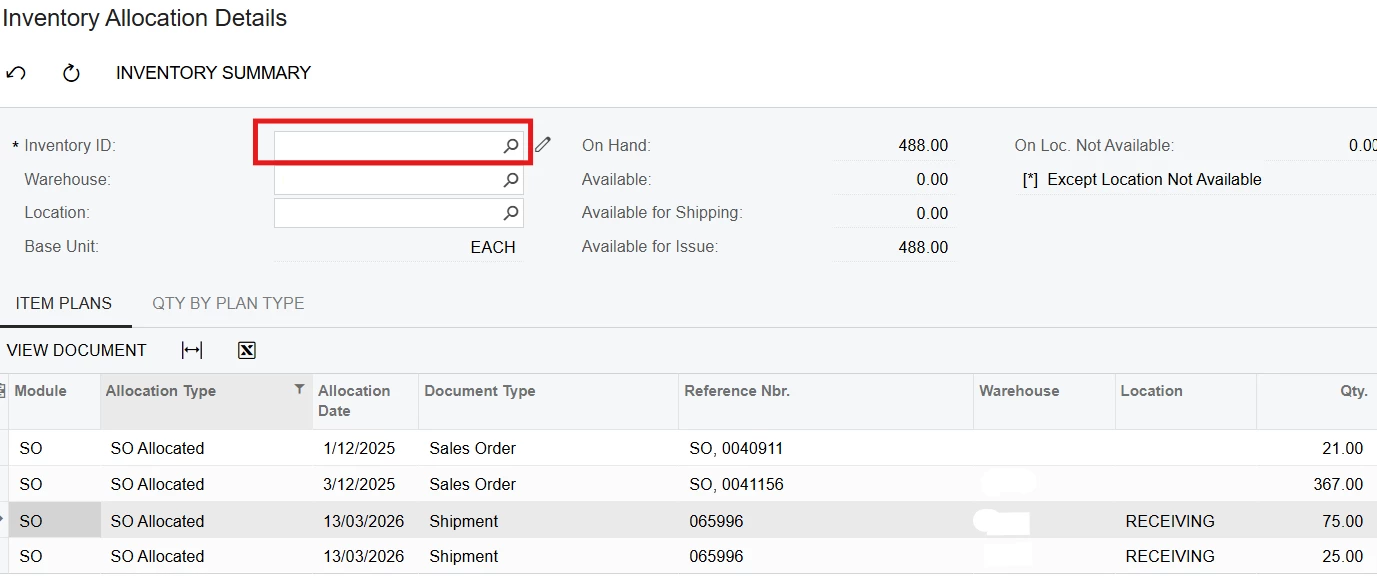
Hi, how do I change this Inventory ID selector to Location ID instead? Thanks
 

Best answer by jhalling52

Hi ​@MarkD,

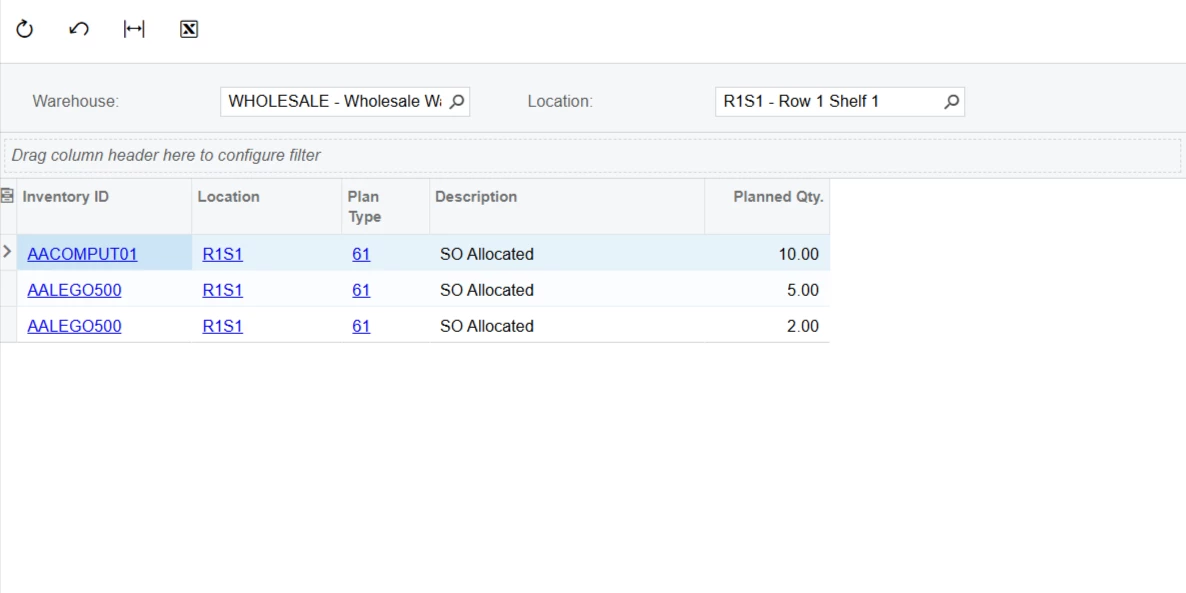
An alternative that may be less effort than a customization would to be to built a GI using INItemPlan table.  This would not require any other tables.
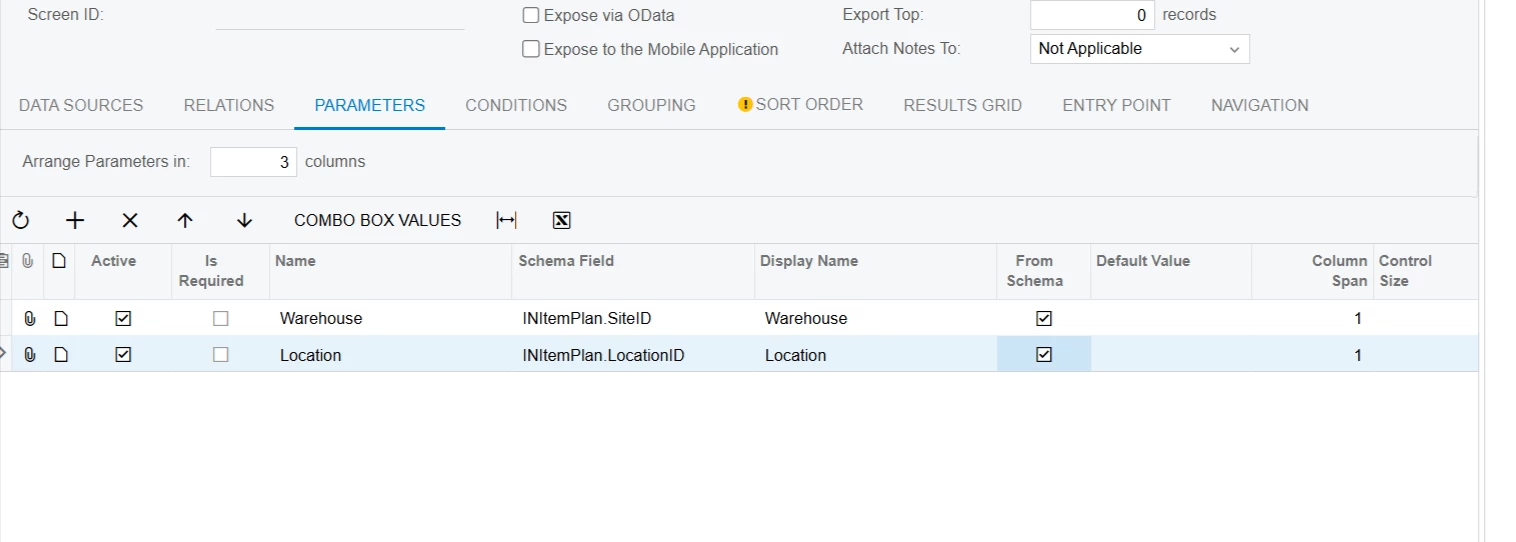
 Parameters:

Need the SiteID Included as well since this is required to be defined first before you can select the location.
 

Conditions:
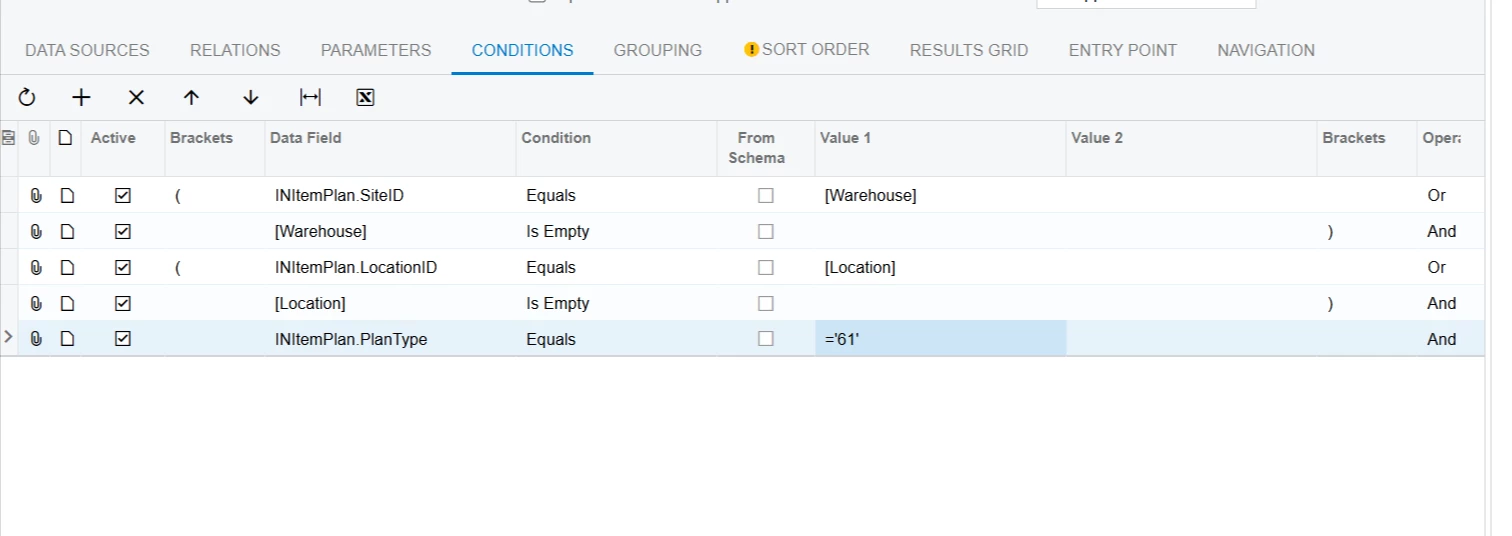
 

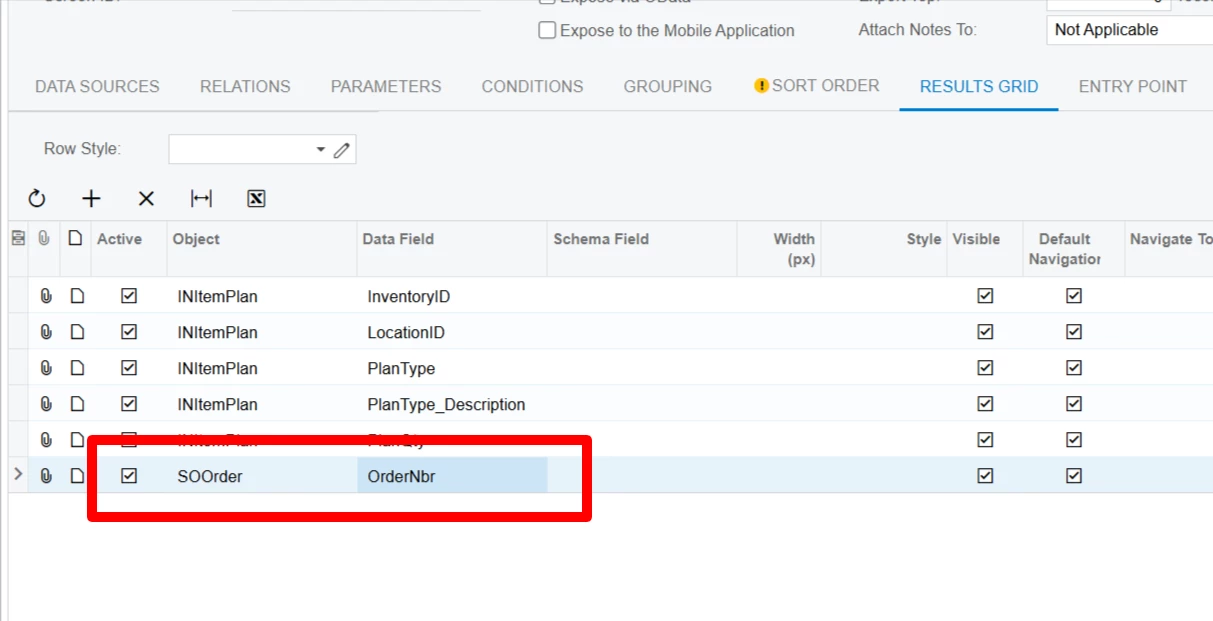
Results Grid:
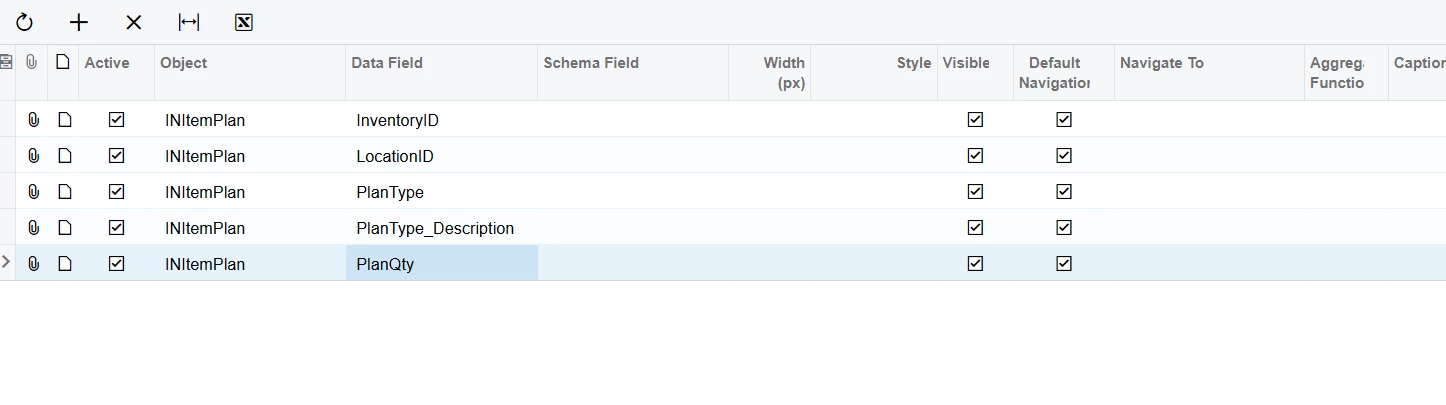
 

The PlanType_Description looks to be a virtual field so you have to filter on the PlanType field.  The SO Allocated Type’s code is 61.

10 replies

npetrosov31
Jr Varsity I
Forum|alt.badge.img+1
  • Jr Varsity I
  • March 14, 2026

@MarkD, do you want to be able to select transactions based on Location ID without checking the inventory ID or what? 


Forum|alt.badge.img
  • Author
  • Jr Varsity III
  • March 15, 2026

@npetrosov31, I want to see all SO allocated inventory in a site where I can filter by location. Sorry, I should’ve put this in my post earlier


jhalling52
Jr Varsity I
Forum|alt.badge.img
  • Jr Varsity I
  • Answer
  • March 15, 2026

Hi ​@MarkD,

An alternative that may be less effort than a customization would to be to built a GI using INItemPlan table.  This would not require any other tables.

 Parameters:

Need the SiteID Included as well since this is required to be defined first before you can select the location.


Conditions:


Results Grid:


The PlanType_Description looks to be a virtual field so you have to filter on the PlanType field.  The SO Allocated Type’s code is 61.


Forum|alt.badge.img
  • Author
  • Jr Varsity III
  • March 16, 2026

Thanks ​@jhalling52. How do I add the transaction that it relates to?


npetrosov31
Jr Varsity I
Forum|alt.badge.img+1
  • Jr Varsity I
  • March 16, 2026

@MarkD, if you want only sales orders and no other documents you can add SOLineSplit by an inner join to the INItemPlan table by PlanID field and take the order numbers from there. But that will show only records associated with sales orders, anything else will be skipped


Forum|alt.badge.img
  • Author
  • Jr Varsity III
  • March 16, 2026

Thanks ​@npetrosov31 - That is the only requirement for now. I might need to add more in future such as shipments, receipts etc.


npetrosov31
Jr Varsity I
Forum|alt.badge.img+1
  • Jr Varsity I
  • March 16, 2026

@MarkD, in that case you can use left join instead of inner join. the only thing in that case is that if you join sales order and no other table, you will get the order numbers for the records associated with sales orders and empty fields for the all others as there is no sales order associated and the correct table is not joined yet. Hope I explained well and understandable :)


jhalling52
Jr Varsity I
Forum|alt.badge.img
  • Jr Varsity I
  • March 16, 2026

Hi ​@MarkD,

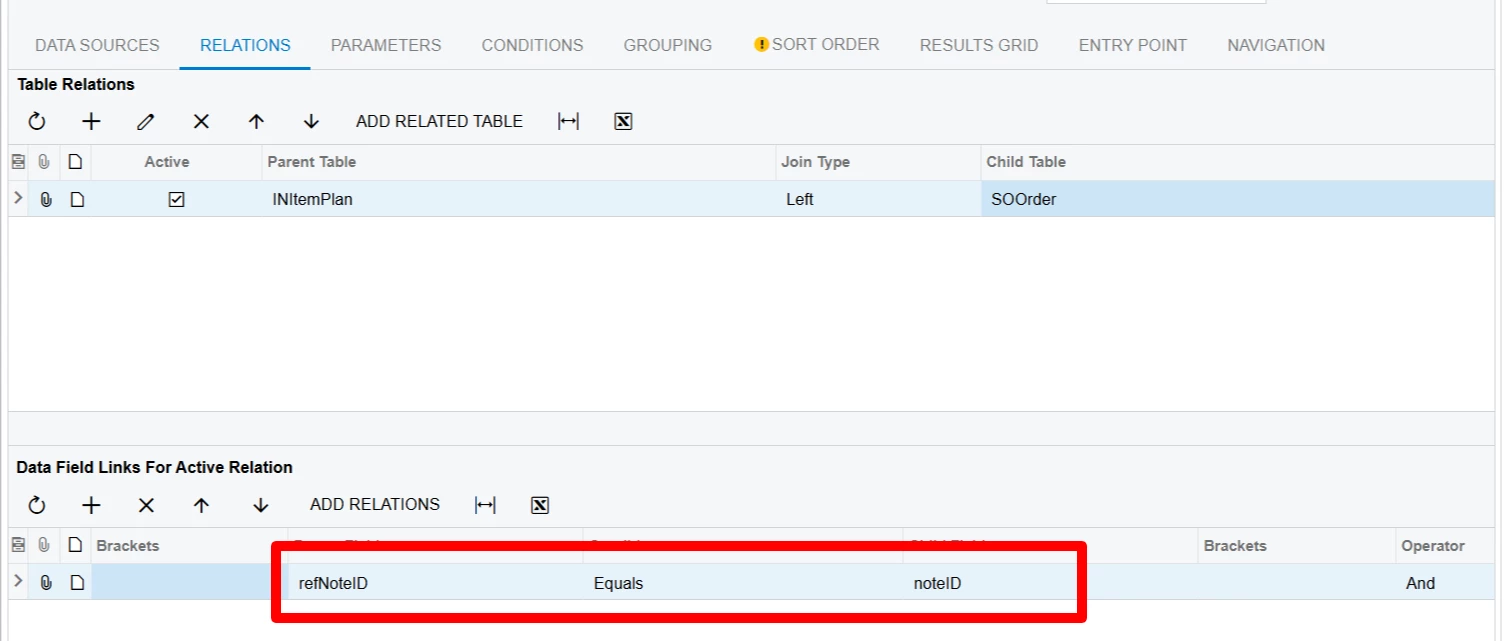
You can do a left join to the entity you want to use with refNoteID equal noteID.


It would be the same join if you want to add in the SOShipment table.


Forum|alt.badge.img
  • Author
  • Jr Varsity III
  • March 18, 2026

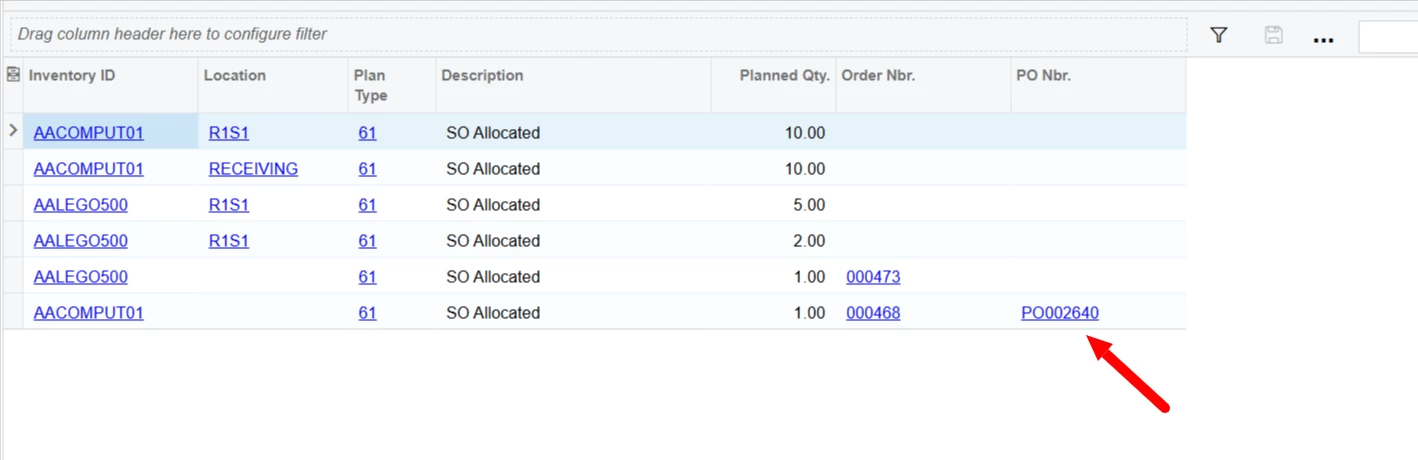
Hi ​@jhalling52 - everything has worked! Thanks for that. I’ve tweaked the GI too to add more details and add the shipments too. There are actually SO lines that were marked for PO which has been receipted too. I tried linking different tables that are involved, but it doesn’t work. Is it even possible to pull up the PO receipt for the SO lines that were marked for PO and was receipted in?


jhalling52
Jr Varsity I
Forum|alt.badge.img
  • Jr Varsity I
  • March 18, 2026

Hi ​@MarkD,

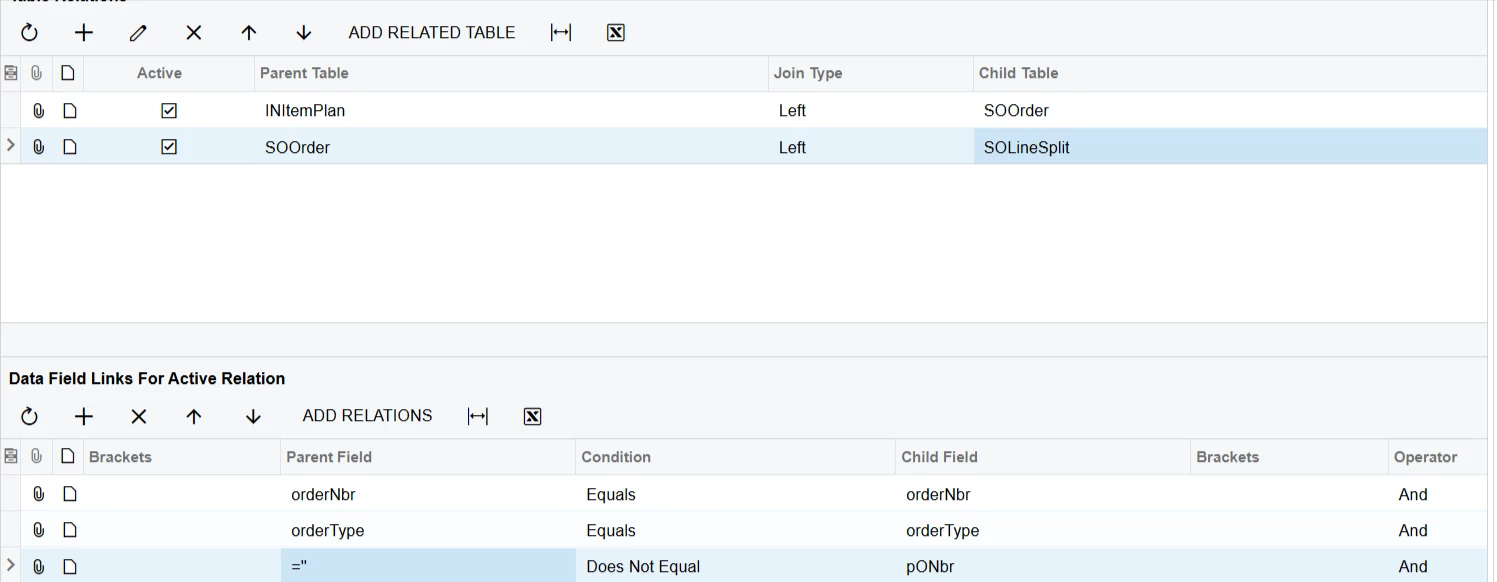
Yes, you’ll have to join in the SOLineSplit table.  The SOLineSplit table has the PONbr and POReciptNbr.  The SOLineSplit table will create duplicate lines so you’ll either have a grouping for the INItemPlan or add an additional condition in the table join to only pull in one line.  

I added the last condition so it will only pull in lines where the PONbr is not empty.