Solved

Boolean Filter on Report Designer not working

  • January 23, 2026
  • 10 replies
  • 89 views

Hi All,

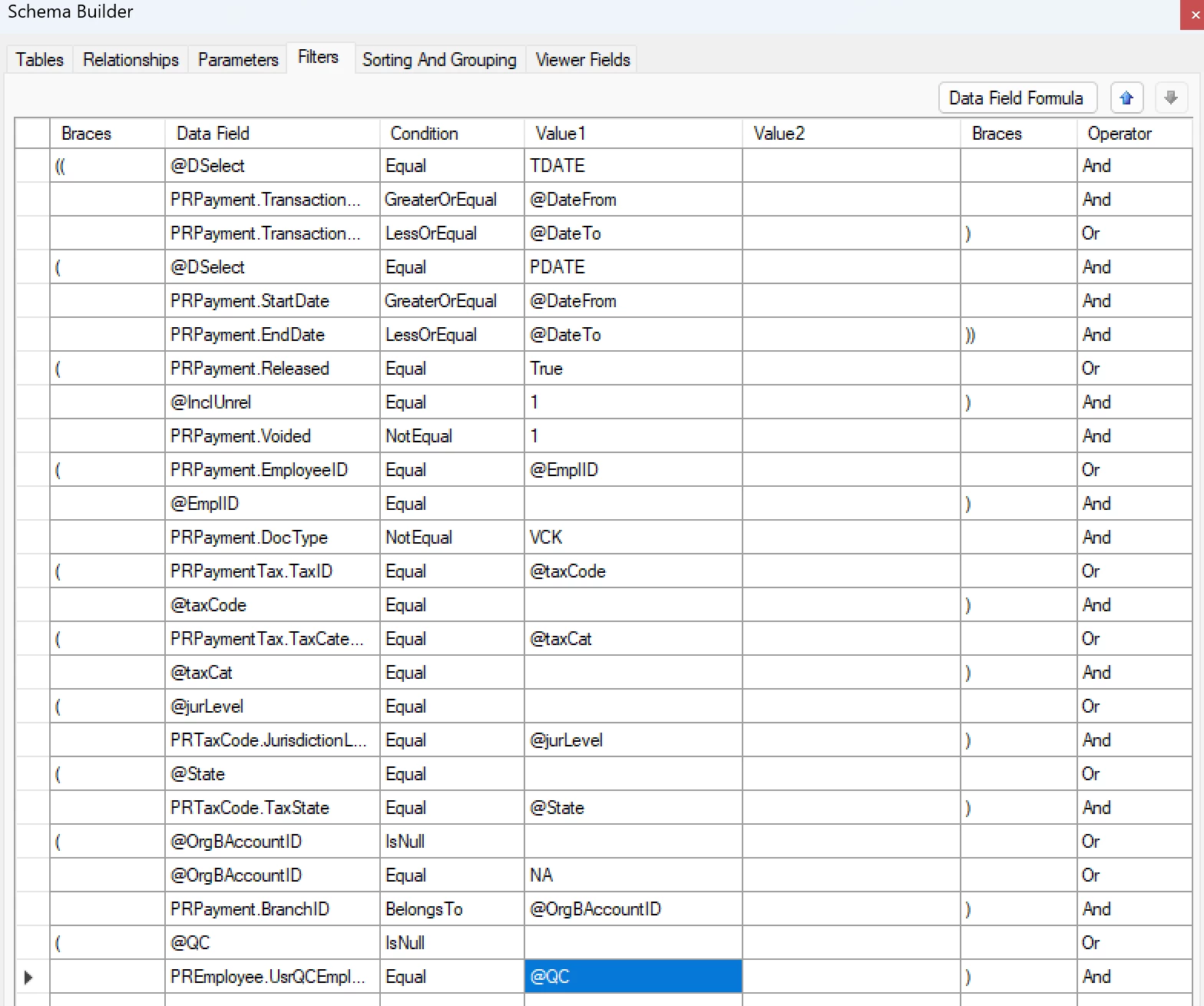
I’m try to add this boolean filter that is also visible on the UI.
 

The true value seems to be working but when the checkbox is unselected on the UI, it doesnt fetch any data from the system.

I appreciate all the help.

Thanks,

Best answer by pauledpalina66

@pauledpalina66,

I am asking to add Or PREmployee.UsrQCEmpl… isNull to the last brackets

Hi, I was able to fix this issue by going to each employee profile and turning on and off the checkbox.

10 replies

  • Author
  • Jr Varsity I
  • January 23, 2026

The checkbox here is the @QC at the bottom.


Forum|alt.badge.img+9
  • Captain II
  • January 23, 2026

@pauledpalina66 

You need to have something like this ( @QC IsNull OR YourDAC.YourField Equal @QC)


  • Author
  • Jr Varsity I
  • January 23, 2026

@pauledpalina66 

You need to have something like this ( @QC IsNull OR YourDAC.YourField Equal @QC)

Hi,

It’s still giving me the same result.

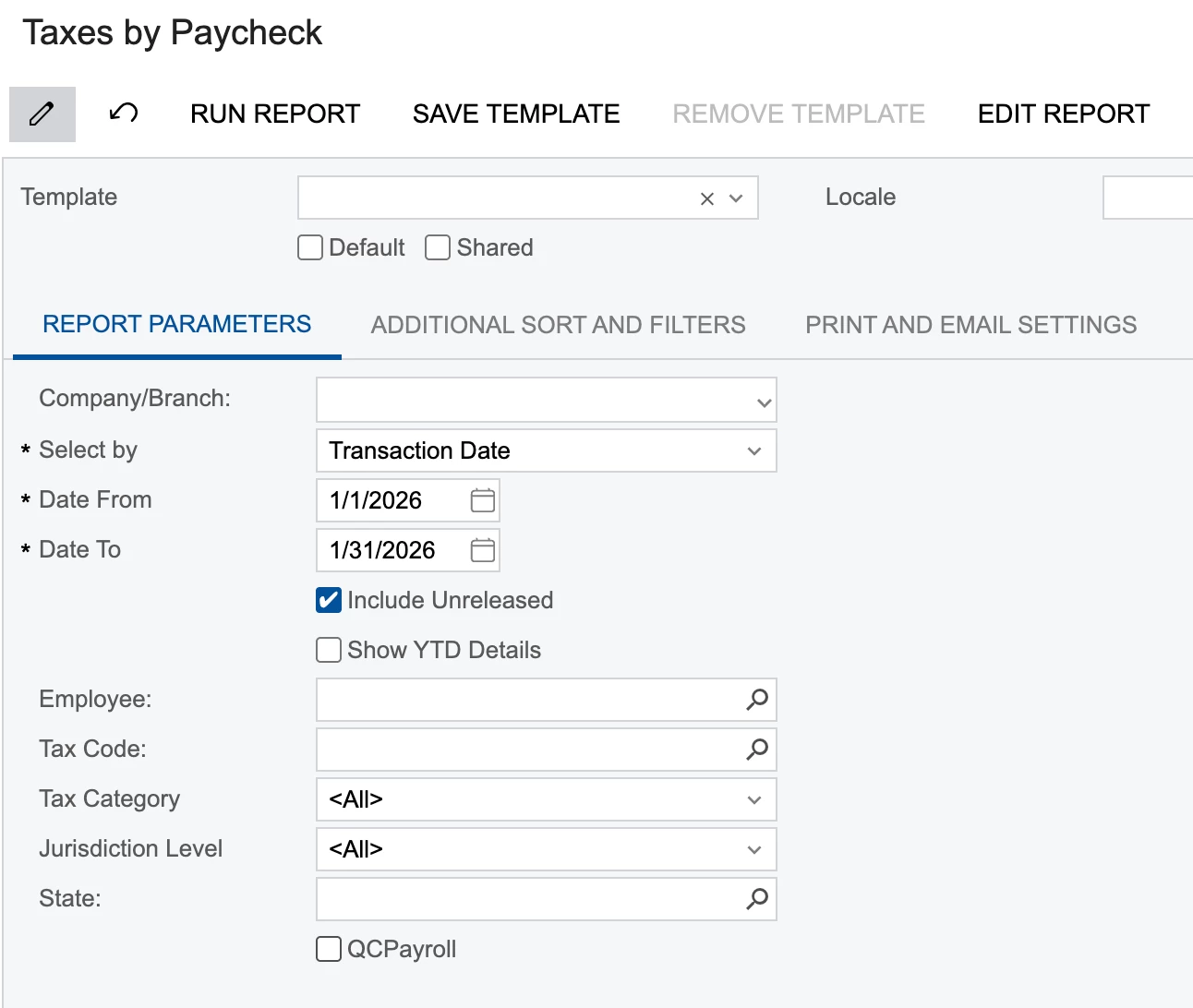
Below is the UI checkbox.


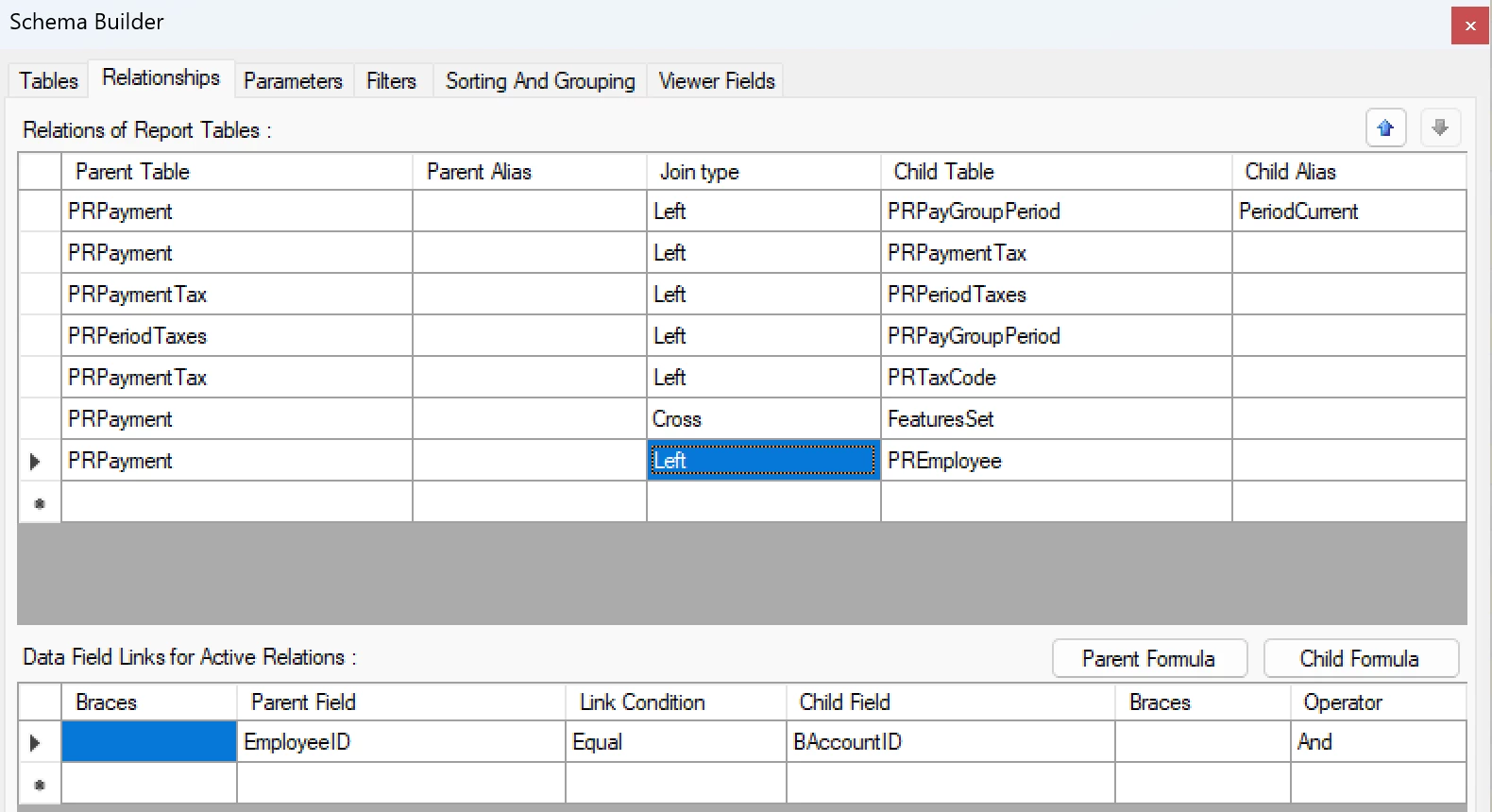
And below is the schema builder relationship.The checkbox is present under the PREmployee table. Maybe it has something to do with the relationship?


npetrosov31
Jr Varsity I
Forum|alt.badge.img+1
  • Jr Varsity I
  • January 23, 2026

hi ​@pauledpalina66,


I think the problem here may be from the table value itself. Can you try to add: OR YourDAC.YourField isNull to this: @QC IsNull OR YourDAC.YourField Equal @QC. 

I think that the value in the table is null and not false, in that case this behavior would be expected.

Also please check the brackets for the whole part to be correct


  • Author
  • Jr Varsity I
  • January 23, 2026

hi ​@pauledpalina66,


I think the problem here may be from the table value itself. Can you try to add: OR YourDAC.YourField isNull to this: @QC IsNull OR YourDAC.YourField Equal @QC. 

I think that the value in the table is null and not false, in that case this behavior would be expected.

Also please check the brackets for the whole part to be correct

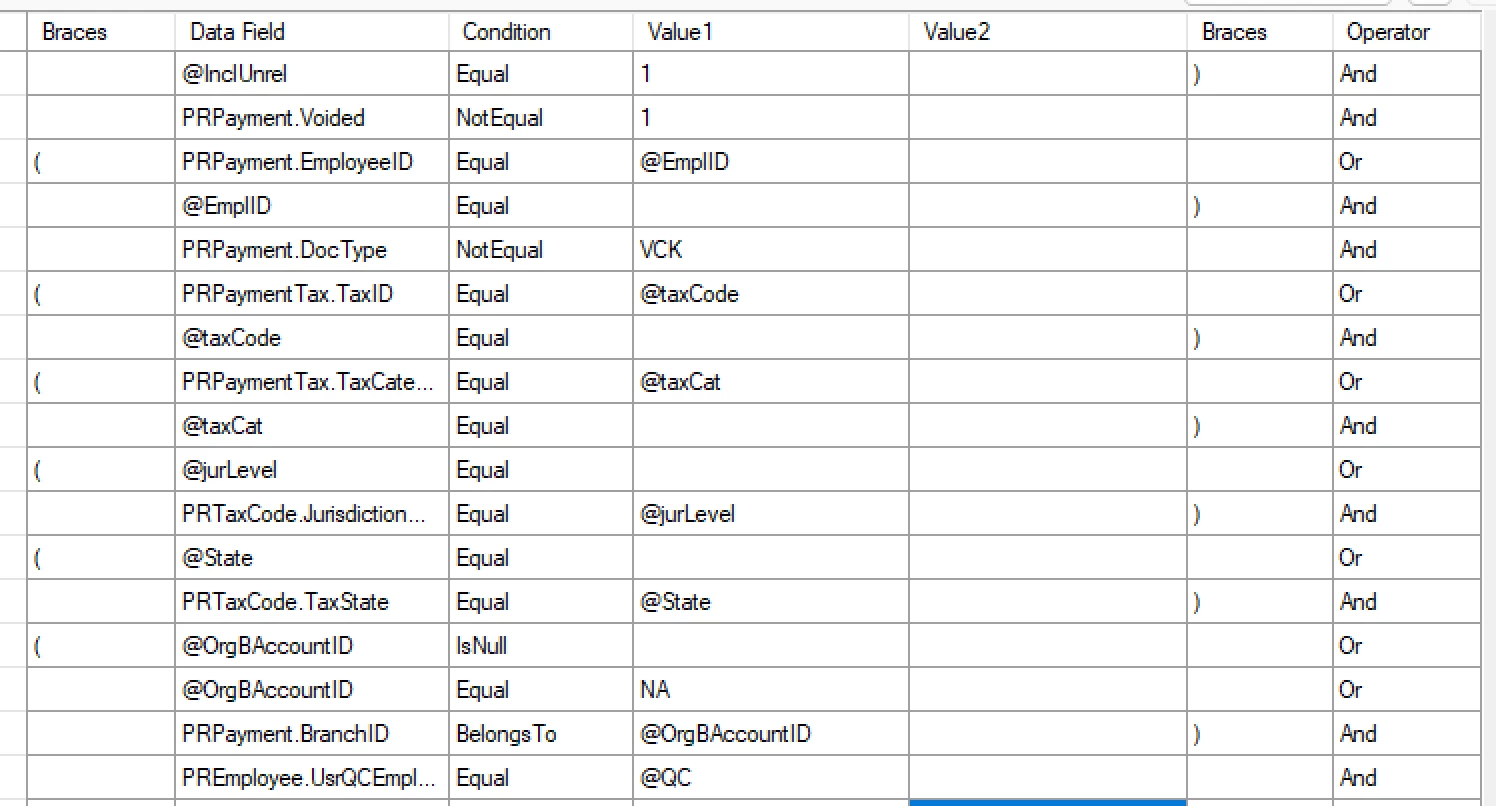
I did add the two lines that you mentioned on the filter section.


npetrosov31
Jr Varsity I
Forum|alt.badge.img+1
  • Jr Varsity I
  • January 23, 2026

@pauledpalina66,

I am asking to add Or PREmployee.UsrQCEmpl… isNull to the last brackets


  • Author
  • Jr Varsity I
  • Answer
  • January 26, 2026

@pauledpalina66,

I am asking to add Or PREmployee.UsrQCEmpl… isNull to the last brackets

Hi, I was able to fix this issue by going to each employee profile and turning on and off the checkbox.


npetrosov31
Jr Varsity I
Forum|alt.badge.img+1
  • Jr Varsity I
  • January 31, 2026

@pauledpalina66,

I am asking to add Or PREmployee.UsrQCEmpl… isNull to the last brackets

Hi, I was able to fix this issue by going to each employee profile and turning on and off the checkbox.

That means that the field value was null at the creation of the report, and null checking would fix that. By turning on and off the checkbox you made it false instead of null and that’s why it started working without the null checking. In this case be sure that your checkbox does have default false value, because if it does not the new records will get null again and will not show up in the report.


  • Author
  • Jr Varsity I
  • February 5, 2026

@pauledpalina66,

I am asking to add Or PREmployee.UsrQCEmpl… isNull to the last brackets

Hi, I was able to fix this issue by going to each employee profile and turning on and off the checkbox.

That means that the field value was null at the creation of the report, and null checking would fix that. By turning on and off the checkbox you made it false instead of null and that’s why it started working without the null checking. In this case be sure that your checkbox does have default false value, because if it does not the new records will get null again and will not show up in the report.

Hi can you tell where on the customization page can I assign the default value for the custom checkbox?


npetrosov31
Jr Varsity I
Forum|alt.badge.img+1
  • Jr Varsity I
  • February 5, 2026

Hi ​@pauledpalina66


You should do that in the creation of the filed itself. If the field does not have 

[PXDefault(false)]

where it is created, default value will be null. That means if the field was created by yourself just add this row to the filed creation part inside of the DAC Extension. If it was created by a third party this should have already been there, if it is not it may become a problem as I mentioned in the previous comment.