


Hi there,
Im also met this strange behaviour, and im confused why this happends.
Part 1. Story + Default UI
This issue caused by FSAppoinmentDet.LineRef. For some reason, in default UI while i inserting rows in Details whithout saving everything is good.
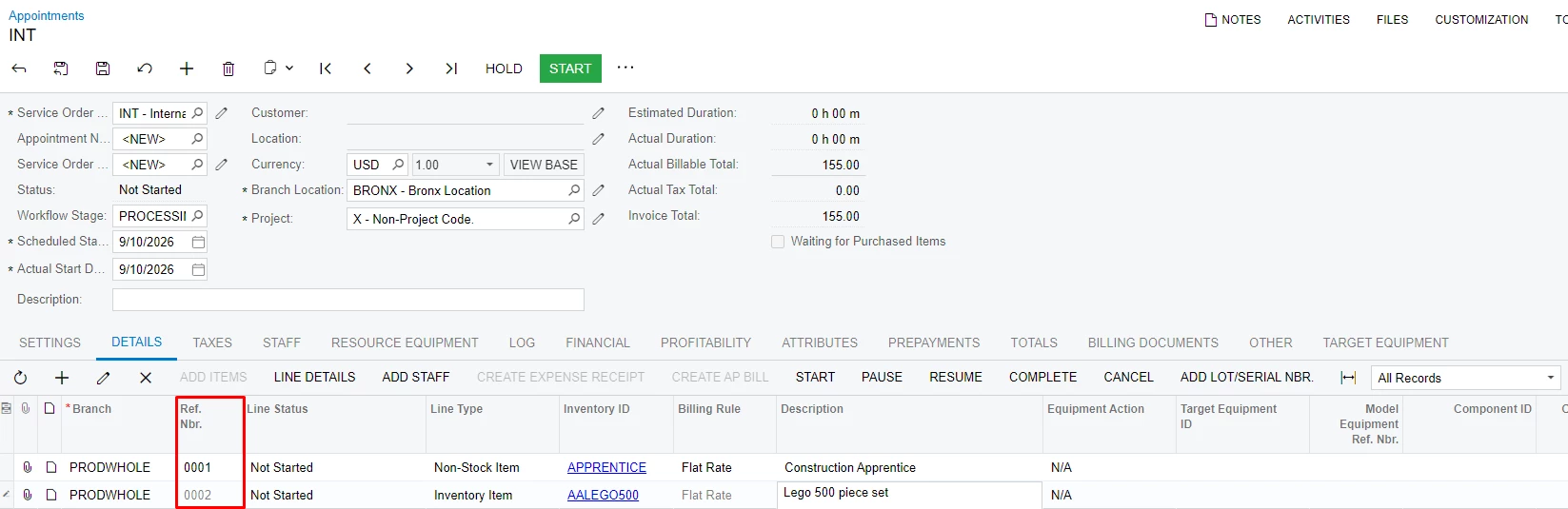
Case 2. If i insert 1 line. Save Doc. Trying to insert next line(without page refresh.).

As you see here, line ref duplicated and it`s obvious that i will recieve this error here.
If i repeat this case, but with page refresh(ctr + r). Ref nbr on row init defaults as expected.
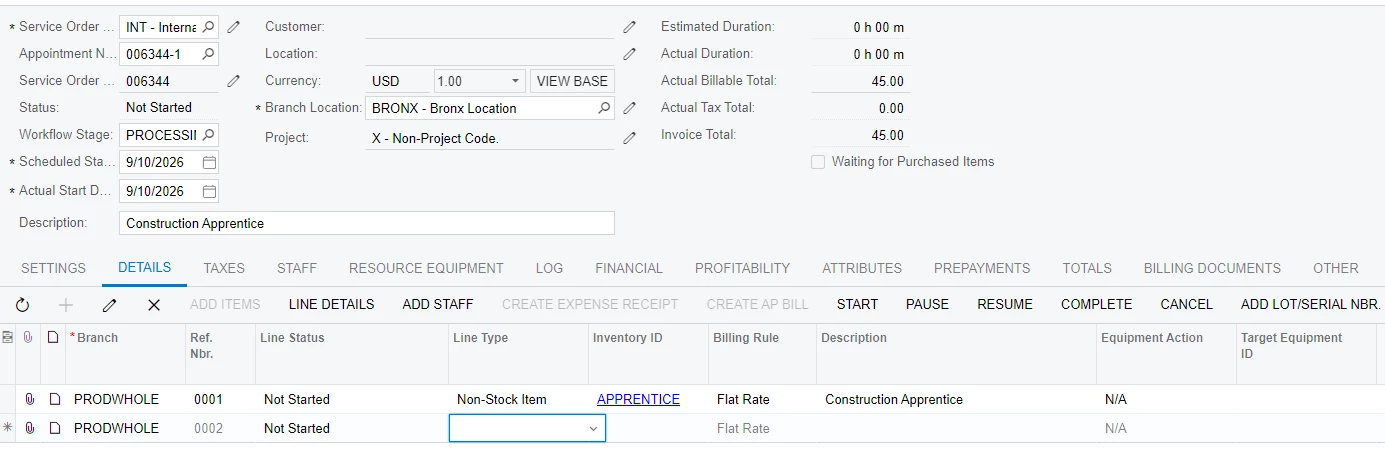
I got this behaviour if i publish 2 cusomization. This customizations don`t interferring with events of insert or defaultings. in both i have only row selected( Events.RowSelected<FSAppointment> e ).
In case if 1 of those was published everything ok. You can assume, that i partially find source of issue.
Part 2. MUI
If i repeat any of cases from previous part, everything will work as expected. without any errors.
I understand thats it`s two different Web application architectural patterns.
But maybe something also unpredicted here?
Same customizations works in MUI but broking in default ui?
Can someone explain me this behaviour of old UI?



