Solved

Adding custom fields to the Contacts tab in the Customer screen (Modern UI) (version 25.200.0248 )

  • January 13, 2026
  • 3 replies
  • 47 views

Forum|alt.badge.img

Hello everyone,
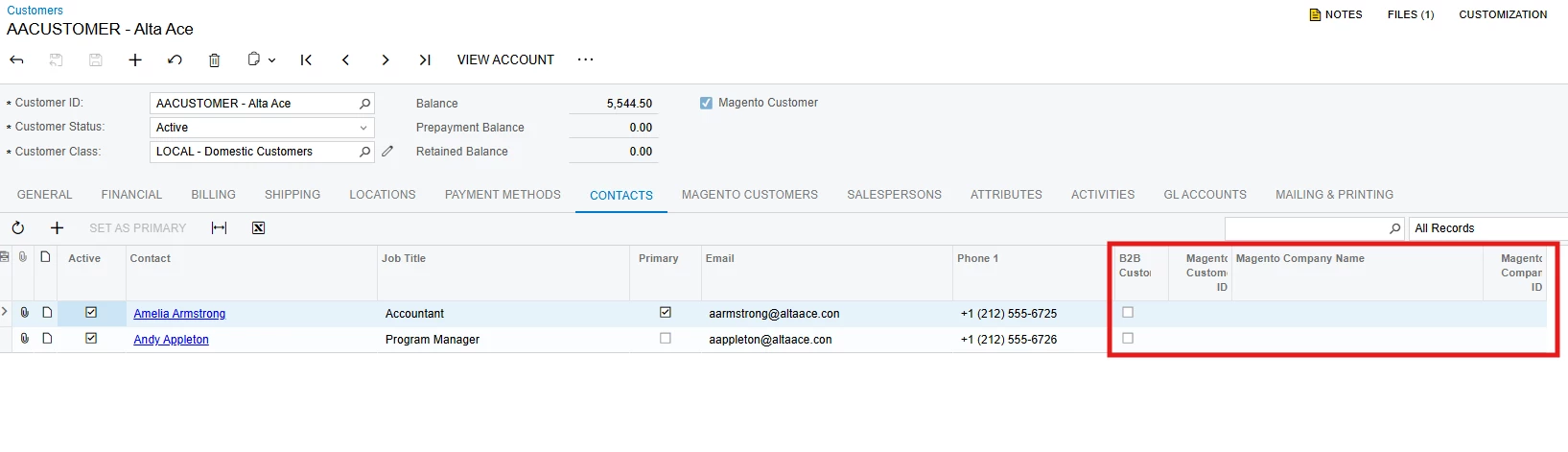
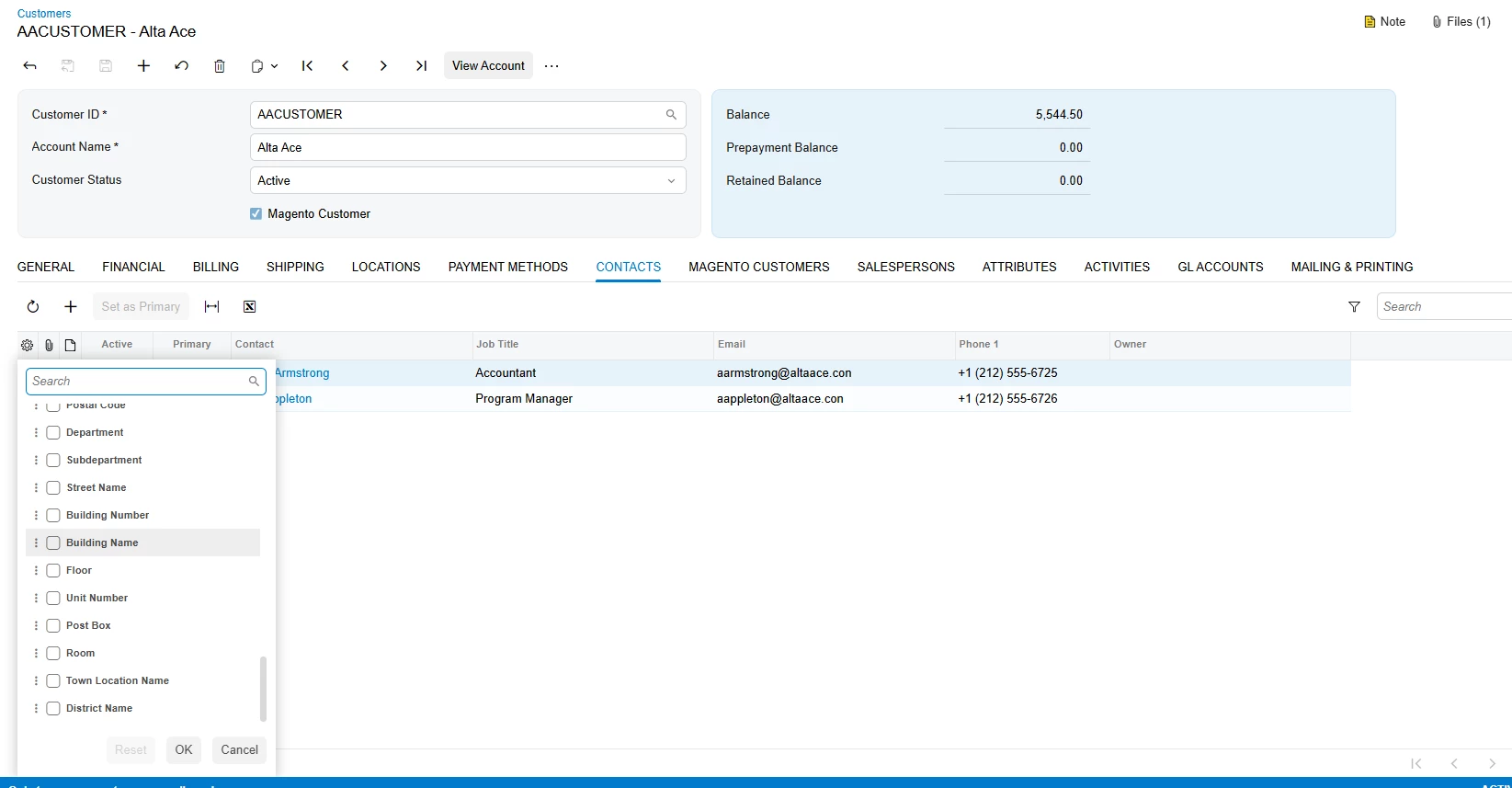
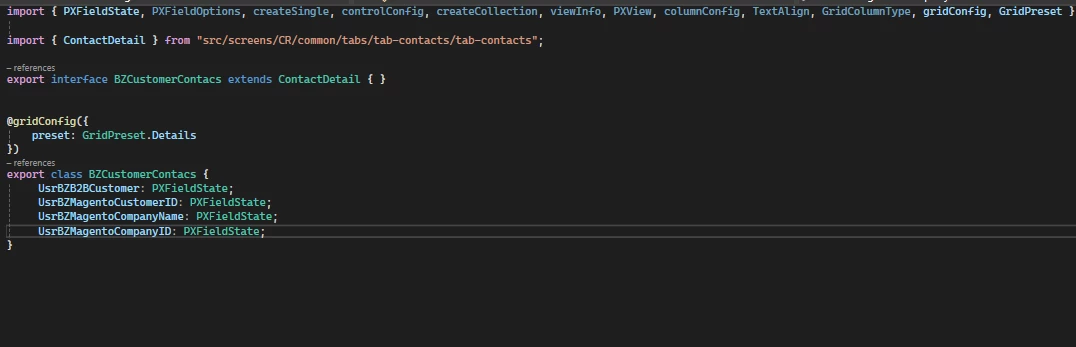
I’m asking if someone can help me with this issue. I have custom fields in the Contact tab, which stopped working for me after converting to Modern UI. This is my code, and I’m not sure what’s wrong. 

Thanks in advance


Best answer by aleksandrsechin

Hi ​@Vard86 
Your code is almost fine, except that you don’t need to apply a decorator to add custom fields to the grid. Here is a code example that I can confirm works.

import { PXFieldState } from "client-controls";
import { ContactDetail } from "src/screens/CR/common/tabs/tab-contacts/tab-contacts";

export interface ContactDetail_MyProject extends ContactDetail {}
export class ContactDetail_MyProject {
UsrTest: PXFieldState;
}

If it doesn’t work in your case, try making some simple changes first to verify that changes are applied at all. This will help rule out issues related to the instance or environment rather than the code itself.

3 replies

Forum|alt.badge.img+1
  • Semi-Pro III
  • January 13, 2026

Hi! You will need to use the modern UI editor in the customization project to add these fields, these are documentations that helped me:

Modern UI Editor: To Add a Field

Customization: The Modern UI Editor

I hope this help! 


Forum|alt.badge.img+4

Hi ​@Vard86 
Your code is almost fine, except that you don’t need to apply a decorator to add custom fields to the grid. Here is a code example that I can confirm works.

import { PXFieldState } from "client-controls";
import { ContactDetail } from "src/screens/CR/common/tabs/tab-contacts/tab-contacts";

export interface ContactDetail_MyProject extends ContactDetail {}
export class ContactDetail_MyProject {
UsrTest: PXFieldState;
}

If it doesn’t work in your case, try making some simple changes first to verify that changes are applied at all. This will help rule out issues related to the instance or environment rather than the code itself.


Forum|alt.badge.img
  • Author
  • Jr Varsity III
  • January 14, 2026

Hi ​@Vard86 
Your code is almost fine, except that you don’t need to apply a decorator to add custom fields to the grid. Here is a code example that I can confirm works.

import { PXFieldState } from "client-controls";
import { ContactDetail } from "src/screens/CR/common/tabs/tab-contacts/tab-contacts";

export interface ContactDetail_MyProject extends ContactDetail {}
export class ContactDetail_MyProject {
UsrTest: PXFieldState;
}

If it doesn’t work in your case, try making some simple changes first to verify that changes are applied at all. This will help rule out issues related to the instance or environment rather than the code itself.

Hi ​@aleksandrsechin,

Thank you very much!
This helped me a lot․