Solved

Adding a selector to a filter

  • March 24, 2023
  • 5 replies
  • 379 views
  • Translate All

Michael Ndungipartnerhold
Varsity I
Forum|alt.badge.img

Hello Everyone,

I would like to add posting class selector to these filter. The screen name is Historical Inventory balance(ScreenId=IN616000).
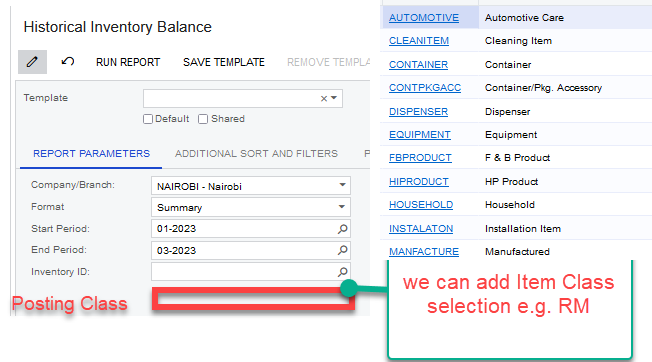
 

Kindly assist for it is urgently required.
All responses will be highly appreciated.

Thank you all.

Best answer by sweta68

Hi @development93 ,

Yes, @Vinay Koppula  is right,

I have followed below steps and got expected output.

  • Open the report(IN616000) in report designer.
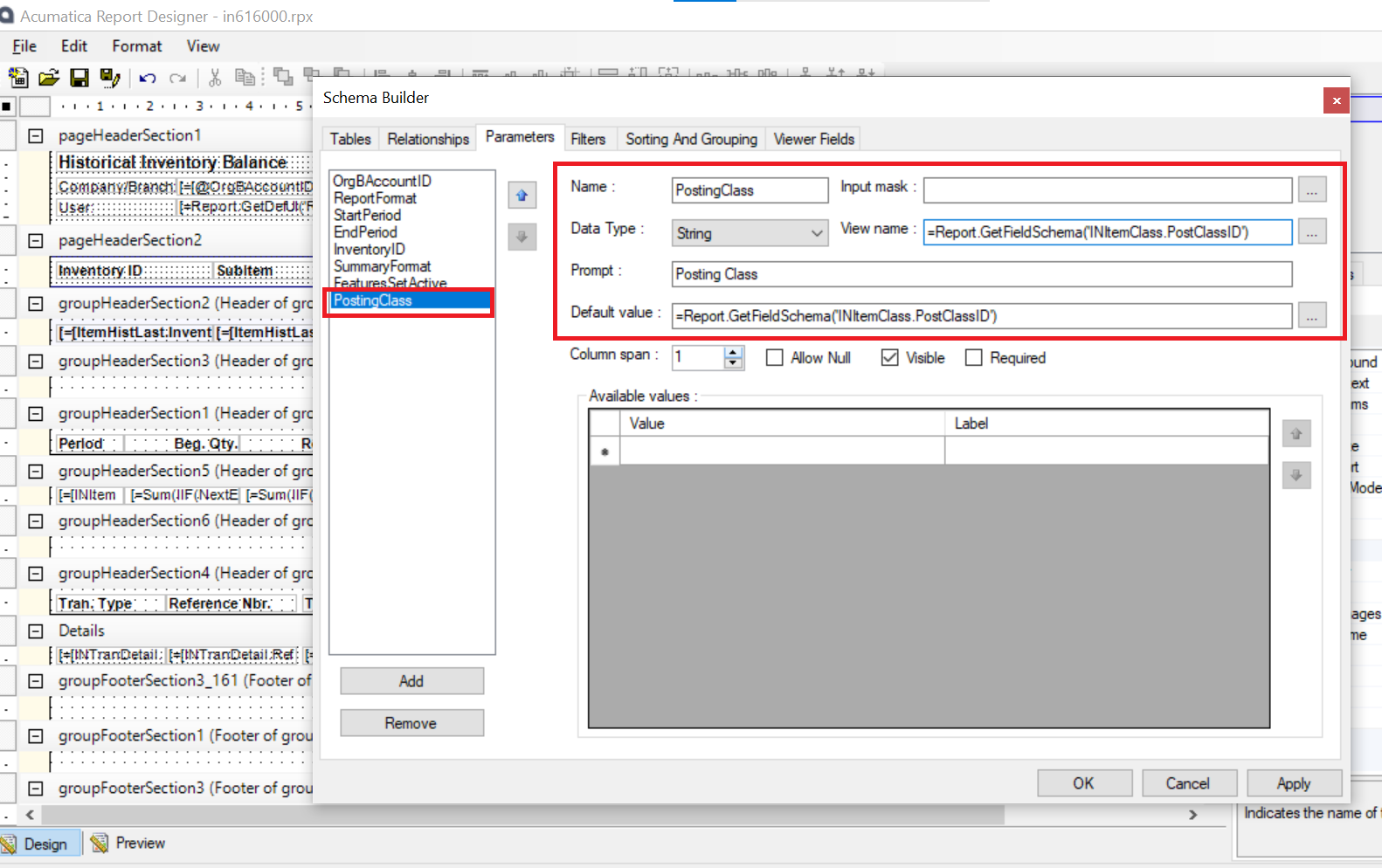
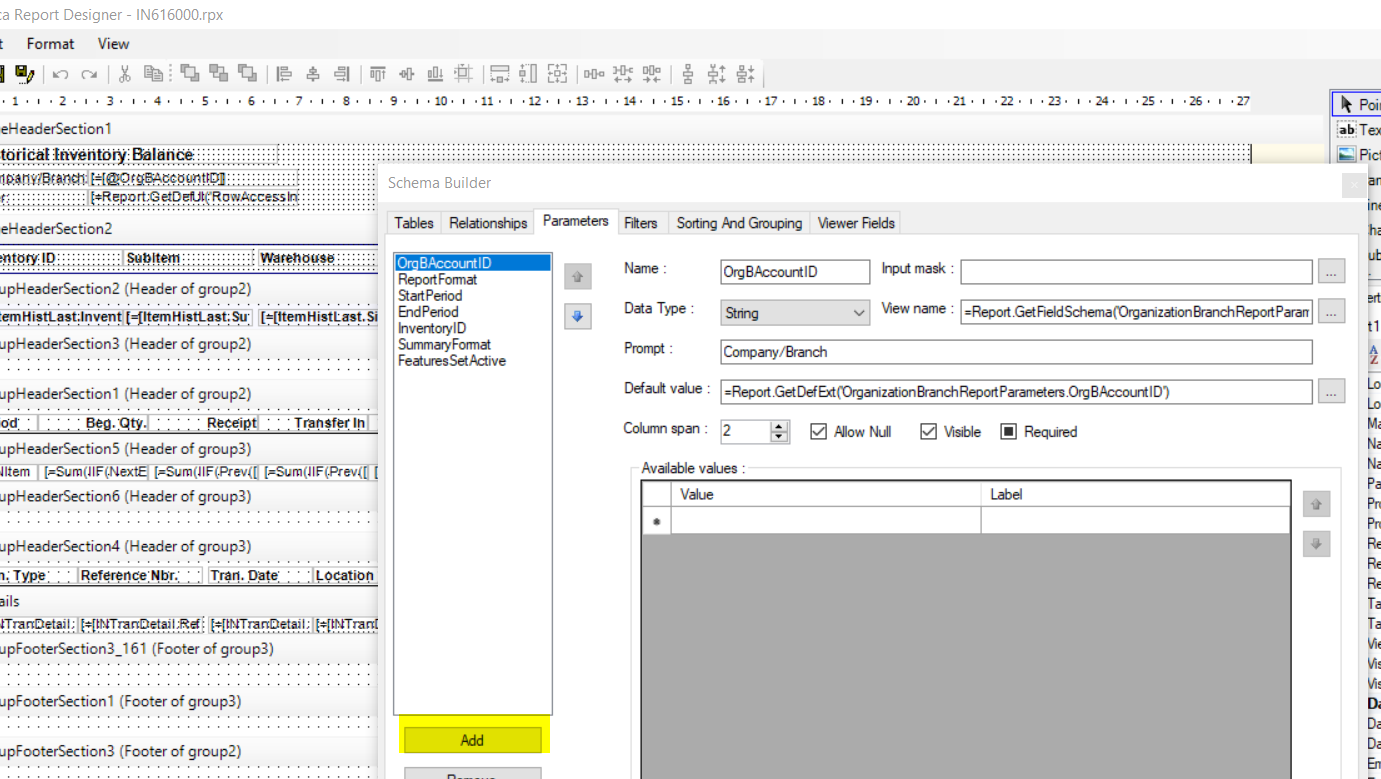
  • In File→ Build Schema→ Parameter tab, add the parameter in it. 

Refer the below screenshot.

  • Click on Apply and Ok.
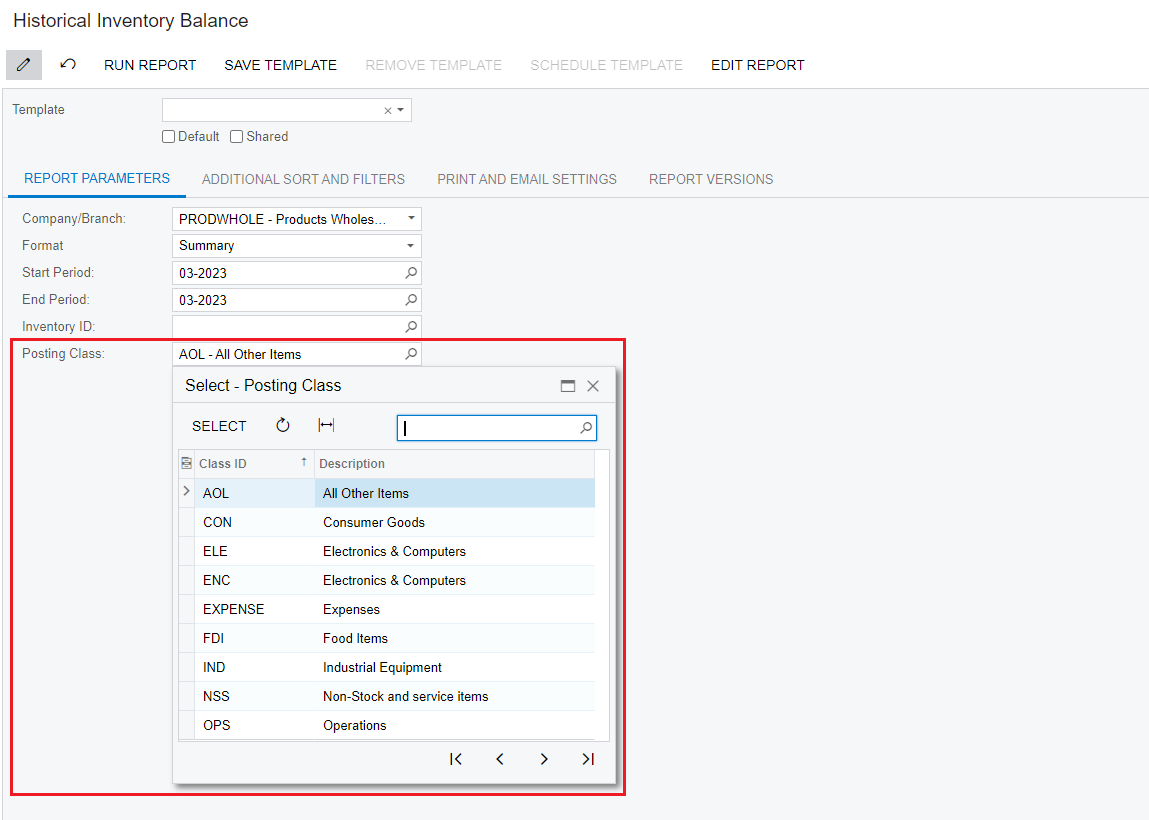
  • Refer below screenshot for output, Now Posting class selector is available.

Hope, this helps!

Regards,

Sweta

View original

5 replies

Vinay Koppula
Semi-Pro II
Forum|alt.badge.img+1

@development93 This is a report, so you need open the report and add the parameter in it. See the screen shot below. Check the other parameters for reference in the same report and you can try to add your Posting Class field as a parameter. 


Translate

Yasas Withanage
Acumatica Employee
Forum|alt.badge.img+5

Hello @development93 

Maybe you can accomplish this by using INPostClass DAC or INItemClass DAC.

Ex-

=Report.GetFieldSchema('INPostClass.PostClassID')

=Report.GetFieldSchema('INItemClass.PostClassID')

Translate

Forum|alt.badge.img+9
  • Semi-Pro III
  • Answer
  • March 27, 2023

Hi @development93 ,

Yes, @Vinay Koppula  is right,

I have followed below steps and got expected output.

  • Open the report(IN616000) in report designer.
  • In File→ Build Schema→ Parameter tab, add the parameter in it. 

Refer the below screenshot.

  • Click on Apply and Ok.
  • Refer below screenshot for output, Now Posting class selector is available.

Hope, this helps!

Regards,

Sweta

Translate

Vinay Koppula
Semi-Pro II
Forum|alt.badge.img+1

Thanks @sweta68 for the confirmation. 

Translate

Michael Ndungipartnerhold
Varsity I
Forum|alt.badge.img

Thank you all for your assistance.

Translate