

Answer

Add a Report to a Screen via Customization Project.

  • April 16, 2025
  • 2 replies
  • 92 views

Forum|alt.badge.img

I am trying to add a report to a screen via a Customization Project, however, despite following the instructions I could find online, the new report doesn’t appear as a option. Here is the screen shot of the action I created. 
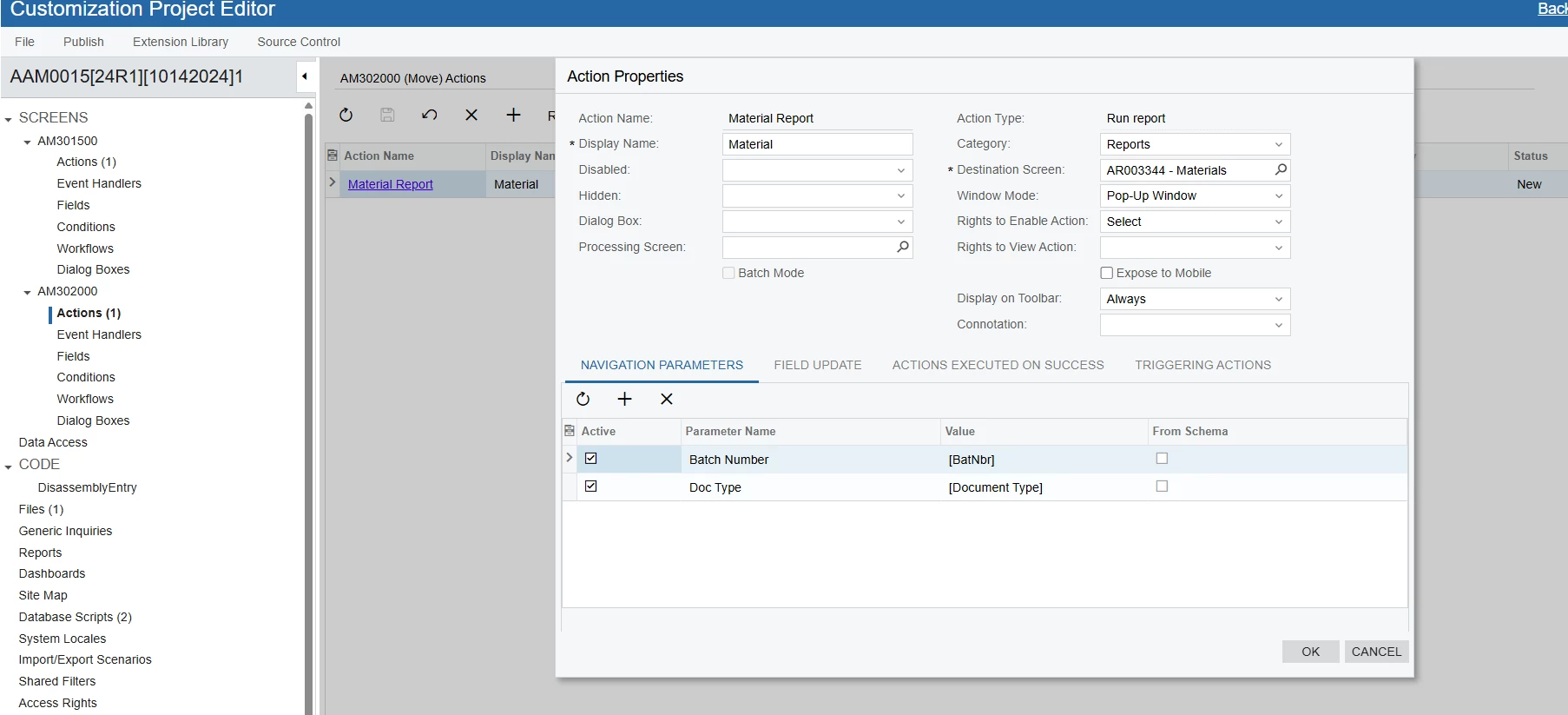
How can we get this report to be selectable straight from the Move Screen?
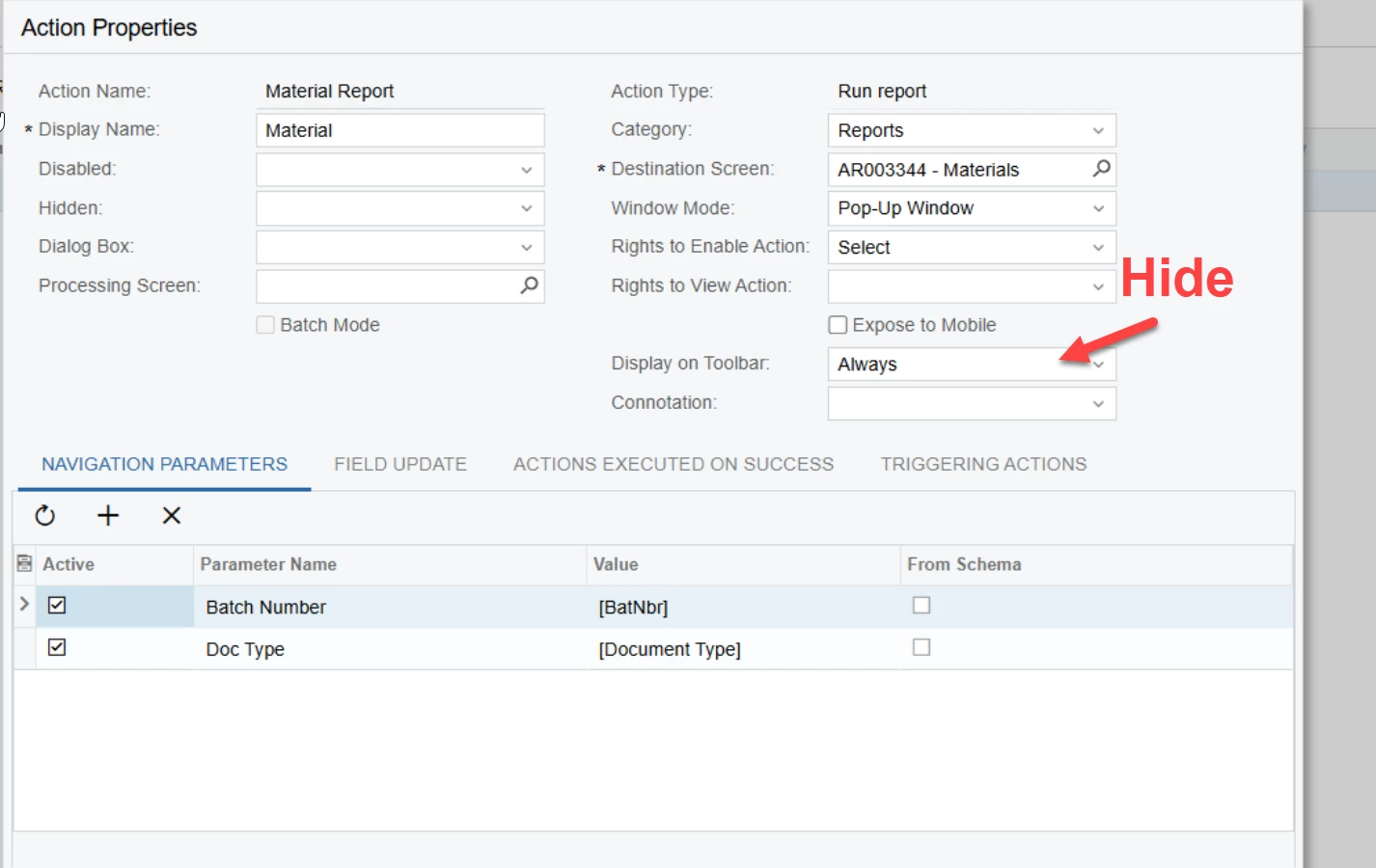
Best answer by bwhite49

That looks right. You’ve published this and the report does not show on your toolbar?

If so, could there be another customization on this screen that uses workflow? If so, this separate customization project may be blocking the action from being created. You will need to combine the 2 projects together.

In addition, I usually will set “display on toolbar” to hide, so that the report exists in the dropdown menu and not the toolbar. This should be the default setting in my opinion.


2 replies

bwhite49
Captain II
Forum|alt.badge.img+10
  • Captain II
  • Answer
  • April 16, 2025

That looks right. You’ve published this and the report does not show on your toolbar?

If so, could there be another customization on this screen that uses workflow? If so, this separate customization project may be blocking the action from being created. You will need to combine the 2 projects together.

In addition, I usually will set “display on toolbar” to hide, so that the report exists in the dropdown menu and not the toolbar. This should be the default setting in my opinion.


dcomerford
Captain II
Forum|alt.badge.img+15
  • Captain II
  • April 17, 2025

@kkraus As ​@bwhite49 suggests check no other package is adding an Action to that screen. The package with the highest priority will win and only its action will be displayed. If thi sis the case you will need to add your action to the other package.


