Solved

25 R2 - Getting Error while adding the Existing Screen (Modern UI)

  • Nov 19, 2025 12:13 PM UTC
  • 4 replies
  • 138 views
  • Translate All

Forum|alt.badge.img

Hi Everyone, 

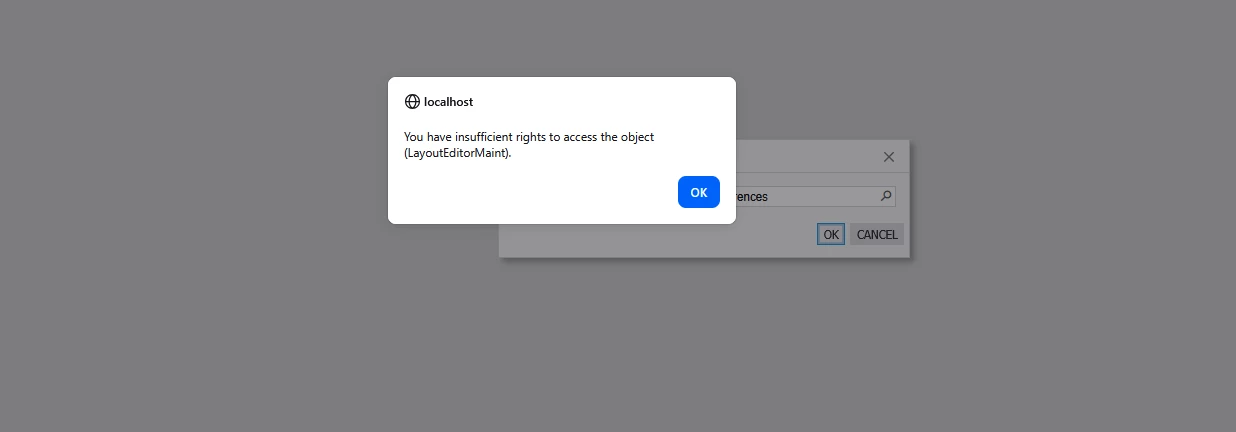
When I’m trying to add the existing screen (Sales Order Preferences), I’m receiving below error. Can you please help fix this issue.


Best answer by Dmitrii Naumov

​@nsmith51 it’s a known issue fixed in SP1 for 25r2. 

As a workaround, you can set Ui Mode = Classic temporarily in the sitemap for the screen you are trying to customize


View original

4 replies

Dipak Nilkanth
Pro III
Forum|alt.badge.img+14

Hi ​@nsmith51,

Have you tried Resetting Caches and Restarting the Application from the Apply Updates screen?
I faced a similar issue before, and it was resolved after performing these steps.

Translate

Dmitrii Naumov
Community Manager
Forum|alt.badge.img+7
  • Community Manager
  • Answer
  • Nov 19, 2025 4:47 PM UTC

​@nsmith51 it’s a known issue fixed in SP1 for 25r2. 

As a workaround, you can set Ui Mode = Classic temporarily in the sitemap for the screen you are trying to customize


Translate

Dipak Nilkanth
Pro III
Forum|alt.badge.img+14

​@nsmith51 as ​@Dmitrii Naumov suggested, I have followed this step as well — I just forgot to mention it earlier.

Translate

Forum|alt.badge.img
  • Author
  • Jr Varsity III
  • Nov 20, 2025 1:16 PM UTC

Okay. How to add custom field in the Sales Order Preferences screen, do we need to use the Classic UI for Sales Order Preferences screen as well? 

Translate