

Solved

25 R2 - Getting Error while adding the Existing Screen (Modern UI)

  • November 19, 2025
  • 4 replies
  • 136 views
  • Translate All

Forum|alt.badge.img

Hi Everyone, 

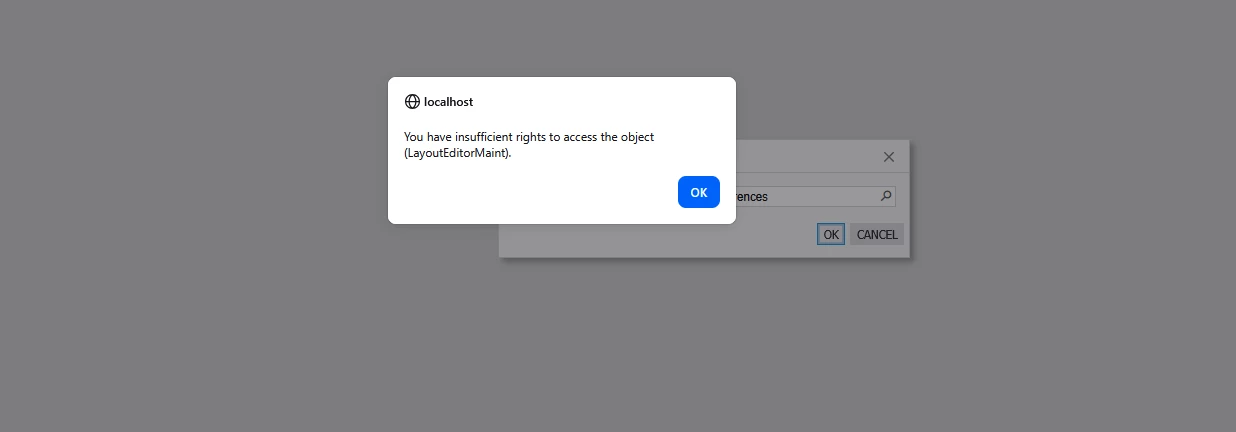
When I’m trying to add the existing screen (Sales Order Preferences), I’m receiving below error. Can you please help fix this issue.


Best answer by Dmitrii Naumov

​@nsmith51 it’s a known issue fixed in SP1 for 25r2. 

As a workaround, you can set Ui Mode = Classic temporarily in the sitemap for the screen you are trying to customize


View original

4 replies

Dipak Nilkanth
Pro III
Forum|alt.badge.img+14

Hi ​@nsmith51,

Have you tried Resetting Caches and Restarting the Application from the Apply Updates screen?
I faced a similar issue before, and it was resolved after performing these steps.

Translate

Dmitrii Naumov
Community Manager
Forum|alt.badge.img+7

​@nsmith51 it’s a known issue fixed in SP1 for 25r2. 

As a workaround, you can set Ui Mode = Classic temporarily in the sitemap for the screen you are trying to customize


Translate

Dipak Nilkanth
Pro III
Forum|alt.badge.img+14

​@nsmith51 as ​@Dmitrii Naumov suggested, I have followed this step as well — I just forgot to mention it earlier.

Translate

Forum|alt.badge.img
  • Author
  • Jr Varsity III
  • November 20, 2025

Okay. How to add custom field in the Sales Order Preferences screen, do we need to use the Classic UI for Sales Order Preferences screen as well? 

Translate


