

Answer

Identifying Business Accounts where the 'Owner' was deactivated?

  • October 10, 2023
  • 5 replies
  • 97 views

Forum|alt.badge.img

I’ve been asked to identify business accounts where the ‘owner’ field contains an employee that is no longer active. I can’t figure out how to do this...I assume it’s possible?

Best answer by ChandraM

Hi @tsmith19 Here is the generic inquiry to answer the below question.

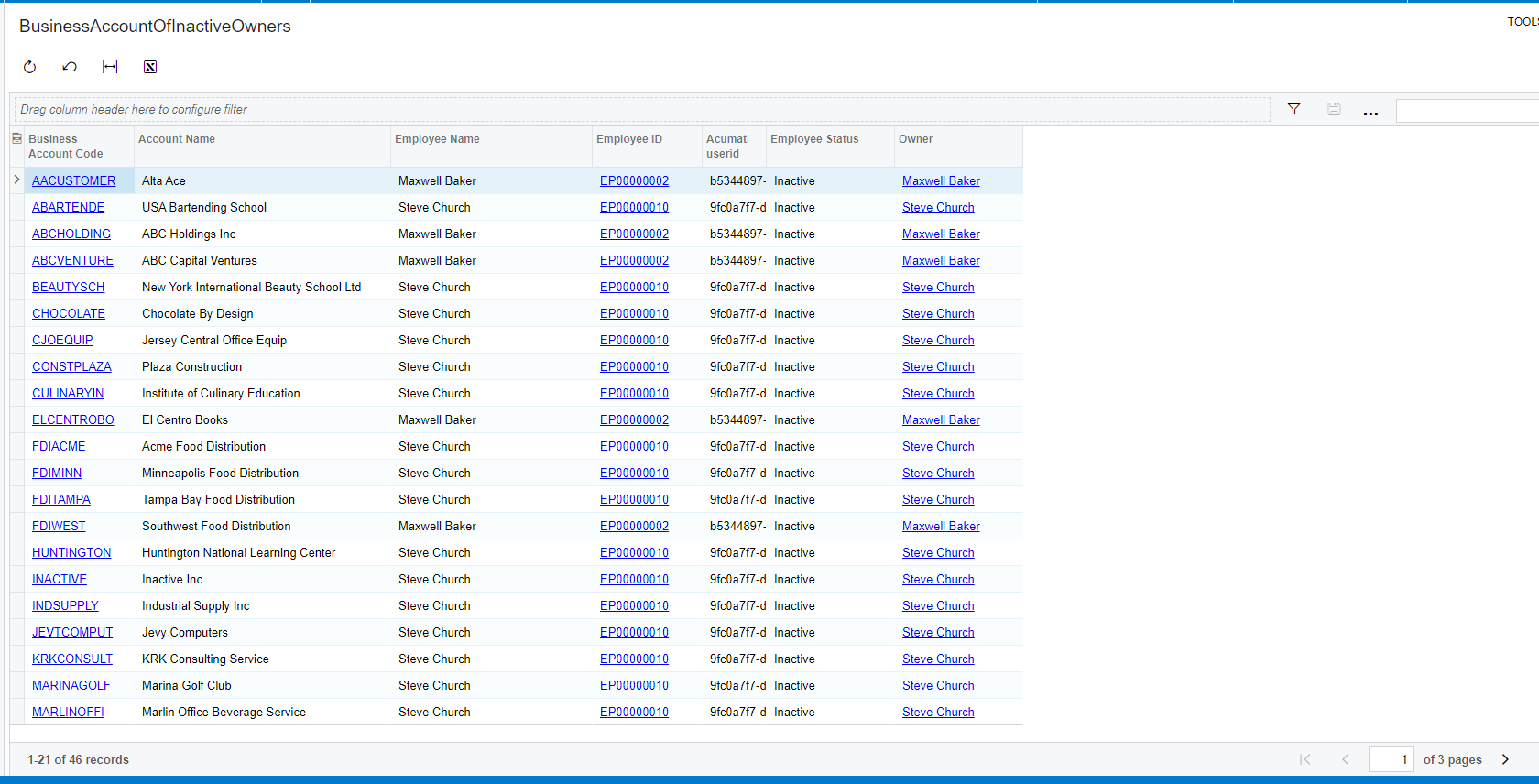
Please find the attached generic inquiry with the solution to your problem, and the below screenshot showing the results.

“However, I cannot figure out how to pull a GI of Business accounts associated to this Employee because the values do not pull any filtered results;”
 

Thanks

5 replies

Forum|alt.badge.img+8
  • Semi-Pro I
  • October 10, 2023

Hi @tsmith19 The “CreatedBy” field holds the owner( the user) who created the business account .

  1. Create a generic inquiry with joins on the Baccount and users table. This should provide the list of business accounts that are created by all users.
  2. In addition, you can join the users table and the EPEmployee table to filter the Inactive employees from the List with a condition.

Forum|alt.badge.img+8
  • Semi-Pro I
  • Answer
  • October 10, 2023

Hi @tsmith19 Here is the generic inquiry to answer the below question.

Please find the attached generic inquiry with the solution to your problem, and the below screenshot showing the results.

“However, I cannot figure out how to pull a GI of Business accounts associated to this Employee because the values do not pull any filtered results;”


Thanks


Forum|alt.badge.img+8
  • Semi-Pro I
  • October 10, 2023

Hi @tsmith19 Please review the above post and let me know if you any further clarifications.


Forum|alt.badge.img
  • Author
  • Freshman I
  • October 11, 2023

@ChandraM Miracle worker! I was pretty close with my GI I built, however I didn’t use the contacts table, instead the users table. Thank you very much Chandra!


Forum|alt.badge.img+8
  • Semi-Pro I
  • October 11, 2023

Hi @tsmith19 Thanks for your kind words and appreciation! This means a lot to me!

Regards,

Chandra