Question

HTML Mass Email problem

  • November 19, 2025
  • 5 replies
  • 63 views

Forum|alt.badge.img

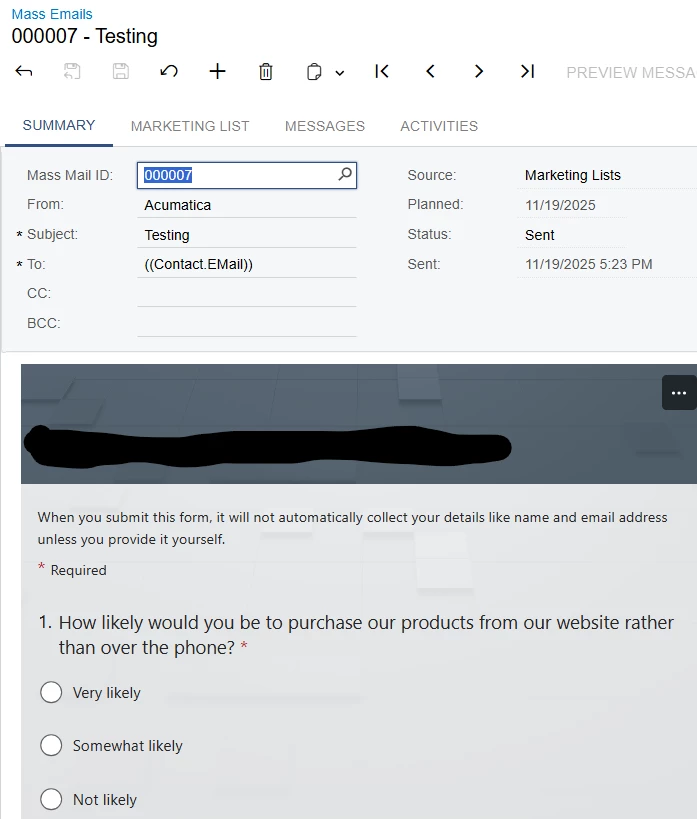
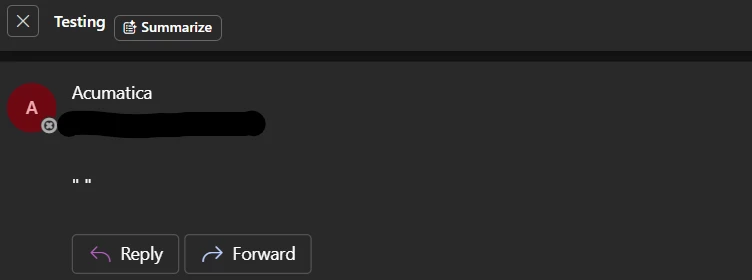
I created a mass email and used the HTML and previewed the message. The email message display shows what I need. When I send the emails, the information is correct, but when I open the email, the embedded page does not show. What am I doing wrong?
 

5 replies

Sourav
Freshman I
  • Freshman I
  • November 20, 2025

Hi, this could be frustrating can you please test following ways 

1.Pasting clickable survey form link directly into the email body editor.

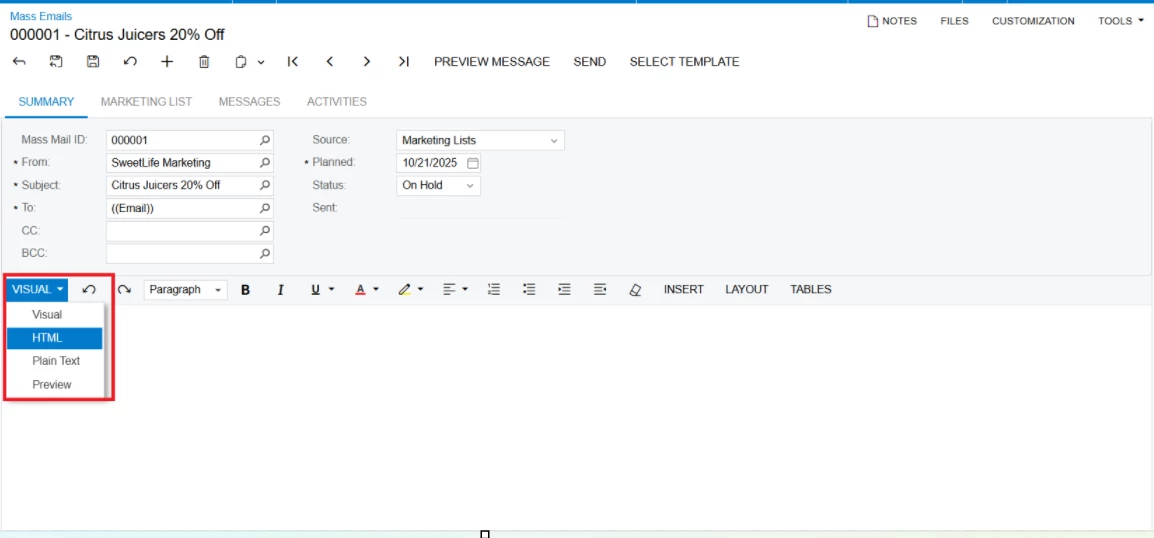
2.(See Image) You can try options like Visual, HTML, Plain text, Preview to go ahead with once.

3.Keep raw html text With HTML Option.

You are not doing anything wrong here.

This could be a case if Specific HTML Elements are blocked by client email. (Security purpose).

If you are still not getting any way out, you might get some help through this below link

https://help.acumatica.com/Help?ScreenId=ShowWiki&pageid=161aba8e-295a-4366-bfdf-25567f92535f 


Forum|alt.badge.img
  • Author
  • Freshman II
  • November 20, 2025

Thank you ​@Sourav.

I had our IT team look into this and email settings and blocked data and sites are not the problem, nor is the firewall. We’ve also sent to other emails, and we get the same blank email.

Inserting a clickable link to the survey and inserting a QR code works just fine, but we’re hoping to have as few clicks as possible to have the likelihood of customers to respond.

I created the mass email using the help screen too.

Thank you for the feedback, hopefully I’ll get it to work soon.


Chris Hackett
Community Manager
Forum|alt.badge.img
  • Acumatica Community Manager
  • January 8, 2026

Hi ​@Sourav were you able to find a solution? Thank you!


Forum|alt.badge.img
  • Author
  • Freshman II
  • January 9, 2026

Hi ​@Sourav were you able to find a solution? Thank you!

No ​@Chris Hackett , I was not able to get this working. I have asked our IT department to see if they could figure it out, but no such luck. This ended up getting put on a back burner. Is there someone that I can have my IT department reach out to to help troubleshoot?


Chris Hackett
Community Manager
Forum|alt.badge.img
  • Acumatica Community Manager
  • January 9, 2026

@jhutchinson - I would say whoever your support is with should work with Acumatica support.