Answer

How to use Attributes with "Selector" Control Type ?

  • June 19, 2023
  • 3 replies
  • 950 views

nhatnghetinh
Captain II
Forum|alt.badge.img+11

Dear ALL,

For example, I have the following situation:

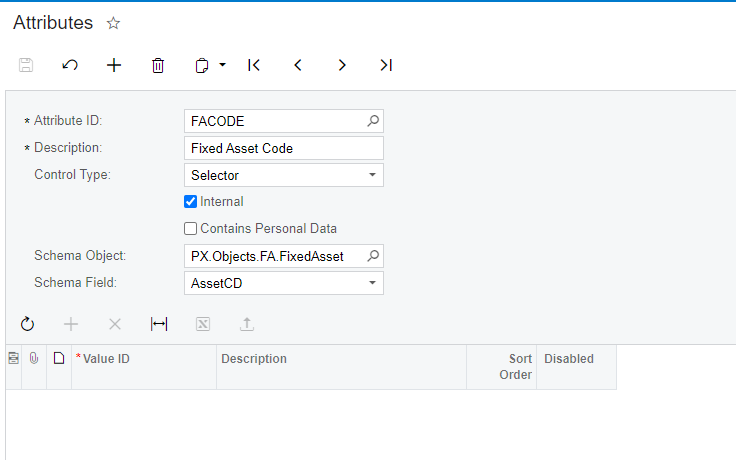
Step 1: I created a  Attributes as below:

  • AttributeID: FACODE
  • Description: Fixed Asset Code
  • Control Type: Selector
  • Schema Object: PX.Objects.FA.FixedAsset
  • Schema Field: AssetCD

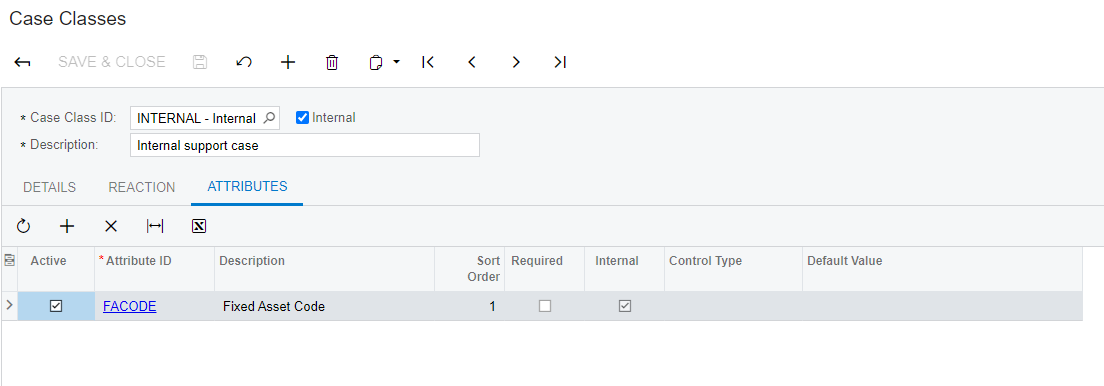
Step 2: I created Case Class with name INTERNAL using “FACODE” AttributeID 


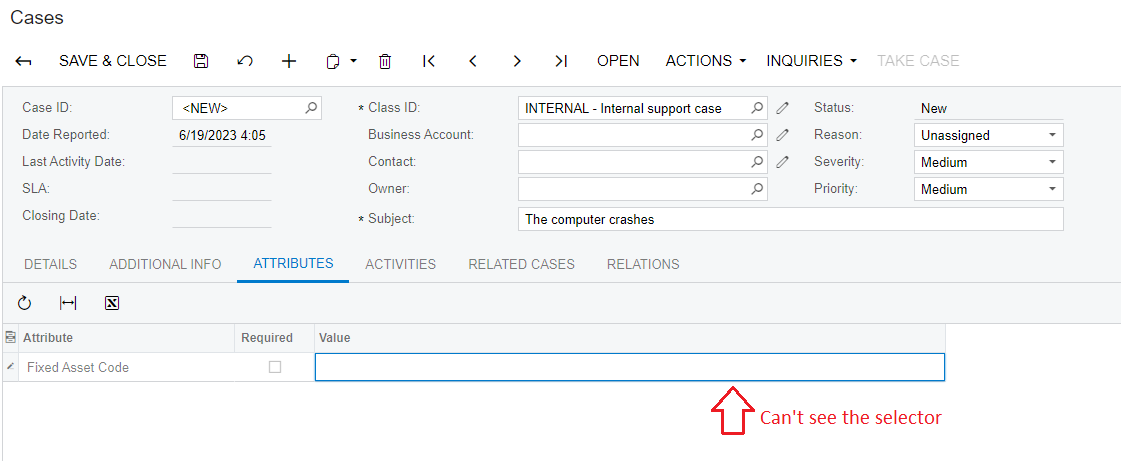
Step 3: I created Case using “INTERNAL” Class ID. In the ATTRIBUTES TAB > Adding Attribute “Fixed Asset Code” > In the Value => I didn't see the selector ?


Please help me How to use Attributes with "Selector" Control Type ?


Note: Acumatica Verion: 2020 R1


Regards,

NNT


Best answer by sweta68

Hi @nhatnghetinh ,

I found a similar forum to answer your question. I believe selector attributes were specifically implemented for UDF functionality and were never added to attributes.

How to connect new Selector Attribute to Project Attributes screen? | Community (acumatica.com)

Hope, it helps!

Regards,

Sweta

3 replies

Forum|alt.badge.img+9
  • Semi-Pro III
  • Answer
  • June 19, 2023

Hi @nhatnghetinh ,

I found a similar forum to answer your question. I believe selector attributes were specifically implemented for UDF functionality and were never added to attributes.

How to connect new Selector Attribute to Project Attributes screen? | Community (acumatica.com)

Hope, it helps!

Regards,

Sweta


Forum|alt.badge.img+12
  • Acumatica Support Team
  • June 19, 2023

Hi @nhatnghetinh 

As mentioned by @sweta68, selector attribute works with UDF. Here is a related feature request thread from Ideas page. 

Hope this clarifies.

Regards,


Forum|alt.badge.img

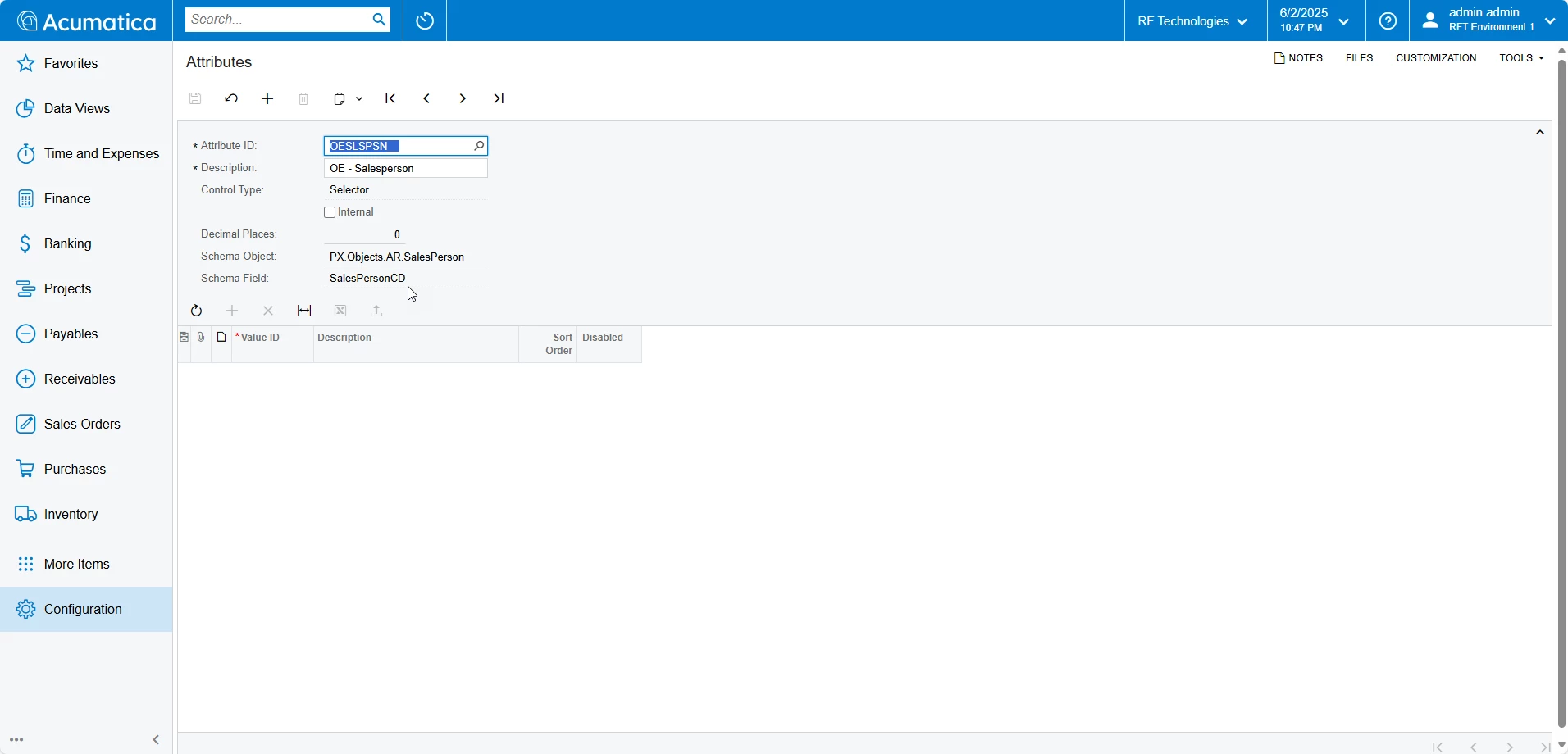
In 25R1, I have used attributes for sales order headers as seen here: 


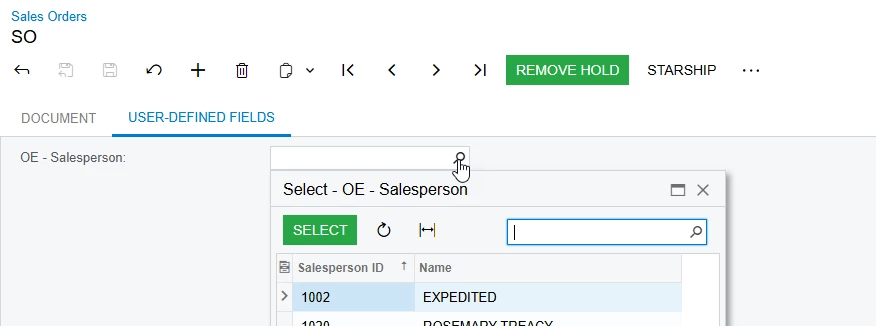
Here is a sales order where I can select a salesperson from a list: