Answer

How to Hide Cases Form and only give access to a GI

  • September 19, 2025
  • 11 replies
  • 102 views

Forum|alt.badge.img

Hi All,

We are trying to provide an access to a customer, to our internal ERP as we cannot enable Customer Portal due to Multiple base currencies feature been enabled.

The approach we are trying to execute is to create an external/ guest user who will have access only to a specific customer related cases with view only access to their cases.

When restricting the access i have created a custom GI which was derived from the cases GI CR3060PL

However, if i revoke access to cases form i do not have access to click the custom GI lines and view the cases in CR306000

Is there any possibility for us to only give access to the custom GI and perhaps hide the CR3060PL (Cases) from the customer’s user?

Thank you all in advance for your support!

Best answer by jhouser

I see. Here's a workaround that is less than perfect (explain why at the end):

1. On primary cases GI, Entry Point tab, unselect the "Replace Entry Screen with this Inquiry in Menu" box. This will allow you to grant access to entry screen without the primary GI, basically separating the access. 

2. Grant customer user View Only access to cases entry screen and your new GI. For the entry screen, specifically set Case ID field to View Only. This will prevent them from using the lookup field to select other customer cases. Also, revoke access to the First, Prev, Next, and Last buttons. This will prevent them from jumping to other cases they shouldn't see. There may be other fields you want to revoke, but those are the obvious ones. 

Not perfect because there are loopholes, at least the following:

-Customer user could use search bar to find other customer cases. 

-When viewing a case, user can change case # in the URL to view a different case.

A better solution to your scenario would probably require customization. 


11 replies

ricoybanez
Jr Varsity III
Forum|alt.badge.img+3
  • Jr Varsity III
  • September 19, 2025

@yasalimadihahewage72 

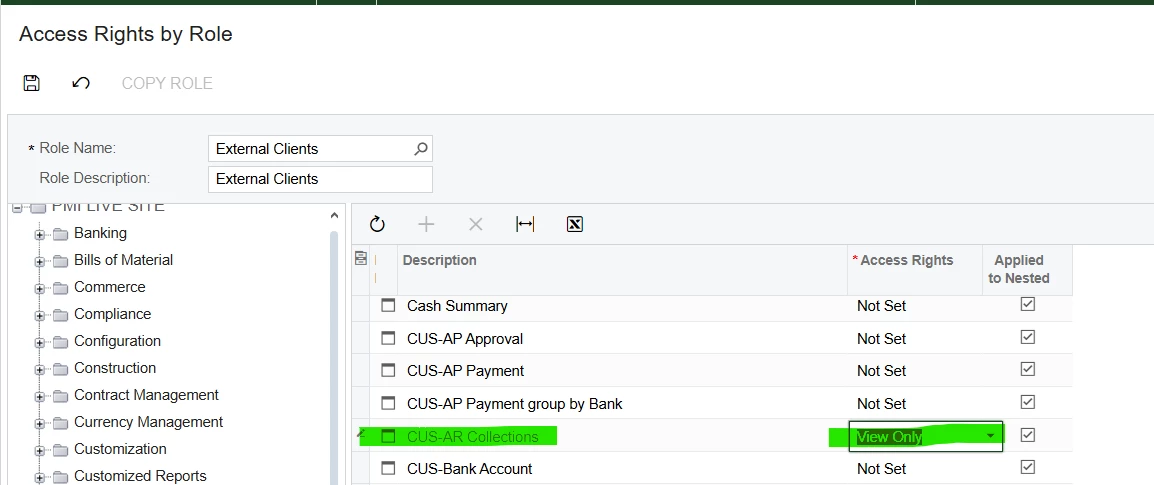
You can create a separate Access Role and Grant only access to the specific GI you want to give.


jhouser
Captain II
Forum|alt.badge.img+6
  • Captain II
  • September 19, 2025

Hi ​@yasalimadihahewage72 You can configure a Customer Access restriction group so the user can only view their own cases. Just add the user and the customer to the group. 


Forum|alt.badge.img

@ricoybanez,

If I only grant the access to the specific GI and revoke access from the form cases (CR306000) when i click on one case in the custom GI i would get redirected to the home page.

any workaround for that?

@jhouser,

We tried to work on restriction groups, and we faced a bottleneck when cases are created without a business account in current scenario for customer contacts not registered in the contacts form. that’s why we are looking for a method to hide the cases form. 

Thank you ​@ricoybanez ​@jhouser for your kind support and attention to this. appreciate if you could kindly check and let me know any workarounds for the above mentioned.


jhouser
Captain II
Forum|alt.badge.img+6
  • Captain II
  • September 22, 2025

@yasalimadihahewage72 There is an option to require a business account on all cases. New contacts would need to be linked to a customer for a case to be created. Thoughts?


Forum|alt.badge.img

@jhouser Definitely a good idea. but in our context we’re still streamlining the contacts of customers. so almost all the cases we receive are created without business accounts and afterwards only the contacts are created. so its tricky to only get cases linked to customers at this stage


jhouser
Captain II
Forum|alt.badge.img+6
  • Captain II
  • Answer
  • September 22, 2025

I see. Here's a workaround that is less than perfect (explain why at the end):

1. On primary cases GI, Entry Point tab, unselect the "Replace Entry Screen with this Inquiry in Menu" box. This will allow you to grant access to entry screen without the primary GI, basically separating the access. 

2. Grant customer user View Only access to cases entry screen and your new GI. For the entry screen, specifically set Case ID field to View Only. This will prevent them from using the lookup field to select other customer cases. Also, revoke access to the First, Prev, Next, and Last buttons. This will prevent them from jumping to other cases they shouldn't see. There may be other fields you want to revoke, but those are the obvious ones. 

Not perfect because there are loopholes, at least the following:

-Customer user could use search bar to find other customer cases. 

-When viewing a case, user can change case # in the URL to view a different case.

A better solution to your scenario would probably require customization. 


ricoybanez
Jr Varsity III
Forum|alt.badge.img+3
  • Jr Varsity III
  • September 22, 2025

@yasalimadihahewage72 

Can you provide screenshot of the GI and the Access Role that you created.


nhatnghetinh
Captain II
Forum|alt.badge.img+11
  • Captain II
  • September 22, 2025

Hi ​@yasalimadihahewage72 

Is your purpose is to authorize GI Case for customers to only see their Case information. If so, you create a new GI Case like CR3060PL (using the Copy/Paste feature). With this method, you do not need to grant permissions to limit other features. Just give this GI permission to your customer user

On this new GI:
 

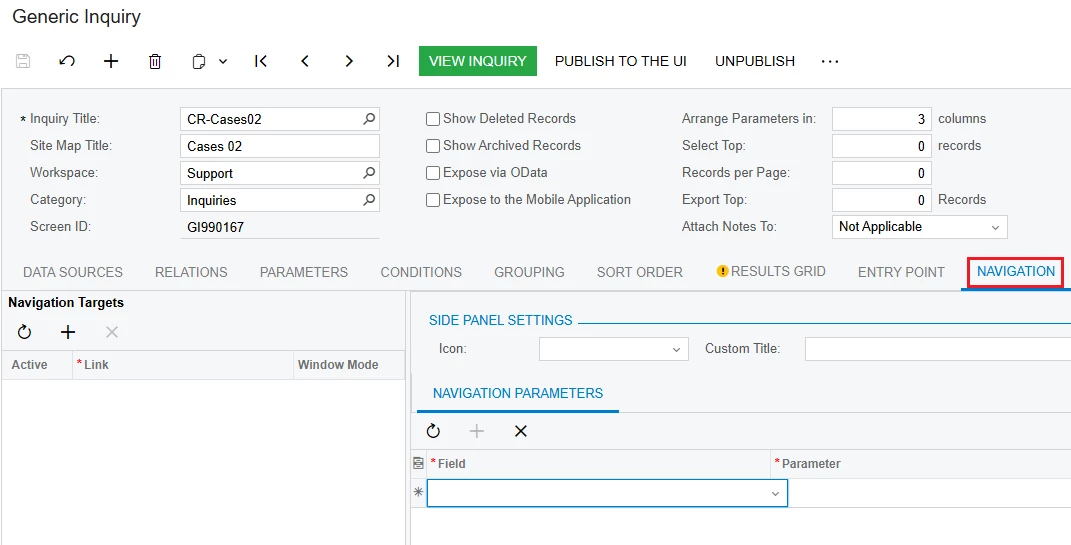
1/. NAVIGATION tab: Clear all as shown below


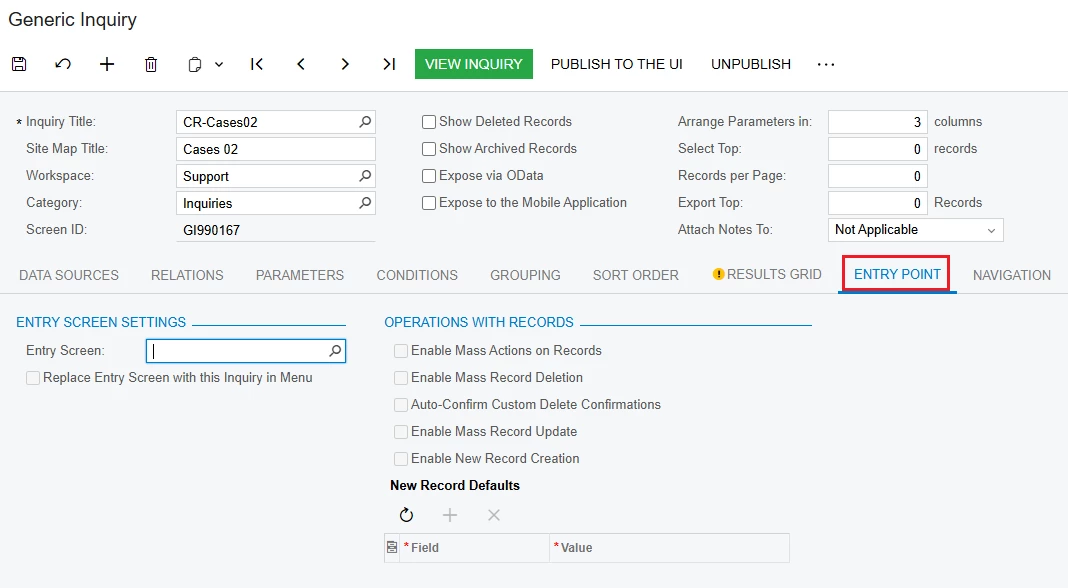
2/. ENTRY POINT tab: Clear all options as shown below


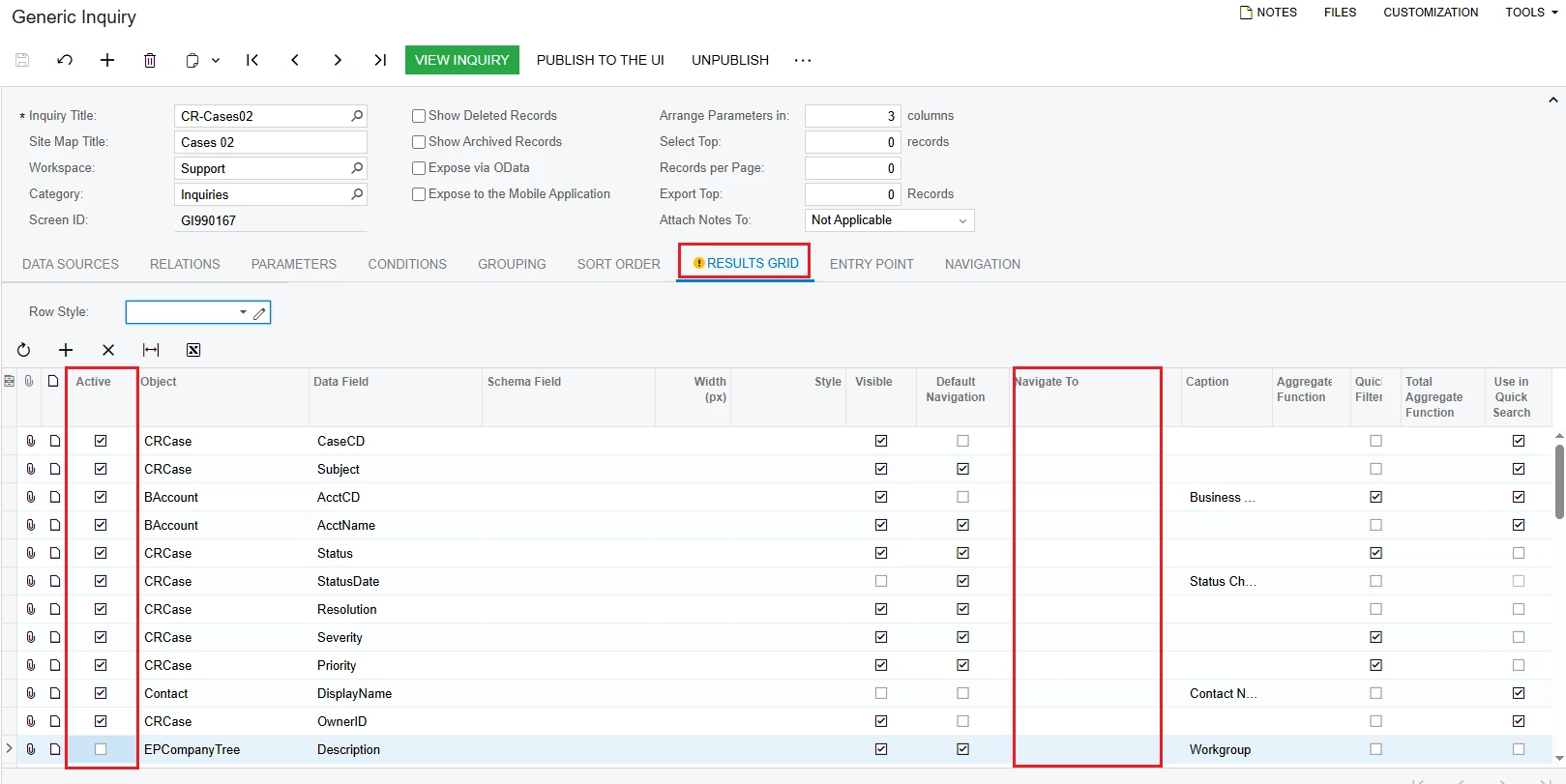
3/. RESULTS GRID:
+ Navigate To column => Clear all as shown below
+ Active column: Uncheck information that you do not want to display


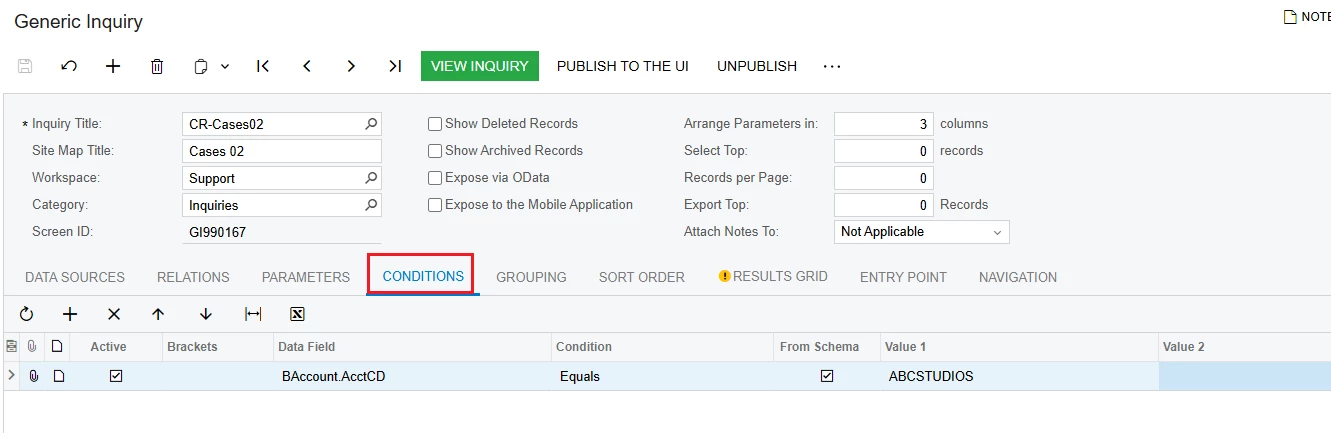
4/. CONDITIONS tab: Create conditions to limit information that you do not want to display. For example, only display a certain customer's Case


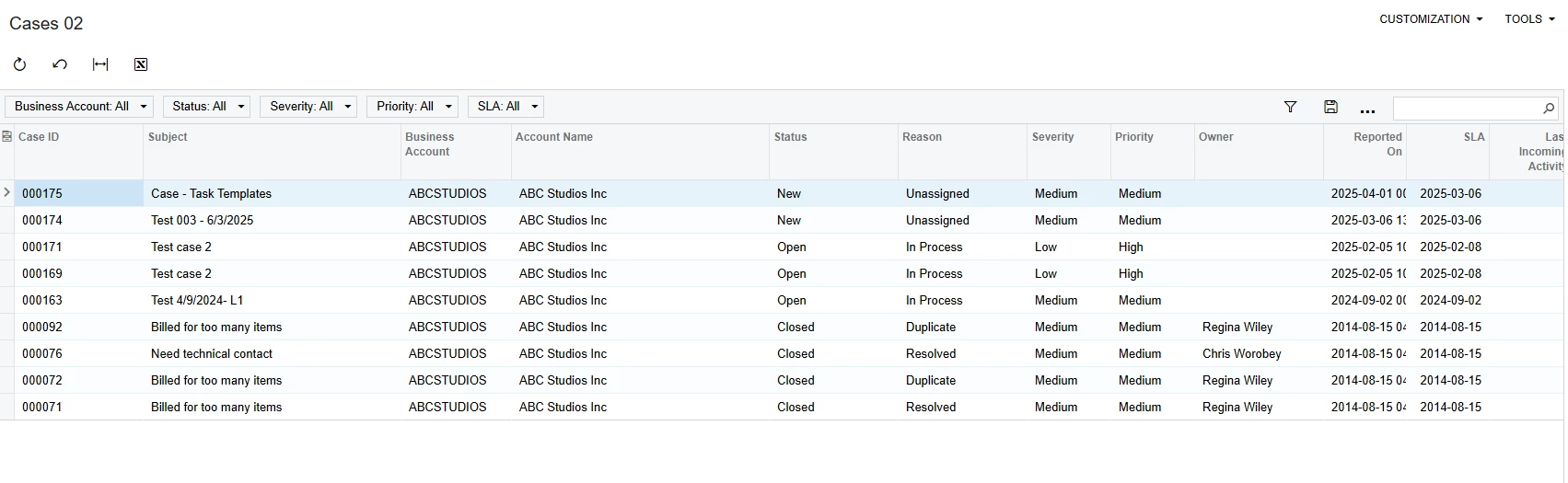
5/. The result of GI is as follows:


Best Regards,

NNT


Forum|alt.badge.img

@jhouser , I tried the method suggested by you and it works!! for the internal users i can create a different GI to view the existing cases and for the external users i can create GIs only to view their cases.

Thank you so much for your support in getting my issue resolved! really appreciate your time and effort invested to this!!! 

@ricoybanez, thank you for your support in getting my issue resolved. Really appreciate it!

@nhatnghetinh, I tried the method suggested by you and with that i was able to give access to the GI however, since we remove the navigations, the external will only be able to view the GI. However, the requirement of the company was to give access to view the case along with activities, and other tabs in the cases screen. 

Thus, Thank you so much for your support in attending my issue! really appreciate it.


jhouser
Captain II
Forum|alt.badge.img+6
  • Captain II
  • September 24, 2025

@yasalimadihahewage72 Glad to hear that, you're welcome! For the internal users, you can use the primary GI. You may need to specify a workspace and access rights to make it visible, since unlinking it from entry screen probably made it disappear. 


Forum|alt.badge.img

@jhouser ohh right! I missed that one! thank you so much!!!