Answer

Cant Convert a Sales Quote to SO

  • October 5, 2022
  • 8 replies
  • 400 views

Forum|alt.badge.img

Dear Community,


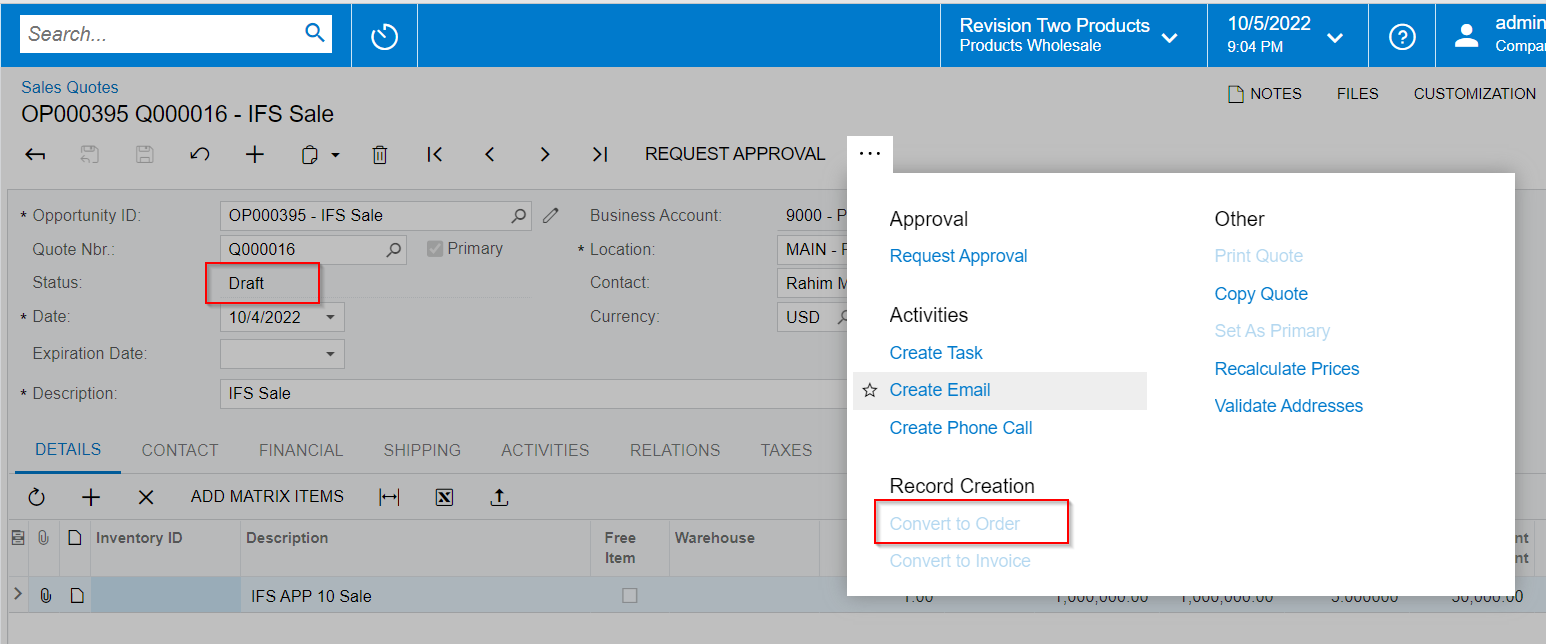
I cannot convert a sales quote to a Sales order. The convert option is grayed out. 

  • Sales Quote Status is approved
  • Business account is extended as Customer 

Am i missing any steps?
 

Best answer by sweta68

Hi @jparvez ,

I am using Acumatica Demo Environment and able to convert sales quote to SO.
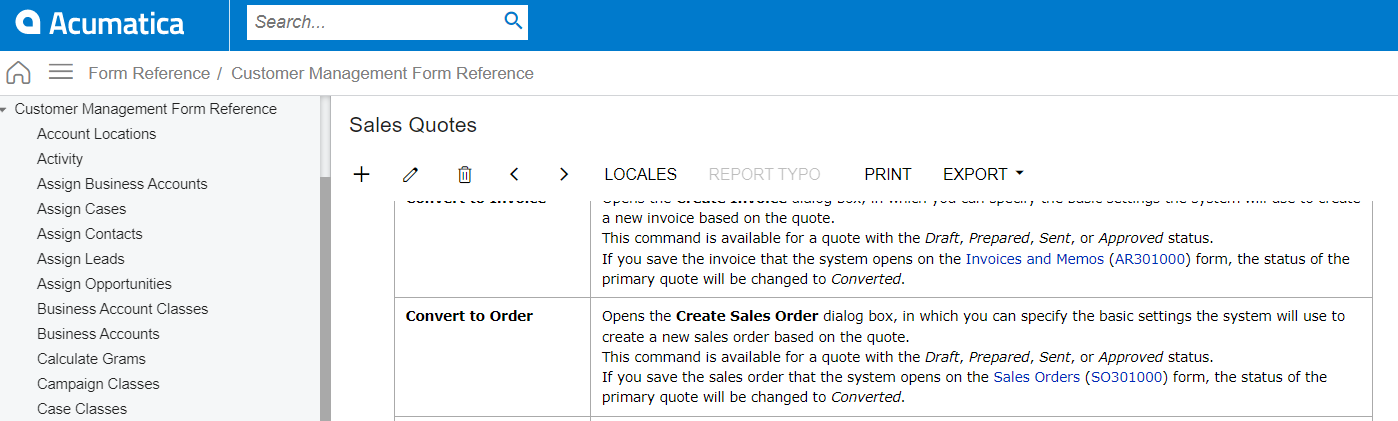
  • Create Opportunity from Opportunities screen → Create Quote→ Request Approval → Mark as Converted → Mark as Accepted → Convert to Order.


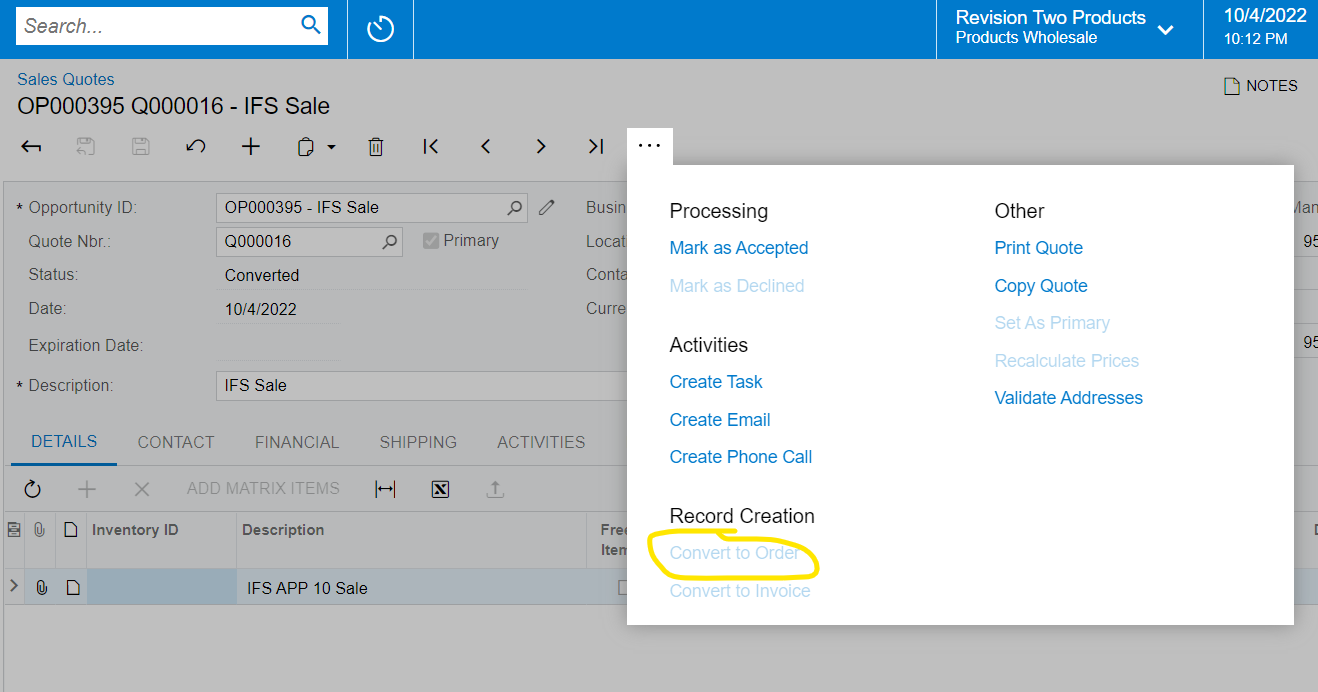
As per above screenshot, Convert to Order action will be available for a quote with the Draft, Prepared, Sent and Approved status.

Hope, It helps!

Regards,

Sweta

8 replies

PatrickSchlenker90
Varsity III
Forum|alt.badge.img+1

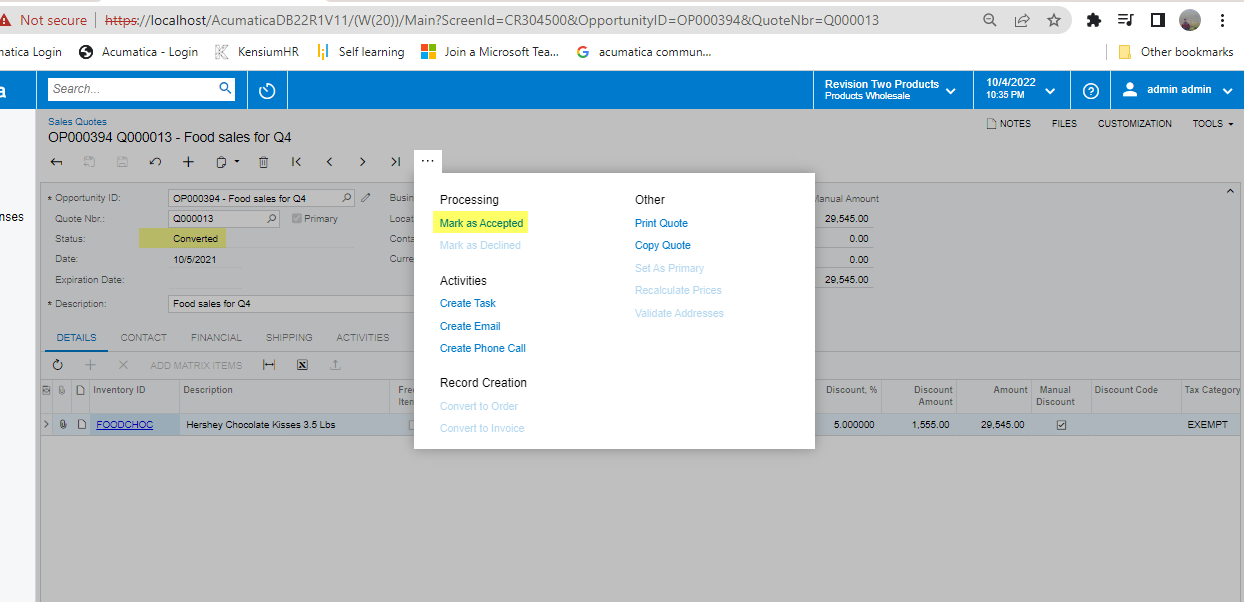
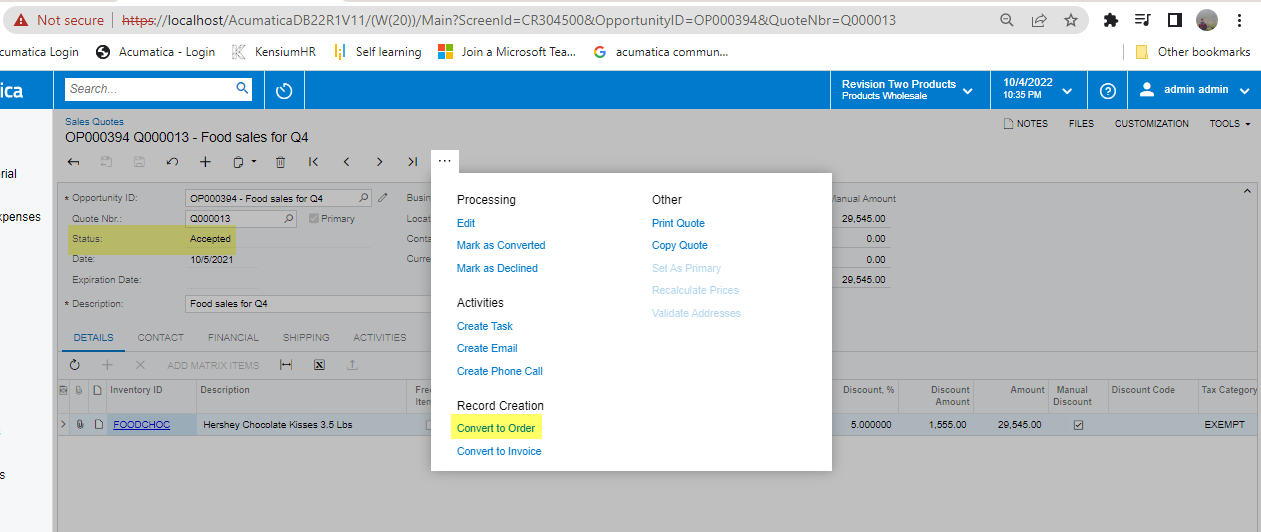
@jparvez The Status of the Sales Quote is “converted”. Mark it as accepted and you can convert it to an order...


Manikanta Dhulipudi
Captain II
Forum|alt.badge.img+15


Hi @jparvez 

Follow the below steps.

Step 1


Step 2

Thanks


Forum|alt.badge.img
  • Author
  • Freshman I
  • October 6, 2022

@jparvez The Status of the Sales Quote is “converted”. Mark it as accepted and afterwards click the edit Button in the Menü. The Status will be “draft” and you can convert it to an order...


Followed the steps. Still its grayed out 


Manikanta Dhulipudi
Captain II
Forum|alt.badge.img+15

@jparvez The Status of the Sales Quote is “converted”. Mark it as accepted and afterwards click the edit Button in the Menü. The Status will be “draft” and you can convert it to an order...


Followed the steps. Still its grayed out 

Do you have customized in-sales quotes, 

Could you please Unpublish the customization package and verified the flow again?


Also, are you seeing the same behavior for all the sales quotes?

Thanks


PatrickSchlenker90
Varsity III
Forum|alt.badge.img+1

@jparvez The Status of the Sales Quote is “converted”. Mark it as accepted and afterwards click the edit Button in the Menü. The Status will be “draft” and you can convert it to an order...


Followed the steps. Still its grayed out 


This is weird. Is your approval workflow the blocker for this? Your next action in the header is “request apporval” 


Forum|alt.badge.img
  • Author
  • Freshman I
  • October 6, 2022

@jparvez The Status of the Sales Quote is “converted”. Mark it as accepted and afterwards click the edit Button in the Menü. The Status will be “draft” and you can convert it to an order...


Followed the steps. Still its grayed out 

Do you have customized in-sales quotes, 

Could you please Unpublish the customization package and verified the flow again?


Also, are you seeing the same behavior for all the sales quotes?

Thanks

No Customization. its in Acumatica Demo Environment. 

The one i have created those have this issue. There are some demo data , in those sales quotation the option is available  


Jin Kim
Jr Varsity III
Forum|alt.badge.img
  • Jr Varsity III
  • April 5, 2023

Greetings community,


We have made an update as part of Acumatica 2023 R1.  The software and release notes are available here - Acumatica 2023 R1 Downloads and Release Notes | Community.  With 2023 R1, you no longer have to follow the Extend to Customer flow from an opportunity.  

  • Currently, you must follow the flow of
    • Create Opportunity
    • Create Sales Quote
    • Extend as Customer
    • Create Sales Order
  • With 2023 R1, you can go straight from Sales Quote to Sales Order

Thank you for your feedback!

Jin Kim


Forum|alt.badge.img+9
  • Semi-Pro III
  • Answer
  • April 6, 2023

Hi @jparvez ,

I am using Acumatica Demo Environment and able to convert sales quote to SO.

  • Create Opportunity from Opportunities screen → Create Quote→ Request Approval → Mark as Converted → Mark as Accepted → Convert to Order.


As per above screenshot, Convert to Order action will be available for a quote with the Draft, Prepared, Sent and Approved status.

Hope, It helps!

Regards,

Sweta