Answer

Business Event to create task based on two Triggers

  • September 3, 2025
  • 2 replies
  • 62 views

FinnSystemAG
Freshman II
Forum|alt.badge.img

Hello all,


i try to create an Business Event in the Opportnuitys, that creates a task for the Owner.

Triggers:

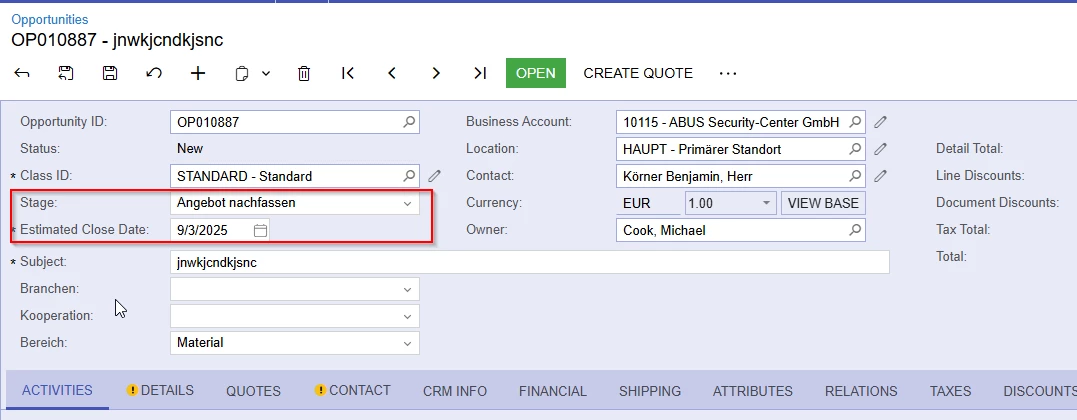
  1. Estimated Date is 2 weeks in the past (todays date-14 days)
  2. The Opportnuity Stage is on “Angebot nacherfassen”
Action:
When the two Triggers happen, a task should be created for the owner of the opportunity.


-------------------------------------------------------------------------------------------

I treid to set it up as follows, but a task isnt created in my instance:


Business Event:
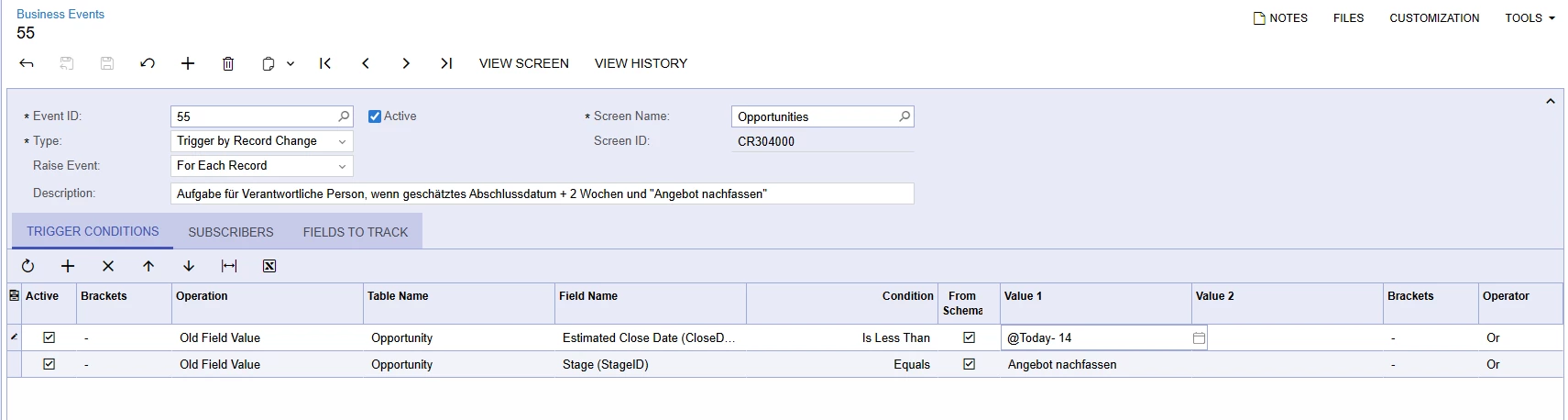
Maybe the @today -14 is set up wrong here?
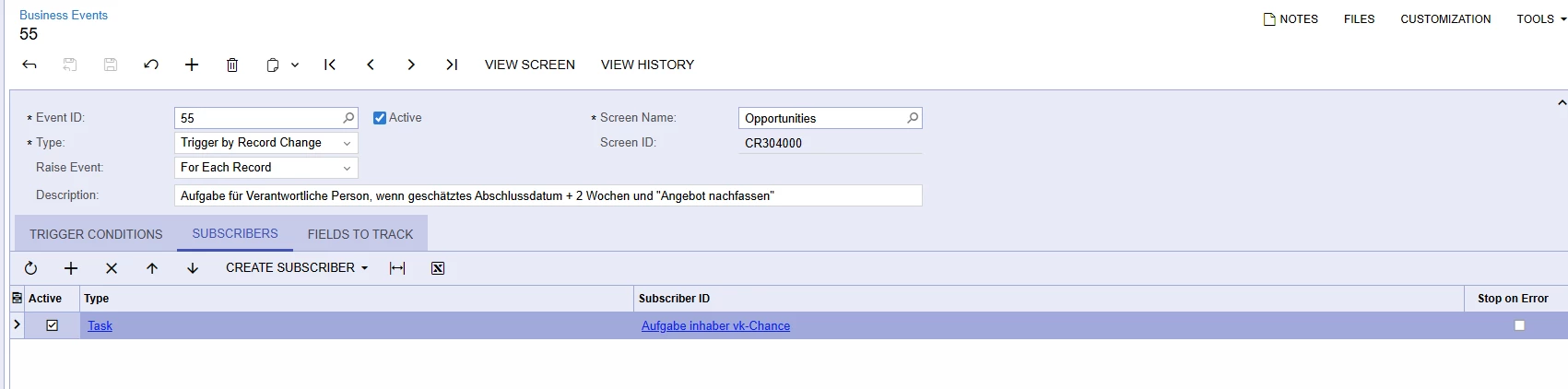
Subscriber ID:
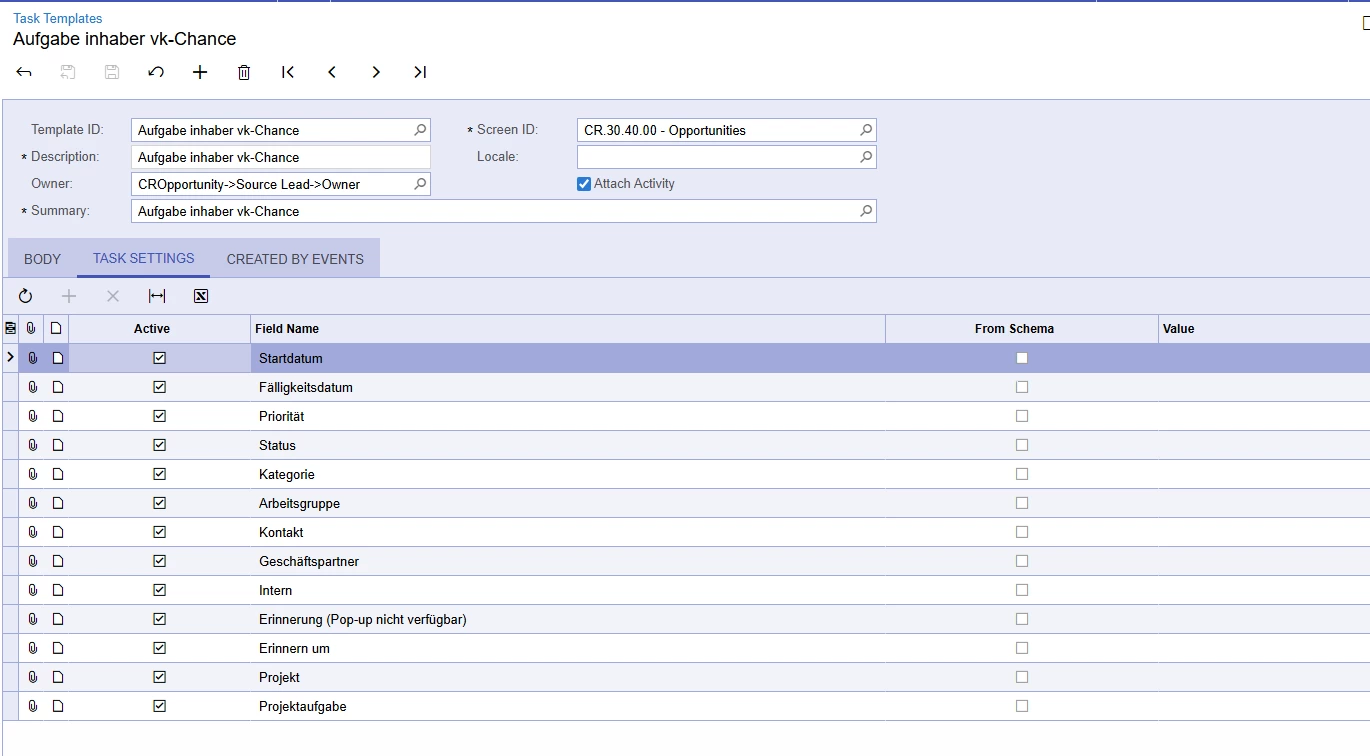
 

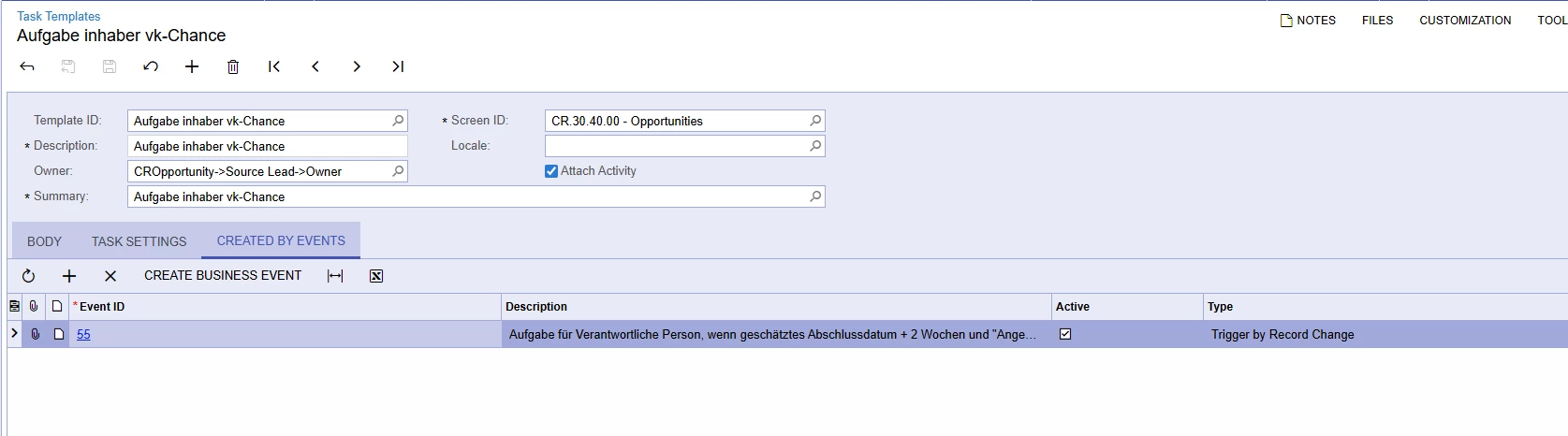
Maybe the owner field is set up wrong here? (I dont want the owner from the source lead, but from the opportnuity. I didnt found an “opportnuity→ Owner” field)

Hope you can help.

Greetings from Germany

Best answer by dcomerford

@FinnSystemAG Your business event will only trigger if the opportunity record is edited and then on save it will check the conditions. I think what you need to do is create a new GI on the Opportunity record with the Conditions of 

  1. Estimated Date is 2 weeks in the past (todays date-14 days)  - make this equal other wise it will keep creating a task every day once it is past 14 days
  2. The Opportnuity Stage is on “Angebot nacherfassen”

This will show you all the Opportunties that meet the condition and then you can change the Business Event to be based on this GI and then run it on a Schedule every day etc.

2 replies

dcomerford
Captain II
Forum|alt.badge.img+15
  • Captain II
  • Answer
  • September 3, 2025

@FinnSystemAG Your business event will only trigger if the opportunity record is edited and then on save it will check the conditions. I think what you need to do is create a new GI on the Opportunity record with the Conditions of 

  1. Estimated Date is 2 weeks in the past (todays date-14 days)  - make this equal other wise it will keep creating a task every day once it is past 14 days
  2. The Opportnuity Stage is on “Angebot nacherfassen”

This will show you all the Opportunties that meet the condition and then you can change the Business Event to be based on this GI and then run it on a Schedule every day etc.


FinnSystemAG
Freshman II
Forum|alt.badge.img
  • Author
  • Freshman II
  • September 3, 2025

@FinnSystemAG Your business event will only trigger if the opportunity record is edited and then on save it will check the conditions. I think what you need to do is create a new GI on the Opportunity record with the Conditions of 

  1. Estimated Date is 2 weeks in the past (todays date-14 days)  - make this equal other wise it will keep creating a task every day once it is past 14 days
  2. The Opportnuity Stage is on “Angebot nacherfassen”

This will show you all the Opportunties that meet the condition and then you can change the Business Event to be based on this GI and then run it on a Schedule every day etc.

Thank you, i will try that out. Have a nice day!