Answer

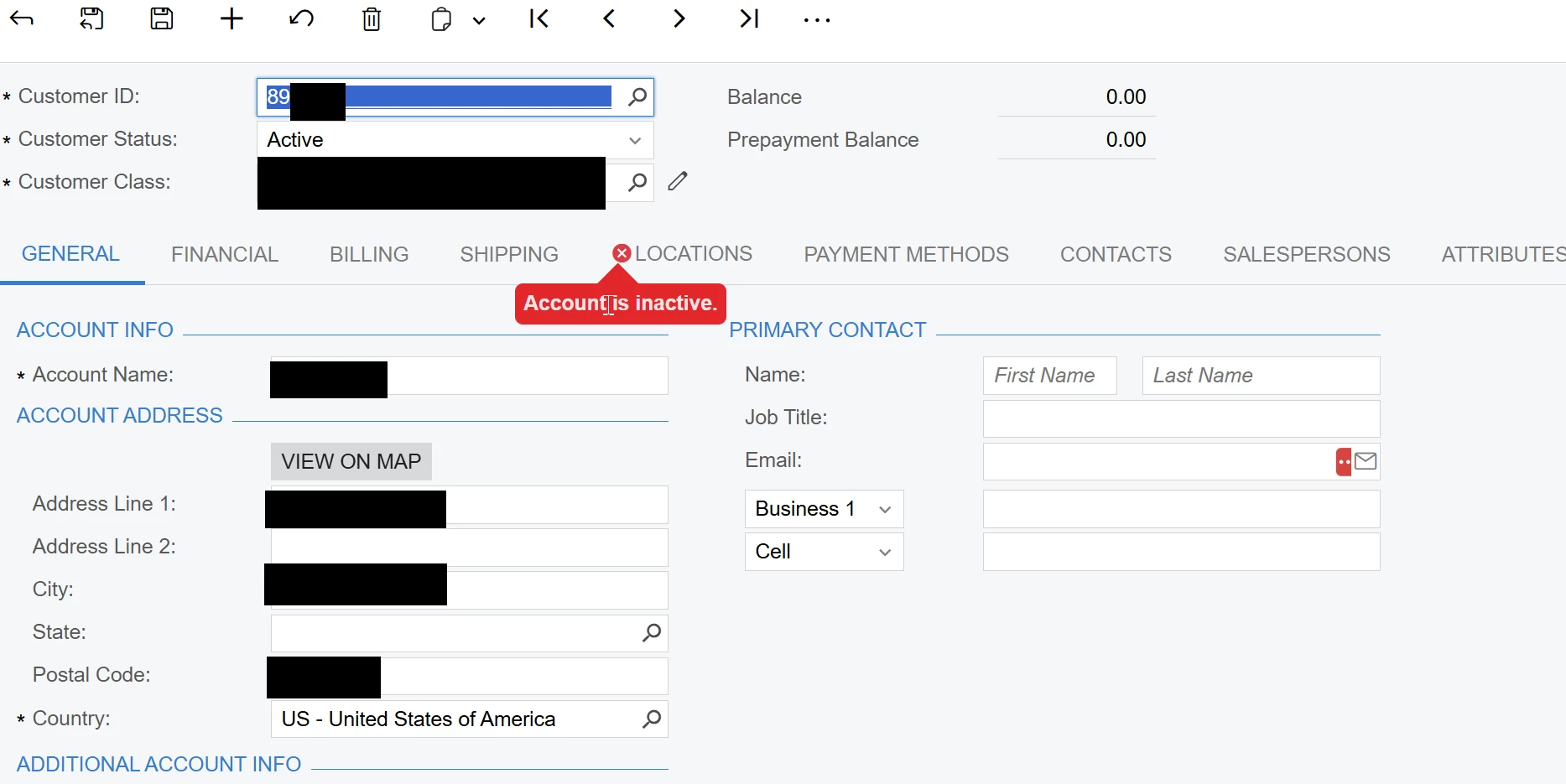
Account is inactive error

  • November 21, 2025
  • 7 replies
  • 57 views

nshah90
Freshman II
Forum|alt.badge.img

Trying to change an email address for a customer record but when we try to go save the record we get an error, “account is inactive”.  However, the customer is active and the customer location is active so I am confused why this error is occurring.


Any one have a solution to this strange error?

Best answer by MuthumaliDhanushika27

Hello ​@nshah90 ,


Could you please check if the customer location’s GL accounts are active or not in the COA screen?

  • Open customer profile

  • Go to the location tab.

  • Open each location and go to the GL account tab of the location.

  • Check each and every account that is set up under the location GL account tab to see if it is active in the chart of accounts.

Thank you.

7 replies

Manikanta Dhulipudi
Captain II
Forum|alt.badge.img+15

@nshah90 Do you have any customizations, Did you try this with out customizations?


Can you share a screenshot?


John Masi
Jr Varsity I
Forum|alt.badge.img
  • Jr Varsity I
  • November 22, 2025

@nshah90 

Please inactive the customer once and make the changes again, 


Please try to clear cache in Apply updates.


John Masi
Jr Varsity I
Forum|alt.badge.img
  • Jr Varsity I
  • November 22, 2025

​.


nshah90
Freshman II
Forum|alt.badge.img
  • Author
  • Freshman II
  • November 22, 2025

@Manikanta Dhulipudi no customizations.

@John Masi I did that and it did not resolve the issue.


Manikanta Dhulipudi
Captain II
Forum|alt.badge.img+15

@nshah90 

Are you facing the issue with updating the Email ID or any changes you are doing getting errors?


Forum|alt.badge.img+1

Hello ​@nshah90 ,


Could you please check if the customer location’s GL accounts are active or not in the COA screen?

  • Open customer profile

  • Go to the location tab.

  • Open each location and go to the GL account tab of the location.

  • Check each and every account that is set up under the location GL account tab to see if it is active in the chart of accounts.

Thank you.


DipakNilkanth
Pro III
Forum|alt.badge.img+13

Hi ​@nshah90,
I faced a similar situation, and based on @MuthumaliDhanushika27’s suggestion, I checked the GL Accounts on the customer locations. One of the linked Cash Accounts was inactive, which was causing the issue.

Please review the Locations on the Customer Locations screen and make sure all GL accounts associated with that customer are Active on COA screen.