Answer

Work Order Material Cost Not transferring to Project.

  • November 5, 2021
  • 3 replies
  • 94 views

NAthukorala47
Jr Varsity III
Forum|alt.badge.img

Hi, 


Once we close and open the project balances. This Raw material values is not showing in project Level.
There are Few questions. 

(01). What are the double entries, when Raw material(Stock Items) transfer to Project site?
(02). Why Those work order Stock Items(Raw Material) transfer to Project?


Best answer by Laura03

Hello,

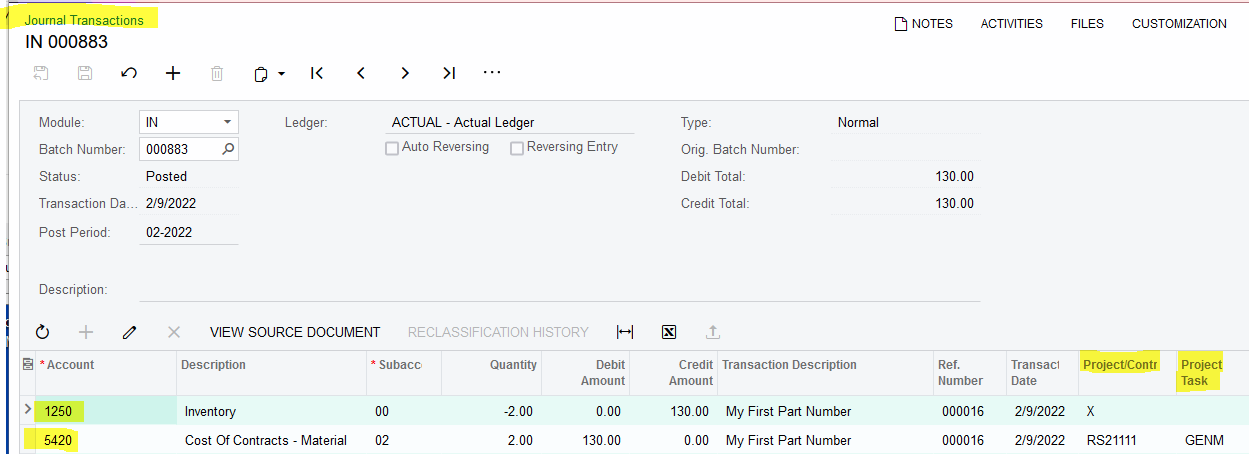
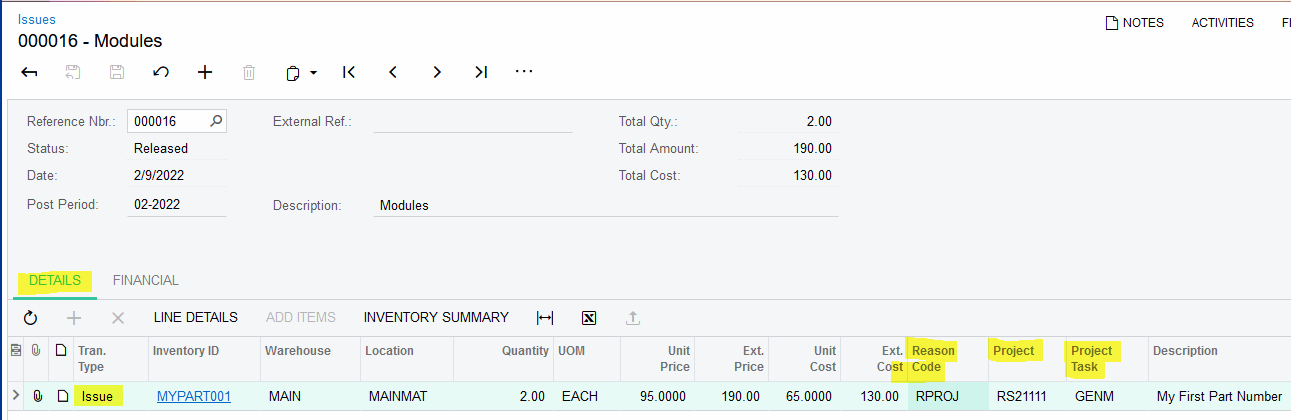
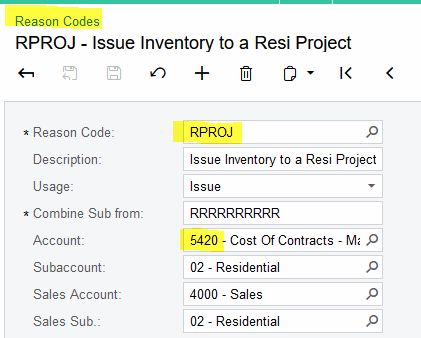
The inventory entries from Transfer of Stock to a project will vary depending on the Reason Code in the Issue transaction. For example:

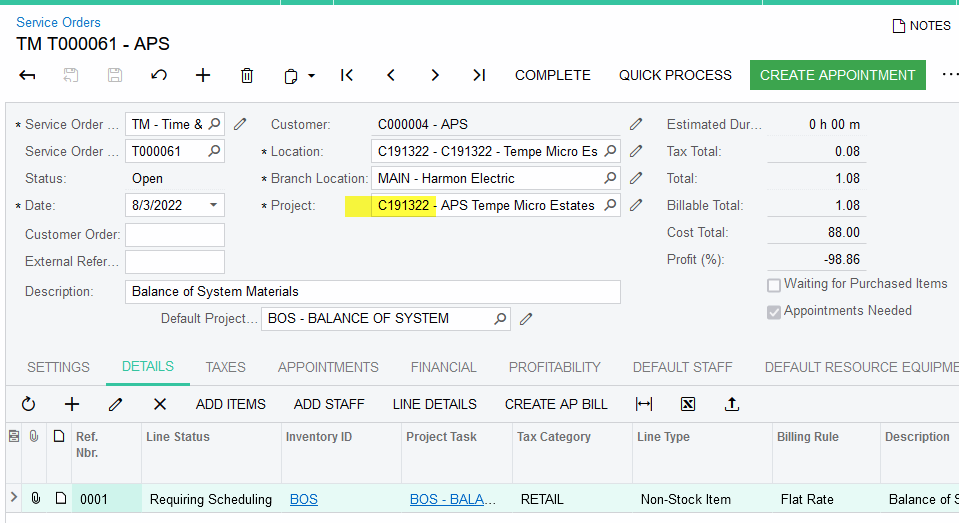
If a Service Order has a Stock Item and a Project, I expect the materials will transfer to the project as shown above.


3 replies

nshah90
Freshman II
Forum|alt.badge.img
  • Freshman II
  • October 7, 2022

Hi Did you get any answers for this or figure it out?  I am interested in this as well.  


Laura03
Captain II
Forum|alt.badge.img+19
  • Captain II
  • Answer
  • October 12, 2022

Hello,

The inventory entries from Transfer of Stock to a project will vary depending on the Reason Code in the Issue transaction. For example:

If a Service Order has a Stock Item and a Project, I expect the materials will transfer to the project as shown above.


Heidi Dempsey
Community Manager
Forum|alt.badge.img+3
  • Community Manager
  • October 12, 2022

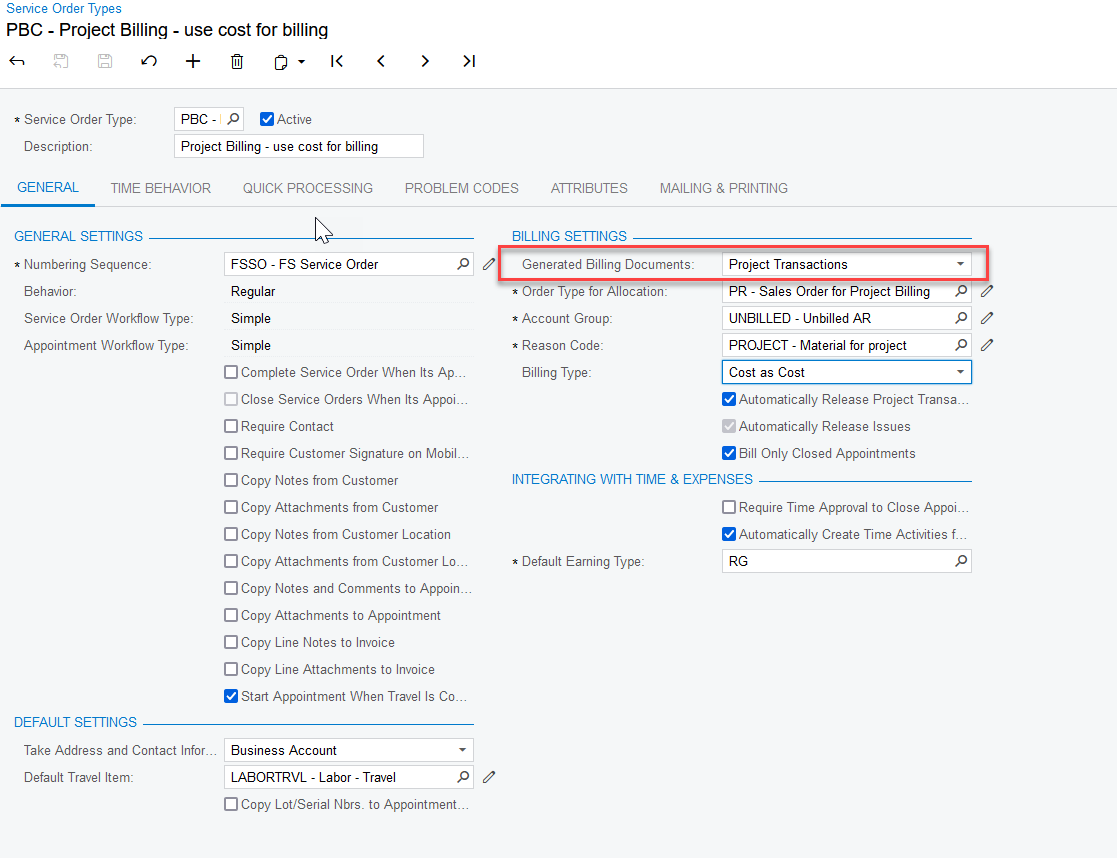
@NAthukorala47   On your Service Order Type, if you are choosing Project Transactions then items will post to your project.

The system makes two entries upon billing the appointment.  1.  A PM transaction to the Account Group listed on this Service order type for the stock and non-stock items.  2. An IN Issue is created.  This reason code should not include an account with an account group or you will get the stock item posting to the project a second time.

If you do not want the items to post to a project, then create a different Service Order Type.  Here is some additional information- https://help-2022r2.acumatica.com/Help?ScreenId=ShowWiki&pageid=145c3da1-7cd5-443e-a36f-8e679f6a611b