Answer

Warning "No Budget is found" on Purchase Orders

  • June 22, 2023
  • 2 replies
  • 118 views

HI All,

I have created a PO and use ADD PROJECT ITEM
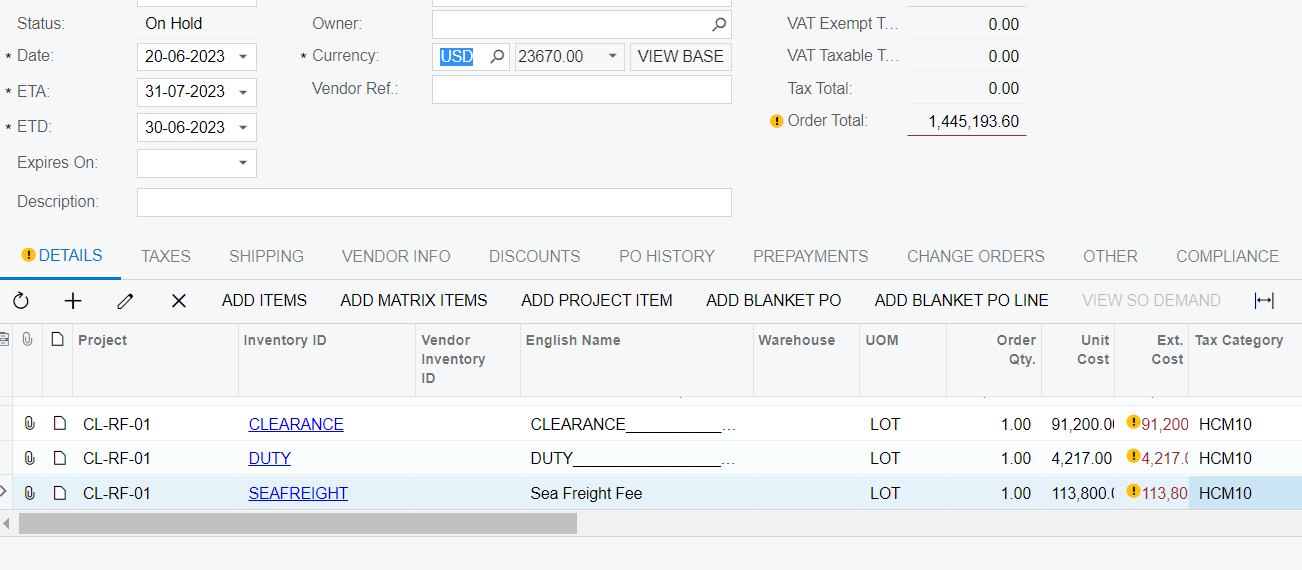
All non-stock item lines get the warning “No budget is found”. However, we have added all of that to Cost Budget already.
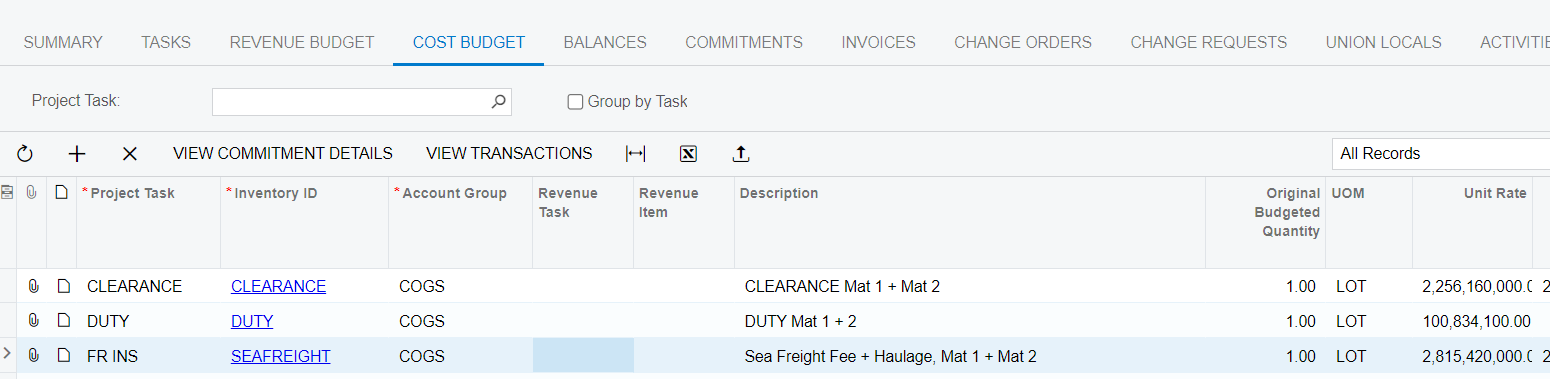
FYI, it just happend to Non-stock ID

Does this mean the check budget function not working for non-stock id?

Please advise if you have any ideas for this case.

Thanks in advances,

Yên Chi
Best answer by Heidi Dempsey

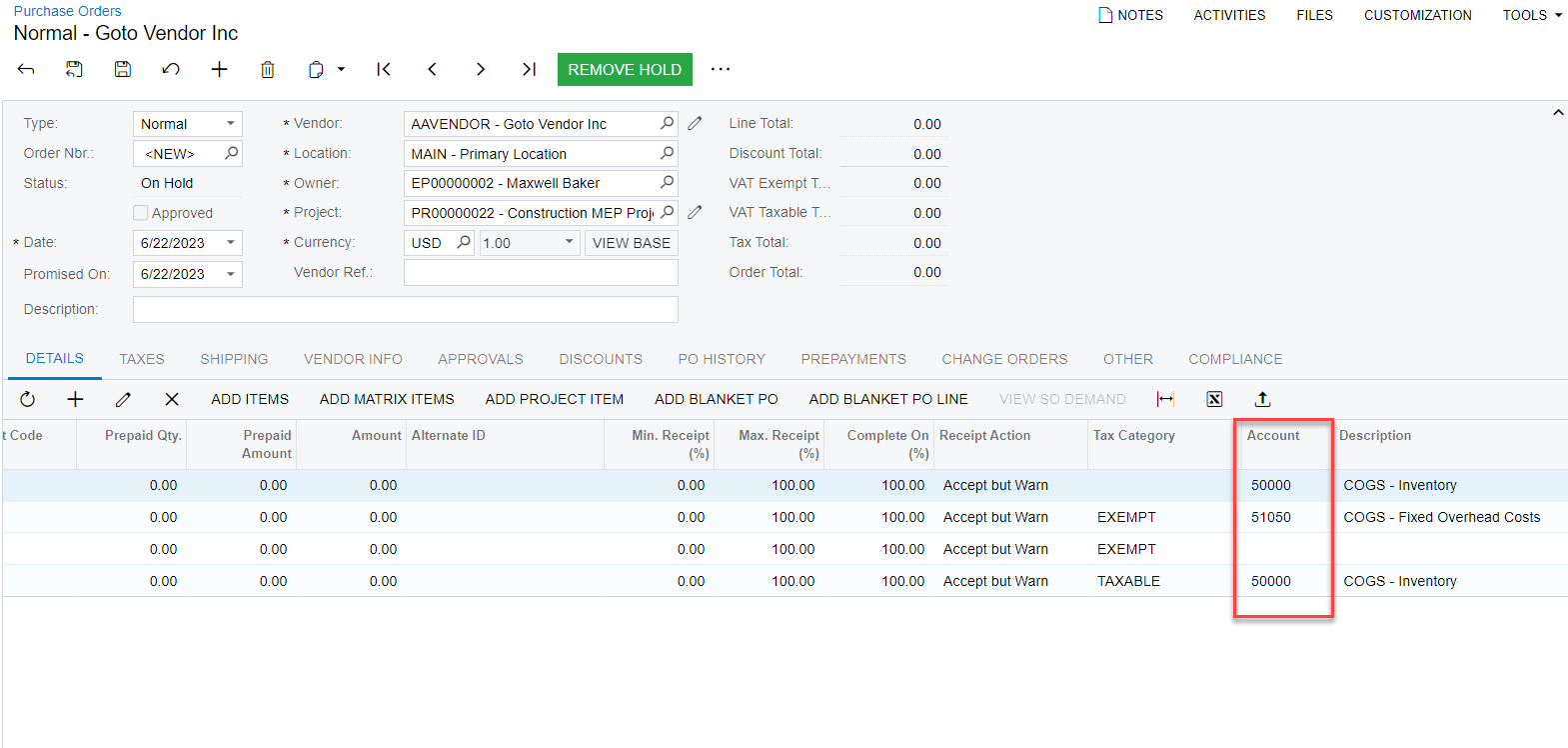
@chidao  Thanks for the question.  The column that is different on the PO versus the Budget is the Account. 


Make sure that the Account on these lines are associated with the account group on your budget. 

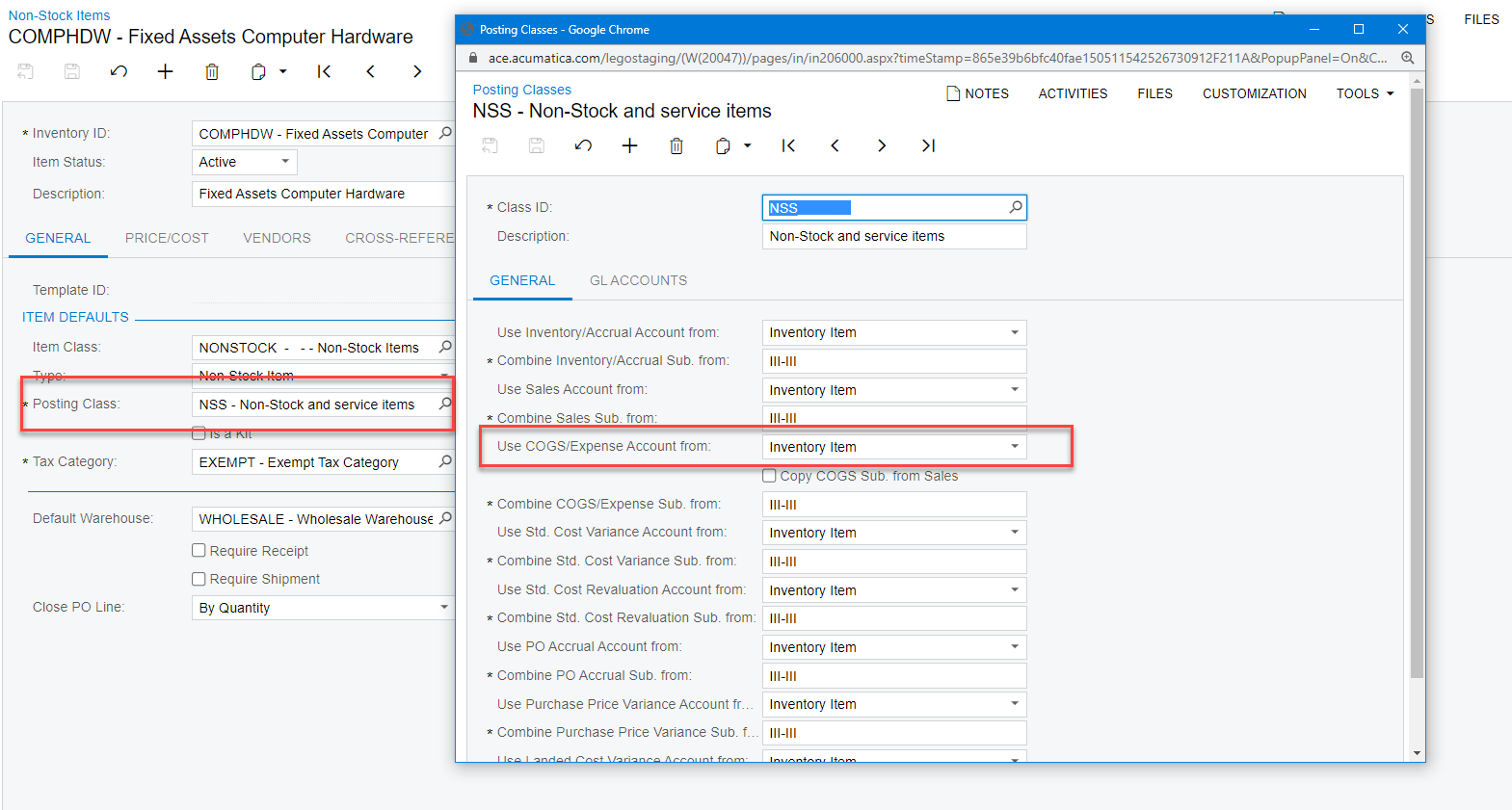
The account comes from the Item Posting Class on the Item-

Make sure this account is associated with the Account Group on your budget


2 replies

Heidi Dempsey
Community Manager
Forum|alt.badge.img+3
  • Community Manager
  • Answer
  • June 22, 2023

@chidao  Thanks for the question.  The column that is different on the PO versus the Budget is the Account. 


Make sure that the Account on these lines are associated with the account group on your budget. 

The account comes from the Item Posting Class on the Item-

Make sure this account is associated with the Account Group on your budget


  • Author
  • June 27, 2023

Many thanks @Heidi Dempsey for your explanation 😄