Question

Upload Project Revenue Budget cost codes

  • July 17, 2026
  • 2 replies
  • 27 views

Forum|alt.badge.img

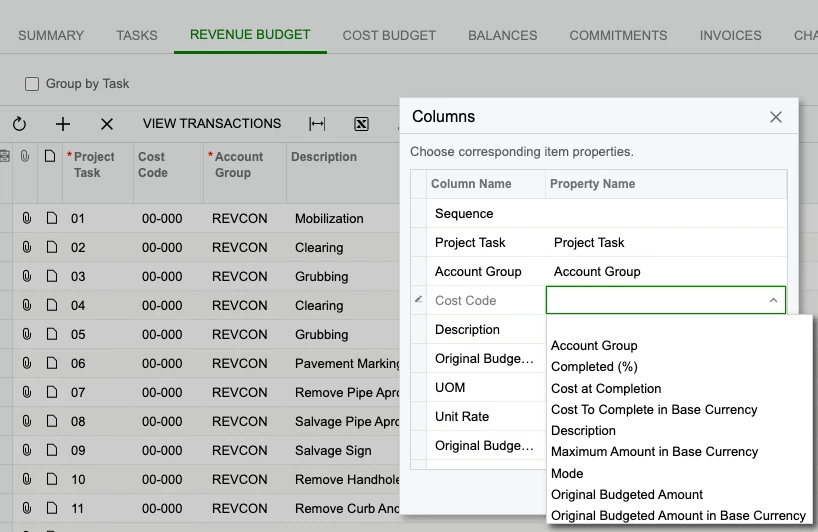
Currently when you upload the revenue items in a project, cost codes are not available to be imported.  Would be nice to extend this.


Has anyone found a workaround, or created a customization?  We typically have 100 plus task on each project, would be nice to upload with all the other information.


Thanks,
Jeremy


2 replies

  • Freshman I
  • August 7, 2026

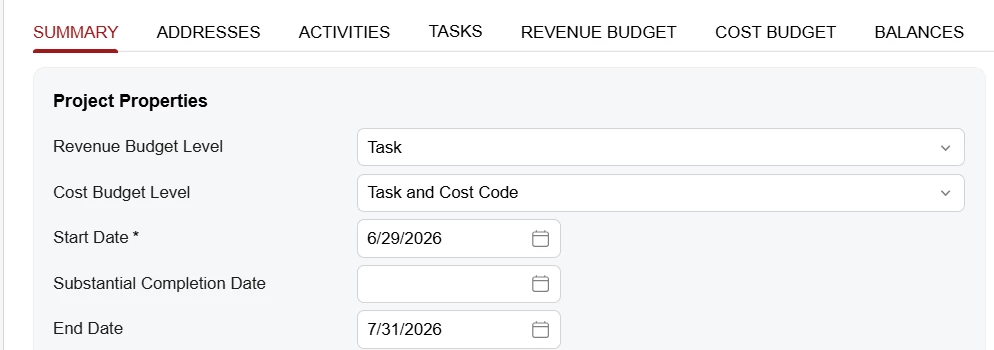
Your Revenue budget level is likely set to Task only.  Change this to task and cost code to get the desired results.


Forum|alt.badge.img+3
  • Captain II
  • August 11, 2026

One possible workaround is to use an Import Scenario to populate the Cost Code along with the Project Revenue Item details. You can map the Cost Code field to the appropriate Project Task/Revenue Item fields during the import.

If the Cost Code field is not exposed in the standard import scenario for the Revenue Items grid, then a small customization may be required to expose the field for import.

With 100+ tasks per project, I agree that having Cost Code available directly in the upload would make the process much easier.