Solved

Restrict Cost Budget Overruns in Time Card Entry

  • March 31, 2026
  • 4 replies
  • 28 views

Hello Team,

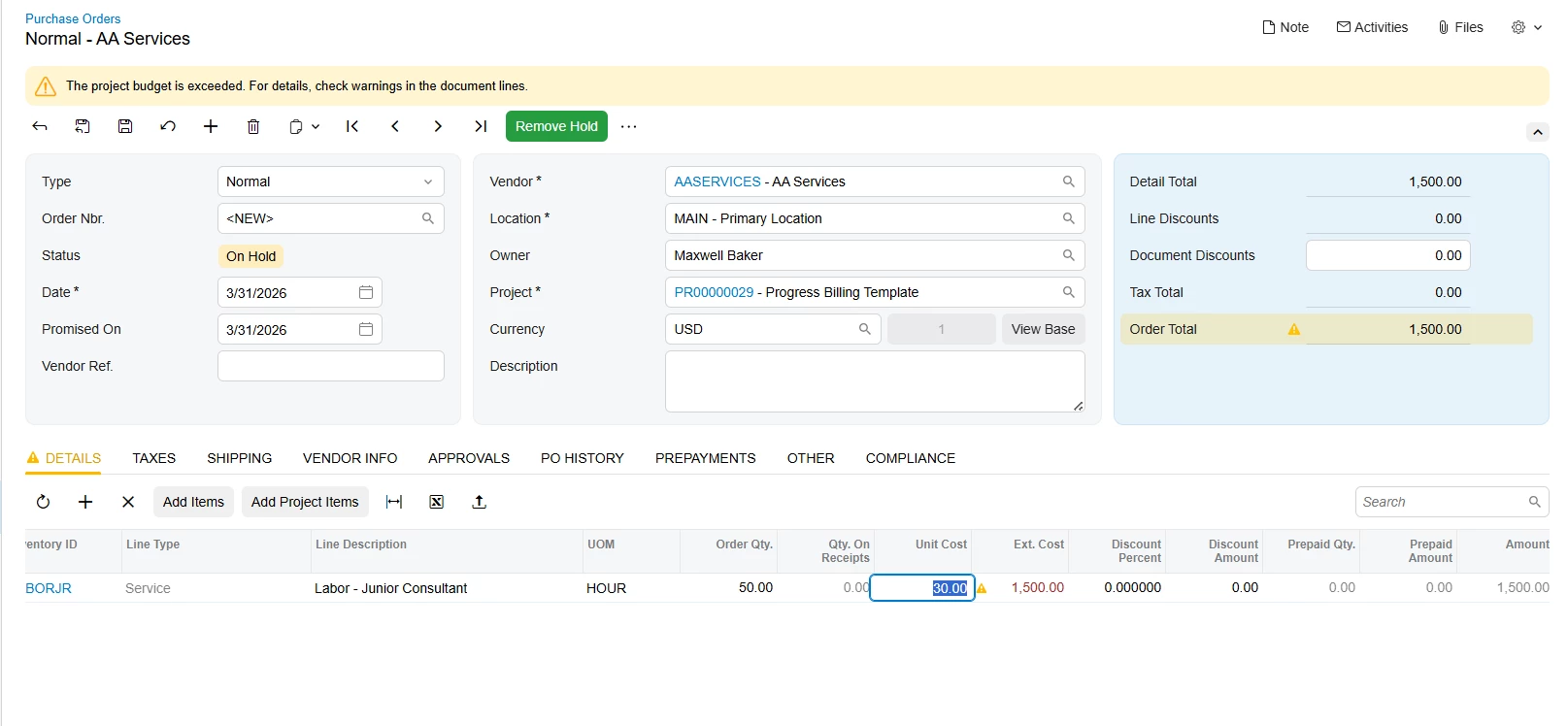
We have a client requirement to control or validate the posting/ creation of time entries against project budgets. Specifically, they would like the system to generate a warning notification when a user selects a project and task in a time entry and the recorded time exceeds the allocated budget. Ideally, the requirement is similar to the budget overrun notification that appears in the Purchase Order screen.



Can anyone please advise if there are any out-of-the-box configurations or possible workarounds that can be used to achieve this requirement?

Thank you in advance for your guidance.

-Yasali-
Best answer by Laura03

Hello,

I think I found the answer, but it’s not the answer we want.  Again, this is Help for Construction Edition version 2025 R2. 

Time Entry does not cause warnings

You may like to add to this related Product Idea.  I think you will need a customization to see a warning in ‘real time’.  You may consider adding a Business Event to compare Project Original Budgeted Qty/Amount to Actuals and send Notifications to Managers when Actuals exceed Budget. 

4 replies

Laura03
Captain II
Forum|alt.badge.img+20
  • Captain II
  • March 31, 2026

Hello,

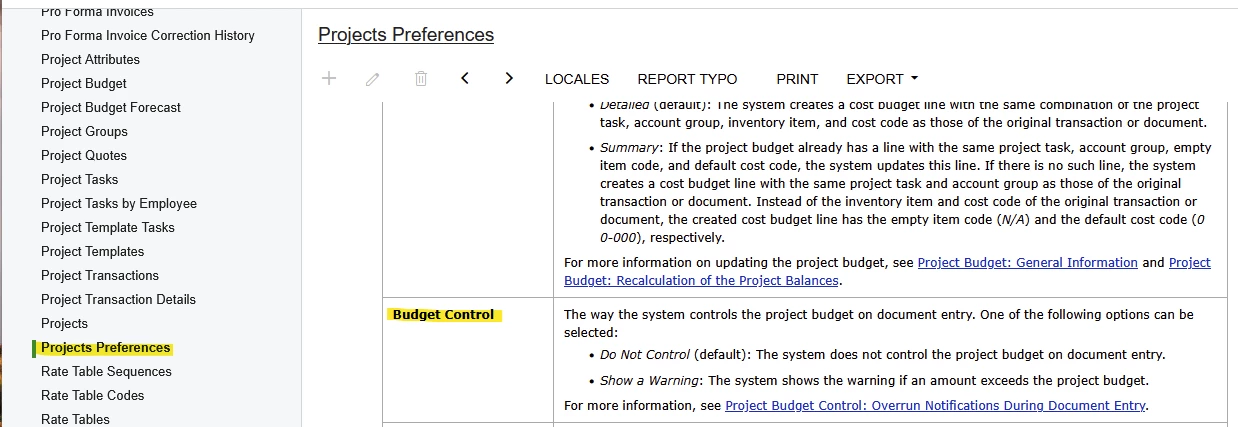
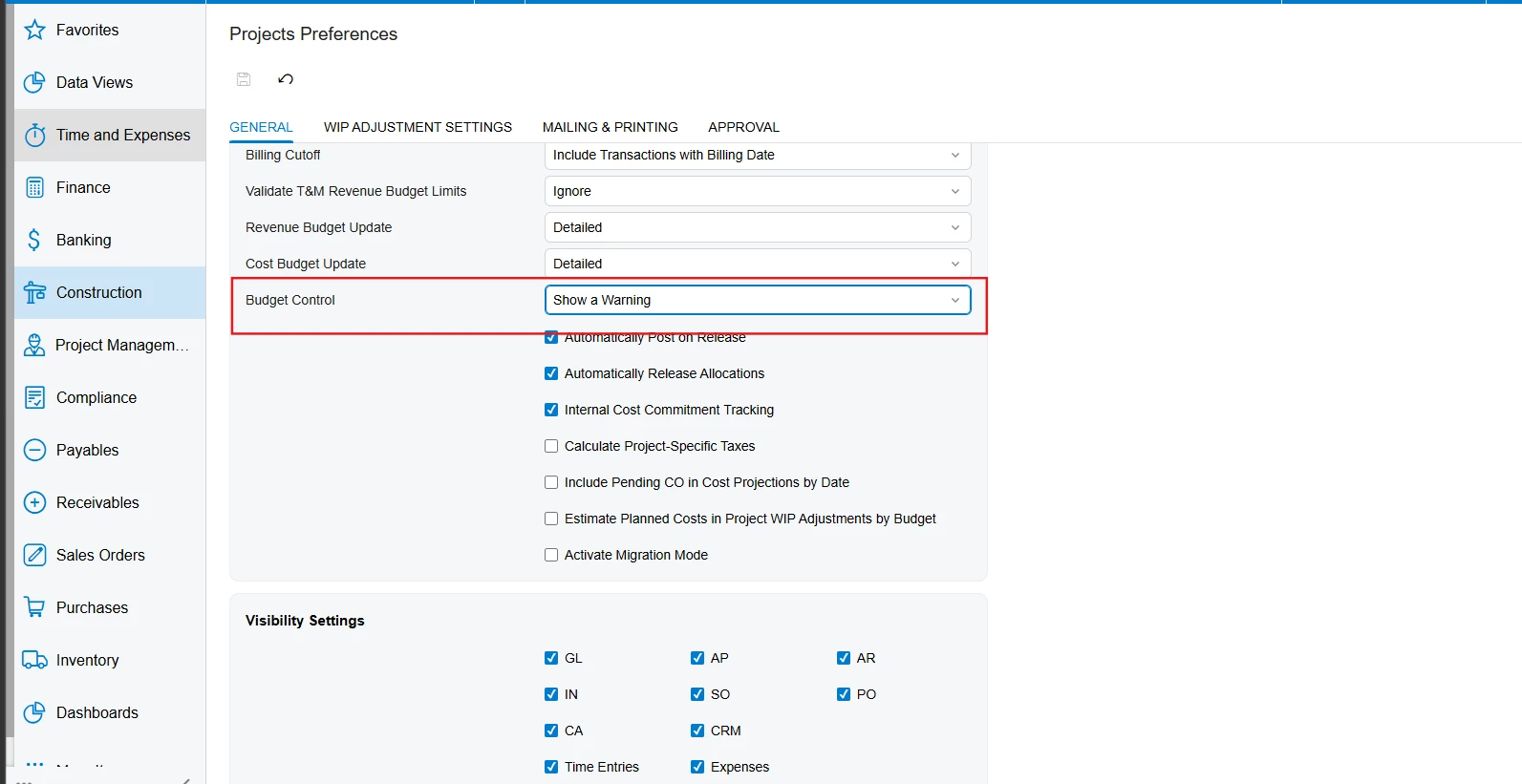
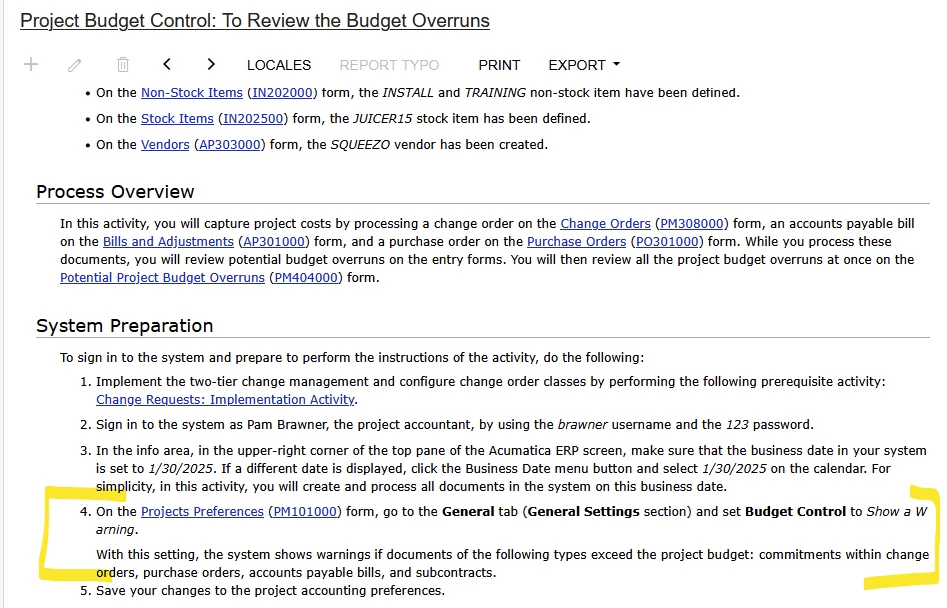
Did you notice/turn on Show a Warning for Budget Control setting in Project Preferences screen? Showing version 2025 R2, Construction edition.


Hello ​@Laura03,

Thank you for your response. I noticed that the same budget control is available in 24R2 as well. but it did not work. However, I did test in 25R2 with Construction Enabled. 

  1. The setting was enabled in preferences 


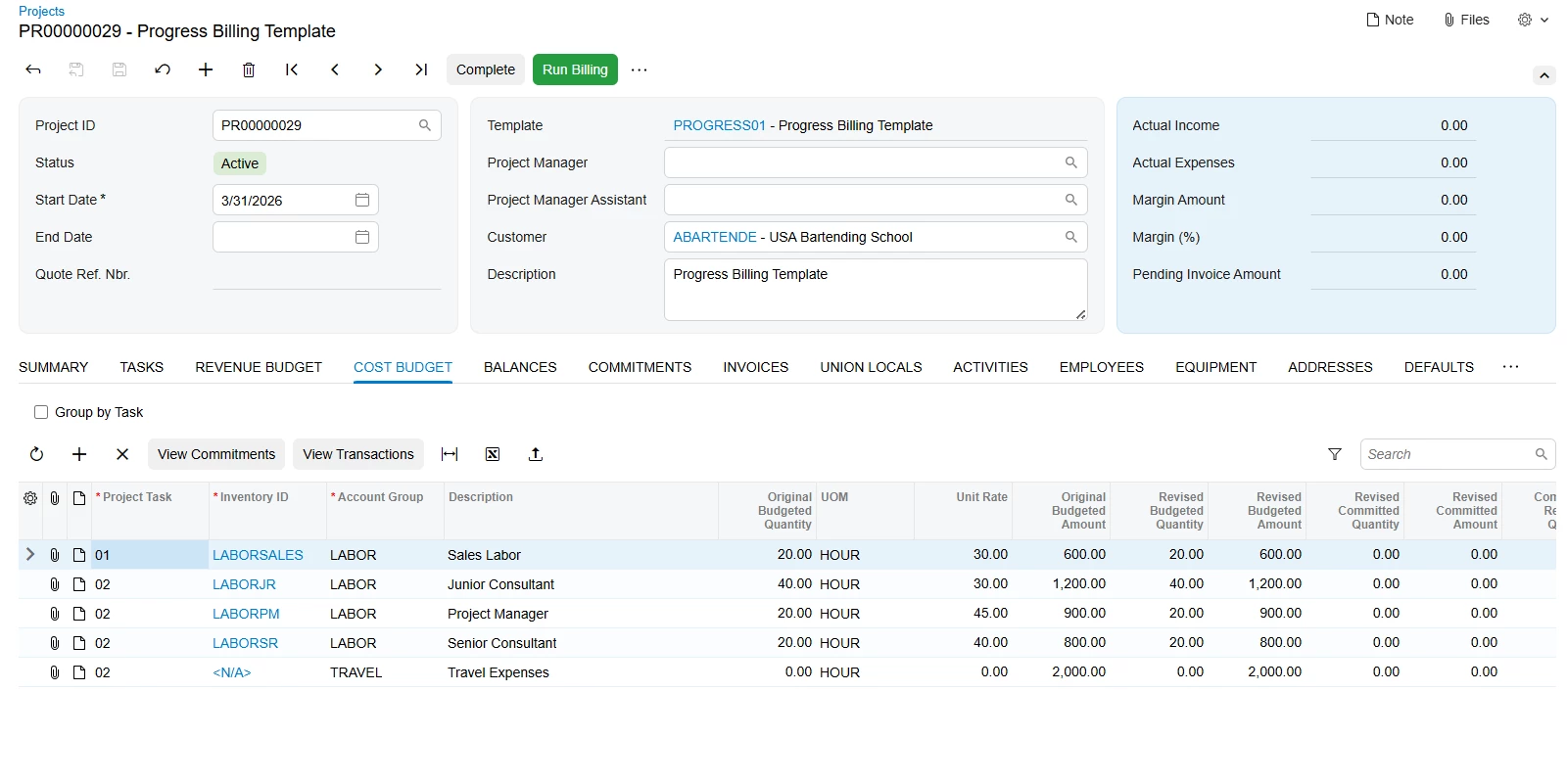
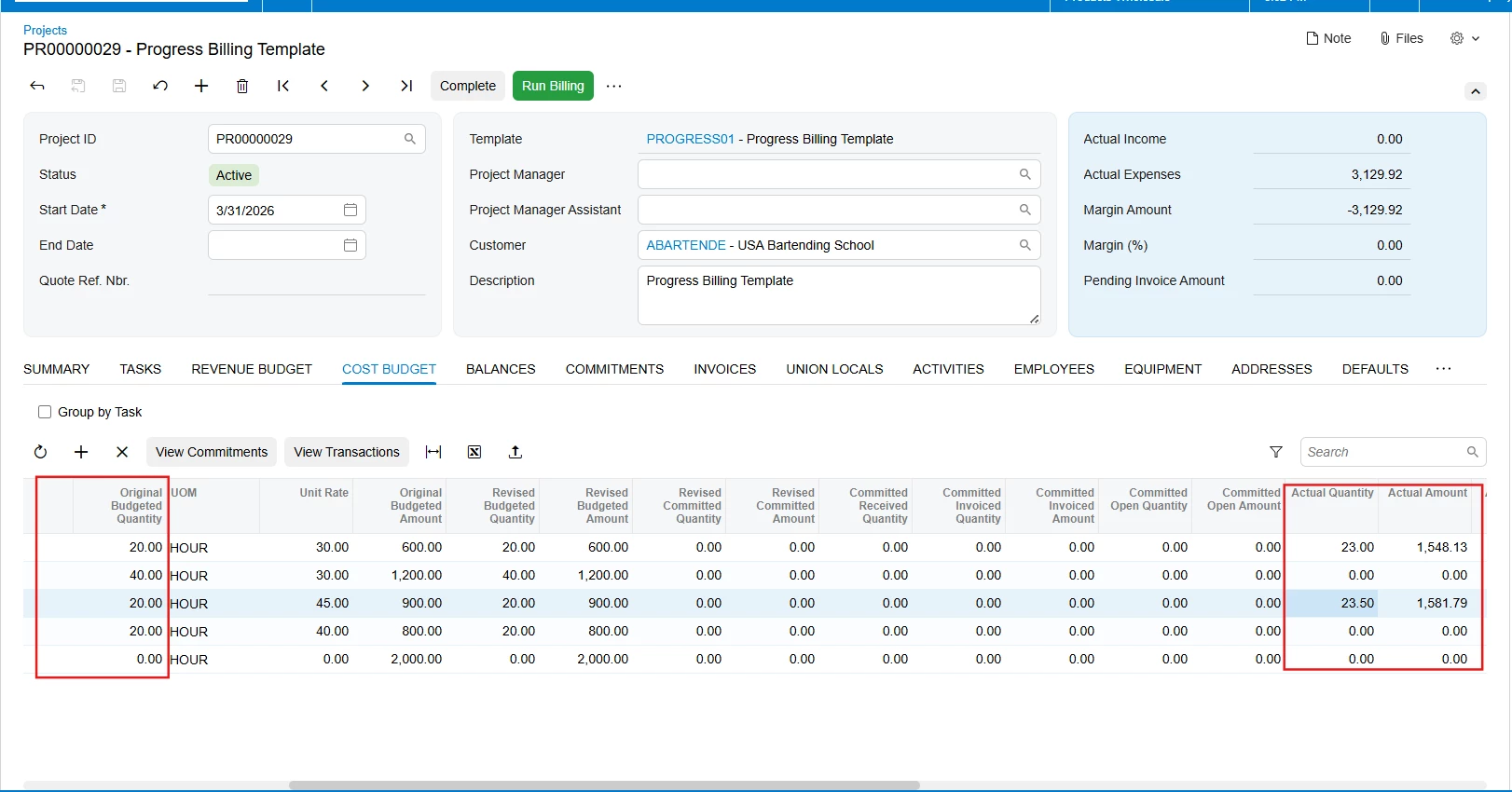
  1. Project created with cost budget
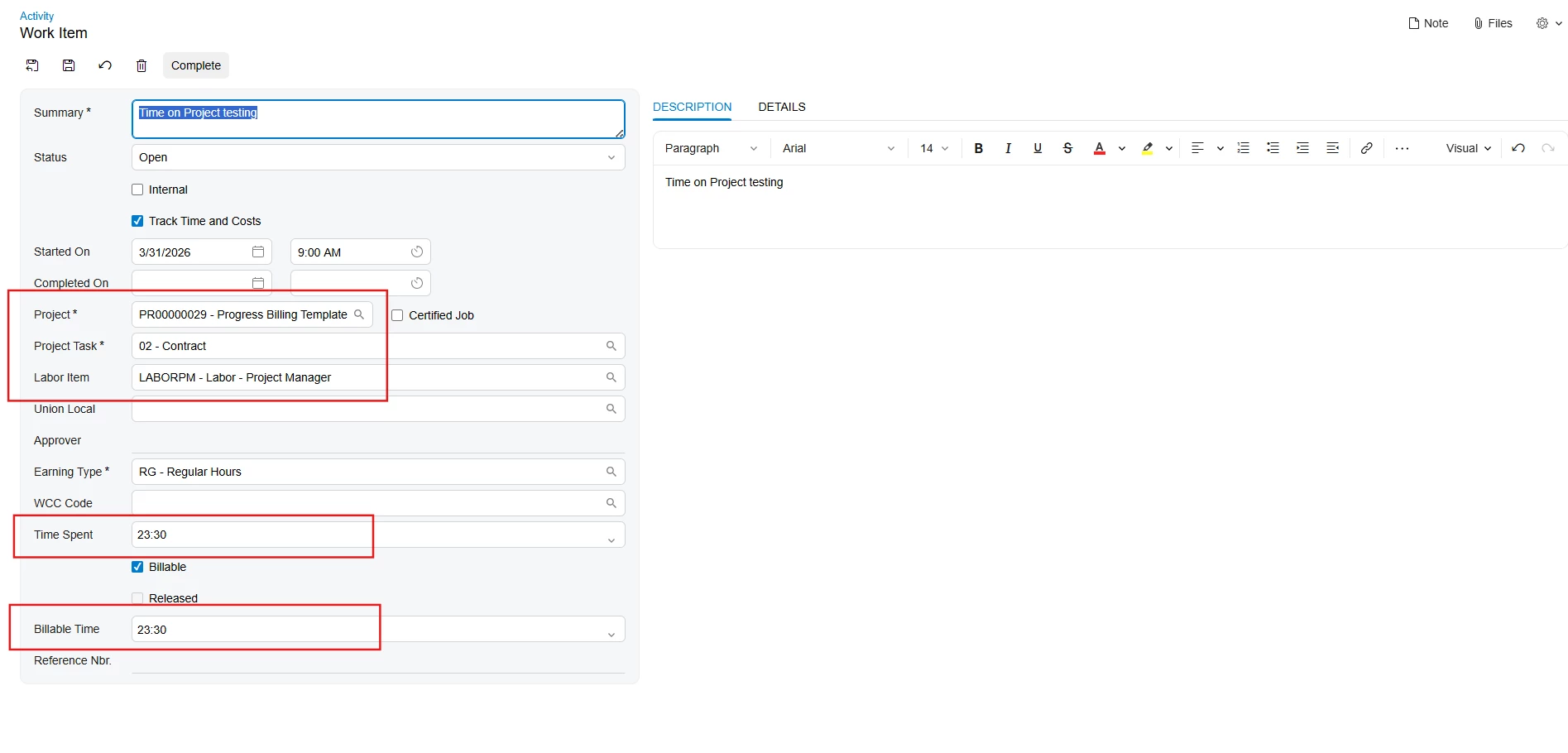
  1. Create time activity which exceeds the budgeted hours
  1. No error / warning was raised. Completed the work item - No warning was raised. 
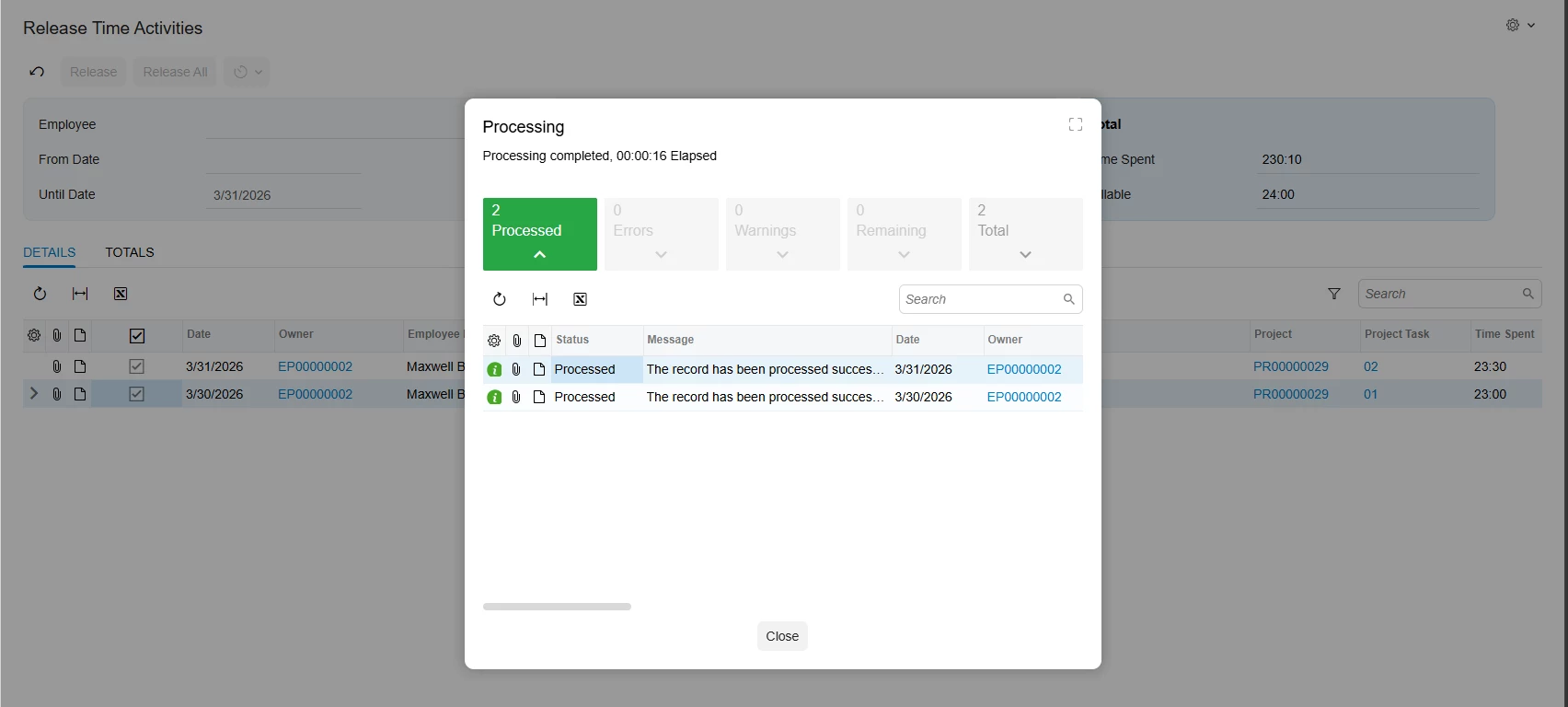
  2. Release time activities
  1. Actual is greater than budgeted and no warnings was raised


I created a PO to ensure the controls are in effect. It is working as expected.


Can you please let me know if there's something I am missing in my testing or in the process please? 

Appreciate your support in advance. 


Laura03
Captain II
Forum|alt.badge.img+20
  • Captain II
  • Answer
  • April 1, 2026

Hello,

I think I found the answer, but it’s not the answer we want.  Again, this is Help for Construction Edition version 2025 R2. 

Time Entry does not cause warnings

You may like to add to this related Product Idea.  I think you will need a customization to see a warning in ‘real time’.  You may consider adding a Business Event to compare Project Original Budgeted Qty/Amount to Actuals and send Notifications to Managers when Actuals exceed Budget. 


Hello ​@Laura03,

Thank you so much for your assistance and I will explore the workarounds suggested before jumping into a customisation as the first step. 

Thanks!