Answer

Project Billing -

  • June 3, 2024
  • 2 replies
  • 74 views

Forum|alt.badge.img

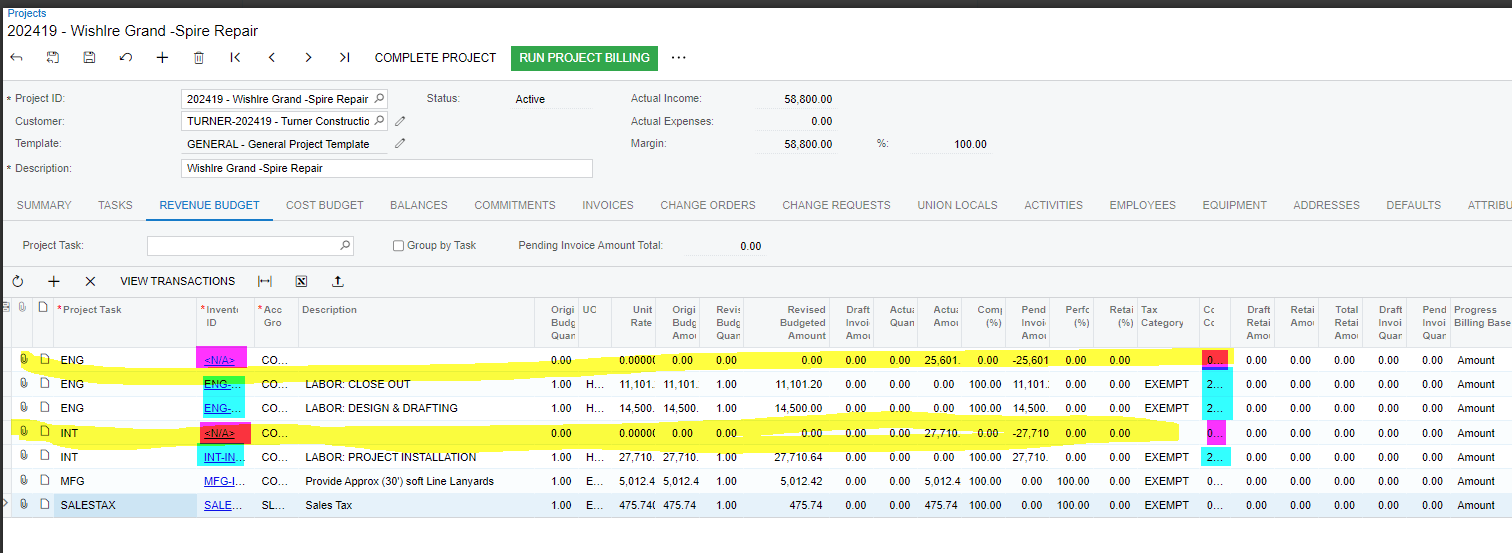
Hello I need some help…Project billing In Revenue Tab- Why does a duplicate line Item show up after  original  line item has been billed.

Best answer by Laura03

Hello,

If transactions are “showing up” on their own, it’s possible there is an Allocation Rule connected to the Revenue.

On the Tasks tab, do you see an Allocation Rule connected to the tasks that were billed? If Yes, look at Allocation Rules screen and select the same Rule that you see linked to Project 202419’s tasks.
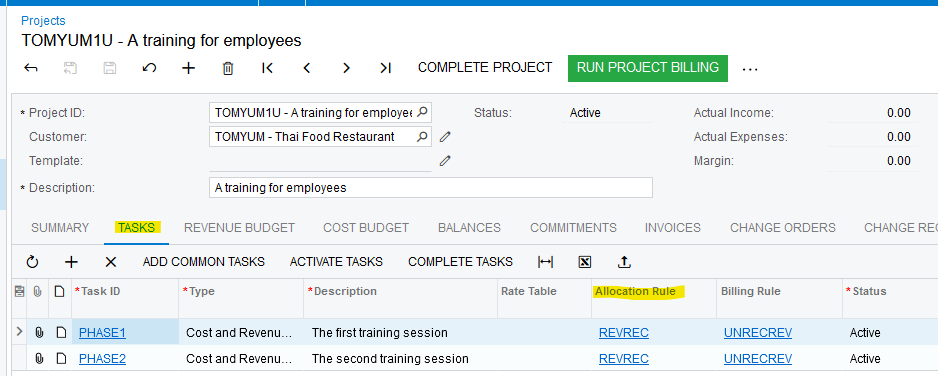
Click on the Allocation Rule shown above to see the details:
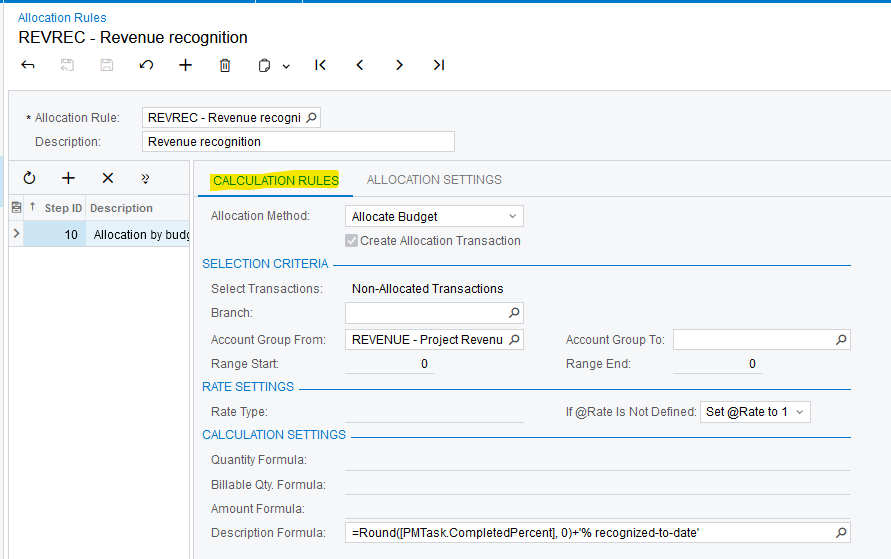
Revenue Recognition, WIP, and Burden are common examples of Allocations

Laura

2 replies

Laura03
Captain II
Forum|alt.badge.img+19
  • Captain II
  • Answer
  • June 4, 2024

Hello,

If transactions are “showing up” on their own, it’s possible there is an Allocation Rule connected to the Revenue.

On the Tasks tab, do you see an Allocation Rule connected to the tasks that were billed? If Yes, look at Allocation Rules screen and select the same Rule that you see linked to Project 202419’s tasks.

Click on the Allocation Rule shown above to see the details:

Revenue Recognition, WIP, and Burden are common examples of Allocations

Laura


iqraharrison
Captain II
Forum|alt.badge.img+8

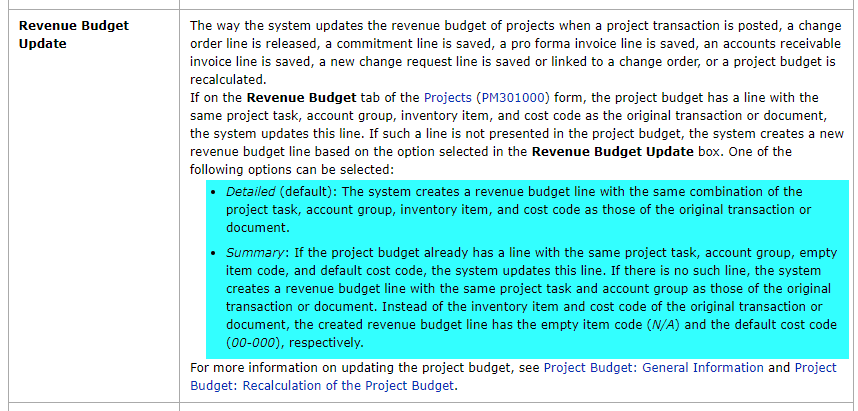
@gracef this might be related to your project preferences set up.  in your billing, if you are not using the same exact combination, the system will create a new line.  In this case, it looks like the inventory IDs are different as well as maybe the cost codes: 

what does it say for revenue budget update on your project preferences: 

this may also be affecting how it shows up on your budget.