Question

Project 360: Documents to approve

  • March 10, 2026
  • 2 replies
  • 45 views

I am reviewing the Project 360 Dashboards and came across a tile that I don’t have access to. I cannot find where to provide or grant access either. 


On the Project Status Screen (PM301500) form the Documents to Approve widget is showing as below and states that I do not have enough permission to view this,  (I am an admin account) 
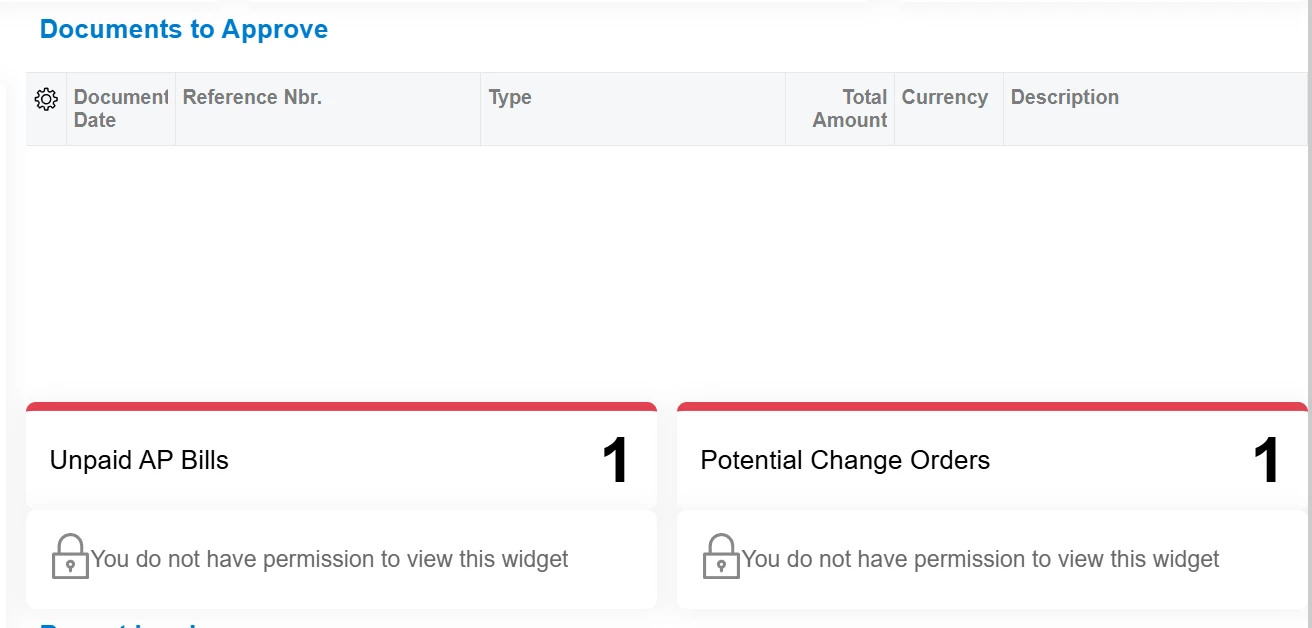
 

If you click into the “Unpaid AP bills” tile it takes you to the Approvals page, where I have access to. And the “Potential Change Orders” tile takes you to the “Change Orders “ screen which I also have access to.


I reviewed the Site Map, Class Dashboards, and Dashboards screens, Access Rights by Screen menu and could not find the correct area to update permissions. 


Would anyone know where I would go to update the permissions? Is this a potential bug? 

2 replies

joelhoffman
Acumatica Moderator
Forum|alt.badge.img+2
  • Acumatica Moderator
  • March 11, 2026

Hi ​@rpearson69 ,

The tiles are tied to Generic Inquiries, some were new with Project 360 Dashboard;

Documents to Approve (Existing):  Approvals (EP503010) [Approval Workflow must be enabled]

Unpaid AP Bills (NEW):  AP-Unpaid AP Bills (AP3011DB) [Projects enabled]

Potential Change Orders (Existing): Change Orders (PM3080PL) [Change Orders enabled]

Recent Invoices (Existing): Invoices and Memos (AR3010PL)

If you have permission for each of these and can run outside of Project 360, please enter a support case for further evaluation.

Thank You.


sroberts29
Jr Varsity III
Forum|alt.badge.img+1
  • Jr Varsity III
  • April 28, 2026

@joelhoffman - I discovered today it seems the Open Project Issus and Open RFIs widgets throw those errors if the license is not present for Project Management. Seems they should be suppressed if not licensed. This in a 25.201.0213.3 sandbox.