


Solved

PDF Sent to Bluebeam Revu Users Unreadable

  • February 17, 2022
  • 3 replies
  • 255 views

peter92
Jr Varsity III
Forum|alt.badge.img

Several internal users and our construction clients use Bluebeam Revu software to view pdf’s and for other functions.  Our Subcontract docs produced in Acumatica appear like this to a Bluebeam user……
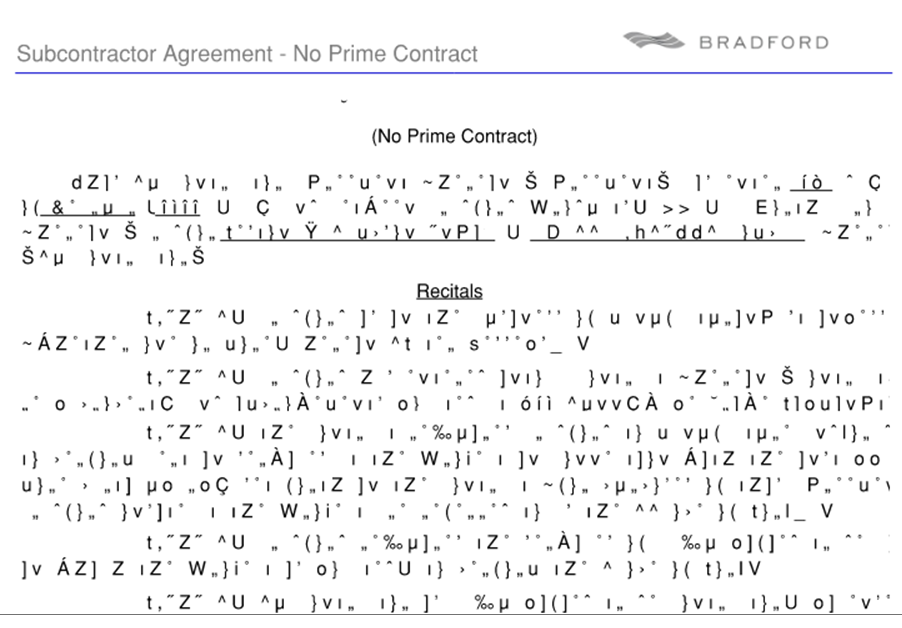
Has anyone else experienced this and is there a fix?


Best answer by peter92

Thanks for the Bluebeam support info however our users were already using the version of Bluebeam where this problem was allegedly addressed.

The Subcontract form we use was created by our VAR so it was not one of the canned reports in Acumatica. 

We resolved this with assist from our VAR by unchecking Embed to pdf in the Print and Email settings.  Followed up by opening the form in report designer and changing the common setting to FALSE on EmbedPdf.   All good now!

3 replies

mike.gillum
Acumatica Moderator
Forum|alt.badge.img+2
  • Acumatica Moderator
  • February 17, 2022

@peter92,

We found this in Bluebeam Support. https://support.bluebeam.com/articles/corrupted-text-when-creating-pdf-from-chrome-browser/

https://support.bluebeam.com/articles/revu-print-problems-and-slowness/

Perhaps these links may fix your issues? I do not have Bluebeam but was able to open subcontract docs created in Acumatica in a couple of different takeoff/estimating/doc management products w/o any issues. 

Regards,

Mike Gillum


peter92
Jr Varsity III
Forum|alt.badge.img
  • Author
  • Jr Varsity III
  • Answer
  • February 24, 2022

Thanks for the Bluebeam support info however our users were already using the version of Bluebeam where this problem was allegedly addressed.

The Subcontract form we use was created by our VAR so it was not one of the canned reports in Acumatica. 

We resolved this with assist from our VAR by unchecking Embed to pdf in the Print and Email settings.  Followed up by opening the form in report designer and changing the common setting to FALSE on EmbedPdf.   All good now!


mike.gillum
Acumatica Moderator
Forum|alt.badge.img+2
  • Acumatica Moderator
  • February 24, 2022

@peter92,

Great, thanks for letting us know.

Best,

Mike Gillum