Answer

Is it possible to easily change how a hyperlink opens from data screen?

  • April 14, 2025
  • 6 replies
  • 249 views

Forum|alt.badge.img

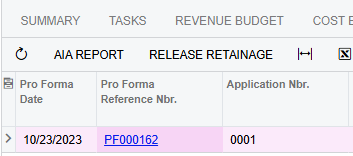
We just recently upgraded to 24R2 and noticed a few hyperlinks that used to open in the same tab, now open in new tabs.  For example, in projects, if we click on the hyperlink to get to the pro forma, it opens in a new tab.  Is there an easy way to revert this back to where the hyperlink opens in the existing tab? Thanks! 

Best answer by Ankita Tayana

Hi ​@mnecaise,

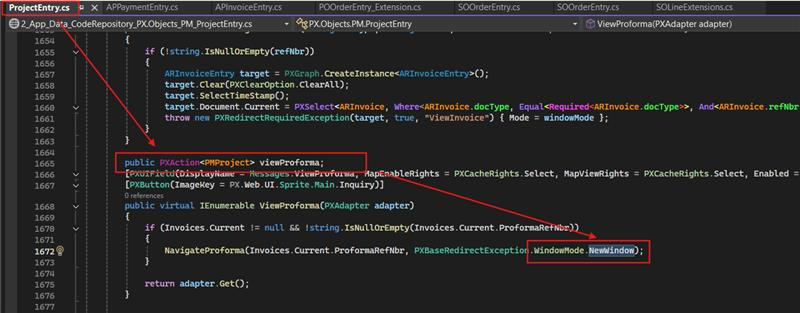
I believe , you can override the ViewProforma action and change the WindowMode from NewWindow to Same. 

This will display the proforma in Same window.
 

Hope, it helps!

6 replies

nhatnghetinh
Captain II
Forum|alt.badge.img+11
  • Captain II
  • April 14, 2025

Hi ​@mnecaise 

You do the following.
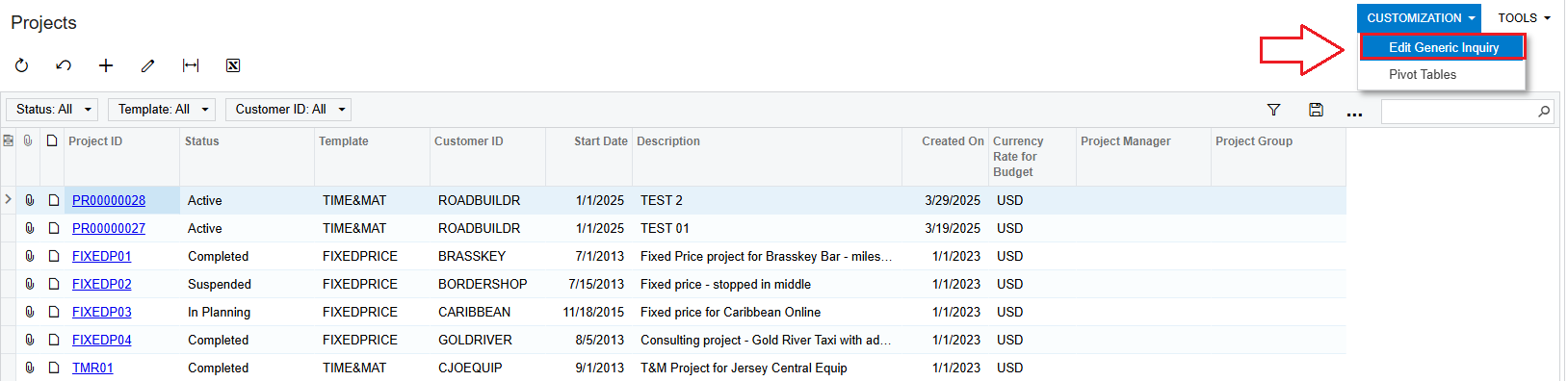
At the Project screen > CUSTOMIZATION > Edit Generic Inquiry screen.


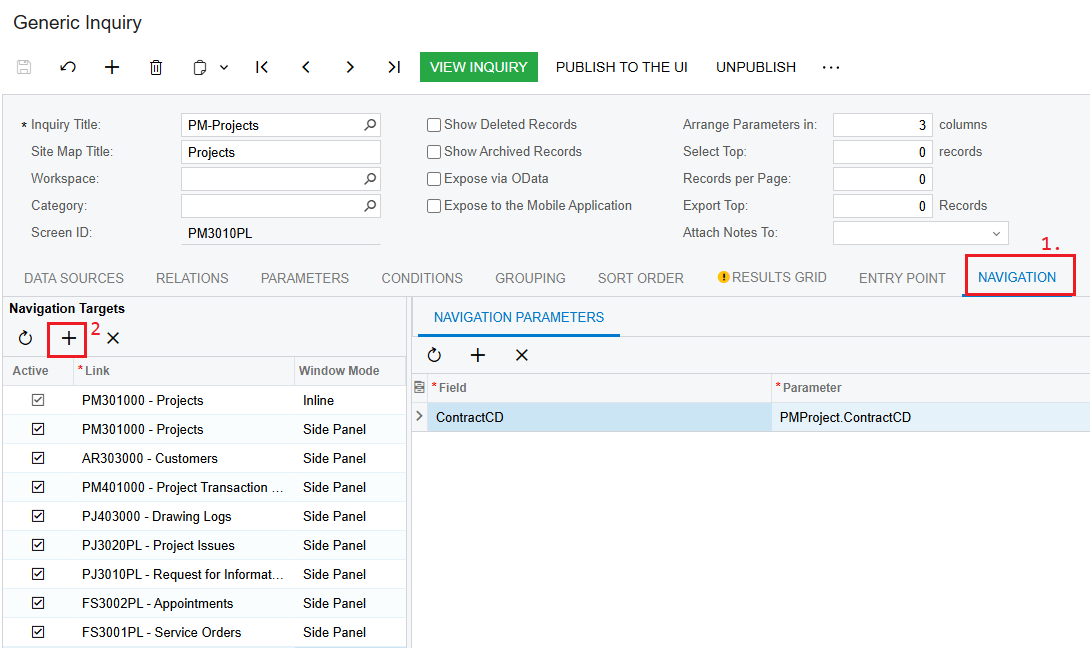
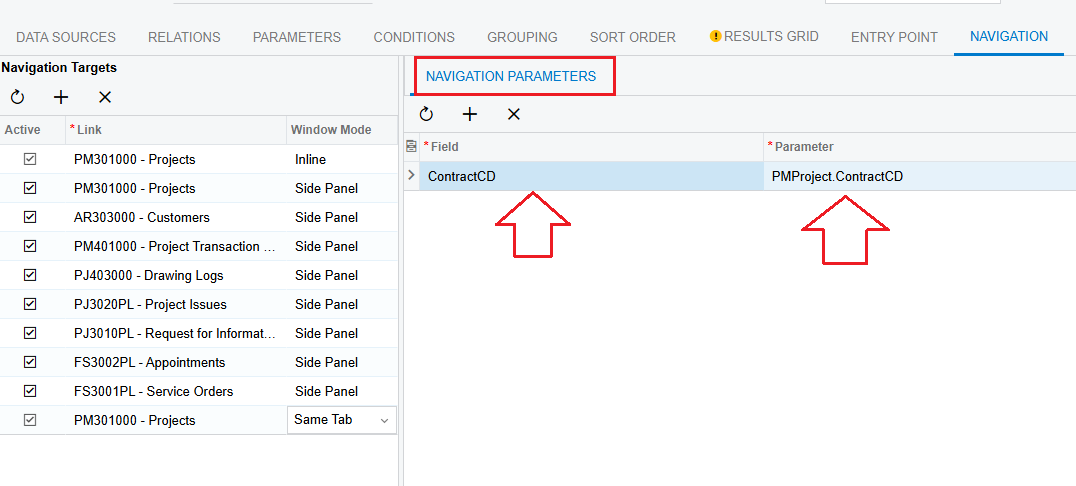
Click on the NAVIGATION Tab > Click +


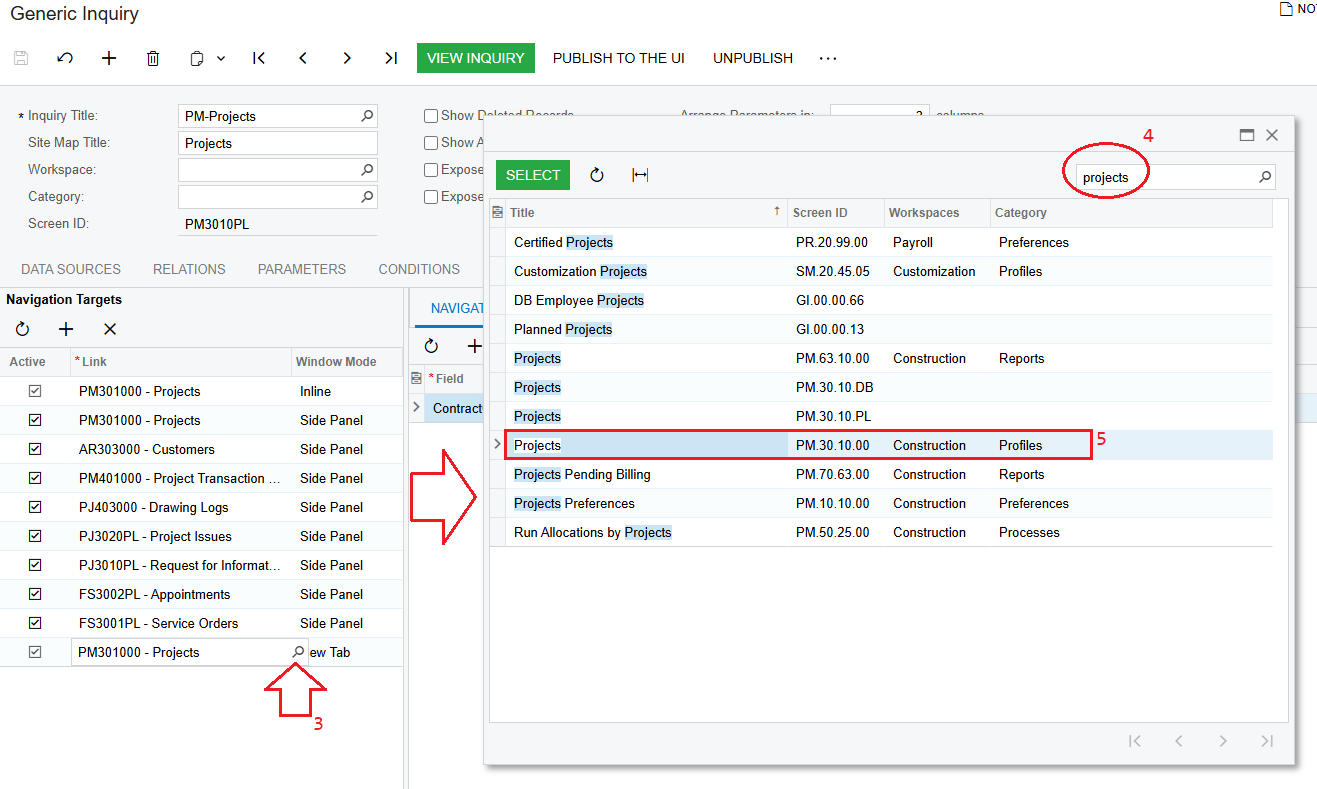
In the "Link" column > Click on Selector to select the hyperlinks you want to perform. For example, the hyperlink is Project

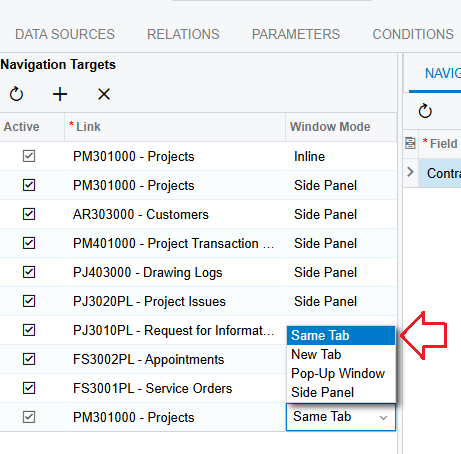
In the "Window Mode" column > Click "Same Tab"

And then create NAVIGATION PARAMETERS.


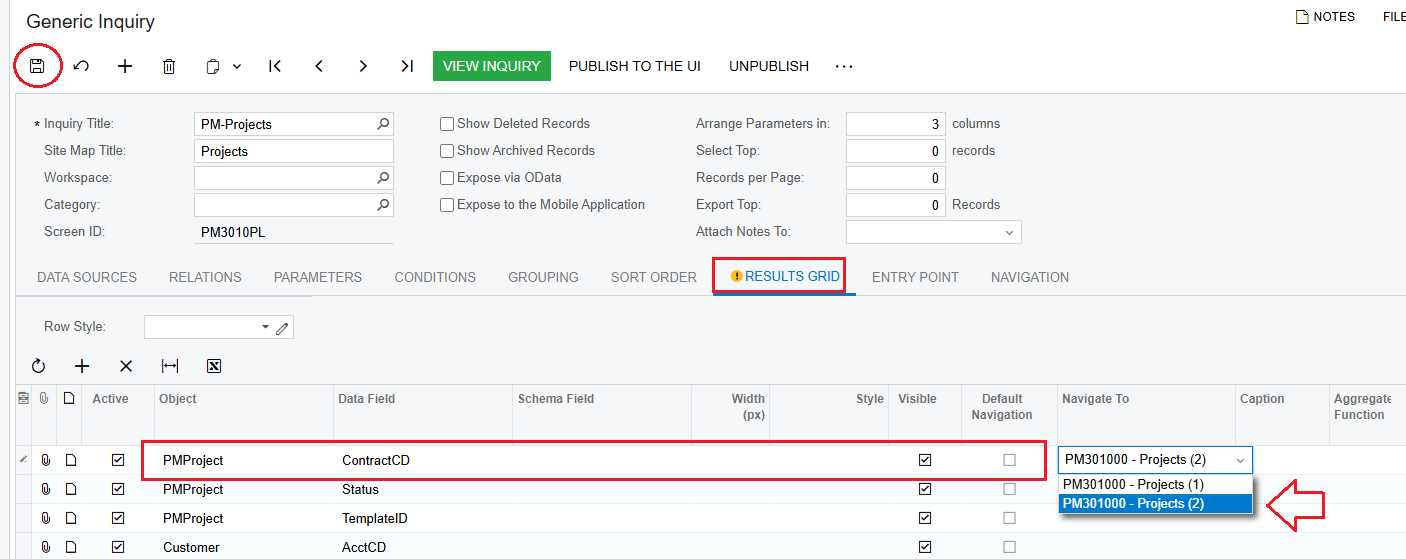
Then click on the RESULTS GRID Tab > Object "PMProject" > Navigate To > Click on the Navigation performed in the steps above.


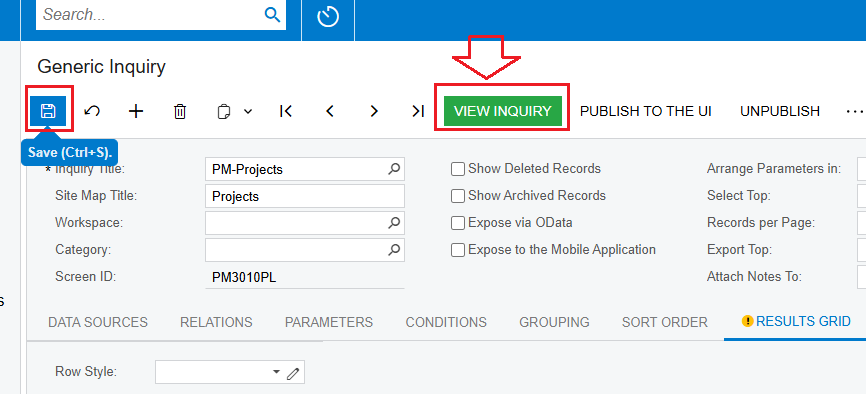
Click “SAVE” and Click “VIEW INQUIRY”


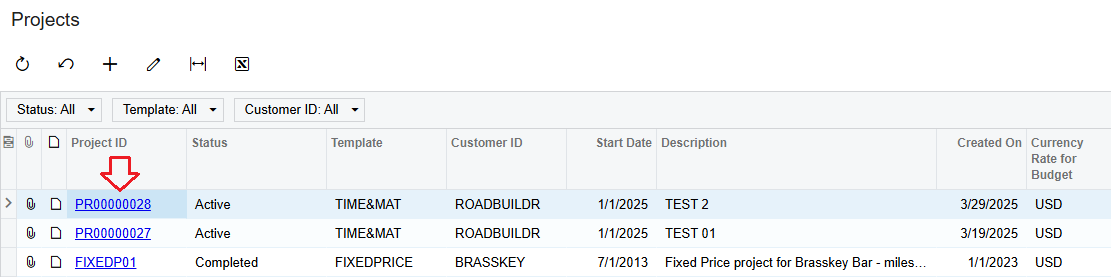
Test the result > click on the "ProjectID" hyperlink.


Best Regards,

NNT


Forum|alt.badge.img
  • Author
  • Varsity I
  • April 14, 2025

@nhatnghetinh Thank you for the response. However, I’m looking to redirect the hyperlink in the actual Project Data screen (PM.30.10.00) and not the GI. This is happening with both the Pro Forma and AR Reference Nbr. hyperlinks under the invoices tab in the project screen.

Hyperlink to Pro Forma from Project Screen PM.30.10.00
Now opens as New Tab in lieu of existing

I personally am not in these screens all the time but have heard from our Accounting team that this is causing a lot of extra tabs to be open. 


Forum|alt.badge.img+8
  • Captain II
  • April 14, 2025

Hi ​@mnecaise 


This hyperlink is controlled by an attribute within the .aspx where a selector fields AllowEdit = “true”.


You could link a custom command to the field to open the form in a new window rather than tab, not sure if it would be worth the effort though.


Aleks


Forum|alt.badge.img
  • Jr Varsity III
  • April 14, 2025

We have also just updated to 2024 R2 and have seen this.   When we want to view an Invoice in the Project Invoice tab, a new browser tab is opened rather than a popup window containing the invoice.   If we go to the Project Cost Budget tab and click View Transactions, the Transaction Details appear in a new browser tab rather than a popup window.   This results in many tabs being opened.   Is there a way to allow the links to function as they did in previous revisions?


Forum|alt.badge.img+5
  • Jr Varsity I
  • Answer
  • April 14, 2025

Hi ​@mnecaise,

I believe , you can override the ViewProforma action and change the WindowMode from NewWindow to Same. 

This will display the proforma in Same window.


Hope, it helps!


Forum|alt.badge.img
  • Author
  • Varsity I
  • April 21, 2025

Thank you all for your suggestions. Unfortunately, they’re a little more in depth than I’m comfortable with, so we’ve reached out to our VAR for pricing to revert it back.