Question

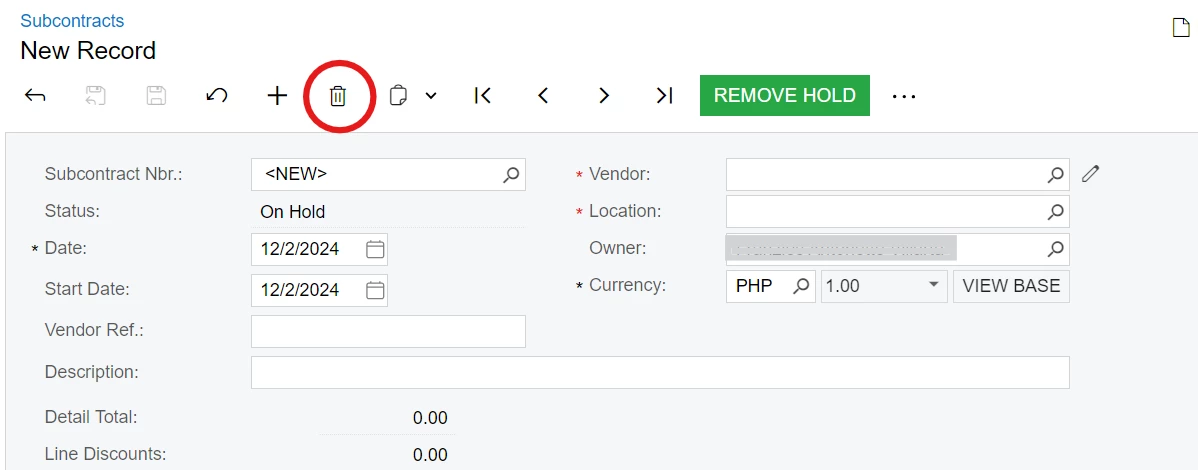
In 2024R1, how to locate Construction>Transactions>Subcontracts>Form Toolbar: Delete on Access Rights role descriptions

  • December 2, 2024
  • 5 replies
  • 56 views

Forum|alt.badge.img

2024R1 Unable to locate Construction>Transactions>Subcontracts>Form Toolbar: Delete on Access Rights by role description  


Restriction to “Revoked” Delete action on the Subcontracts form must apply to a specific access rights by role
 

5 replies

Laura03
Captain II
Forum|alt.badge.img+19
  • Captain II
  • December 2, 2024

Hello,

I am showing version 2024 R1.

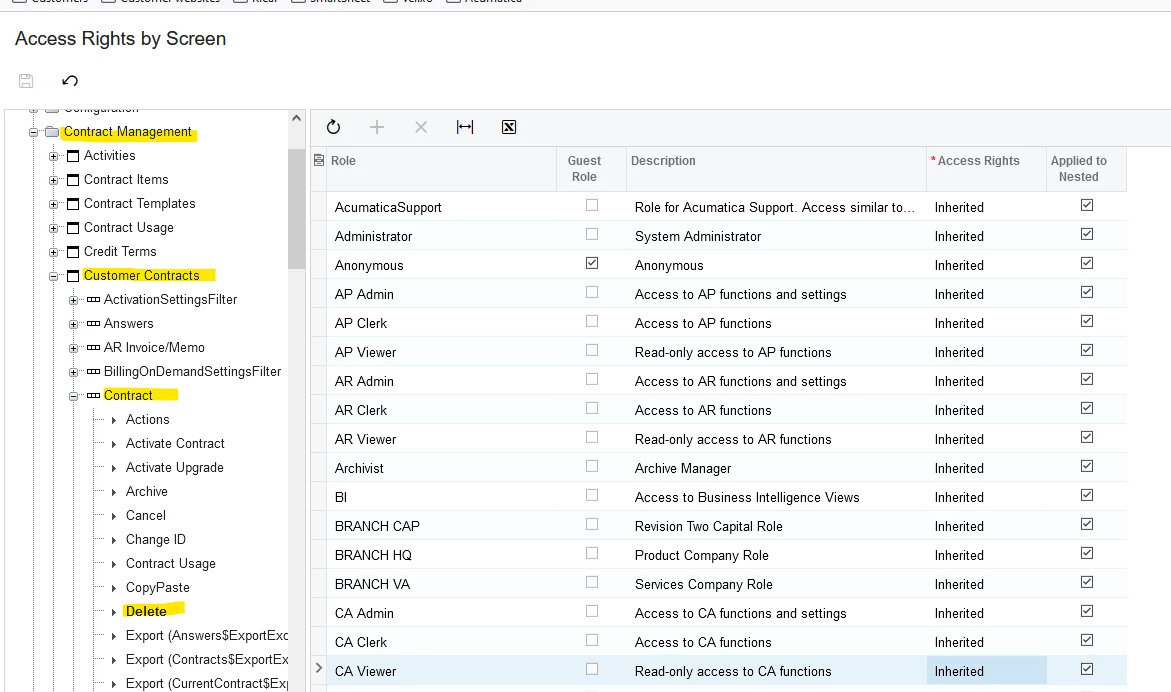
I don’t have Construction Edition and therefore cannot answer your exact question. I’ll show the most similar screen I have from a different edition of Acumatica: Customer Contracts screen. I hope it is close enough to help you find an answer.

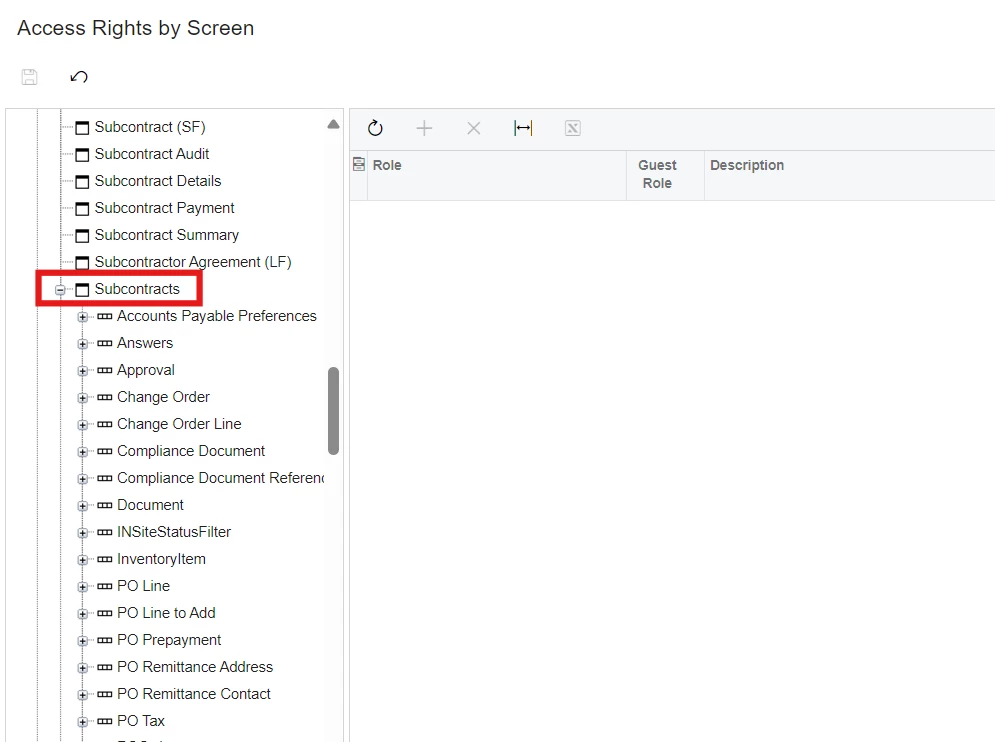
From inside your Subcontracts screen, click Tools → Access Rights.

Access Rights by Screen will open with Subcontracts screen expanded.  Try to find the “Header” area of the Subcontracts screen and expand it.  For Subcontracts, the header area is Customer Contracts → Contract.  Look for the Actions; they have an Arrow icon in front of the words, versus a screen icon or plus sign. Look for Delete among the Actions, as shown below.

If this detail doesn’t answer your question, please show some details of your Access Rights by Screen screen, with Subcontracts expanded.

Laura


iqraharrison
Captain II
Forum|alt.badge.img+8
  • Captain II
  • December 2, 2024

@shelsantillan96 to add to what Laura mentioned and your original post, one thing I like to do is create a separate role that either revokes or gives it access to whatever I am trying to do and then I add that role to the users or user type.  I find that it’s easier to keep track of for me when modifying the existing security settings


Laura03
Captain II
Forum|alt.badge.img+19
  • Captain II
  • December 2, 2024

Hello ​@shelsantillan96 ,

In addition to my earlier post, I’d like to add details about “Inherited” access rights. 

If we simply try to change “Inherited” at the lowest level, on the “Delete” node, Acumatica may not allow us to save the change.  (We can’t change from Inherited to a specific Access Right in a node that is under another Inherited node of the Access rights map.)

If you cannot save the change to “Revoked” on the Delete node, go one level up, one level at a time, until you are able to save the change from Inherited to either Revoked or Granted.  Then come back down, one level at a time, to the Delete node and you will be able to save the change to Revoked.

Laura


Forum|alt.badge.img

Hi ​@Laura02 ​@iqraharrison the challenge for the subcontract is I can’t find the Header area where the delete button is available.


Chris Hackett
Community Manager
Forum|alt.badge.img
  • Acumatica Community Manager
  • January 24, 2025

Hi ​@shelsantillan96 were you able to find a solution? Thank you!