Solved

Dashboard for Aging Bills

  • October 6, 2023
  • 2 replies
  • 94 views

Forum|alt.badge.img

Looking to get a little more specific with my AP dashboard.  There are options to filter it by “overdue” but I’d like to get it where i can have it as it APPROACHES overdue. 


For example, my vendors that are 60 day net terms.  I would like the color to turn red when it’s at 45 days as it approaches overdue. Is there a way to do this? 

Best answer by laurabarber45

Hello Katie,

I’m not sure I have a complete answer for you, but I have one idea. AP has a “Coming Due” Aging that is more of a forecast of what is due next, in fewest days, versus what is overdue.

My hope is aspects of the AP Coming Due report could be added to your Dashboard.


Laura

2 replies

laurabarber45
Captain II
Forum|alt.badge.img+19
  • Captain II
  • 3140 replies
  • Answer
  • October 6, 2023

Hello Katie,

I’m not sure I have a complete answer for you, but I have one idea. AP has a “Coming Due” Aging that is more of a forecast of what is due next, in fewest days, versus what is overdue.

My hope is aspects of the AP Coming Due report could be added to your Dashboard.


Laura


  • Freshman I
  • 2 replies
  • October 19, 2023

Hi Katie,

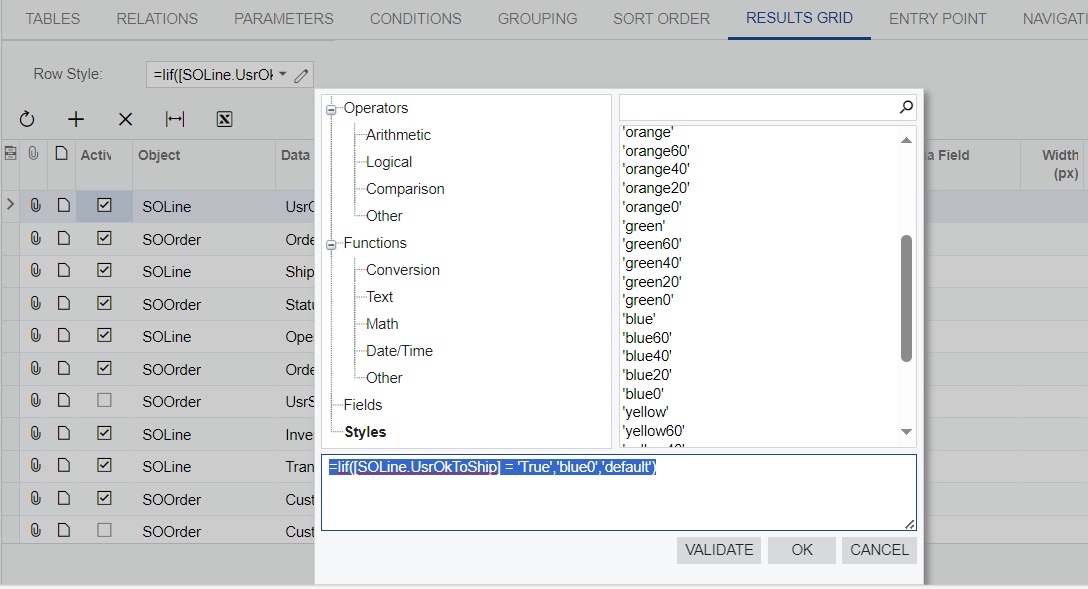
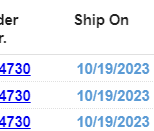
I recently changed the color of rows/fonts to blue when sales order ship dates were approaching the 45 day mark.  I used a formula in the row styles field in the results grid of the GI.  hope this helps