Answer

Attributes for Equipments

  • March 29, 2022
  • 8 replies
  • 365 views

Forum|alt.badge.img

Hi,

Could you please anyone provide a quick guide to add attributes to Equipment form. 

When we add attributes to the customer/stock items we add to the customer/Item class. But here in equipment, there is no class and the plus button is not enabled to add attributes.


Thank you,

Dulanjana 
Best answer by Kandy Beatty

HI @dsenevirathne54 

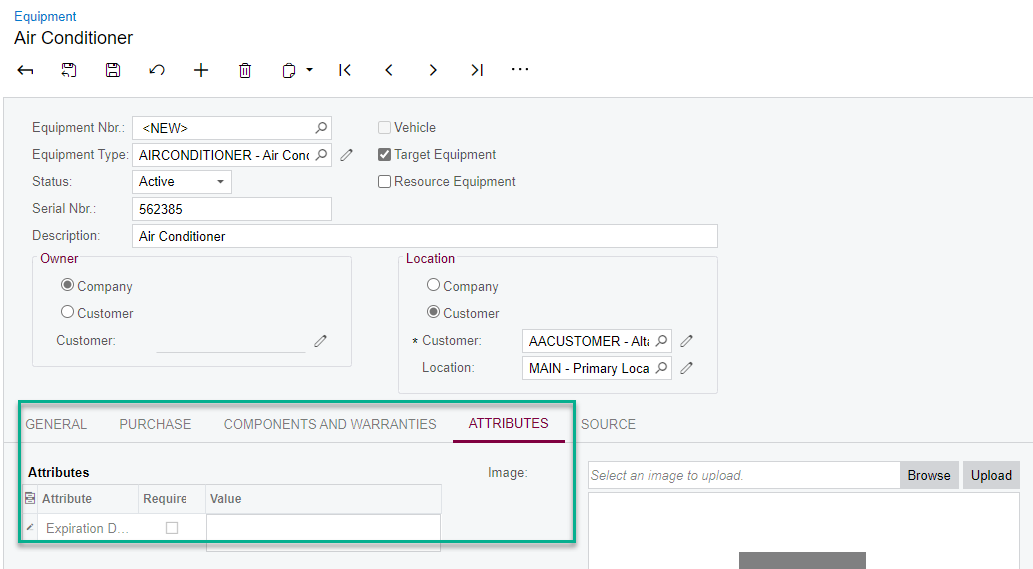
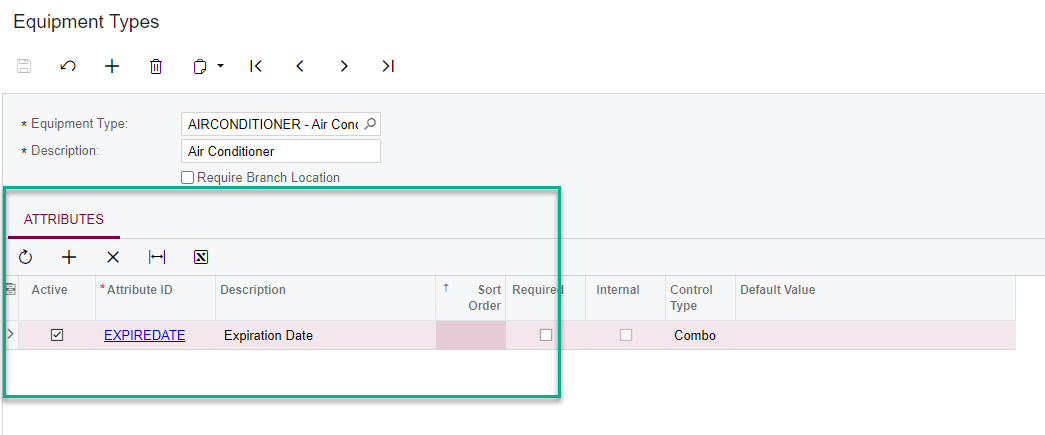
You need to first add the attribute to the Equipment Type.


Then you can add it to the equipment


8 replies

Kandy Beatty
Captain II
Forum|alt.badge.img+17
  • Captain II
  • Answer
  • March 29, 2022

HI @dsenevirathne54 

You need to first add the attribute to the Equipment Type.


Then you can add it to the equipment


Forum|alt.badge.img

Hi Beatly,

I cant find equipment type in my instance. Could please mention what is the workspace that the equipment type available. 

Thanks


Kandy Beatty
Captain II
Forum|alt.badge.img+17
  • Captain II
  • March 29, 2022

Hi @dsenevirathne54 

It is under the Services Module. 


Forum|alt.badge.img

Hi ,

The customer is a construction customer and they haven't purchased services. I think that is why I cant see the equipment type. do you have any suggestions to overcome the issue. 


Thanks


Kandy Beatty
Captain II
Forum|alt.badge.img+17
  • Captain II
  • March 29, 2022

Hi @dsenevirathne54 

You can add equipment under Configuration in standard Acumatica, however you can not add attributes on the configuration. It is only with the Services Module. 


gdow23
Jr Varsity III
Forum|alt.badge.img
  • Jr Varsity III
  • March 29, 2022

I see the same limitation.  With FS not enabled, the Equipment Types screen (FS200800) is not available.


Forum|alt.badge.img

Hi,

Noted and thank you for your support.


Regards,

Dulanjana


sroberts29
Freshman II
Forum|alt.badge.img+1
  • Freshman II
  • October 14, 2025

There’s a solution for Construction non-Service use.
Add Attributes in the Project Attributes screen PM202000 and select Equipment in the drop-down.