Answer

AR Retainage

  • April 21, 2025
  • 2 replies
  • 96 views

How do I release AR Retainage


Sue

Best answer by iqraharrison
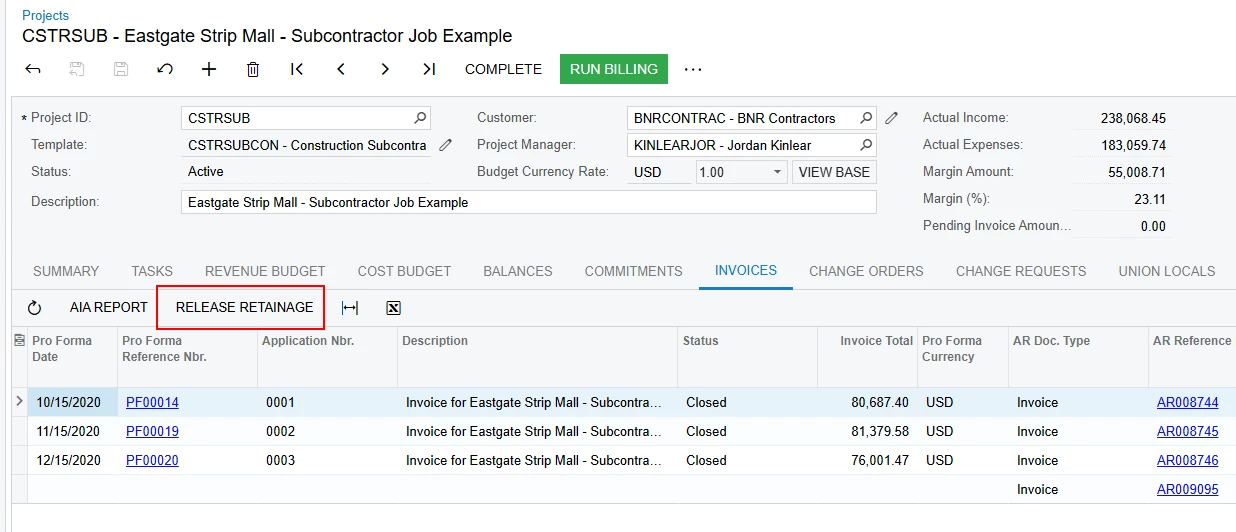
@Sterry to add to what ​@joelhoffman already stated,  you can also start the process at the project screen on the invoices tab

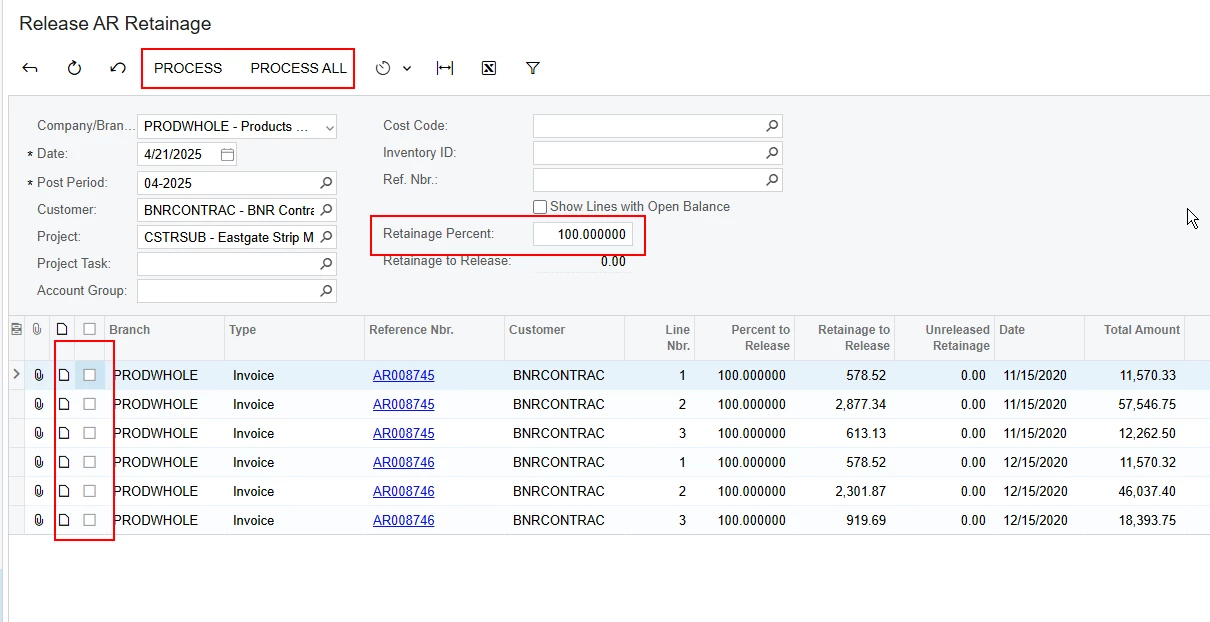
that takes you to the release AR retainage screen where you can choose to release all retainage to date at 100% or that percentage can be reduced to whatever percentage you need to release if it’s not released in full.
 

2 replies

joelhoffman
Acumatica Moderator
Forum|alt.badge.img+2
  • Acumatica Moderator
  • April 21, 2025

Hi ​@Sterry ,

There are a few different ways to release retainage.  It can be done individually within AR Invoices & Memos, under the “Actions” toolbar.  There is also a ‘Release AR Retainage’ function in Accounts Receivable that will allow bulk releasing, and will also provide a mechanism to consolidate multiple retainage documents into one invoice.

There are few other parameters at the AR level to automatically release retainage when created.

Please note, the retainage invoice date will determine what AIA Pay Application it gets applied, so be sure to keep an eye on that.

Our online help has several good articles around processing AR documents with retainage.  You may want to review and determine the best methods/settings for your organization.

Hope this helps!

Joel


iqraharrison
Captain II
Forum|alt.badge.img+8
  • Captain II
  • Answer
  • April 22, 2025

@Sterry to add to what ​@joelhoffman already stated,  you can also start the process at the project screen on the invoices tab

that takes you to the release AR retainage screen where you can choose to release all retainage to date at 100% or that percentage can be reduced to whatever percentage you need to release if it’s not released in full.