Solved

Acumatica R2 2023 deactivate cost codes

  • January 9, 2025
  • 3 replies
  • 66 views

Forum|alt.badge.img
  • Jr Varsity III
  • 31 replies

Hi There,

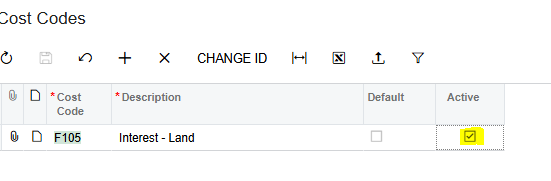
I’m in Acumatica R2 2023 version and tried to deactivate one of the old cost code which is not applicable anymore. I’m not able to uncheck the active box. Please advise the steps to inactivate a cost code. Thank you. 
 

Best answer by mike.gillum

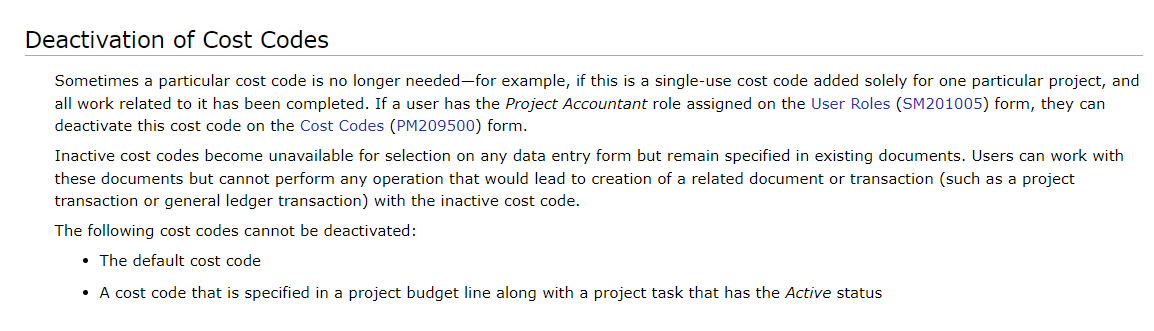
@epan, your User Account needs to be assigned the Project Accountant role on the User Roles (SM201005) form, in order to deactivate cost codes that are no longer in use.

3 replies

mike.gillum
Acumatica Moderator
Forum|alt.badge.img+2
  • Acumatica Moderator
  • 102 replies
  • Answer
  • January 9, 2025

@epan, your User Account needs to be assigned the Project Accountant role on the User Roles (SM201005) form, in order to deactivate cost codes that are no longer in use.


KushaniPerera88
Acumatica Employee
Forum|alt.badge.img+3
  • Acumatica Employee
  • 59 replies
  • January 13, 2025

@epan As mentioned by ​@mike.gillum user would need project account role assigned to deactivate the cost codes.  Then the cost will no longer be available for selection, although it will still be specified in existing documents


Forum|alt.badge.img
  • Author
  • Jr Varsity III
  • 31 replies
  • January 16, 2025

Thank you ​@mike.gillum  & ​@KushaniPerera88 . This has been fix now. Much appreciated!