Answer

Why does the quick action process not work in business events?

  • April 17, 2024
  • 3 replies
  • 157 views

Forum|alt.badge.img


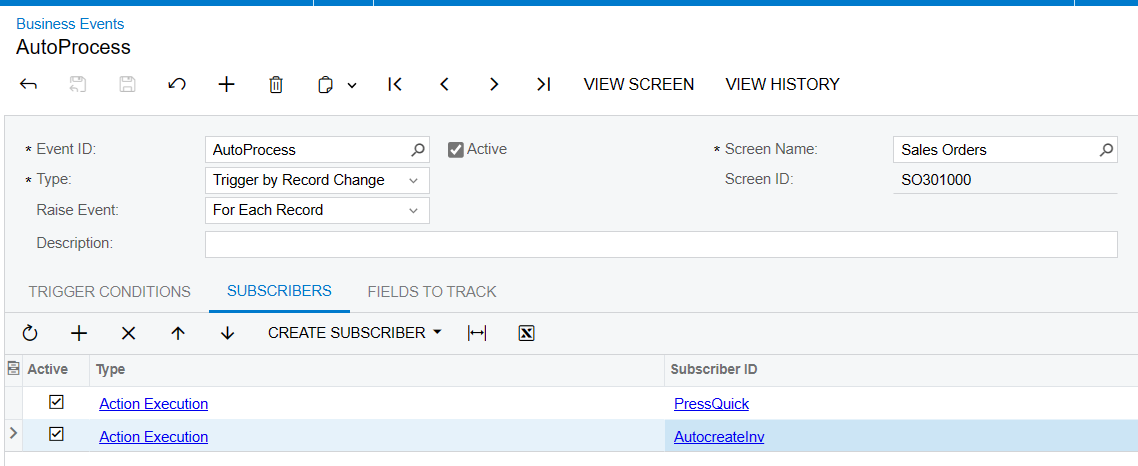
I have an order type LS, which is allowed to quick process (confirm shipment and create an invoice) 
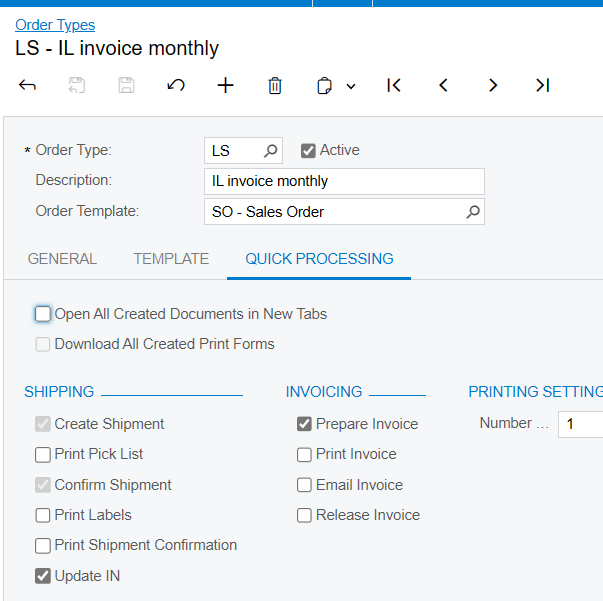

When I press the button manually, it works as expected; then, I want to set up a business event that will auto-quickly process if the order type equals LS and the status is open. 
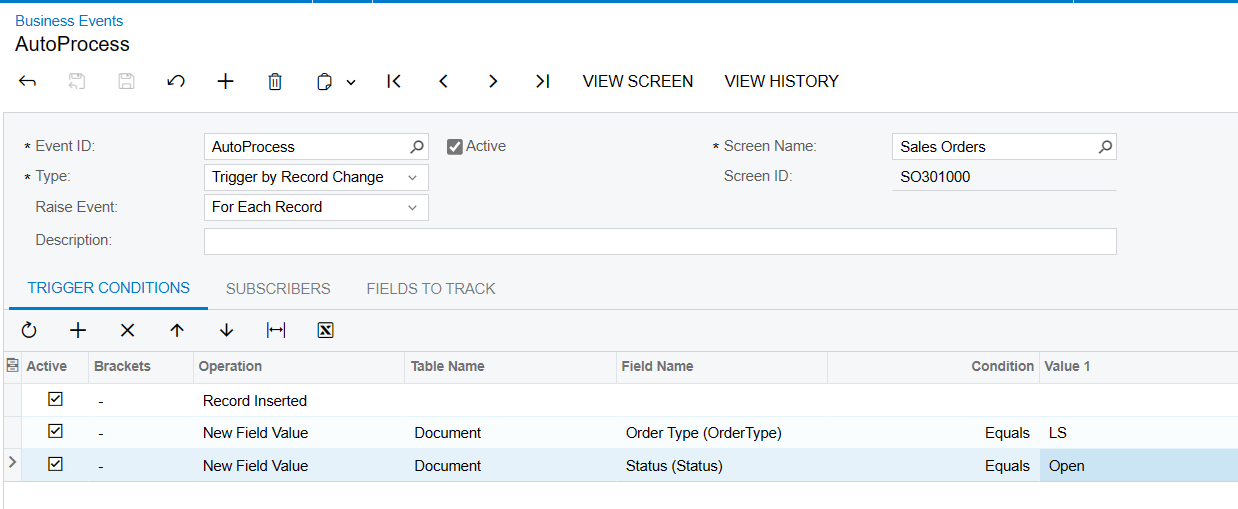


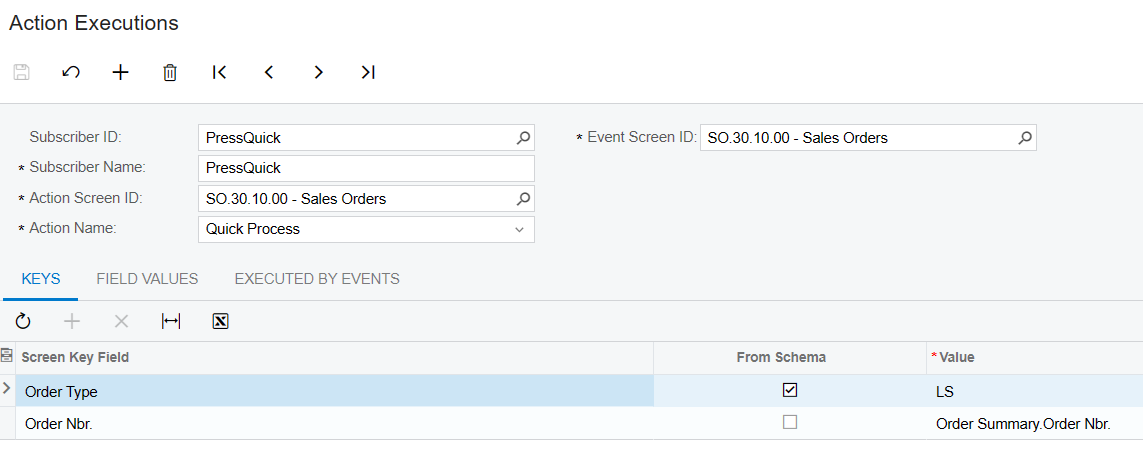
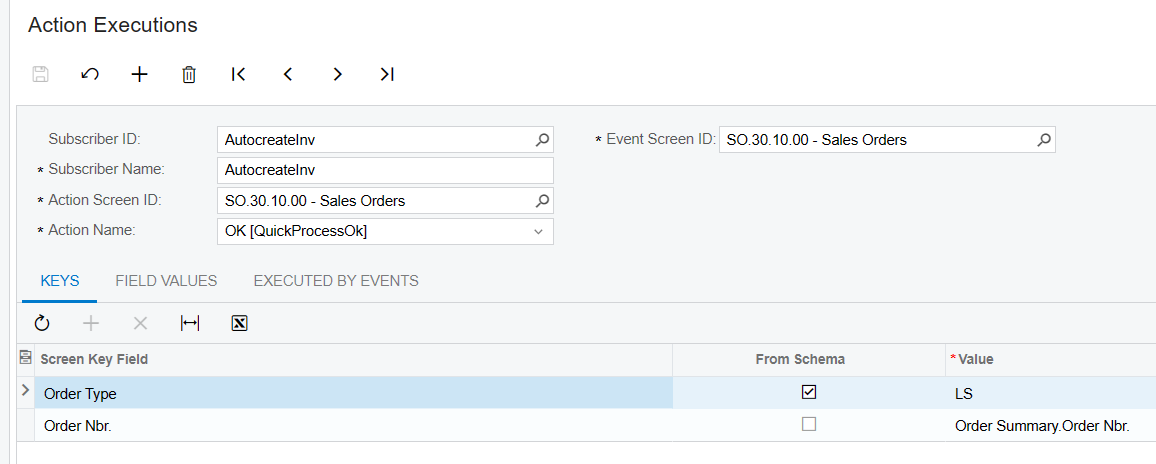
But it’s not working; the system shows “button OK is disabled”.  If I remove this action and keep only  the “ press quick” action, the sales order only creates a shipment but does not confirm or create an invoice. 
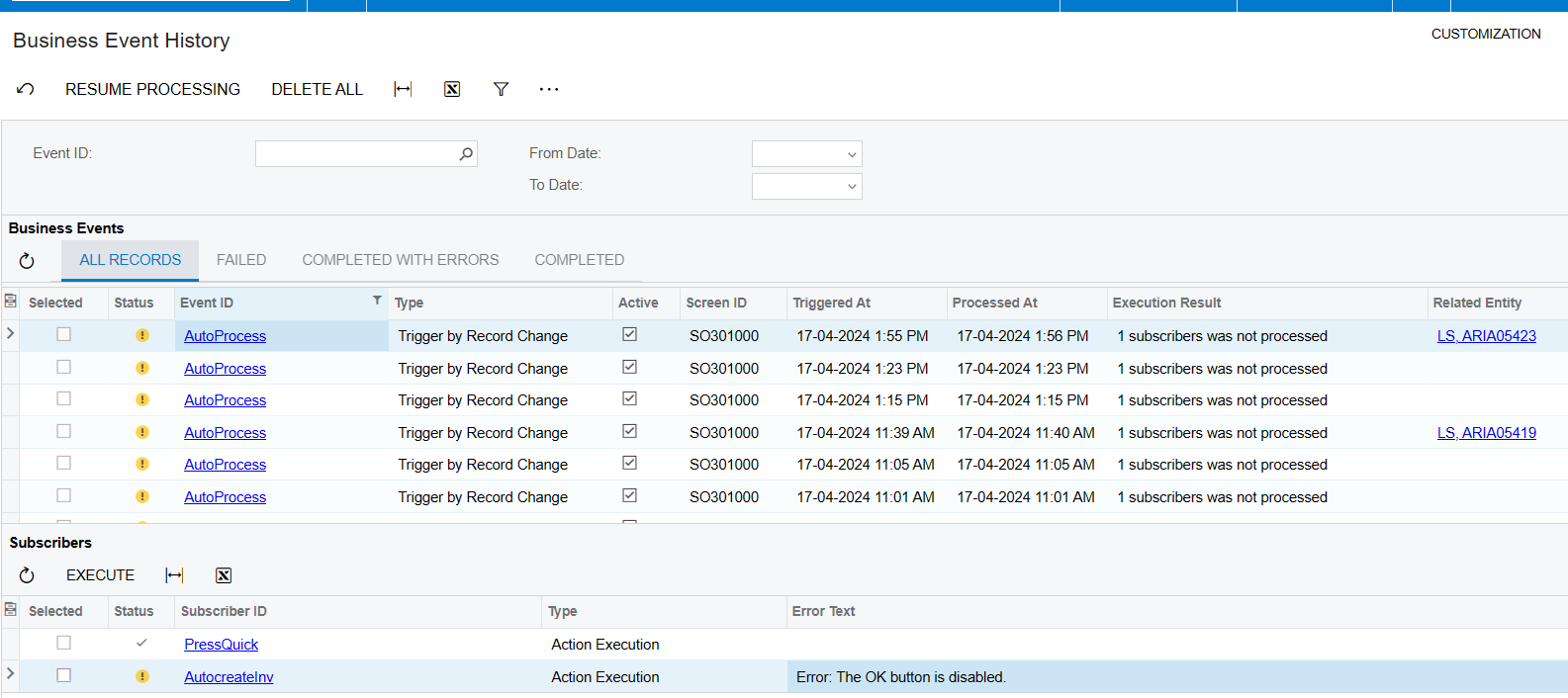

Can you help me find out what I am missing? 
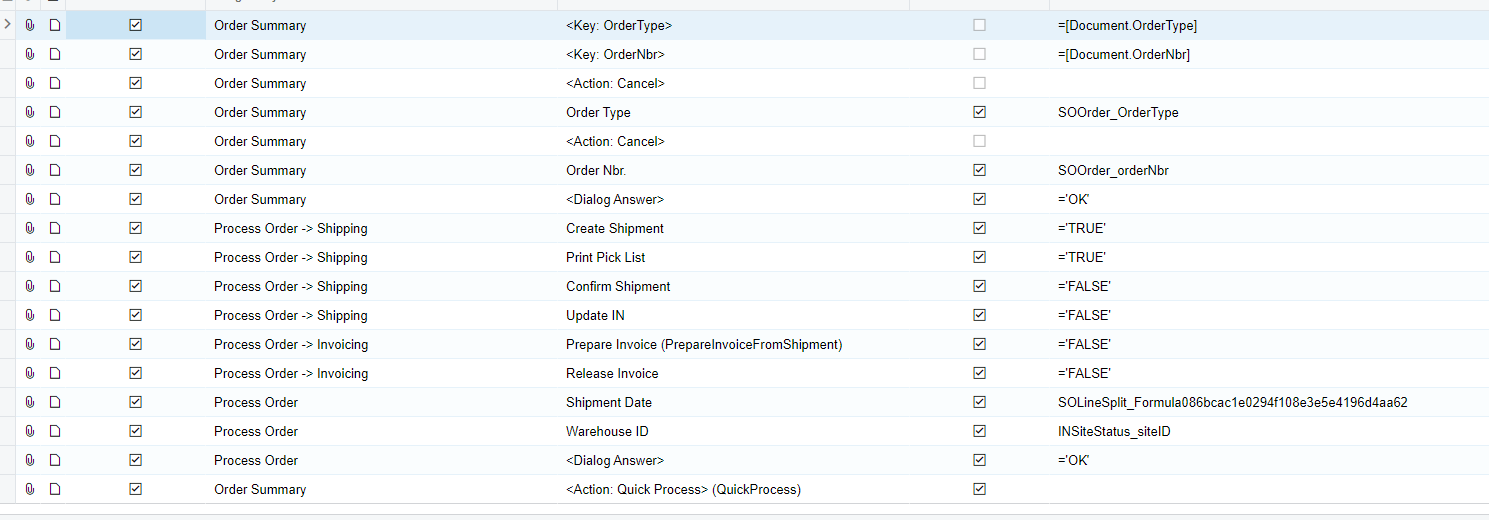
Best answer by dcomerford

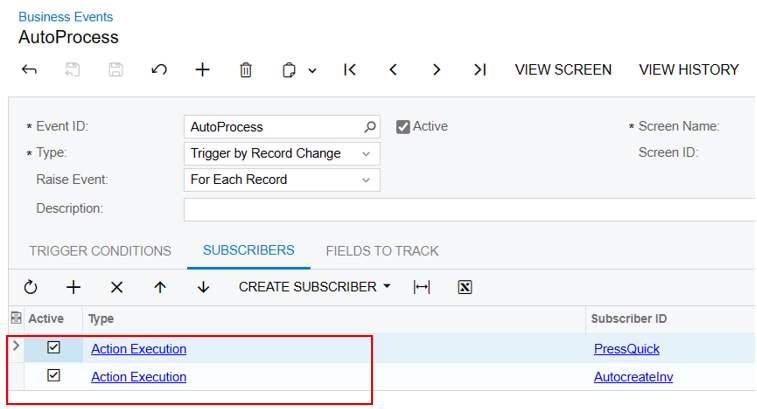
@dilys I have a Business Event and Import scenario using Quick proces on the Sales Order see the layout below and it works


3 replies

Manikanta Dhulipudi
Captain II
Forum|alt.badge.img+15

Hi @dilys 

Based on my understanding, the import scenario is not supported for Quick Process, and the same limitation applies to Business events. It would be advisable to verify these limitations with Acumatica.


Forum|alt.badge.img
  • Author
  • Jr Varsity II
  • April 17, 2024

Hi @dilys 

Based on my understanding, the import scenario is not supported for Quick Process, and the same limitation applies to Business events. It would be advisable to verify these limitations with Acumatica.

Sorry if I misunderstanding, I use action executions instead of importing scenarios in subscriber of a business event. 


dcomerford
Captain II
Forum|alt.badge.img+15
  • Captain II
  • Answer
  • April 17, 2024

@dilys I have a Business Event and Import scenario using Quick proces on the Sales Order see the layout below and it works