Answer

Using the Favorites option in the Menu pane as the "Default home page" when logging into Acumatica

  • August 29, 2022
  • 3 replies
  • 203 views

How can the Favorites option in the Menu pane be setup as the "Default home page" when logging into Acumatica?

It sems this option is not available in the User profile...

Best answer by Kandy Beatty

HI @fcallegari 

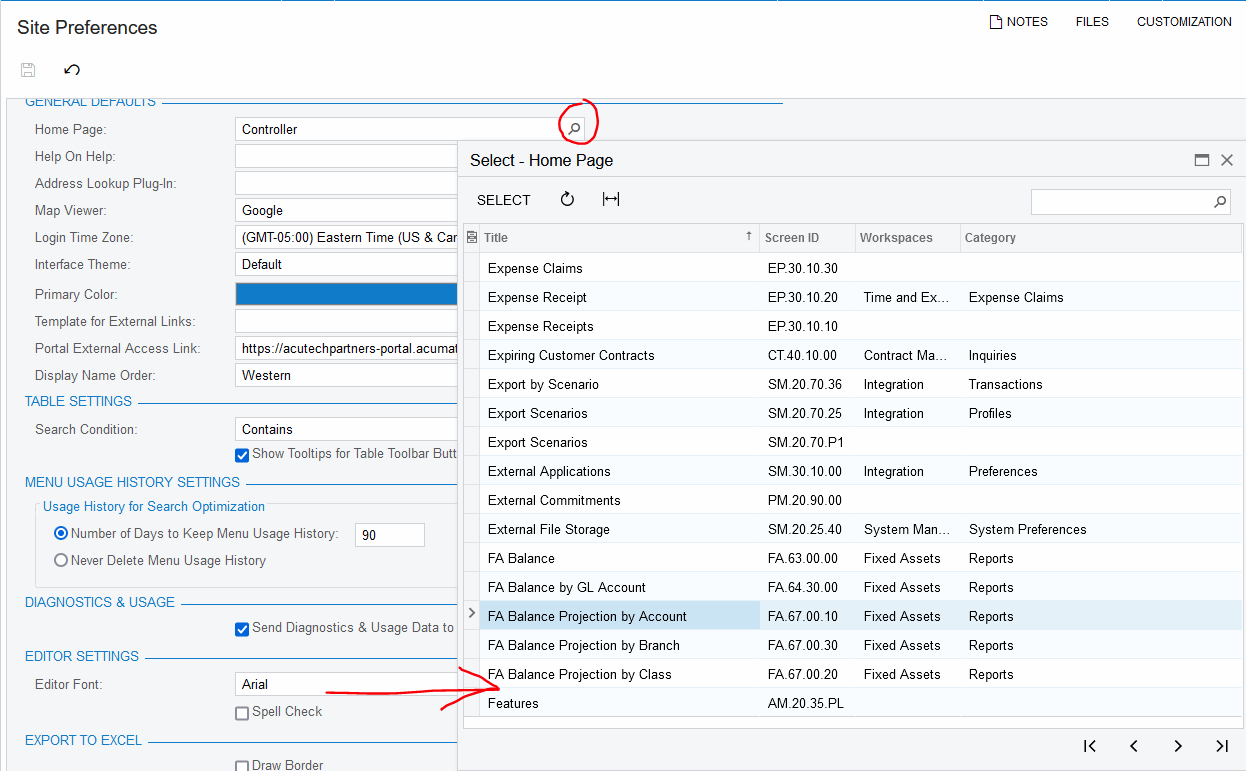
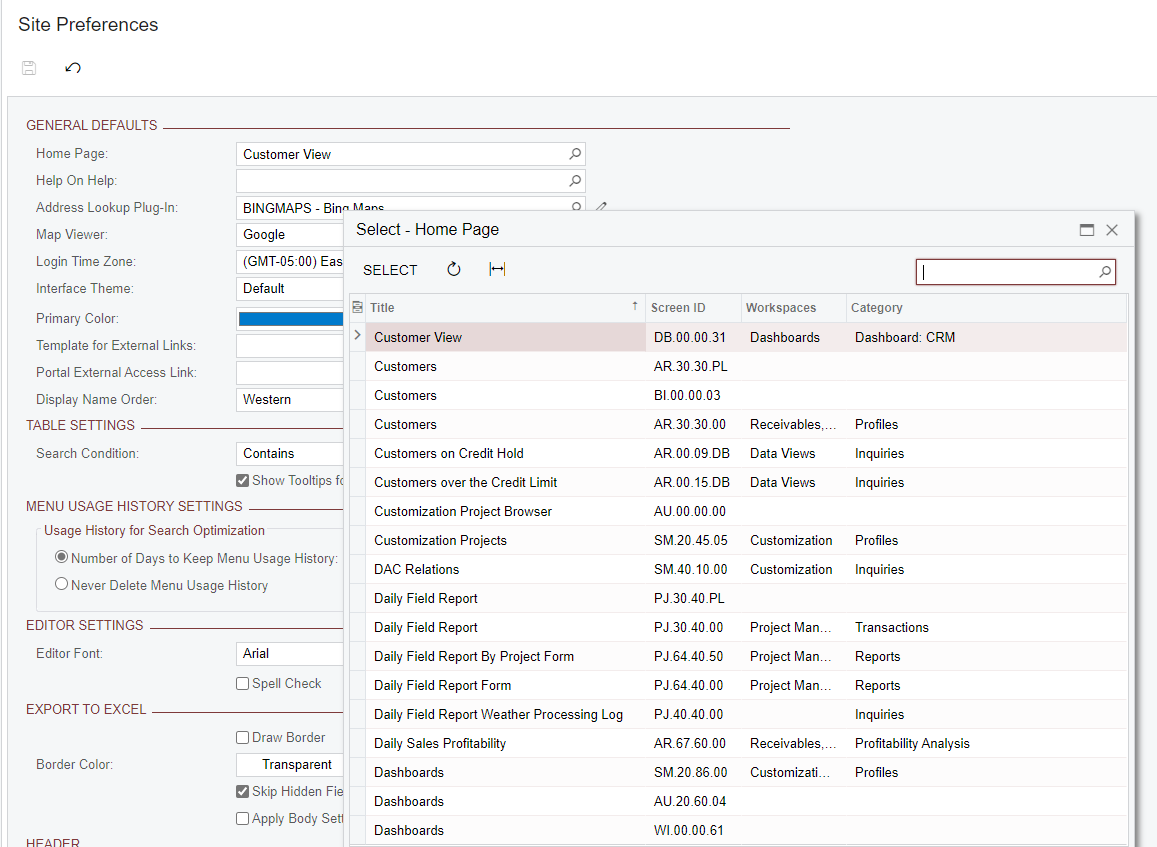
You can use the link that laura01 provided for individual users, but you can also set up a Home Page under site Preferences (all users would see this upon login)
 

3 replies

Laura03
Captain II
Forum|alt.badge.img+19
  • Captain II
  • August 29, 2022

Hello,

I found one post where the same question was asked.

The answer is no but the ‘best answer’ provides an idea that may work just as well for you.


Kandy Beatty
Captain II
Forum|alt.badge.img+17
  • Captain II
  • Answer
  • August 29, 2022

HI @fcallegari 

You can use the link that laura01 provided for individual users, but you can also set up a Home Page under site Preferences (all users would see this upon login)


Laura03
Captain II
Forum|alt.badge.img+19
  • Captain II
  • August 30, 2022

Hello,

No, there is no option to add favorites to everyone’s home page in Site Preferences. I think this is because Favorites isn’t a screen or a dashboard; it’s a navigational menu grouping.