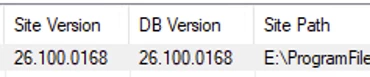
I am trying to upgrade a non-production environment to 2026 R1 from 2025 R1. I have historically commented out section in the web config file associated with running RabbitMQ.
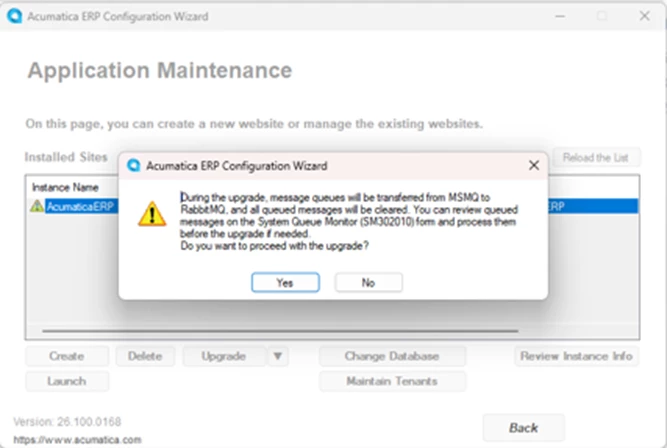
It starts the configuration wizard and I select “Upgrade” and I receive this dialog box:
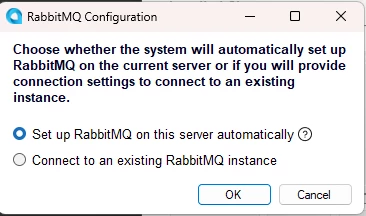
Then I receive a RabbitMQ configuration dialog box.
“Choose whether the system will automatically set up RabbitMQ on the current servoer or if you will provide connection settings to connect to an existing instance.”
I opted to “Set up RabbitMQ on this server automatically”
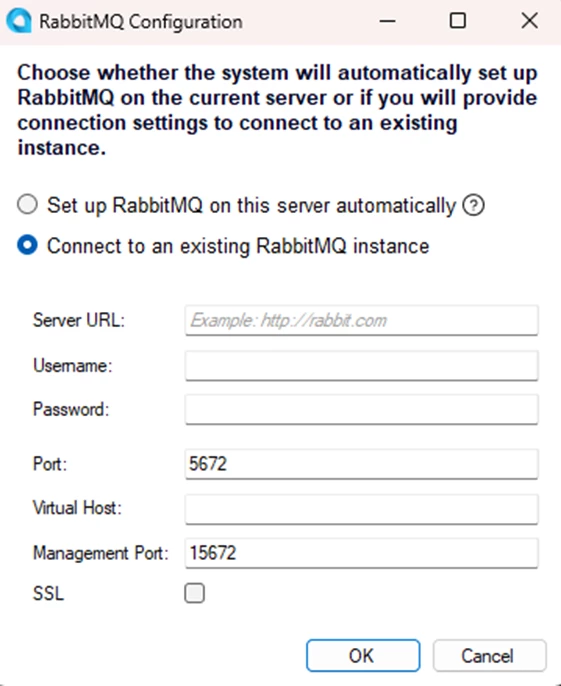
It tells me that it is unable to connect to RabbitMQ and that I should try an existing RabbitMQ instance.
I would prefer to setup RabbitMQ on the server automatically, using a service account for “Acumatica things”. How do I do this?
Best answer by PatrickBacon
-----------This solution was arrived at from help from a colleague-----------------------
Created local admin account which will run the rabbitmq service.
Stop the RabbitMQ service.
Updated the service to indicate that the local admin account will run the rabbitmq service.
Confirm the erlang places the cookie file at C:\users\local_admin_account_running_rabbitmq\.erlang.cookie
Start the service for RabbitMQ.
With a browser, navigate to its site, http://localhost/port (port can be viewed by looking at the logging at %APPDATA%/RabbitMQ/). It also often times 15672.
For more inspection of attributes of the RabbitMQ environment, one can navigate to the sbin file and invoked various rabbitmq commands to understand the configuration (see here, https://www.rabbitmq.com/docs/windows-configuration).
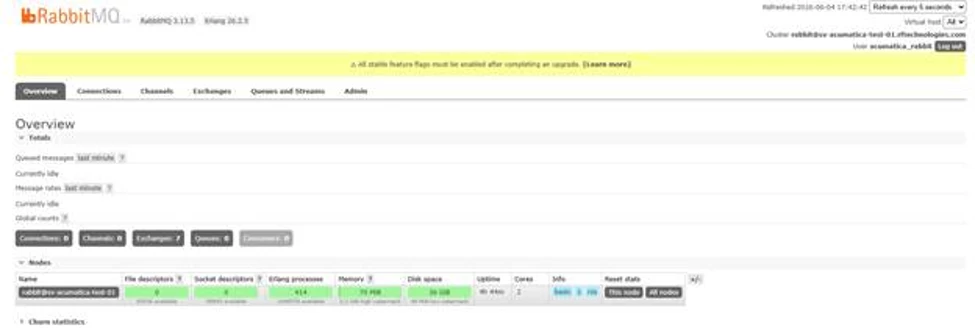
Here is my active RabbitMQ environment. I created a new admin account in lieu of using guest.
Running the upgrade for the website, I provide the url, listener and main ports and the new Acumatica user when prompted.
The Configuration Wizard shows the installation finished:
-----------This solution was arrived at from help from a colleague-----------------------
Created local admin account which will run the rabbitmq service.
Stop the RabbitMQ service.
Updated the service to indicate that the local admin account will run the rabbitmq service.
Confirm the erlang places the cookie file at C:\users\local_admin_account_running_rabbitmq\.erlang.cookie
Start the service for RabbitMQ.
With a browser, navigate to its site, http://localhost/port (port can be viewed by looking at the logging at %APPDATA%/RabbitMQ/). It also often times 15672.
For more inspection of attributes of the RabbitMQ environment, one can navigate to the sbin file and invoked various rabbitmq commands to understand the configuration (see here, https://www.rabbitmq.com/docs/windows-configuration).
Here is my active RabbitMQ environment. I created a new admin account in lieu of using guest.
Running the upgrade for the website, I provide the url, listener and main ports and the new Acumatica user when prompted.
The Configuration Wizard shows the installation finished:
FWIW, the pre-existent solution for rabbitmq and acumatica is to comment out the element associated with using rabbitmq in the webconfig file. This now works. This is strange because during execution of the Acumactica configuration wizard for 26R1 during the App upgrade, it was forcing me to make sure it can see rabbitmq and connect to it…. but after I have upgraded the app and database; I can comment it out and things are working.
It turns out that step 3 of my solution to run the service as the newly created local admin (e.g. svc_rabbit) is unnecessary, though I log on locally as the this local admin account to configure rabbitmq.
Here are my log_process file entries during the erlang/rabbitmq installation:
[23:20:18 INF] Start installing rabbitmq-server-3.13.5.exe [23:20:18 INF] invoke C:\Program Files\Acumatica ERP\Data\\Components\rabbitmq-server-3.13.5.exe from working dir "" with arguments: /S [23:21:06 INF] Exit code: 0 [23:21:06 INF] StandardOutput: [23:21:06 INF] invoke cmd from working dir "C:\Program Files\RabbitMQ Server\rabbitmq_server-3.13.5\sbin" with arguments: /c rabbitmq-plugins.bat enable rabbitmq_management [23:21:06 INF] Environment variables: [23:21:06 INF] Key: ERLANG_HOME, Value: C:\Program Files\Erlang OTP [23:21:09 INF] Exit code: 0 [23:21:09 INF] StandardOutput: Enabling plugins on node rabbit@yada_yada_yada_server: rabbitmq_management The following plugins have been configured: rabbitmq_management rabbitmq_management_agent rabbitmq_web_dispatch Applying plugin configuration to rabbit@yada_yada_yada_server... The following plugins have been enabled: rabbitmq_management rabbitmq_management_agent rabbitmq_web_dispatch
set 3 plugins. Offline change; changes will take effect at broker restart.
[23:21:09 INF] Restarting RabbitMQ service... [23:21:09 INF] invoke cmd from working dir "" with arguments: /c net stop RabbitMQ && net start RabbitMQ [23:21:10 INF] Exit code: 2 [23:21:10 INF] StandardOutput: [23:21:10 INF] StandardError: The service name is invalid.
More help is available by typing NET HELPMSG 2185.
[23:21:10 INF] RabbitMQ service restarted. [23:21:10 INF] invoke netsh from working dir "" with arguments: firewall set notifications mode = enable profile = all [23:21:10 INF] Exit code: 0 [23:21:10 INF] StandardOutput:
Notice the line:
[23:21:10 INF] StandardError: The service name is invalid.
The service never gets created and can’t be started.