Answer

Symbols for email

  • November 2, 2021
  • 6 replies
  • 153 views

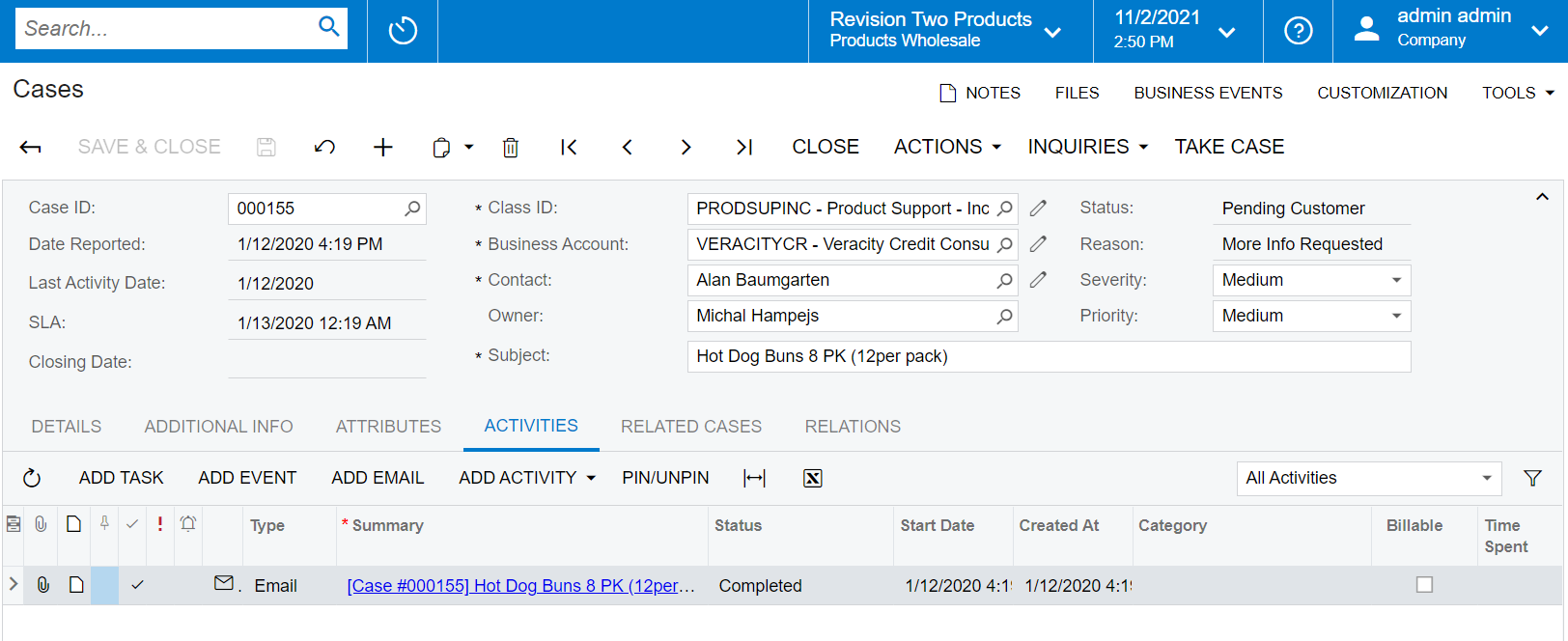
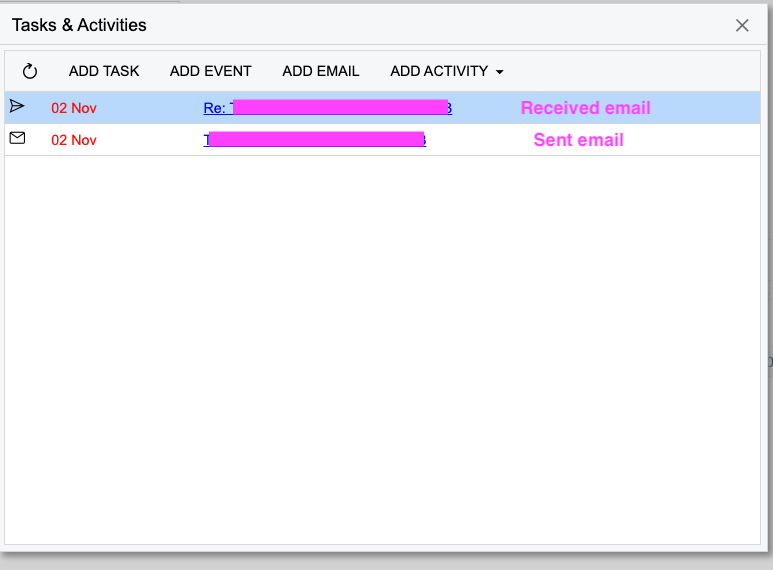
By default Acumatica displays sent email as an envelope and received email as a paper airplane. Am I missing something or isn’t this the opposite of what one might expect? Or is there a way to change it?
 

Best answer by ChandraM

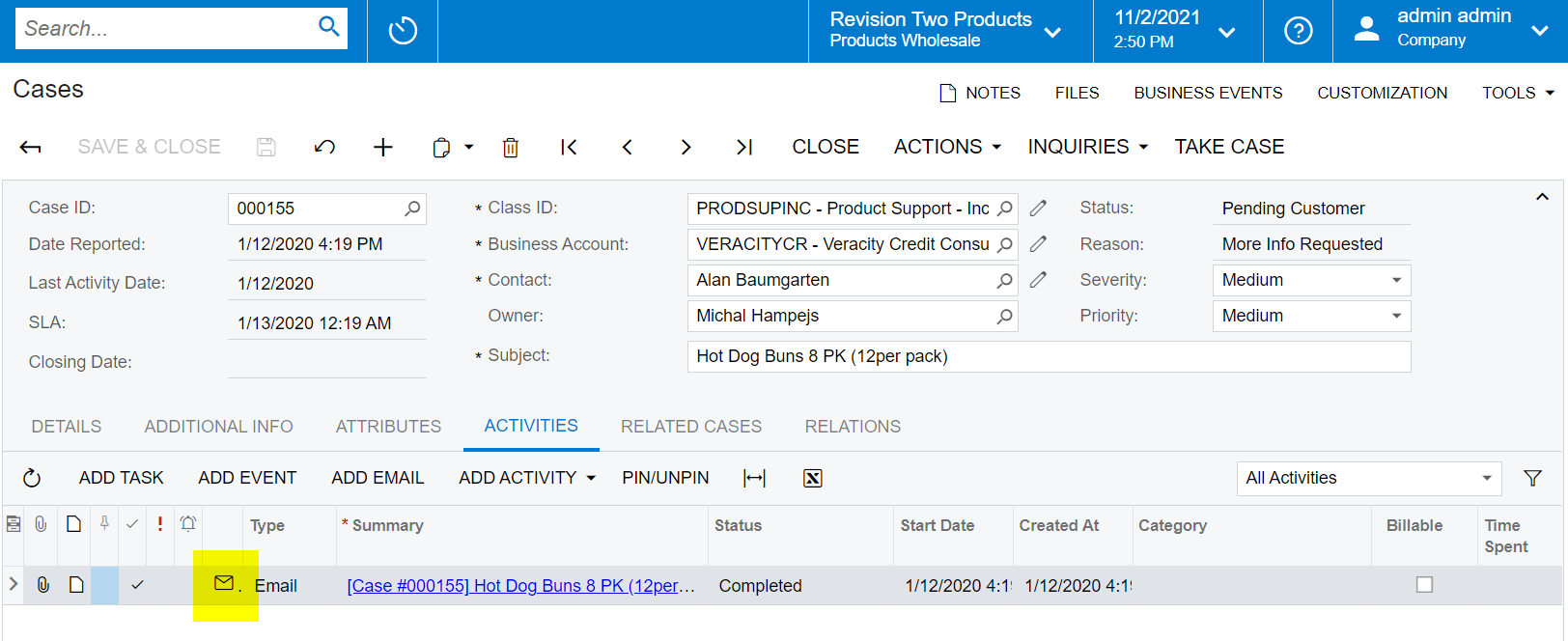
Hi @jeremy4 , Here is another example from the Cases Screen, showing the same Mailbox Icon for the Sent mail. Hope this clarifies.I
Thanks

6 replies

Forum|alt.badge.img+8
  • Semi-Pro I
  • November 2, 2021

Hi @jeremy4  The mailbox Icon ,as shown in the below screenshot represent the mail sent from Acumatica.


Forum|alt.badge.img+8
  • Semi-Pro I
  • Answer
  • November 2, 2021

Hi @jeremy4 , Here is another example from the Cases Screen, showing the same Mailbox Icon for the Sent mail. Hope this clarifies.I

Thanks


  • Author
  • Jr Varsity II
  • November 3, 2021

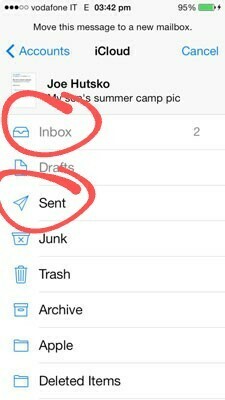
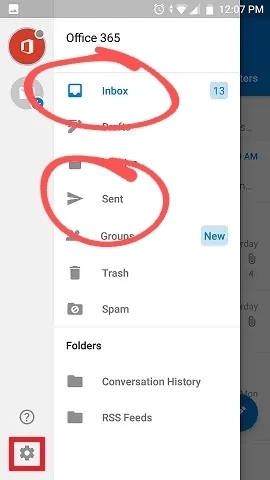
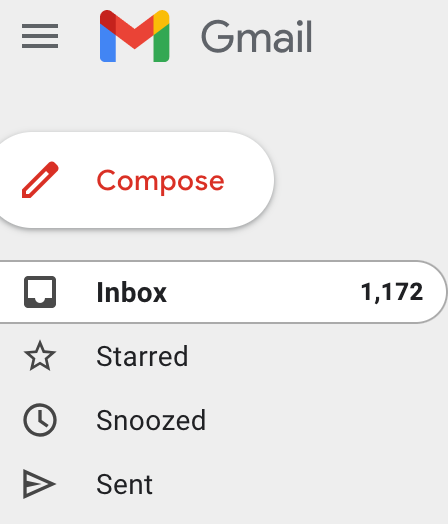
I understand that. Typically of you look at any email clients the envelope indicates RECEIVED and the airplane/arrow indicates SENT. Outlook and Apple mail for instance... 


  • Author
  • Jr Varsity II
  • November 3, 2021

@ChandrasekharM

Unless I am missing something Acumatica has it opposite of most email clients...sort of confusing when working with it. Could this change be easily made?


Forum|alt.badge.img
  • Freshman I
  • November 3, 2021

You’re right, it’s backwards. I always confuse the two when looking at the acumatica symbols. 


Forum|alt.badge.img
  • Jr Varsity III
  • June 25, 2025

Hello! I realize this post is quite dated, but I'm curious to know if, in the more recent versions of Acumatica, there's now a way to change the icons for activities like "E-Mail" and "E-Mail Response.".
There also seems to be no icon for a comment made out of the Self-Service-Portal in the Support Module, which also confuses me a bit. If so, could someone guide me on where and how this can be done? Thank you!