Question

Specific/dedicated user for system automations

  • Nov 1, 2026 10:06 AM UTC
  • 3 replies
  • 17 views
  • Translate All

Hi everyone,

I have a question regarding automation execution in Acumatica.

For automations such as Business Events, Automation Schedules, Automated import scenarios, and other scheduled processes, is there a way to configure them to run under a specific user account instead of the default admin/System Administrator account?

We have noticed that most automations in our environment appear to execute under the admin user (as shown in the screenshot).
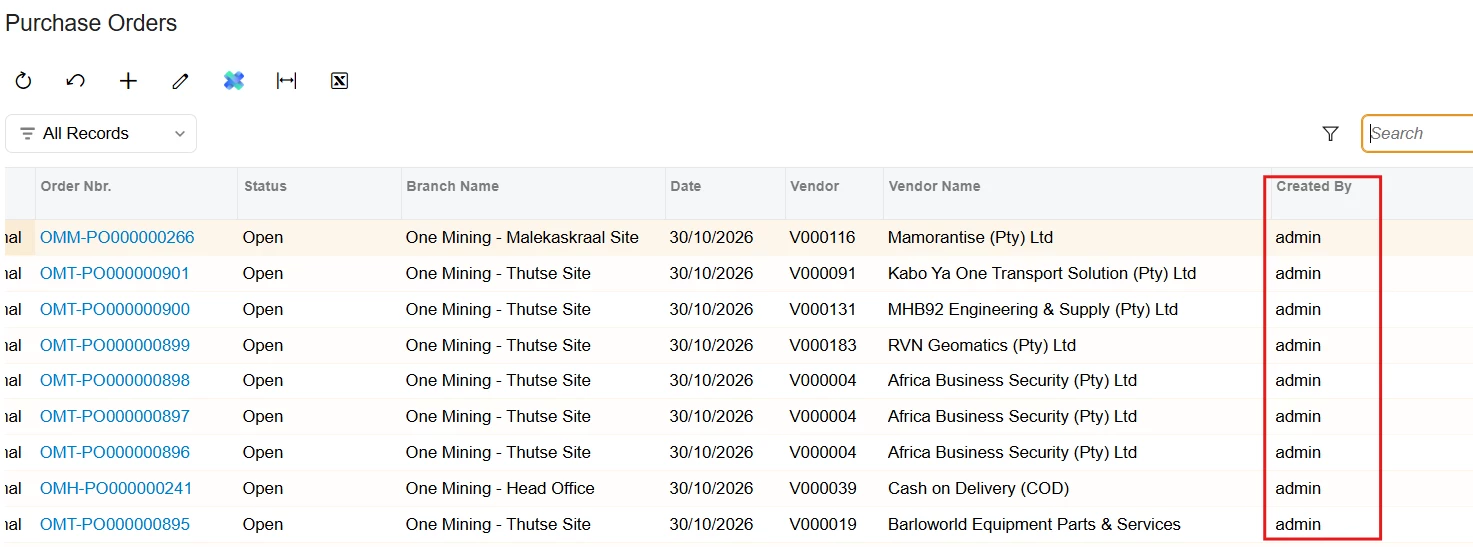


We are considering creating a dedicated user account specifically for automated processes, rather than having all automation activities associated with the administrator account.

Has anyone implemented a similar approach? If so, is there a supported way to specify which user an automation should run under, or are these processes always executed in a system/admin context?

Any guidance or best practices would be greatly appreciated.


Thanks & Regards,
Wandile

3 replies

DasunPerera91
Acumatica Employee
Forum|alt.badge.img+2
  • Acumatica Employee
  • Nov 1, 2026 6:25 PM UTC

Hi ​@wandile02 

From what I can find the system does not provide a setting to change the user to another account. Automated processes are always run under the admin user account.

You can post on this Ideas | Community as well if it’s a required feature.

Translate

Steve Milner
Varsity III
Forum|alt.badge.img+6
  • Varsity III
  • Nov 1, 2026 7:12 PM UTC

@wandile02 Dasun's right, and you've got the docs behind it. The help says "The system uses the admin user account to run scheduled processes." In the 2026 R1 code the user name is hard-coded as admin (admin@tenant on a multi-tenant site). That includes scheduled import scenarios. Business events triggered by a record change or a schedule run their subscribers as admin too, even when another user made the change.

Your dedicated user still has a place, for anything that signs in. A REST integration runs as the login you give it, so that name shows in Created By. If any of the POs in your screenshot came from an integration using the admin login, or from someone signing in as admin, those are the ones you can move.

For the automations themselves, keep people off the admin account so admin in Created By means the system did it. Julia Lukina recommended exactly that here: https://community.acumatica.com/reports-and-generic-inquires-115/bc-should-show-they-are-the-user-who-did-the-work-18310

Don't restrict the admin account along the way. Acumatica Support traced a schedule returning no rows to admin not having access to the tenant's branches: https://community.acumatica.com/other-developer-topics-290/automated-schedule-adding-branchid-null-to-where-clause-25483

Translate

  • Author
  • Freshman I
  • Nov 2, 2026 7:56 AM UTC

Hi All,

Thanks for the clarification ​@Steve Milner & ​@DasunPerera91 

Translate