Solved

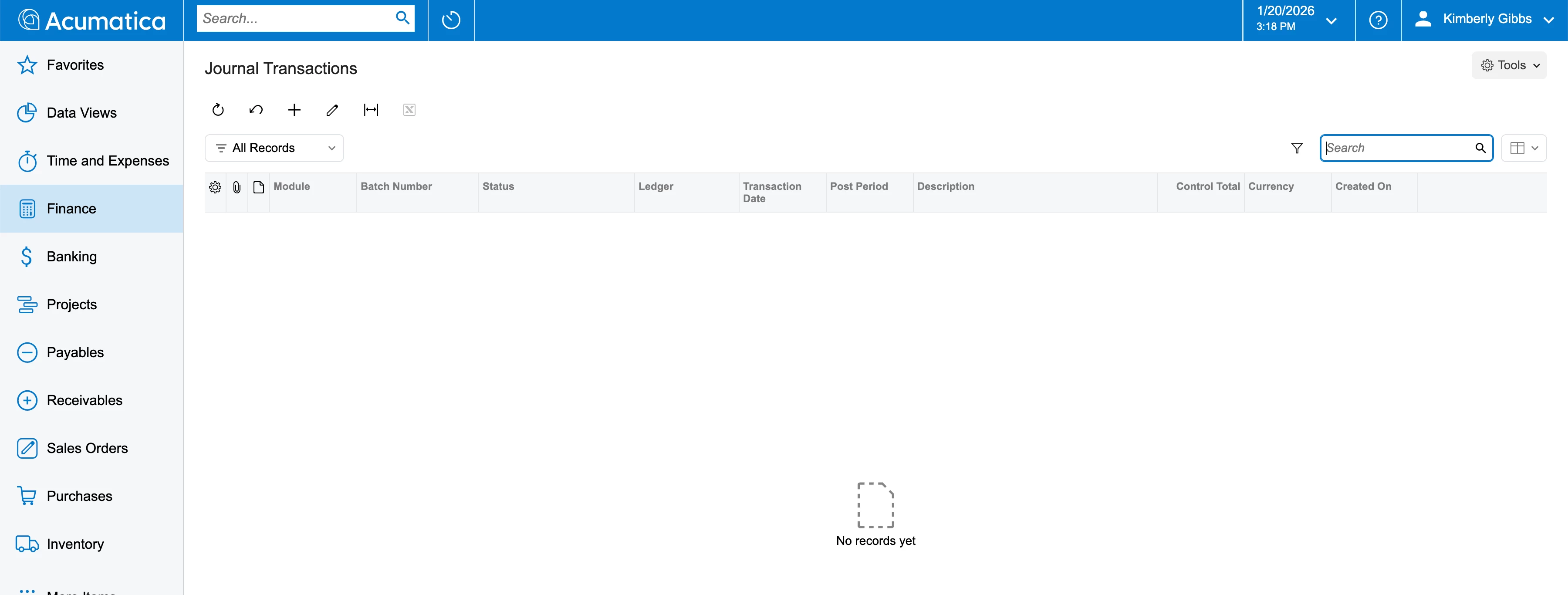
Sales Demo Snapshot for 25.200.0248 doesnt containt any data

  • January 20, 2026
  • 2 replies
  • 13 views

Hi All,

When we tried importing the above demo snapshot on our test environment it doesnt show any data.

I wonder if anyone have encountered any of this issue before.

Looking forward to any help.


Best answer by pauledpalina66

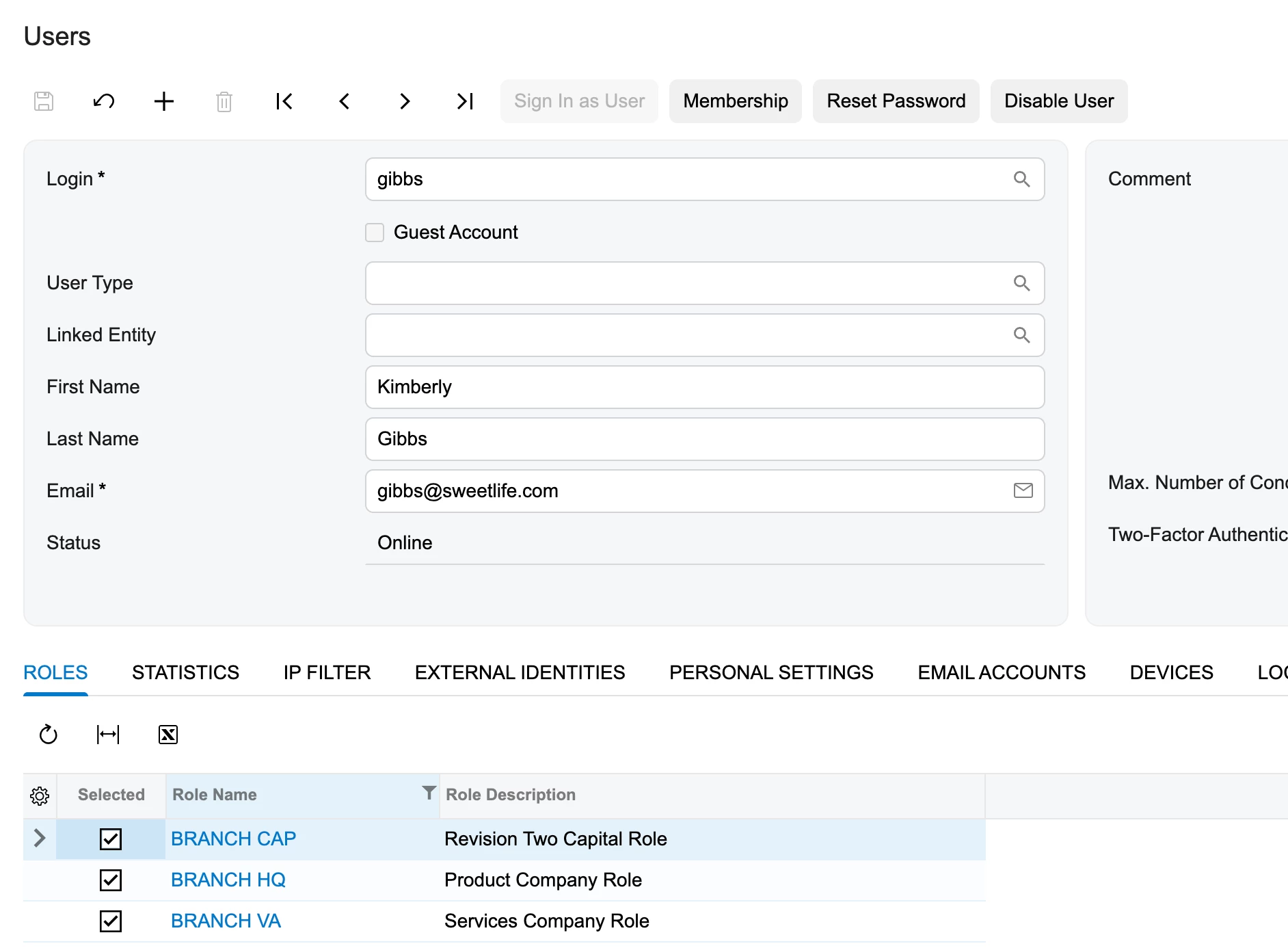
I was able to resolve this issue by adding the roles assign to different branches.


2 replies

Forum|alt.badge.img

Hello pauledpalina66,

It is common to encounter an empty screen like the one in your screenshot after a fresh snapshot import if the system has not yet been "activated" or if the visibility settings are filtered.

You can try the following steps to resolve this:

  • Check Business Date: Ensure your system business date is set to match the data in the demo snapshot (usually a date in 2024 or 2025). If your system date is set to 2026, the current month's "Journal Transactions" screen may appear empty because no data exists for that future period.

  • Company/Branch Selection: Verify that you have selected the correct Company and Branch (e.g., "Product Wholesale - Services") after logging in. Demo data is often tied to specific branches.

  • Snapshot Type: When you performed the import, did you select "Restore Data" or just "Restore Settings"? Ensure the "Restore Data" option was used, or the transactional records will not appear.

  • Clear Filters: Click the "All Records" tab or the funnel icon to ensure there are no active filters hiding the imported transactions.

I hope one of these helps you see the demo data!


  • Author
  • Freshman II
  • Answer
  • January 20, 2026

I was able to resolve this issue by adding the roles assign to different branches.