Answer

Reverting Instance Back to Original State

  • July 27, 2021
  • 2 replies
  • 354 views

Forum|alt.badge.img+2

We have created a Sandbox instance with tenant, companies, calendar and financial periods configured and to ensure safety we take snapshots periodically to rollback changes if a mistake is made while configuring the system.

  1. Is there any method to revert the instance back to the original state, that is the system when you first create an instance? (no configurations) 
Best answer by vkumar

Hi Tharidhi

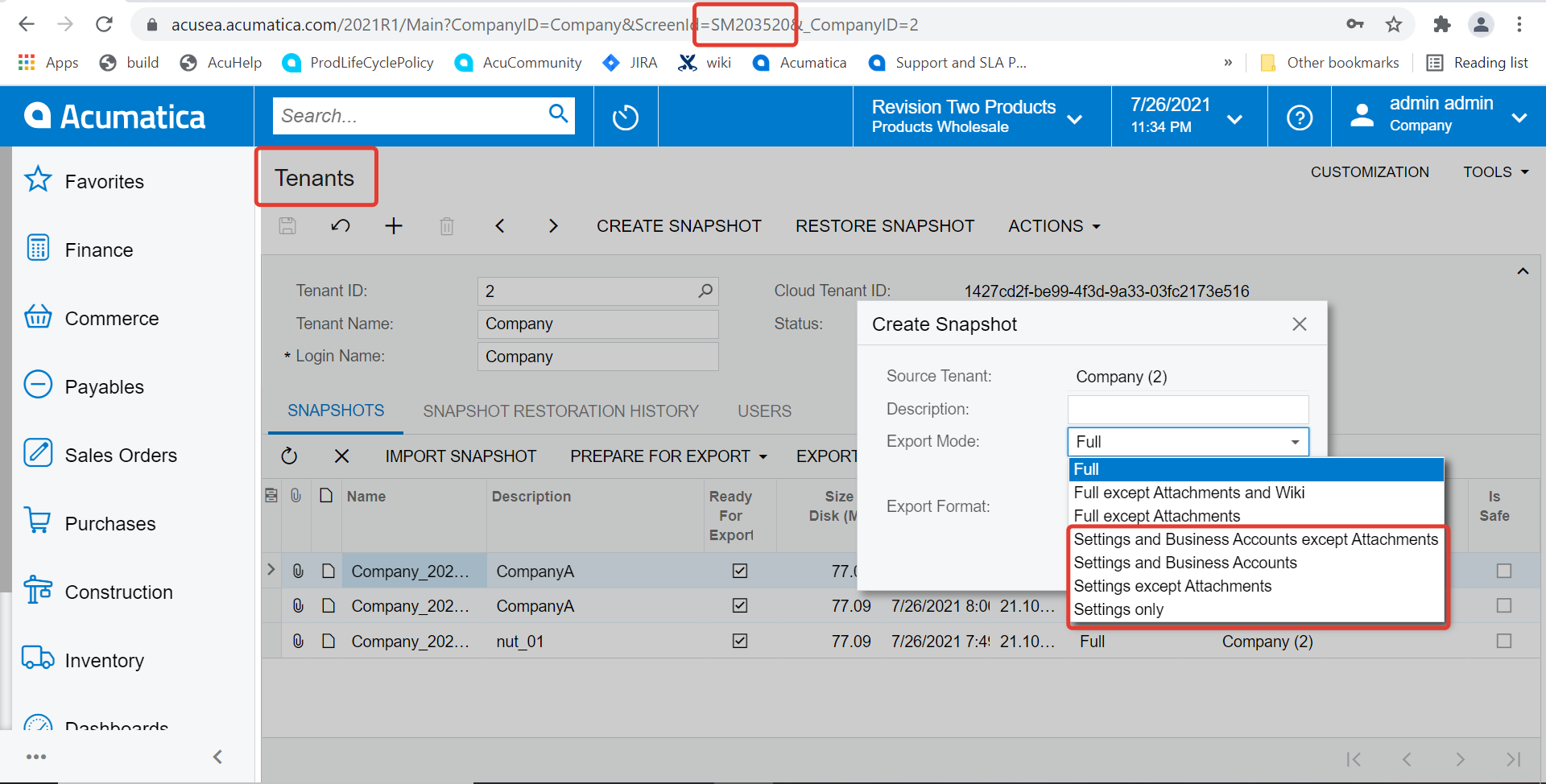
Creating a snapshot with settings only ( note the options available on following screenshot ), exporting and keeping the snapshot file as backup is good option to enable one revert the instance back to setup only stage. 


Hope this helps, 

Regards,

2 replies

Forum|alt.badge.img+12
  • Acumatica Support Team
  • Answer
  • July 27, 2021

Hi Tharidhi

Creating a snapshot with settings only ( note the options available on following screenshot ), exporting and keeping the snapshot file as backup is good option to enable one revert the instance back to setup only stage. 


Hope this helps, 

Regards,


Naveen Boga
Captain II
Forum|alt.badge.img+19
  • Captain II
  • July 27, 2021

Hi @TharidhiP  You do not that option/feature until you have the snapshot backup like above mentioned by Vijay.

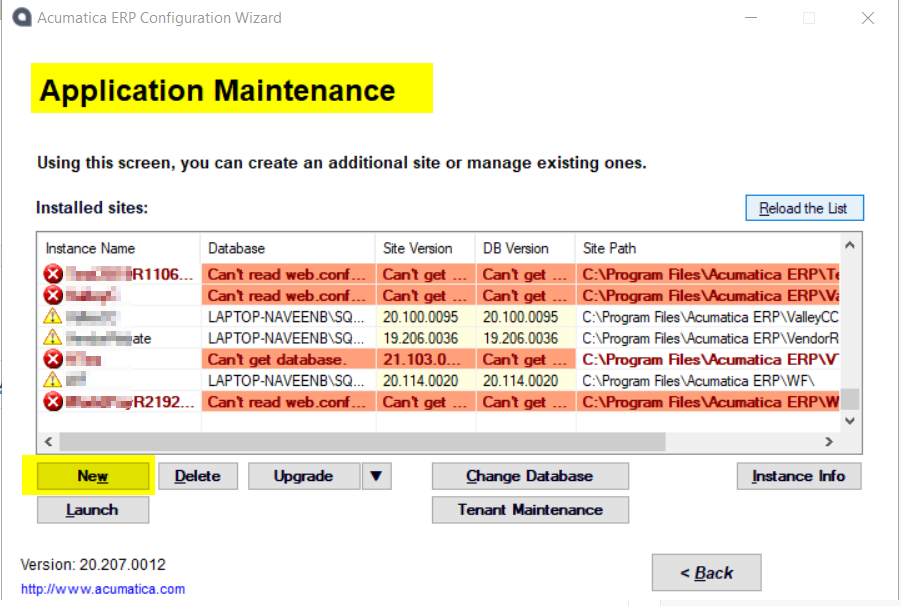
 If you do not have this back, you can open → Acumatica ERP Configuration Wizard → Application Maintenance → New it will create a new database for the same instance.


hope this helps!!