Solved

Reverting Instance Back to Original State

  • Jul 27, 2021 5:42 AM UTC
  • 2 replies
  • 428 views
  • Translate All

Forum|alt.badge.img+2

We have created a Sandbox instance with tenant, companies, calendar and financial periods configured and to ensure safety we take snapshots periodically to rollback changes if a mistake is made while configuring the system.

  1. Is there any method to revert the instance back to the original state, that is the system when you first create an instance? (no configurations) 
Best answer by vkumar

Hi Tharidhi

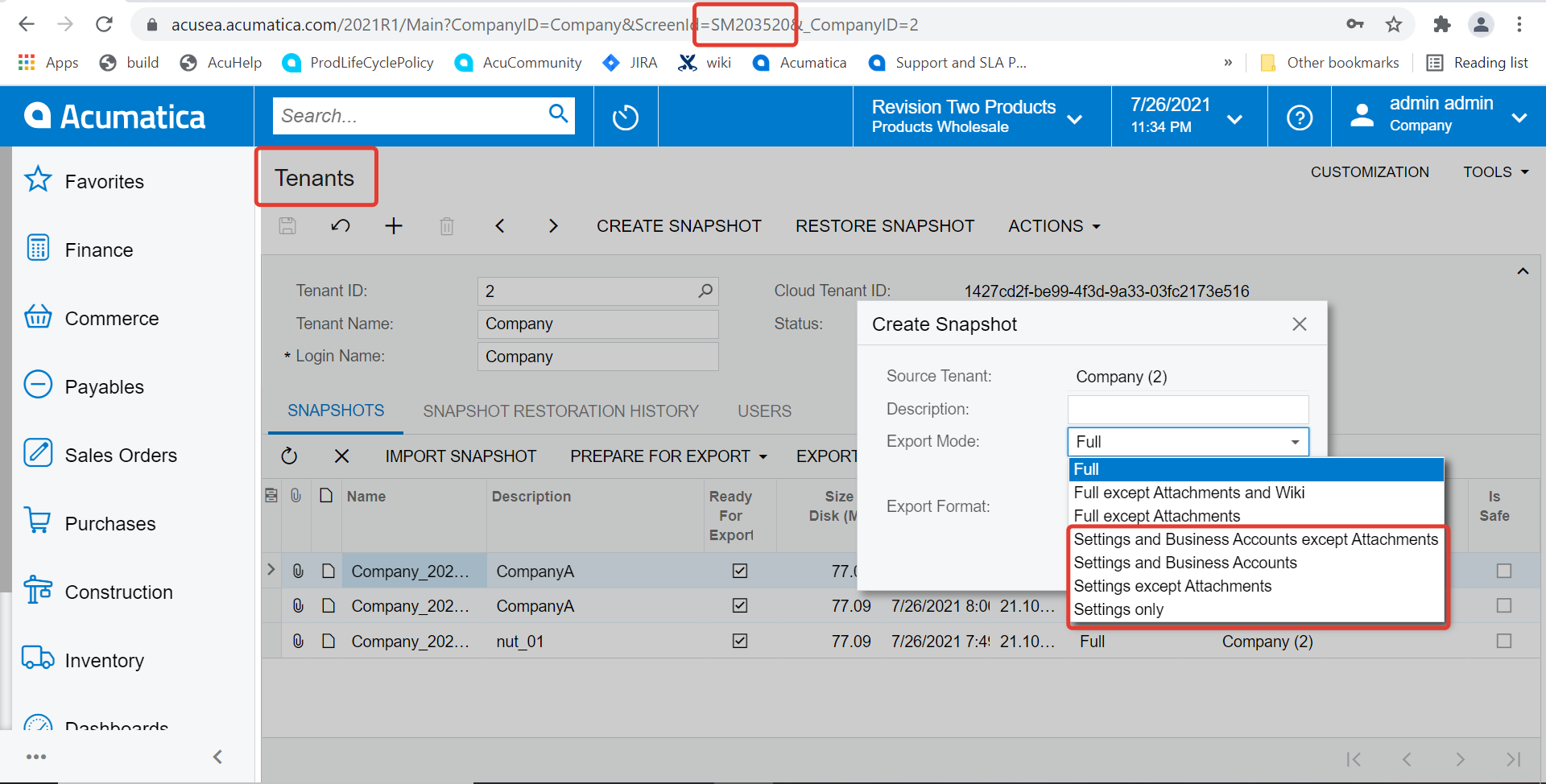
Creating a snapshot with settings only ( note the options available on following screenshot ), exporting and keeping the snapshot file as backup is good option to enable one revert the instance back to setup only stage. 


Hope this helps, 

Regards,

View original

2 replies

Forum|alt.badge.img+12
  • Acumatica Support Team
  • Answer
  • Jul 27, 2021 6:36 AM UTC

Hi Tharidhi

Creating a snapshot with settings only ( note the options available on following screenshot ), exporting and keeping the snapshot file as backup is good option to enable one revert the instance back to setup only stage. 


Hope this helps, 

Regards,

Translate

Naveen Boga
Captain II
Forum|alt.badge.img+20
  • Captain II
  • Jul 27, 2021 8:13 AM UTC

Hi @TharidhiP  You do not that option/feature until you have the snapshot backup like above mentioned by Vijay.

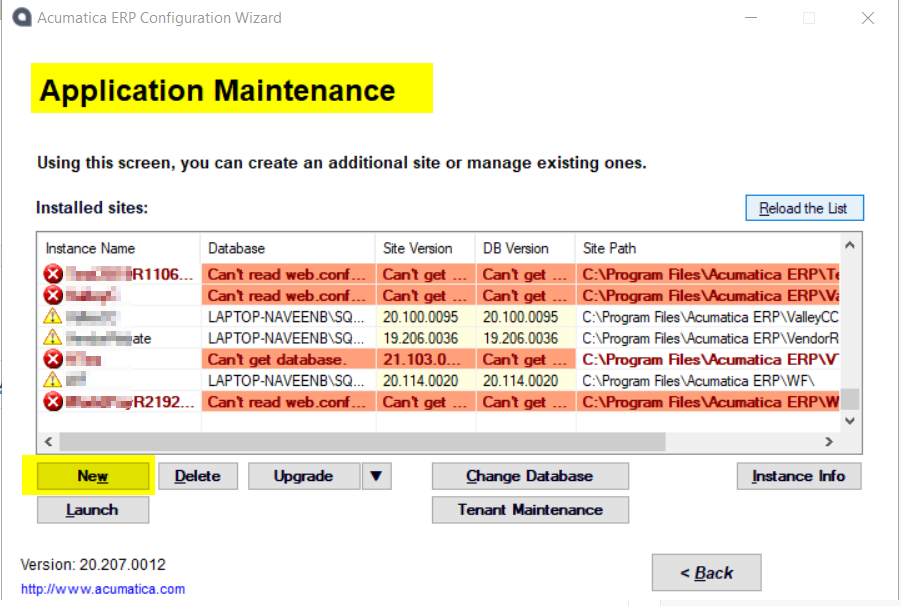
 If you do not have this back, you can open → Acumatica ERP Configuration Wizard → Application Maintenance → New it will create a new database for the same instance.


hope this helps!!


Translate