Solved

Project Numbering seq

  • October 1, 2026
  • 3 replies
  • 70 views

Forum|alt.badge.img

Hello all,

I was curious to know if we can setup the project numbering seq based on the below format:

Segment 1: Year

Segment 2 - auto numbring sequence.


For example: if I have a project to be created in the year 2026 then the ID should be 26-001, 26-002, 26-003 and so on. However when the 2027 year starts then the Project ID should continue as 27-004, 27-005 and so on..

Is this possible? Or what could be other suggestions?
Best answer by hsethia25

Hi ​@Harry ,

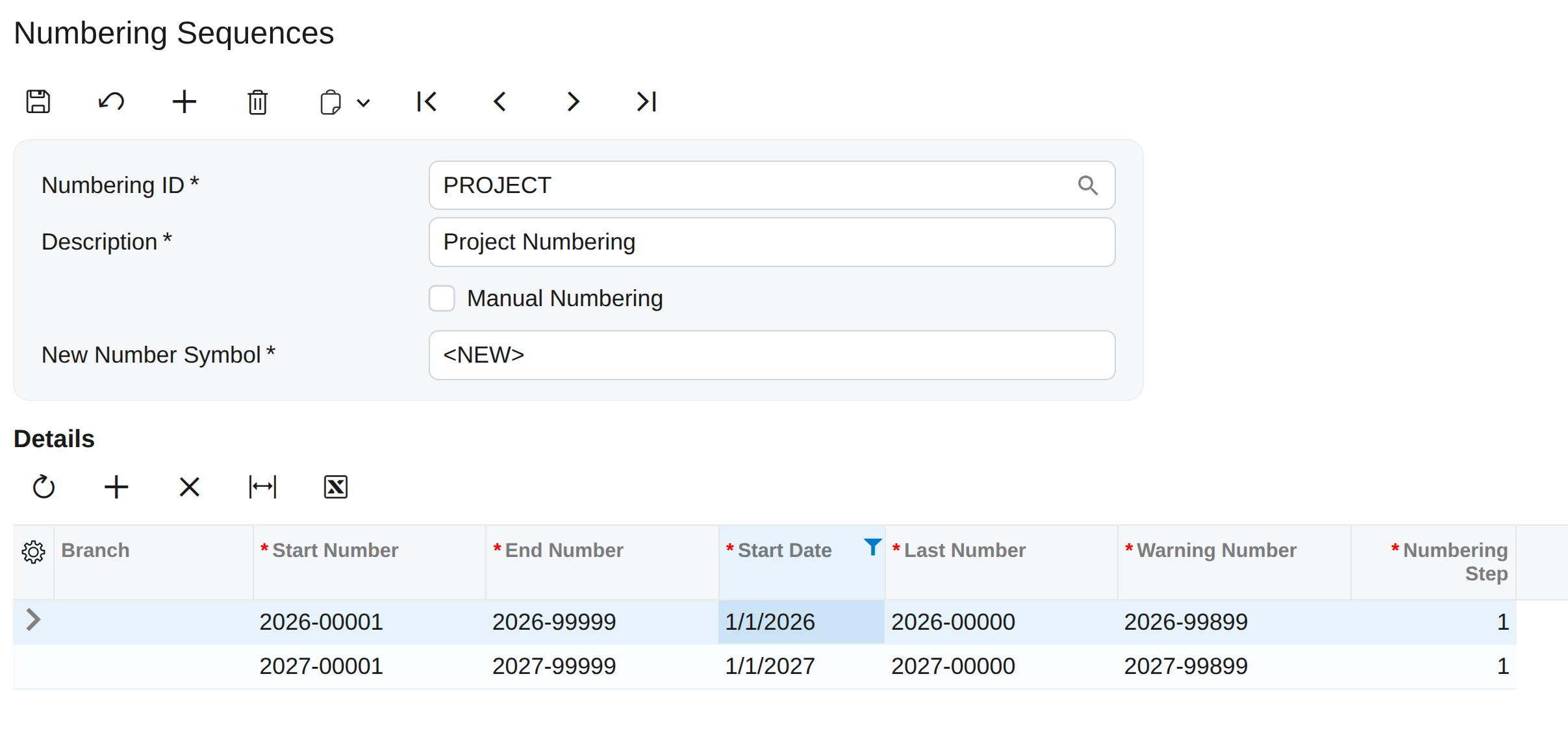
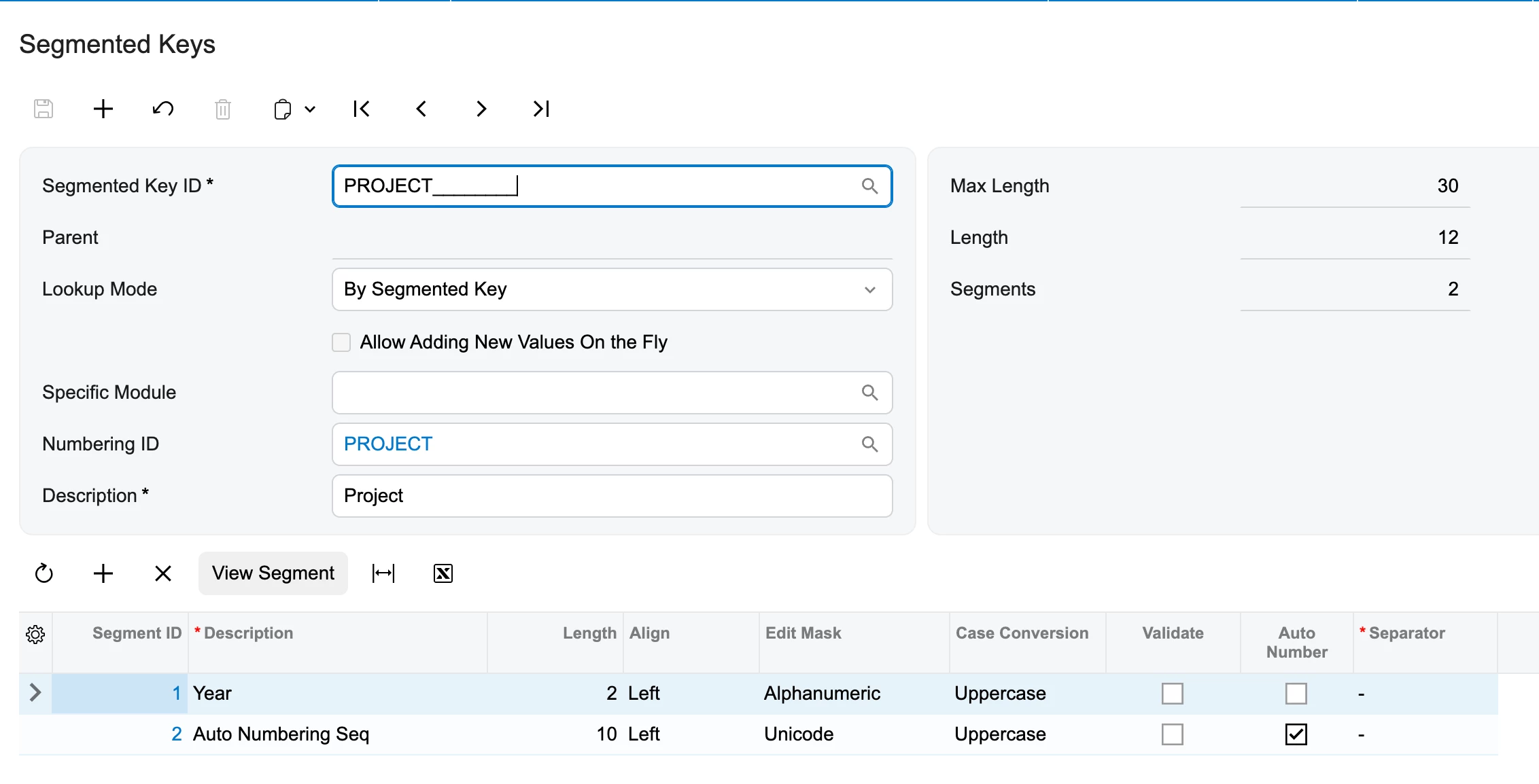
Can you try the below setup?

Hope this helps!!

3 replies

Forum|alt.badge.img+4
  • Varsity III
  • Answer
  • October 1, 2026

Hi ​@Harry ,

Can you try the below setup?

Hope this helps!!


nhatnghetinh
Captain II
Forum|alt.badge.img+14
  • Captain II
  • October 1, 2026

Hi ​@Harry 

Segment 2 will increment automatically, that part is fine. However, regarding Segment 1: The numbering sequence does not automatically update when the new year begins. I believe you would need to manually update details such as the Start number, End number,... in the Numbering Sequences screen at the start of the new year.

Best Regards,

NNT


Eric Ratté
Jr Varsity I
Forum|alt.badge.img+2
  • Jr Varsity I
  • October 1, 2026

Hi,

The configuration you did requires the user to manually enter the year.

If you want this part to be automated, you can set the segmented key to only 1 segment which will contaiin the year and the number.

Then, in the numbering sequence, you will enter a different sequence per date. You can prepare it  in advance. The user won’t be able to change it, it will be automatic.