

Answer

outlook email error - TCP Client Connection timeout

  • August 14, 2024
  • 2 replies
  • 127 views

Getting a connection timeout error when trying to test the outlook setup. I’ve gone through all the steps and can login but when I click ‘Test’ I get the following:
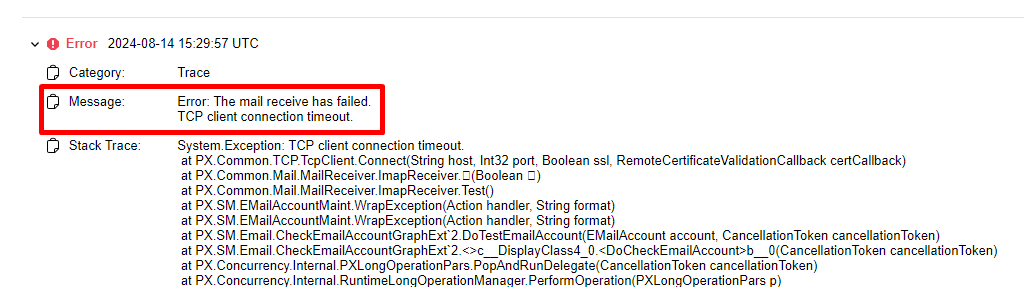
 

Its not getting to the server at all, I’ve got port numbers 443 for incoming and 80 for outgoing (confirmed by the client) I tried changing them to 993 and 587 respectively but that yielded the same result. There is no MFA on the account either.

Any ideas what I can try to fix this?

Best answer by travislawson

May be a little late.  Try port 465 and SSL for outgoing.  443 and 80 are HTTPS/HTTP ports, not for SMTP or IMAP.  

2 replies

Forum|alt.badge.img+1
  • Answer
  • February 28, 2025

May be a little late.  Try port 465 and SSL for outgoing.  443 and 80 are HTTPS/HTTP ports, not for SMTP or IMAP.  


Forum|alt.badge.img+1
  • Acumatica Employee
  • March 3, 2025

This error can be caused due to various reasons. 

Mainly due to the following reasons.

1. Mail configurations are not done correctly
2. A particular email in inbox creating issue

Change Incoming Mail Protocol from IMAP to POP 3 and try again
If that doesn't work, create a New Root folder in Exchange server and move only a few email to the folder (unread) and specify the new Root folder under Email Accounts and try again. 
This is to know if a particular email in the inbox is creating the issue.
