Solved

Opportunity Summary column formatting

  • Aug 23, 2022 12:04 PM UTC
  • 2 replies
  • 100 views
  • Translate All

Forum|alt.badge.img

Good morning!

Can the columns in an Opportunity Summary be rearranged?

If so, please advise how.  Thanks.

Best answer by Laura03

Hello,

Are you asking about the Opportunity Summary Report?  I think the answer is Yes.
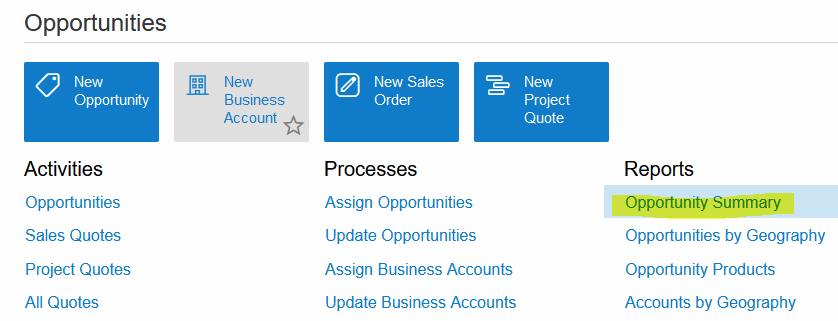
This looks like a Pivot Table. To change Pivot Tables in Acumatica, click Customize. You will need to be in the Customizer role, in order to see the Customize Menu as shown.

For more help,

Here is a link to an Acumatica Open University class that includes Pivot Tables as a topic.

https://openuni.acumatica.com/courses/reporting/s130-inquiries-reports-and-dashboards/

View original

2 replies

Laura03
Captain II
Forum|alt.badge.img+20
  • Captain II
  • Answer
  • Aug 23, 2022 12:24 PM UTC

Hello,

Are you asking about the Opportunity Summary Report?  I think the answer is Yes.

This looks like a Pivot Table. To change Pivot Tables in Acumatica, click Customize. You will need to be in the Customizer role, in order to see the Customize Menu as shown.

For more help,

Here is a link to an Acumatica Open University class that includes Pivot Tables as a topic.

https://openuni.acumatica.com/courses/reporting/s130-inquiries-reports-and-dashboards/

Translate

Kandy Beatty
Captain II
Forum|alt.badge.img+18
  • Captain II
  • Aug 23, 2022 12:25 PM UTC

HI @bhyland 

There are 2 ways to change the layout. 

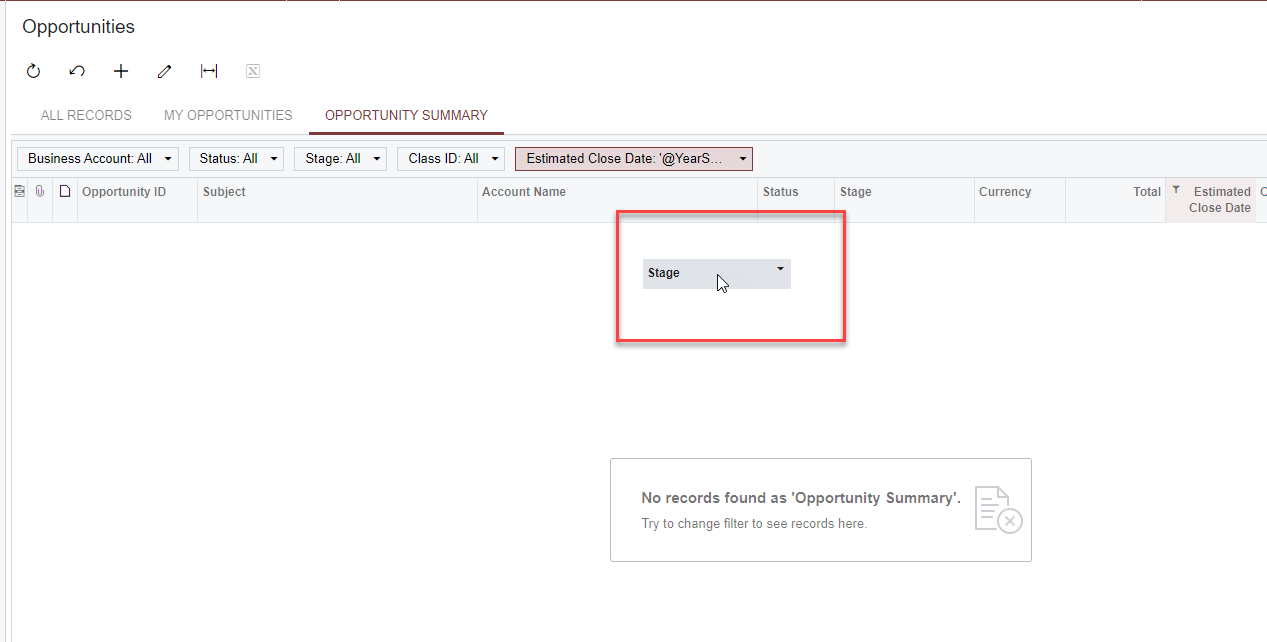
  1. You can drag and drop the column that you want to move by clicking on the column header and dragging it to where you want. 
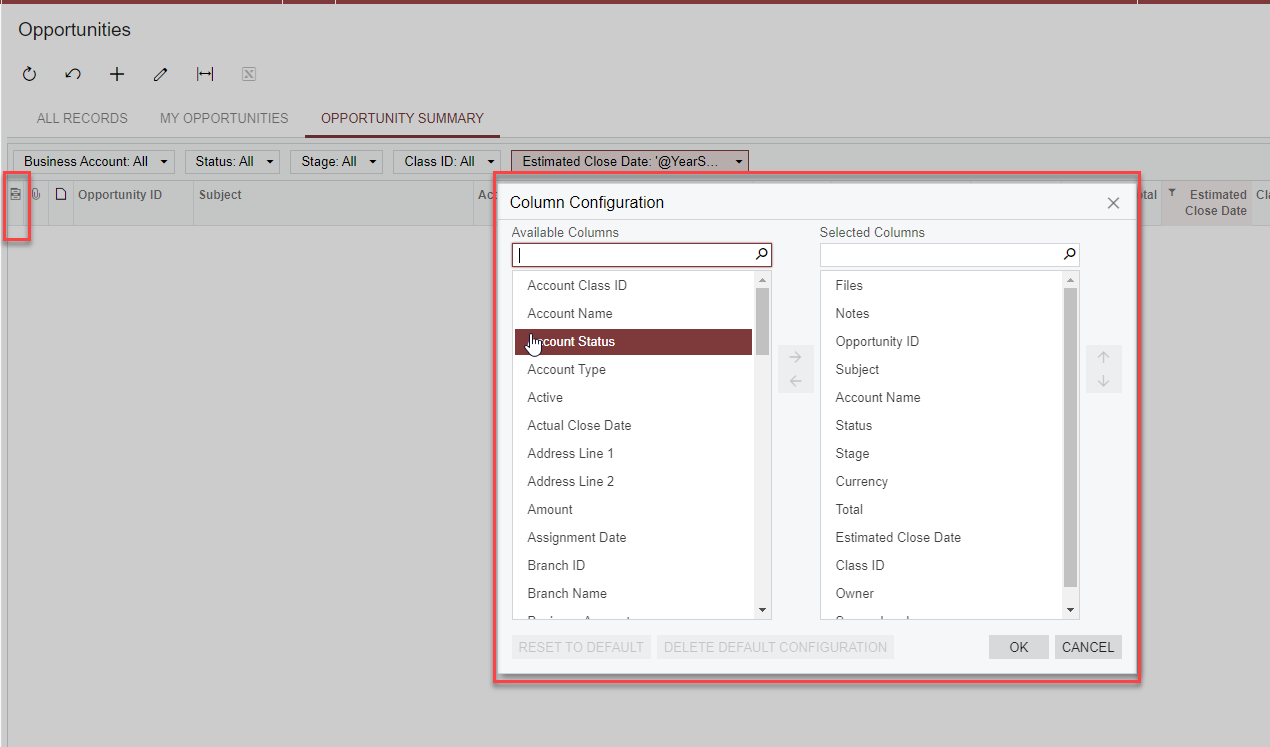
  2. You can click on the column configurator and move the columns from Available Columns to Selected Columns by using the arrows to either add or remove them and then hit ok. 


Translate