Answer

Numbers Appearing for Access Rights

  • October 17, 2024
  • 7 replies
  • 95 views

Hey there,


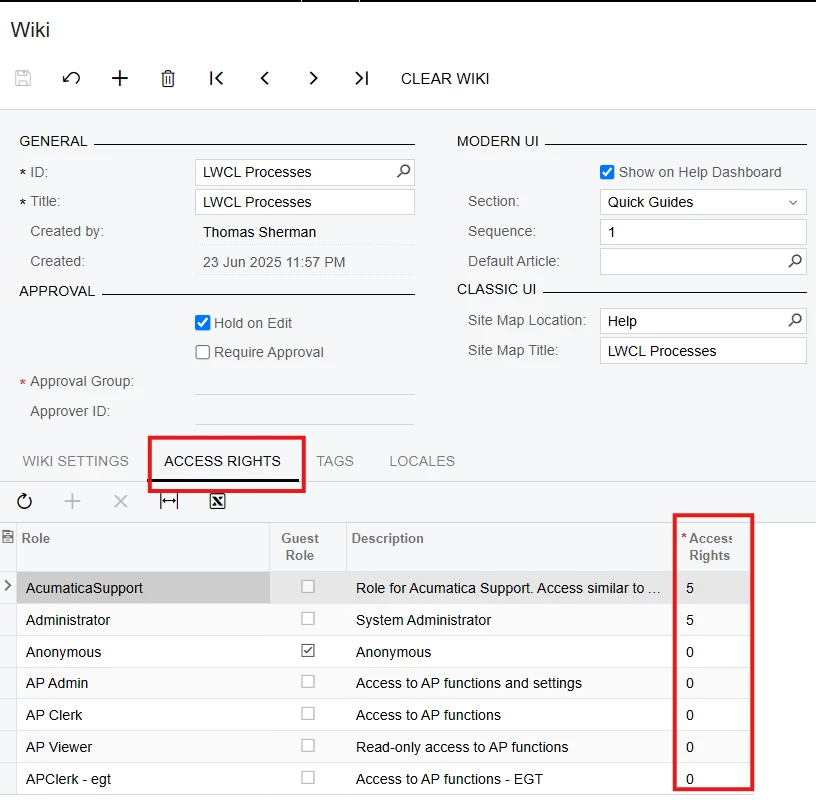
The access rights for various forms, such as the Wiki form is showing numbers instead of "Granted” or “Edit” for example. 
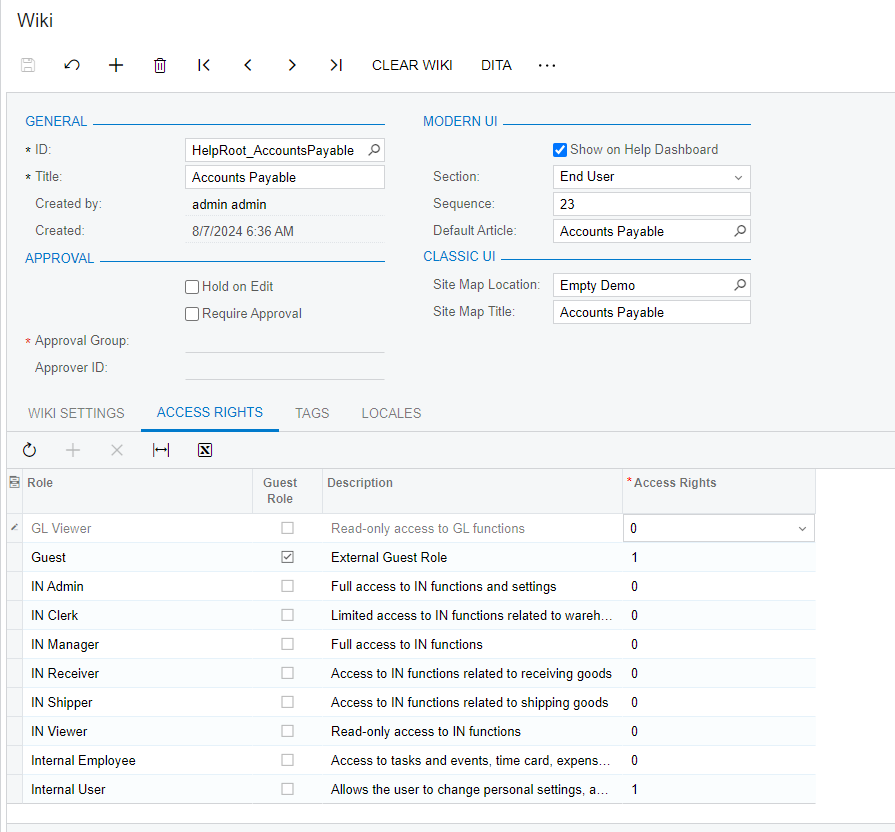
 

Here you can see that numbers should not be showing up.


Thanks!

Best answer by ed.goodman

@kseal60

Go into Tools > About to confirm the version, or you can log out and the build number will be in the lower right-hand corner of the login screen.

I am on build 24.113.0010 and am not seeing the numeric values in my test instance.

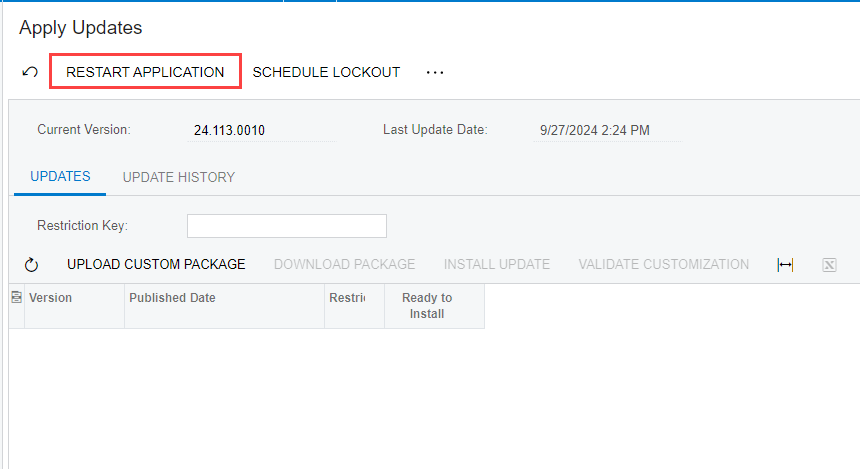
You could try doing a Restart Application in the Apply Updates (SM203510) screen.

Ed

7 replies

ed.goodman
Acumatica Employee
Forum|alt.badge.img+4
  • Acumatica Employee
  • October 17, 2024

@kseal60

Good afternoon!

This was a known issue that is now fixed in version 2024 R1.

Upgrade to that version and you will not see the numeric values in the access rights screens.

Hope this helps!

Ed


  • Author
  • Freshman I
  • October 17, 2024

@kseal60

Good afternoon!

This was a known issue that is now fixed in version 2024 R1.

Upgrade to that version and you will not see the numeric values in the access rights screens.

Hope this helps!

Ed

Hey, Ed. Thanks so much for the quick response. I am using my local and appear to be in 2024 R1. 

Is it likely just a glitch and I can disregard? Thanks!


ed.goodman
Acumatica Employee
Forum|alt.badge.img+4
  • Acumatica Employee
  • Answer
  • October 17, 2024

@kseal60

Go into Tools > About to confirm the version, or you can log out and the build number will be in the lower right-hand corner of the login screen.

I am on build 24.113.0010 and am not seeing the numeric values in my test instance.

You could try doing a Restart Application in the Apply Updates (SM203510) screen.

Ed


  • Author
  • Freshman I
  • October 17, 2024

@kseal60

Go into Tools > About to confirm the version, or you can log out and the build number will be in the lower right-hand corner of the login screen.

I am on build 24.113.0010 and am not seeing the numeric values in my test instance.

You could try doing a Restart Application in the Apply Updates (SM203510) screen.

Ed


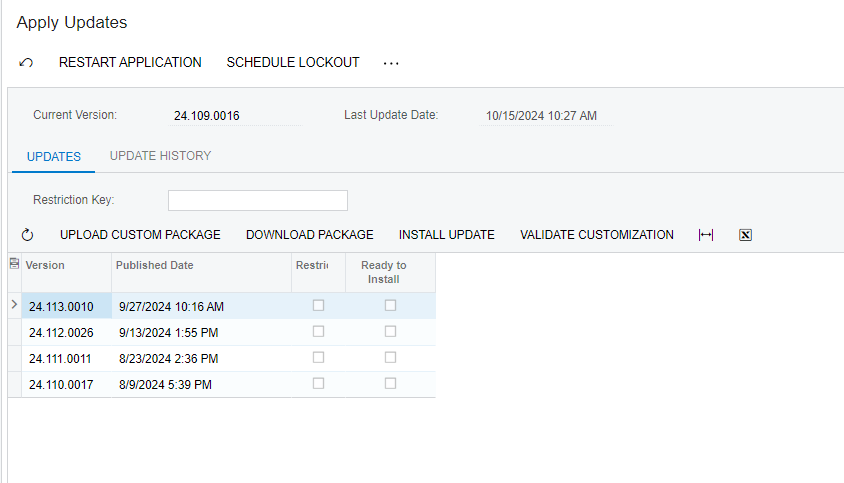
Hey, Ed. I am using the preloaded U100 dataset and downloaded the update package. However, when I go to update, it says I cannot because customization is not valid. I have zero customization packages and have confirmed this. Do you know how to resolve?


ed.goodman
Acumatica Employee
Forum|alt.badge.img+4
  • Acumatica Employee
  • October 17, 2024

@kseal60 

I am not sure about that error message.

I searched but did not find anything.

You may want to enter a separate discussion forum for that so you can track it properly rather than adding it to this issue, which is in regard to numeric values in access rights.

Ed


  • Author
  • Freshman I
  • October 17, 2024

@kseal60

I am not sure about that error message.

I searched but did not find anything.

You may want to enter a separate discussion forum for that so you can track it properly rather than adding it to this issue, which is in regard to numeric values in access rights.

Ed


Hey, Ed.


Thanks so much for all your help. Truly appreciate it. I have found this and confirmed that the preloaded datasets are not meant to be updated natively, but rather through the snapshots found under each build. 

Regarding the access rights issue, I imagine that it was an issue in early 24R1 and has since been fixed in an update. Thanks.


thomassherman51
Jr Varsity III
Forum|alt.badge.img

Hey there,


The access rights for various forms, such as the Wiki form is showing numbers instead of "Granted” or “Edit” for example. 
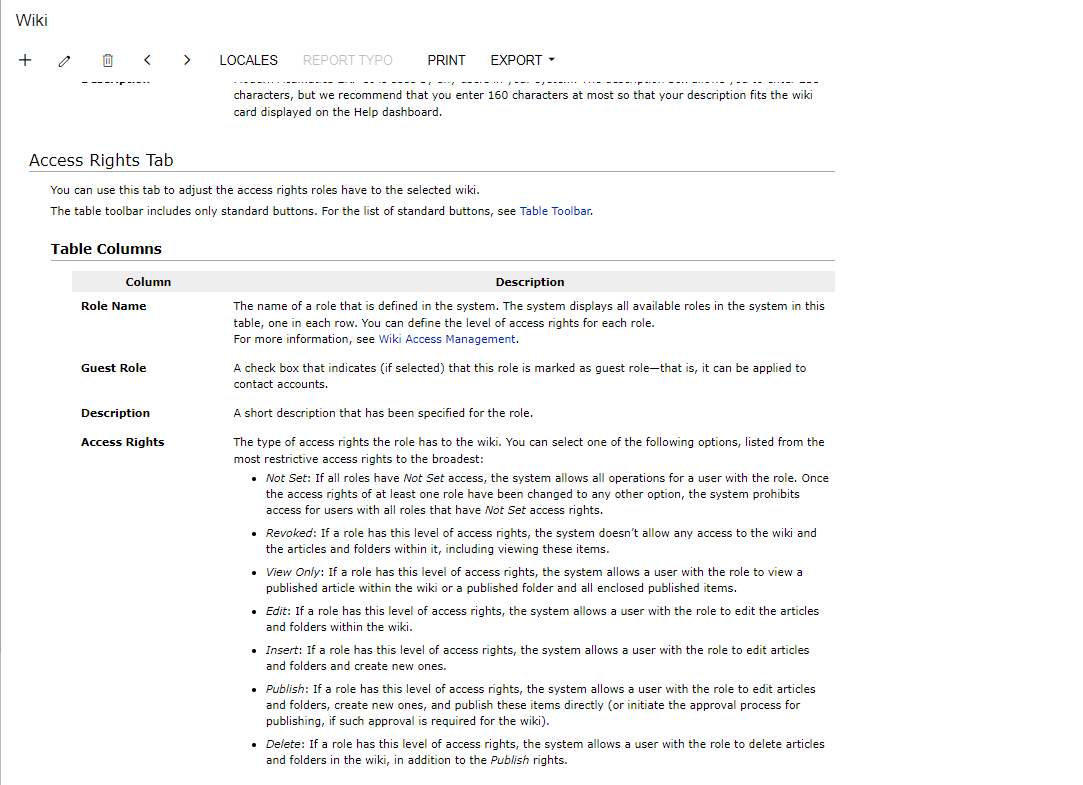
 

Here you can see that numbers should not be showing up.


Thanks!

Hello,

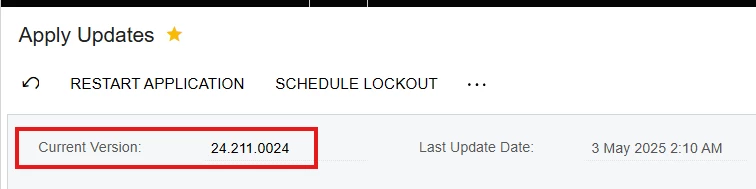
I am seeing the access rights as numbers  in 2024 R2


Below is the build