Question

Modern UI — Grid column personalization does not persist (lost on page refresh)

  • April 4, 2026
  • 1 reply
  • 9 views

We're on 2025 R2 and have been rolling out the Modern UI. Several users are reporting that grid column personalization — column order, visibility, and width — does not persist. Changes are lost immediately on page refresh.


Behavior:
  - User customizes grid columns (reorder, hide/show, resize) on a screen
  - Refreshing the page reverts columns back to default
  - This is happening across multiple screens — AP Bills & Adjustments, Projects, Service Contracts, and potentially others
  - The same screens work correctly when reverted to the Classic/Legacy UI — column preferences save and persist as expected

  What we've tried:
  - Confirmed it affects multiple users, not just one account
  - Verified the issue is not browser-specific
  - Reverting individual screens to Legacy UI resolves the issue (columns save normally)

  Questions:
  1. Is this a known limitation of the Modern UI's current personalization layer?
  2. Is there a patch or hotfix that addresses this?
  3. Are others experiencing this, or is it potentially related to our customization projects?
1 reply

Md Kalim Ashraf
Jr Varsity I

Hi ​@jherbst ,

To answer your questions directly: Yes, this seems to be a known behavior or local caching issue affecting the personal configuration layer in the 2025 R2 Modern UI for some environments. Normal end-user personalizations (using the standard grid gear icon) are failing to persist. I recommend opening a standard support case with Acumatica so they can provide a patch or hotfix if one exists for your specific build.

However, while you wait for a resolution, there is an administrative workaround you can use so your users aren't forced to constantly readjust their columns.

Instead of fighting the broken User Personalization, an Administrator can use the Screen Configuration mode to force a brand new Global Default layout for everyone.

Here are the steps to do this:

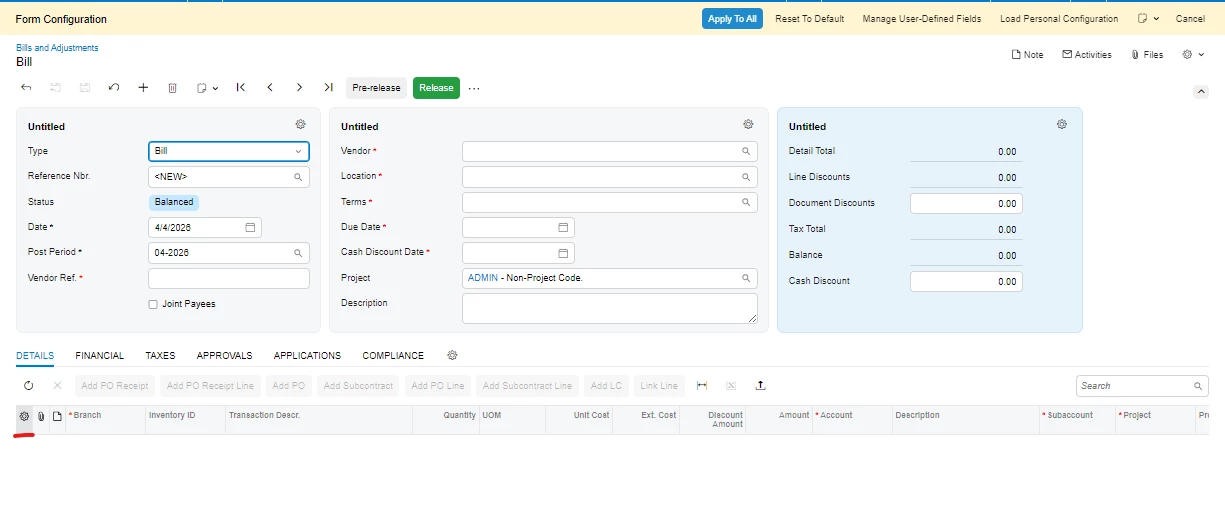
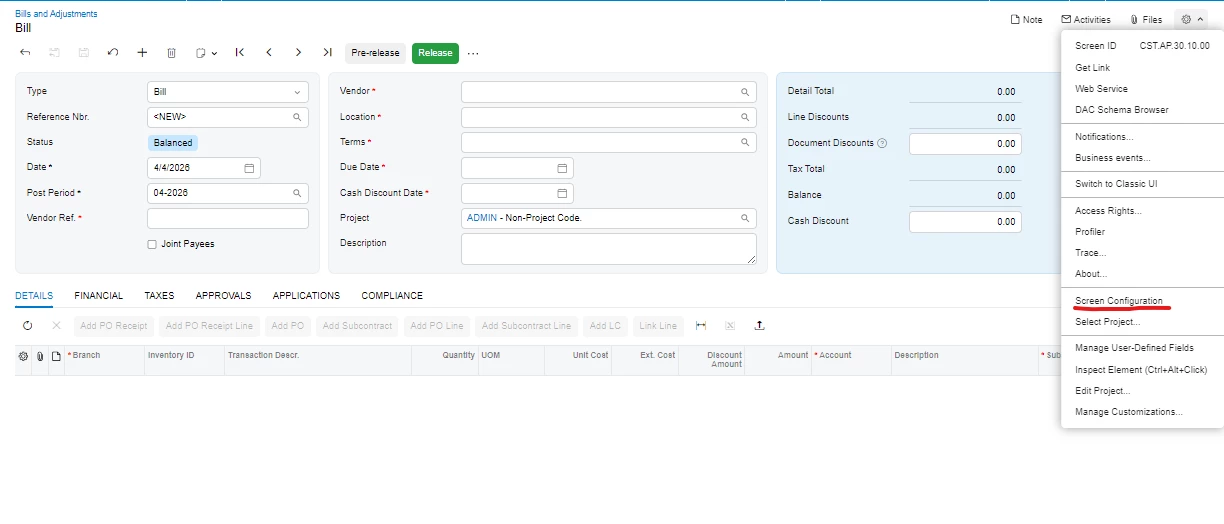
Step 1: As an Admin, open the screen in question, go to the Tools menu (the gear icon at the top right of the screen), and select Screen Configuration

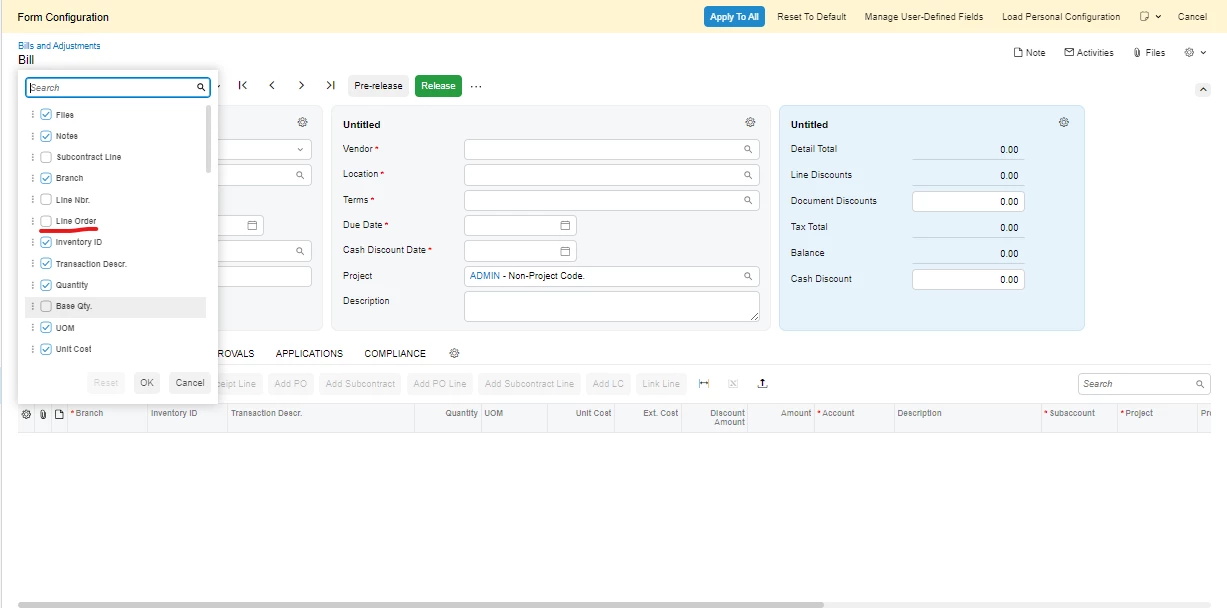
Step 2: Once in the Form Configuration mode, either resize the columns directly or click the gear icon inside the grid to adjust visibility and line order. 


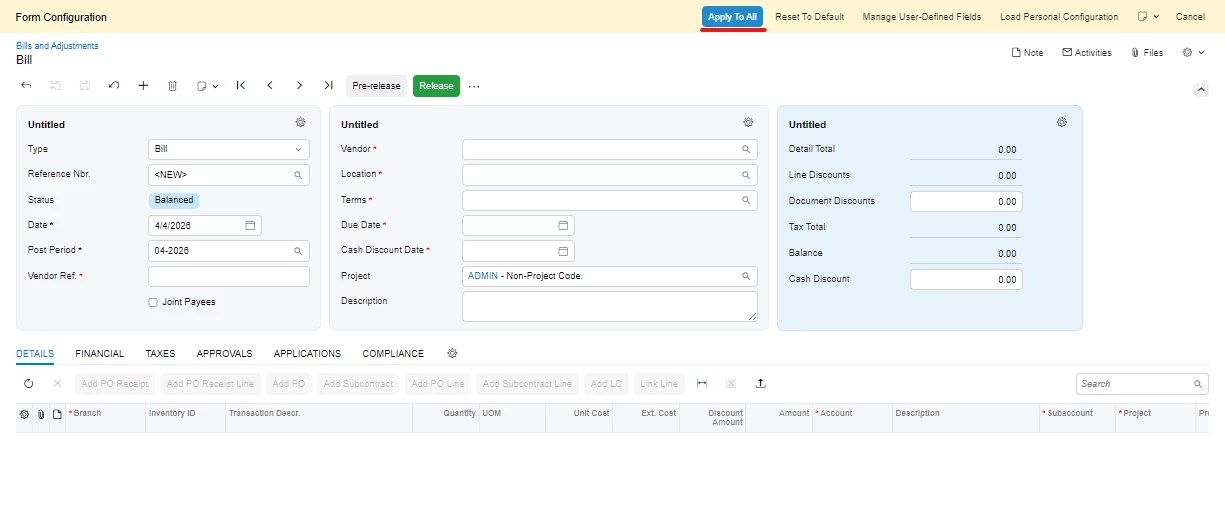
Step 3: After making your changes, look at the top yellow banner and click the Apply To All button.

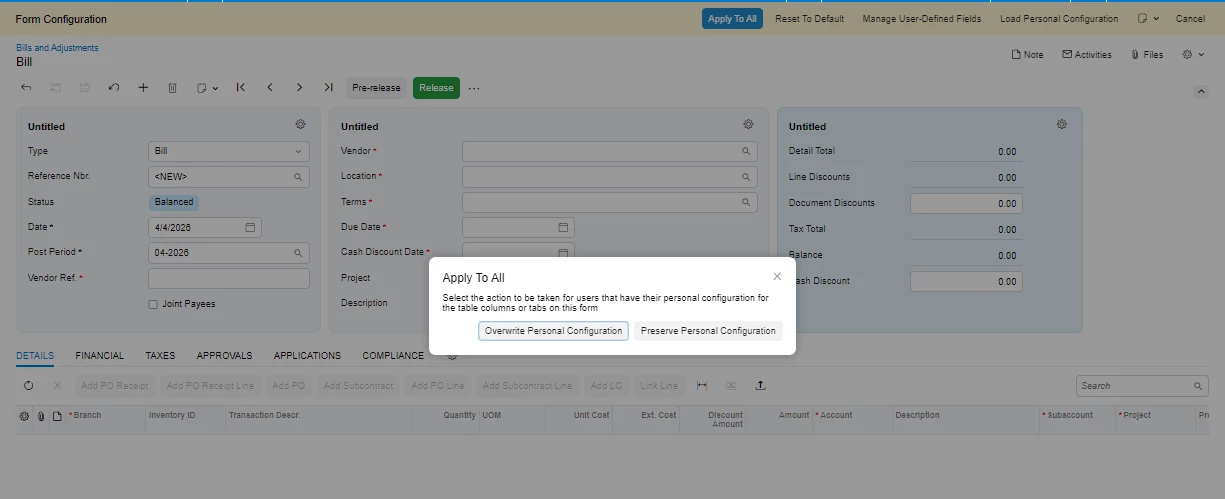
Step 4: A prompt will appear. Select Overwrite Personal Configuration.

What this does: This wipes out any buggy or broken user personalizations and forces everyone to use the new standardized layout you just configured. It doesn't fix the core bug of users not being able to save their own distinct preferences, but it gives everyone a functional, clean layout to use while you wait for a formal patch from Acumatica Support!

Hope this helps 😊